
Data exports
Recurly offers a variety of ways to export your data. This page will give you a high-level overview of how to retrieve exports, what each export does, and some tips on how to use them. If you're interested in learning about each export in detail, please see below.
Overview
Prerequisites
- Users must have Analytics user role permission.
Exports overview
-
All of the exports listed in the below table are available through the admin console and the Recurly API.
-
Exports will use the site timezone (under Site Settings) rather than the users timezone when determining what data will be exported. Additionally, the days that are requested will be exported in their entirety rather than potentially having missing data for current day.
-
See Automated Exports for more information about access via the Recurly API.
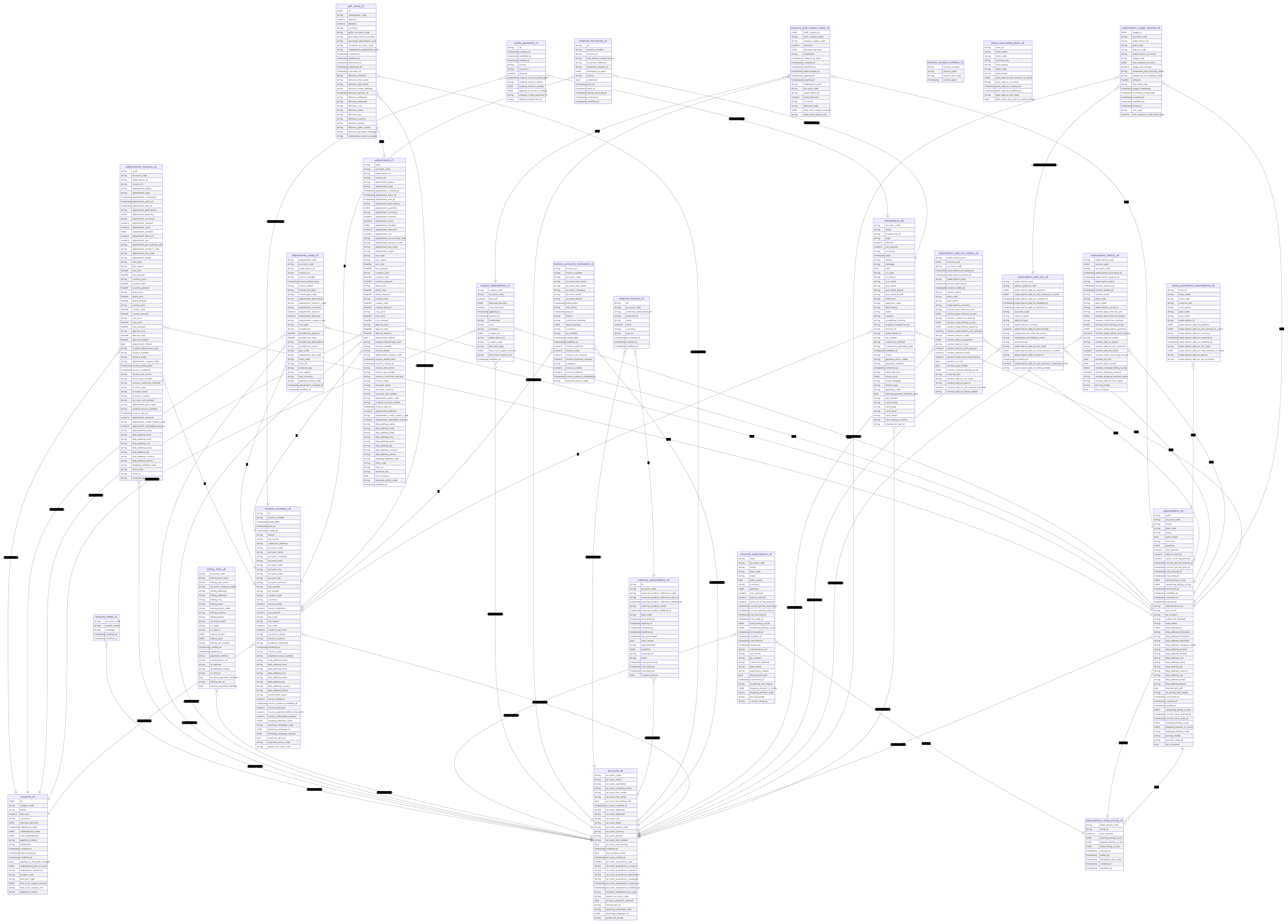
| Export Name | Export Description |
|---|---|
| Account Activities | Account activity records. |
| Account Notes | Account notes that have been created on accounts. |
| Accounts | Account-level information. |
| Adjustments | Each charge and credit adjustment, including tax information broken down by jurisdiction (country, state/province, county, city, special). |
| Adjustments - Coupons | Each charge and credit adjustment broken out by discount per coupon redemption. This export will only show on the Exports page if you have Multiple Coupons Per Account enabled under Coupon Settings. |
| Adjustments - Taxes | The Adjustments - Taxes export is for reporting on taxes calculated through Vertex and Avalara for Communications (AFC). |
| Billing Info | Billing information associated with accounts. |
| Coupon Redemptions | All redemptions of coupons. |
| Coupons | All coupons that are set-up on the site. |
| Coupons - Bulk Unique Codes | All unique codes for a bulk coupon. |
| Credit Payments | All credit payments, encompassing the use of outstanding credit balances to pay invoices. |
| Gift Cards | All purchased gift cards. |
| Invoices — Accounts Receivable | All customers who have yet to settle their invoices and gives a detailed report on the aging of all unsettled receivables. |
| Invoices — External | All external invoices that are generated for accounts with subscriptions created on third-party platforms such as the Apple App Store or Google Play Store. |
| Invoices — Summary | Invoice header information and summary totals. |
| Invoices - Unused Numbers | All invoice numbers not used for generated invoices. |
| Items — Associated Plans | All plan add-ons created from a saved item in your Item Catalog. |
| Items — Associated Subscriptions | All subscription add-ons created from a saved item in your Item Catalog. |
| Product Catalog | Comprehensive details of all product offerings, add-ons and items, whether active or inactive. |
| Revenue Recognition Schedules | A Revenue waterfall for your charges on a monthly basis. This export will only show on the Exports page if the site has the Revenue Recognition feature enabled. |
| Site Activities | Site activity records. |
| Subscriptions | Your customers' subscriptions to your plans. |
| Subscriptions — History | The history of each subscription including all versions created following any change to a subscription. |
| Subscriptions Add-Ons | All the detailed information about all the subscription add-ons created within a specific timeframe. |
| Subscriptions Add-Ons — History | All the changes made to a subscription add-on over time. |
| Subscriptions — Churned | Subscriptions that have expired and are no longer active. |
| Subscriptions — External | All the detailed information on external subscriptions stored on third-party platforms like the Apple App Store or Google Play Store. |
| Subscriptions — Pending Changes | All active subscriptions with a pending change that will be applied at the next renewal. This includes changes to the plan, price, or quantity. |
| Subscriptions — Ramp Pricing | All data on each subscription operating under a ramp priced billing model. |
| Subscriptions — Usage Records | Usage records logged for your customer's usage-based subscription add-ons. |
| Transactions | Data sent to the payment gateway when processing a transaction. |
| Users | User information for your site. |
Deprecated Exports
| Export Name | Export Description |
|---|---|
| Invoices (Deprecated) |
|
Exporting data
When you generate an export, you can also select a time range along with other filters for the information you want to receive. Once you request the export, the request will begin processing. You can view the status of your request on the export page. Once your request is completed you'll see a "Download" link that you can then click to get the export. These generated exports will be available for download for 7 days.
All exports default to using ZIP compression.
Examples: All accounts created in May
- Navigate to Analytics-> Exports.
- Select Accounts
- Select the Versions, Account status and Export on filters
- Select Time range to Between and Start date to May 1 and End date to May 31
- Click Generate Export
- Click Download in the Generated Exports List
Example: All subscriptions that have expired
- Navigate to Analytics -> Exports.
- Select Subscriptions - Churned.
- Select the Versions filter
- Select Time range to All Time
- Click Generate Export
- Click Download in the Generated Exports List
Example: All coupons redeemed in July
- Navigate to Analytics -> Exports.
- Select Coupon Redemptions.
- Select the Versions filter
- Select Time range to Between and Start date to July 1 and End date to July 31
- Click Generate Export
- Click Download in the Generated Exports List
Helpful tips: combining exports
Sometimes, the information you need will be split across more than one export. Excel will allow you to perform a join, and combine the exports. For instructions on combining exports, please see this video.
Updated 6 months ago