HomeProduct DocsAPI ReferenceChangelog
RecurlyAPI GuidesRecurly.jsWebhooksAPI ReferenceSupportBook demo
Product Docs

Fixed recurring pricing

Fixed recurring pricing is Recurly's most straightforward billing model — a set charge billed at regular intervals, with the flexibility to support add-ons, multiple billing periods, and quantity control. Whether you're running a simple monthly subscription or a complex multi-term commitment, this model gives you a reliable foundation.
Available on all Recurly plans

Definition

Fixed recurring pricing is a billing model where subscribers pay a set amount at regular intervals for access to a product or service. It supports optional or required add-ons, multiple billing periods, and quantity controls — making it adaptable to a wide range of subscription structures without sacrificing predictability.

Key benefits

Simplicity Easy to set up — all you need is a base charge to get started. No complex configuration required for straightforward subscriptions.
Add-on flexibility Attach optional or required add-ons to any plan to offer additional services or features at an extra cost — increasing revenue without creating new plans.
Customization Supports simple single-period subscriptions and complex, long-term commitments with multiple billing periods — all within the same model.
Quantity control Choose whether subscribers can set their own quantity at sign-up or lock it to a fixed amount — giving you full control over the billing process.

Key details

Fixed recurring pricing works by anchoring every subscription to a base charge that repeats on a schedule you define. Add-ons extend the model naturally: an optional "premium support" add-on, for example, bills each month on top of the base charge without requiring a separate plan.

Industry examples

IndustryExample
Streaming mediaTwitch charges $4.99/month
Consumer goodsBark charges $5/month for their Junior Subscription
ServicesFitForMe charges $11.65/month

Set up fixed recurring pricing

1

Set up the base charge

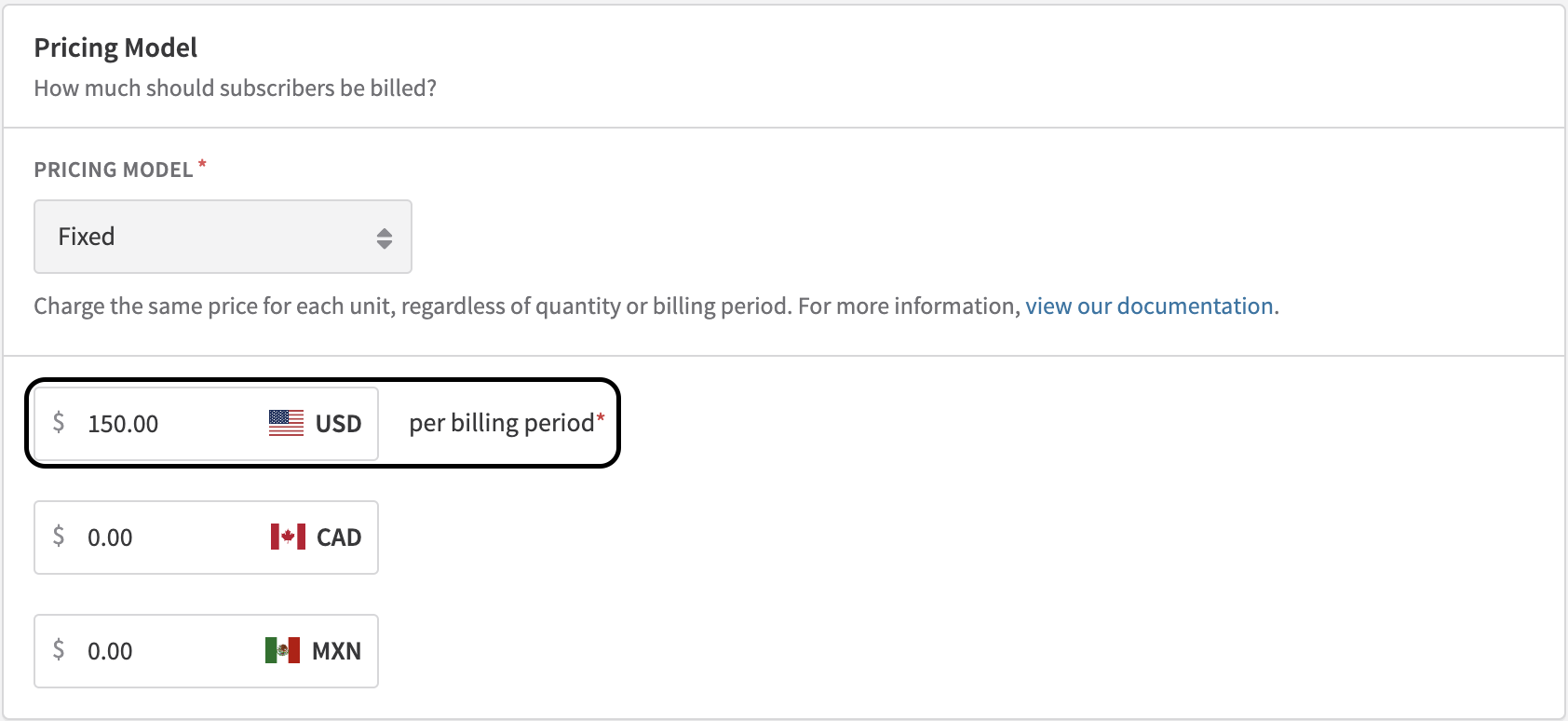
Create a plan with a base charge — this is the foundation of your subscription. Navigate to Configuration → Plans and select New Plan.

New plan form showing base charge configuration Plan pricing fields in the new plan form
2

Set subscription terms

Define whether your subscription is a simple single-period plan or a longer-term commitment with multiple billing periods. See Subscription Billing Terms for full configuration details.
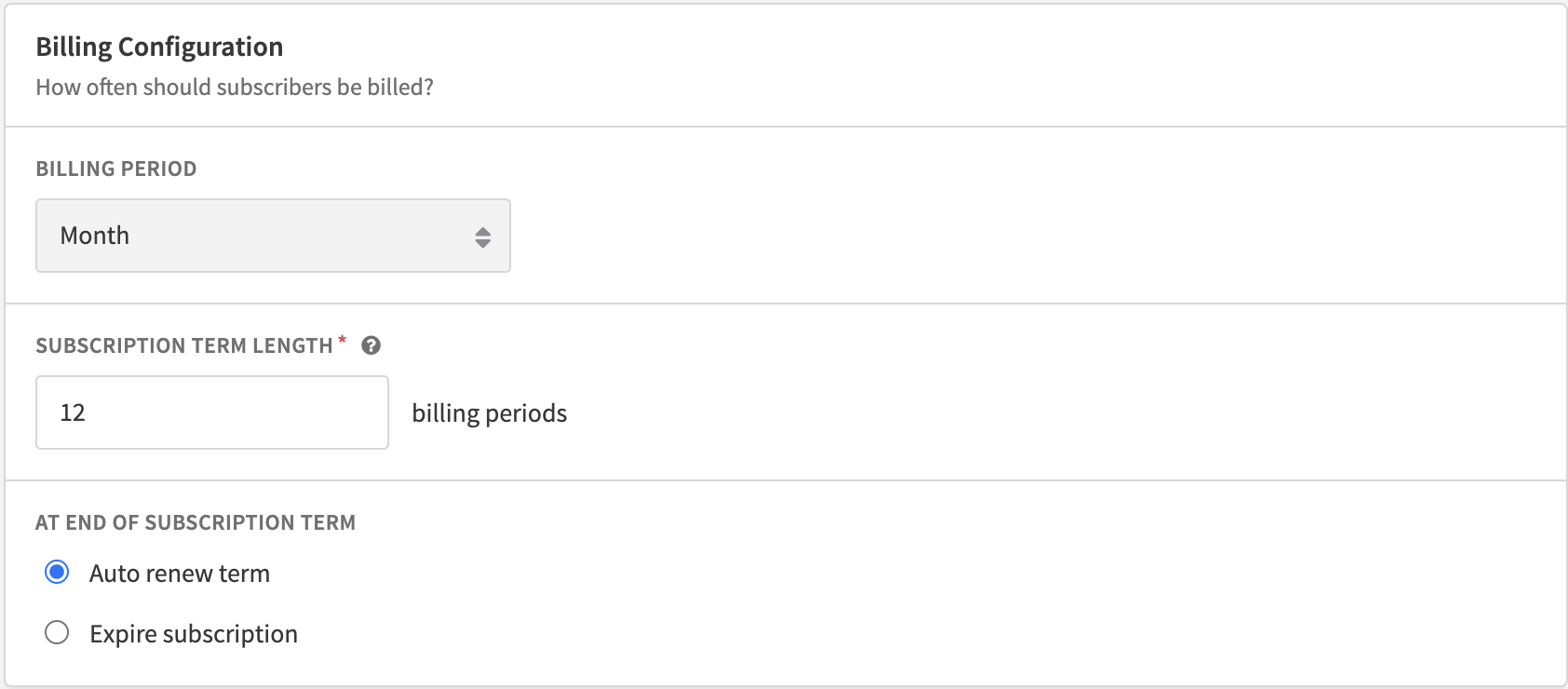
Subscription billing terms configuration
3

Incorporate add-ons

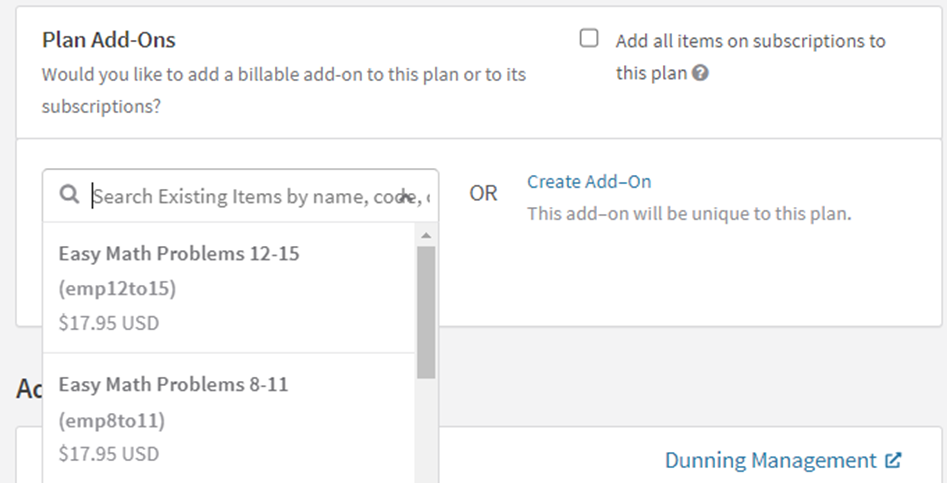
Add optional or required add-ons to offer additional services at an extra cost. For example, a "premium support" add-on bills each month on top of the base charge. Add-ons can also support hybrid pricing strategies for more complex customer needs.

4

Control quantity selection

If you're using Recurly Checkout, go to the checkout configuration page and set the Quantity field to editable or fixed. Locking quantity ensures consistency in billing; allowing it lets subscribers choose their own quantity at sign-up and can increase revenue.
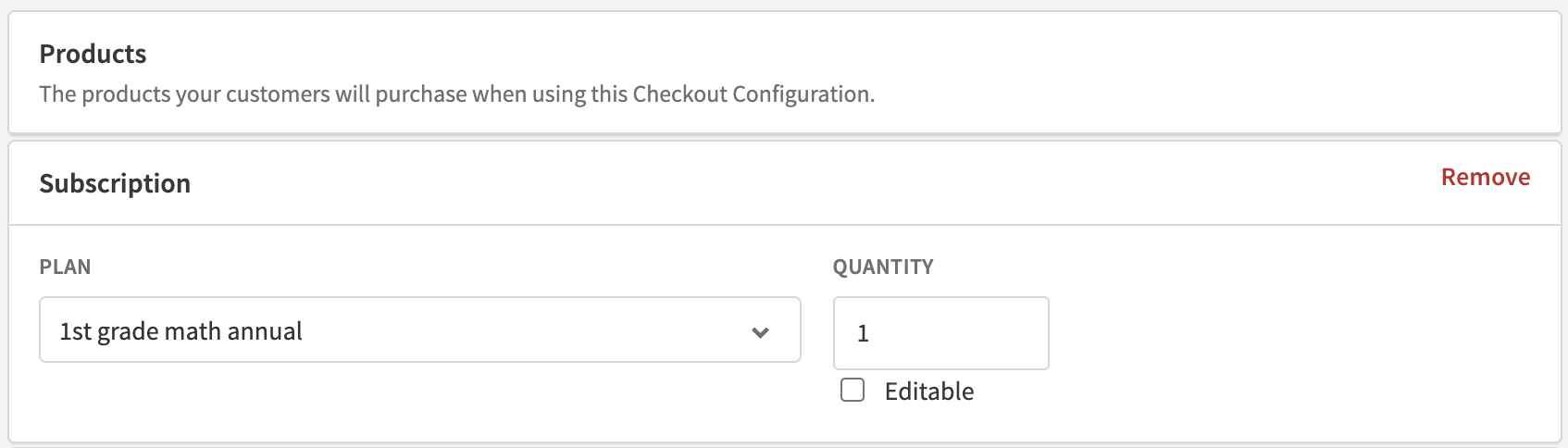
Checkout quantity control setting