
European Union VAT
Configure and manage EU VAT collection in Recurly — including digital services tax categorization, VAT number validation, reverse charge handling, country invoice sequencing, and location validation.
Prerequisites
- Business entity address with a specified country and postal code
- An active Recurly account with plans and charges set up
- If using Recurly.js for tax details during sign-up, version v3 or later is required
- Knowledge of which EU countries you're VAT registered in, and whether you're offering digital services in countries where you're not registered
- If using Avalara AvaTax Pro, ensure it's connected to your Recurly site
Limitations
- Recurly supports a single merchant address per site, configured on the Business Entity page. If your operations require multiple merchant addresses for invoices or tax calculations, this is not currently supported.
Definition
Key benefits
Key details
EU countries and territories
EU VAT countries
Recurly supports VAT collection across all 27 EU member states:
Austria (AT), Belgium (BE), Bulgaria (BG), Croatia (HR), Cyprus (CY), Czech Republic (CZ), Denmark (DK), Estonia (EE), Finland (FI), France (FR), Germany (DE), Hungary (HU), Ireland (IE), Italy (IT), Latvia (LV), Lithuania (LT), Luxembourg (LU), Malta (MT), Netherlands (NL), Northern Ireland (XI), Poland (PL), Portugal (PT), Romania (RO), Slovakia (SK), Slovenia (SI), Spain (ES, inclusive of the Canary Islands), and Sweden (SE).
EU VAT territories
Certain EU territories require VAT collection but aren't directly supported by Recurly's built-in tax functionality. For customers in these regions, connect with Avalara AvaTax or Vertex.
- France: Monaco (MC)
- United Kingdom: Isle of Man (IM)
EU special VAT rate territories
Some EU territories have unique VAT rates. Connect with Avalara AvaTax or Vertex to handle these rates.
- Portugal: Azores, Madeira
- Greece: Specific islands in the Aegean Sea
- France: Corsica
Territories exempt from EU VAT
The following territories are exempt from VAT collection in Recurly, per the European Commission:
- Austria: Jungholz, Mittelberg
- Denmark: Greenland (GL), Faroe Islands (FO)
- Finland: Åland Islands (AX)
- France: Guadeloupe (GP), Guyana (GY), Martinique (MQ), Réunion (RE), Mayotte (YT)
- Germany: Island of Helgoland, Büsingen territory
- Greece: Mount Athos
- Italy: Livigno, Campione d'Italia, Waters of Lake Lugano within Italy
- Spain: Ceuta (EA), Melilla (EA)
- United Kingdom: Jersey (JE), Guernsey (GG), Gibraltar (GI)
Your tax identity
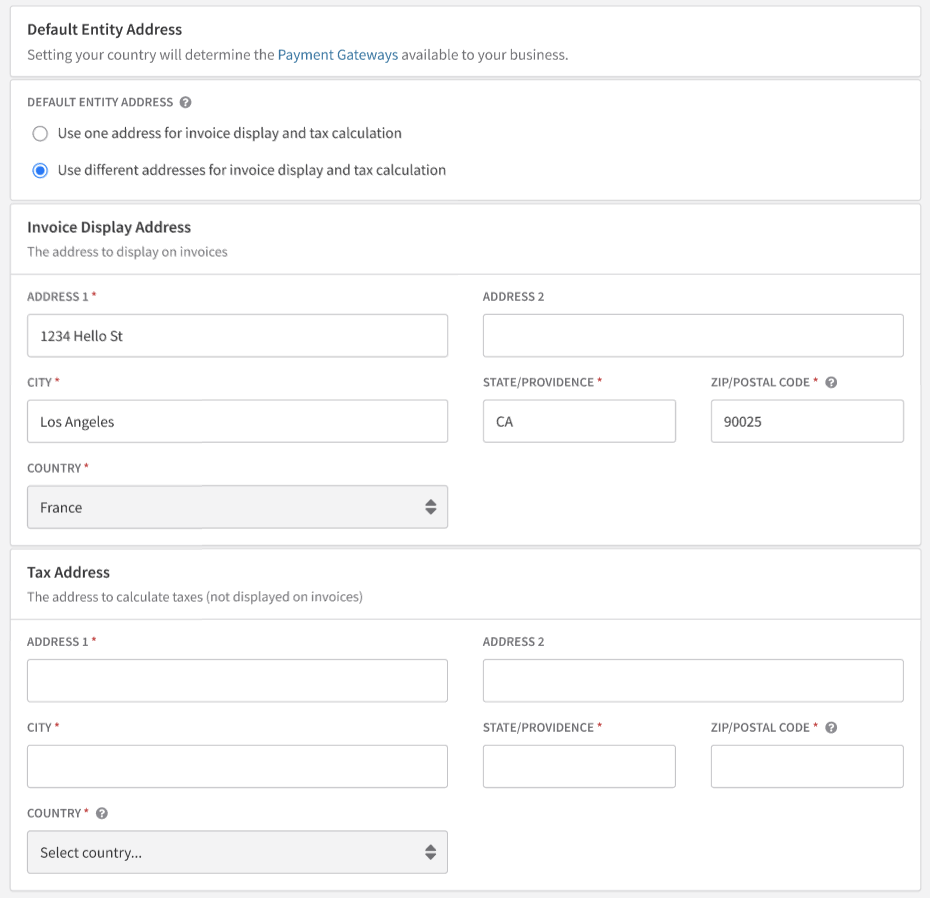
EU VAT is available to all merchants regardless of their location. Tax calculations on all invoices use the specific business entity address associated with each invoice as the origin address. VAT rates are determined at the country level, but your postal code is also required for precise calculations.
On the Business Entities page, enter your VAT Number — it will appear on all invoices unless your business is outside the EU. Recurly doesn't validate merchant VAT numbers, so confirm accuracy before publishing.
Who is taxed
EU business entities
If your business entity is in the EU, VAT is applied to invoices where the customer is located in the EU — unless the customer provides a valid VAT registration number.
Non-EU business entities
VAT is applied only to invoices where the customer is located in a country where you're registered to collect VAT.
The customer's country is typically sourced from the Billing Info Country field.
VAT registered countries
Merchants must specify the EU countries where they're registered to collect VAT. At least one country must be selected to activate EU VAT. If your business entity is in the EU, its country must be included in your VAT registered countries for accurate rates.
EU VAT registered customers
Customers who provide a valid EU VAT registration number are recognized as EU businesses:
- If the customer is in the same country as your business entity → VAT is applied
- If the customer is in a different country → the reverse charge mechanism applies, and VAT is not charged. A "VAT Reverse Charge Notes" section appears on the invoice indicating the customer's responsibility for VAT fees
You can customize the default reverse charge note on the Tax Settings page. This default applies to all reverse charge invoices but can be overridden per invoice before posting.
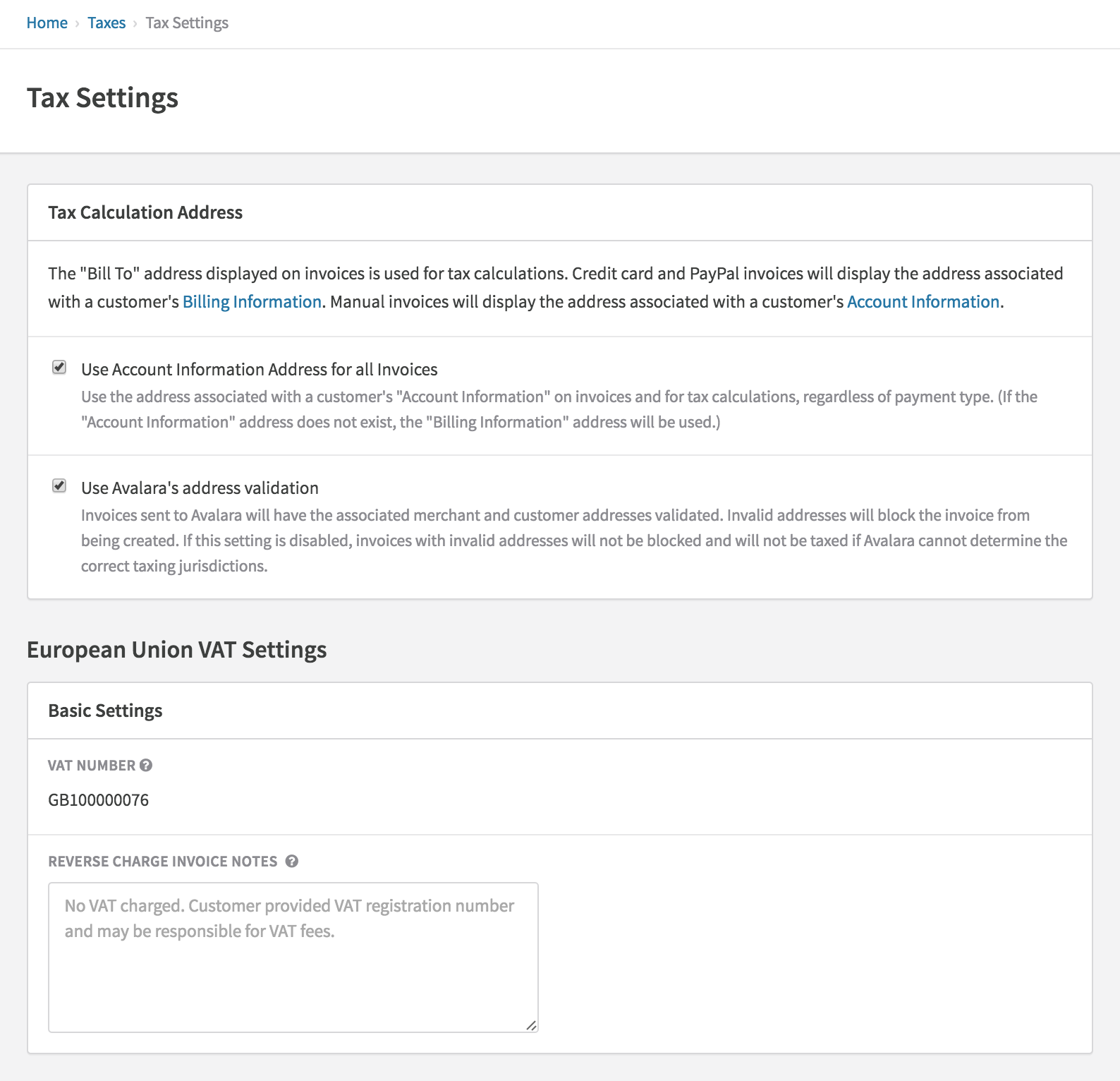
For details on VAT number validation, see the VAT number validation documentation.
Sample error response for an invalid VAT number
<errors>
  <error field="account.vat_number" symbol="invalid">is invalid</error>
</errors>
Brexit implications
With the Brexit transition period ending December 31, 2020, Recurly applies GB tax code rules instead of EU tax code for sites with a UK address or customers with a UK destination address.
B2C merchants:
- If your business entity country is the UK and your customer is in an EU member region that isn't enabled in your tax configuration, no tax is applied. Enable the relevant EU regions to apply the appropriate destination VAT.
- If your business entity country is an EU member region and your customer is in the UK, but the UK isn't enabled in your tax configuration, no tax is applied. Enable the UK to apply the appropriate UK VAT rate.
- If your business entity is outside both the UK and EU and the UK isn't enabled in your tax configuration, no tax is applied. Enable the UK as a taxable region to apply the appropriate UK VAT rate.
B2B merchants:
If you're not collecting VAT numbers from UK-based customers, no reverse VAT charge notes will appear on their invoices. To include reverse VAT charges, enable the UK as a taxable region and begin collecting VAT numbers from business customers.
Merchants in or doing business in Northern Ireland:
To properly calculate VAT for Northern Ireland, update your site address country to Northern Ireland and/or enable Northern Ireland as a taxable EU region in Tax Settings. Ensure customers in Northern Ireland specify Northern Ireland as their billing or account address country. Consult a tax professional to determine the right configuration.
Exempt customers
Recurly's EU VAT feature lets merchants mark a customer's account as VAT exempt — useful for governments, non-profits, or other entities that don't have a VAT number. When an account is marked exempt, no VAT is charged on their invoices. For special exemption notes, use the Terms and Conditions or Customer Notes sections on the invoice.
Configuring plans and charges for tax
EU VAT taxes all transactions by default. You can disable tax collection for specific plans or charges. All existing plans have tax collection enabled upon activation. New plans and charges default to Collect Sales Tax enabled. When creating charges via the API, explicitly indicate the charge isn't tax-exempt on every call to ensure tax collection.
Identifying digital services
For accurate EU taxation, classify each product as a digital service, physical product, or unknown:
- Digital Product — Telecommunications, broadcasting, and electronic services. EU consumers are taxed at the rate of their country, not the merchant's, for cross-border sales (applicable from 2015 onwards).
- Physical Product — Treated as Tangible Personal Property (TPP) in Avalara for tax computation.
- Unknown (default) — Treated as TPP, same as Physical Product.
In the Admin Console, this field is labeled Tax Type. In the API and Recurly.js, it's tax_code.
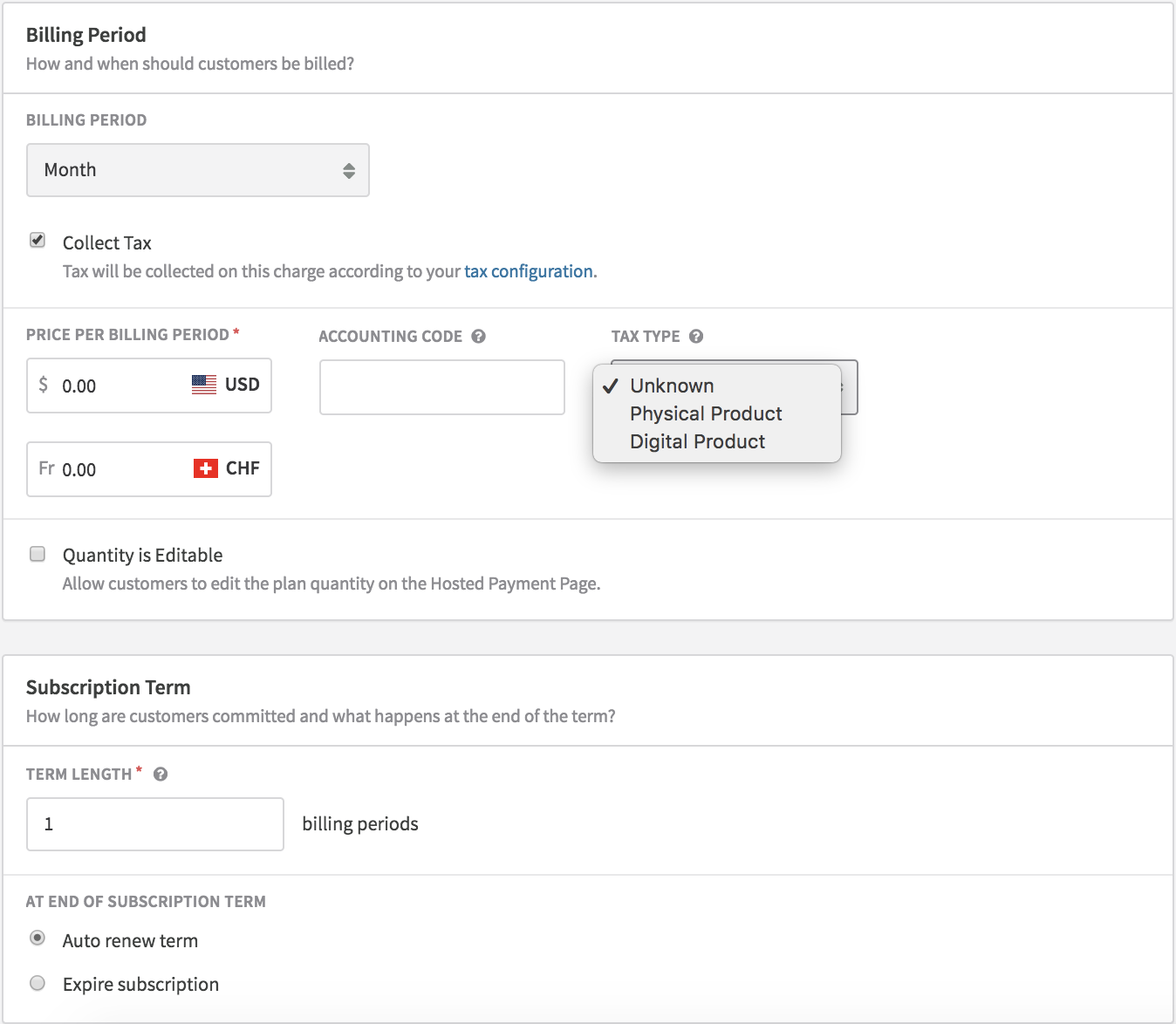
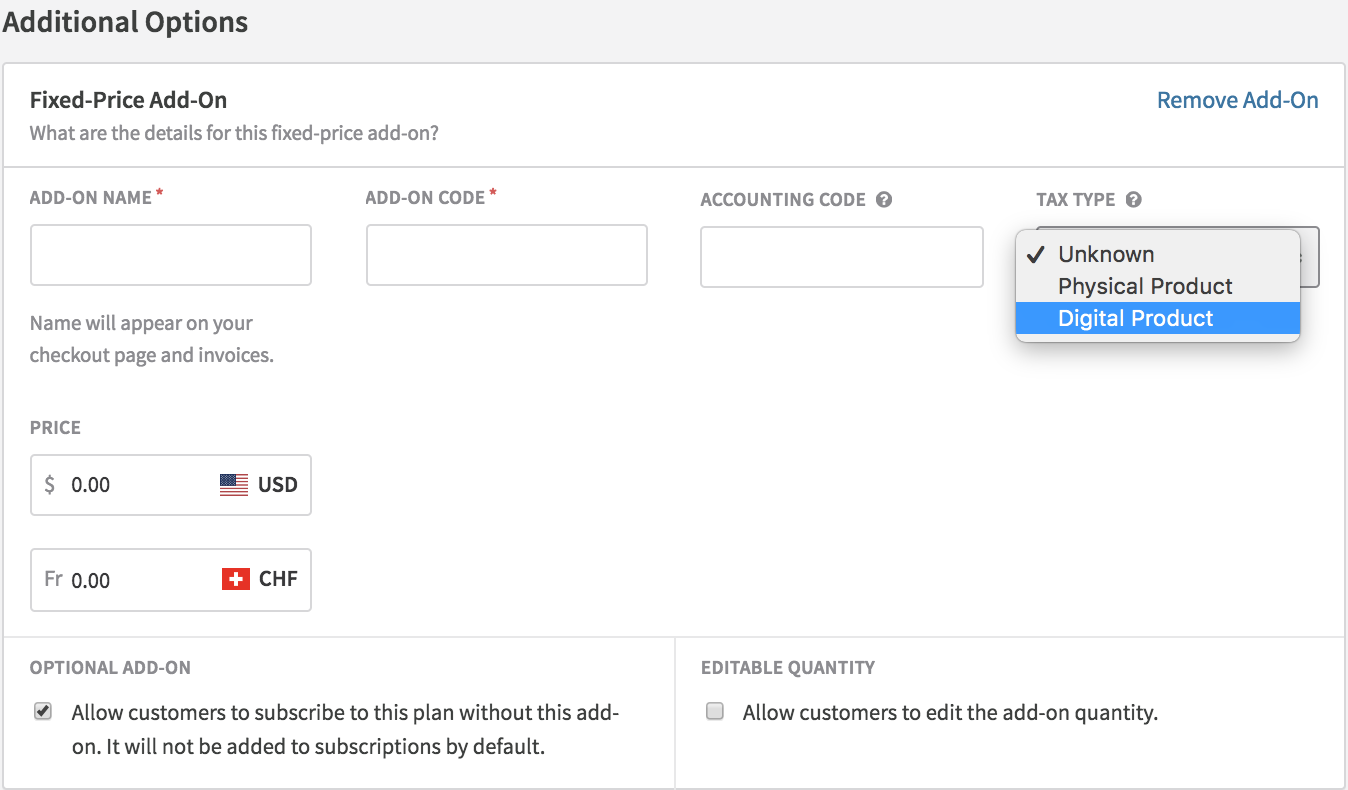
If any of your plans, add-ons, or charges are classified as Digital Product, you must be VAT registered in all 27 EU countries and have all countries selected on the EU VAT configuration page. If you're not registered in a country where a digital item is being billed, that invoice will be blocked.
VAT rate reference
Merchants with EU business entities (VAT registered)
| Scenario | VAT rate country |
| Customer is outside the EU | No VAT |
| EU customer has a VAT number and is in the same country as the merchant | Merchant's country |
| EU customer has a VAT number but is in a different country than the merchant | No VAT (reverse charge) |
| Item has a Tax Type of "Digital Product" (before 2015) | Merchant's country |
| Item has a Tax Type of "Digital Product" (2015 onwards) | Customer's country |
| Item has a Tax Type of "Unknown" or "Physical Product" — EU customer in a VAT registered country | Customer's country |
| Item has a Tax Type of "Unknown" or "Physical Product" — EU customer NOT in a VAT registered country | Merchant's country |
Merchants with non-EU business entities
| Scenario | VAT rate country |
| Customer is outside the EU | No VAT |
| EU customer is not in a VAT registered country | No VAT |
| EU customer has a VAT number | No VAT |
| EU customer is in a VAT registered country — item is "Unknown," "Physical Product," or "Digital Product" | Customer's country |
Location validation for digital services
For merchants offering digital services to non-business EU customers, EU VAT regulations require two non-conflicting pieces of location evidence to determine the customer's country of residence. Use Recurly's Tax Location Validation feature to enforce this.
To enable VAT Location Validation:
- Go to Configuration → Taxes, then click Tax Settings at the top right.
- Scroll to European Union VAT Settings and enable VAT Location Validation.
- Click Save Changes.
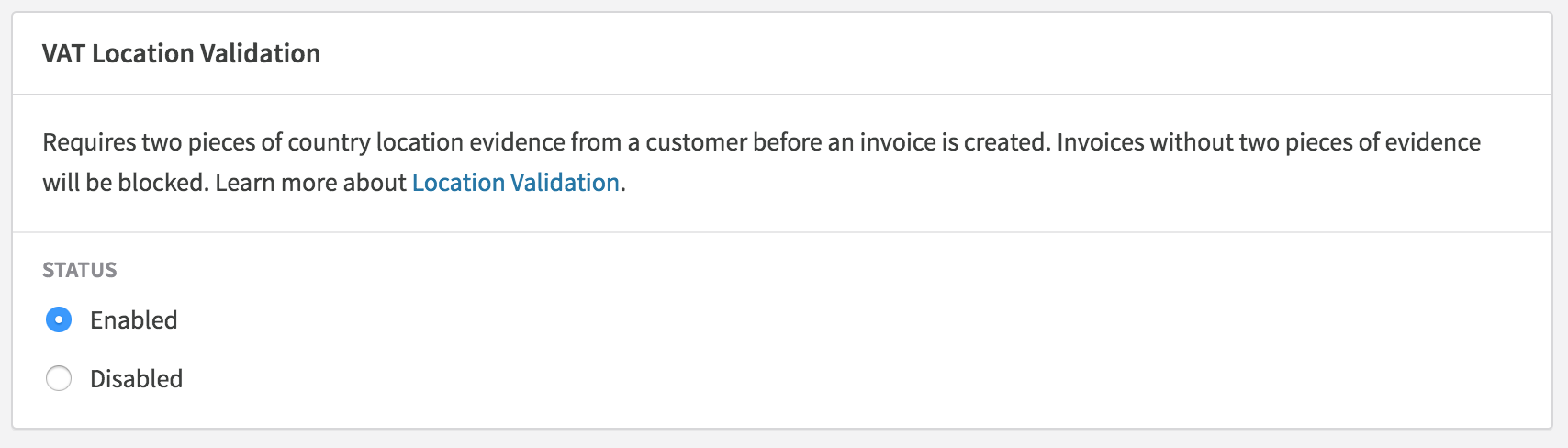
Once enabled, Recurly validates all existing EU accounts without a VAT number that have an active subscription. You'll receive an email notification for each non-compliant account. Use the Accounts export and filter tax_location_valid for FALSE to identify non-compliant accounts at scale.
For each non-compliant account, check the Activity log to see what evidence the customer provided, then reach out to gather the missing evidence before their next renewal.
Invoice sequencing by country
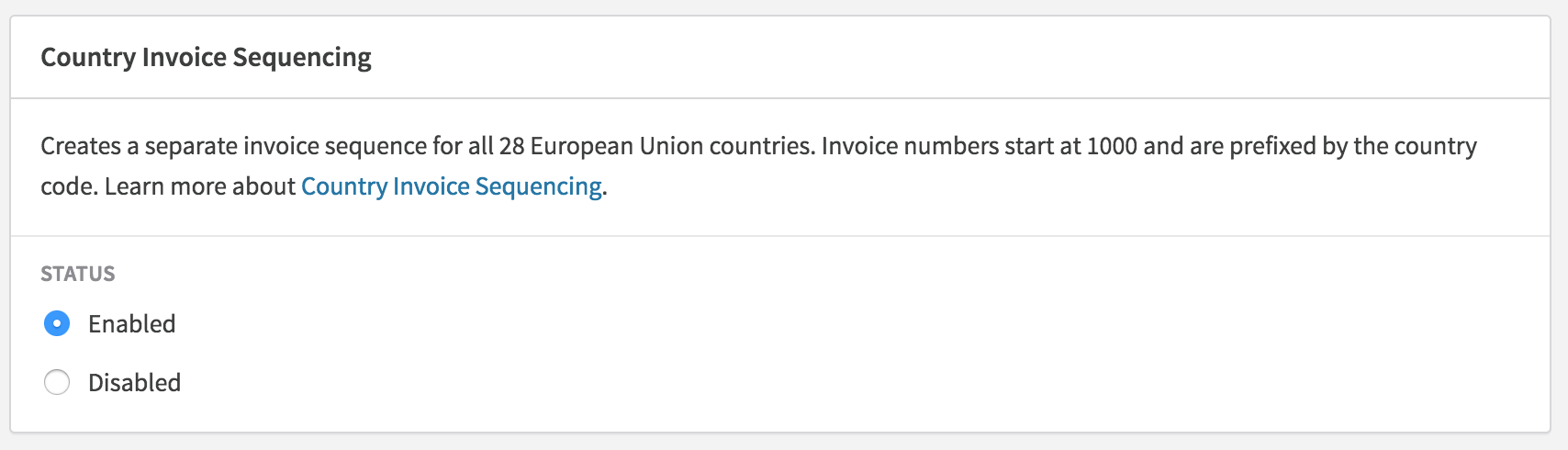
By default, Recurly uses a single invoice number sequence across your site. Certain EU member states require a distinct sequence per country. The Country Invoice Sequencing feature creates a separate sequence for each EU member state — each starting at 1000 and prefixed with the two-letter country code (e.g., FR1000 for France). Invoices for customers outside the EU continue to use the site-level sequence.
VAT currency conversion
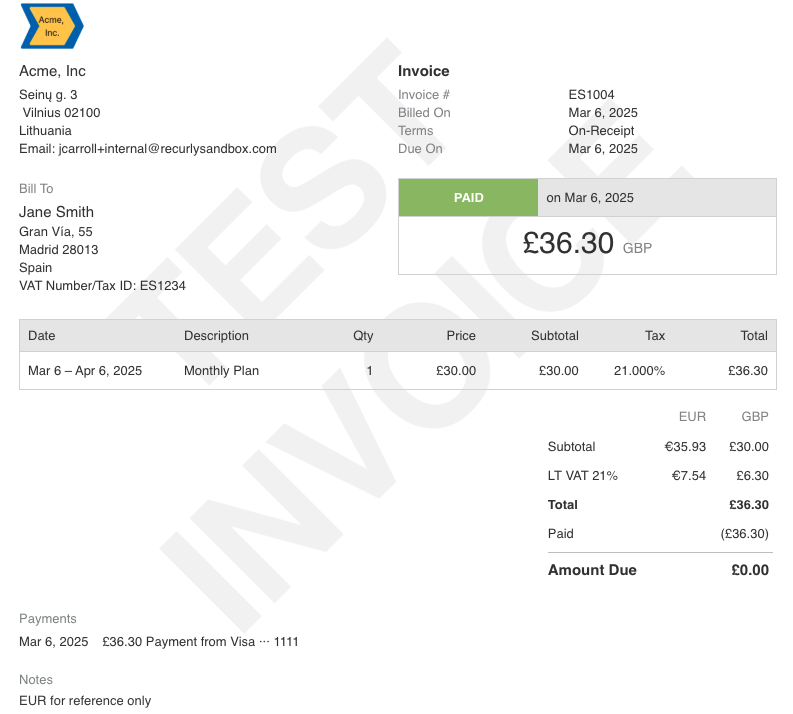
EU VAT rules require invoices to show VAT amounts in the customer's local currency. Recurly displays both the VAT and subtotal in the country's official currency (ISO code) for EU member state customers and UK customers (GBP).
Alternative: manual currency conversion notes
If you prefer to handle currency conversion yourself, you can add the converted VAT amount to one of the invoice notes sections (Customer Notes or Terms and Conditions) before the invoice is created. This requires tracking subscription renewals and triggering an Update Subscription Notes API call before each renewal.
Suggested flow:
- Preview the subscription or adjustment invoice via the API and check for
<tax_type>vat</tax_type> - If VAT applies, retrieve
<tax_in_cents>,<currency>, and<country>from<address> - Run your own currency conversion
- Create the subscription or post the invoice via the API, storing conversion notes in
<terms_and_conditions>or<customer_notes> - For subscriptions, track renewal dates and trigger an Update Subscription Notes call with the converted notes before each renewal
Avalara AvaTax Pro
Merchants with an AvaTax Pro account can use Recurly's EU VAT features alongside their AvaTax integration, including invoice messaging, country invoice sequencing, and location validation for digital services.
To connect: Enter your AvaTax Pro credentials in the AvaTax configuration. See the AvaTax Pro support documentation for setup details.
Digital service tax codes: When your AvaTax Pro account is connected, the Edit Plan page shows a Tax Code option. Use Avalara's tax codes to classify digital services accurately. The universal digital services tax code is D0000000. Consult an Avalara representative to confirm the right codes for your products.
AvaTax Pro users also benefit from automatic VAT number validation and reverse charge notes on invoices containing customer VAT numbers.
Recurly.js integration
Recurly.js v3 or later is required for EU VAT tax previews during sign-up. If you're on v2, upgrade to v4 — v2 doesn't support tax previews once EU VAT is enabled.
For merchants offering digital services, update your tax previews to specify a tax_code of "digital" for accurate VAT previews. To display the VAT rate country code in previews, use the tax_region attribute. See the Recurly.js documentation for details.
PayPal integration with Recurly.js
For PayPal sign-ups via Recurly.js, the customer's country must be stored in Billing Info before the subscription is created — PayPal tokens don't retain an address in Billing Info. Follow this flow:
Create the account and billing info
Use the API to create the account and billing info with the PayPal token.
Create the subscription
Finalize the subscription using the Create Subscription API.
Handle sign-up failures
If the sign-up fails, an account is still created in Recurly. Retain it or use the API to close the account.
For PayPal sign-ups via Recurly's Checkout or Hosted Payment Pages, the country is automatically received from PayPal and stored in Billing Info before the subscription is created.
Enable EU VAT collection
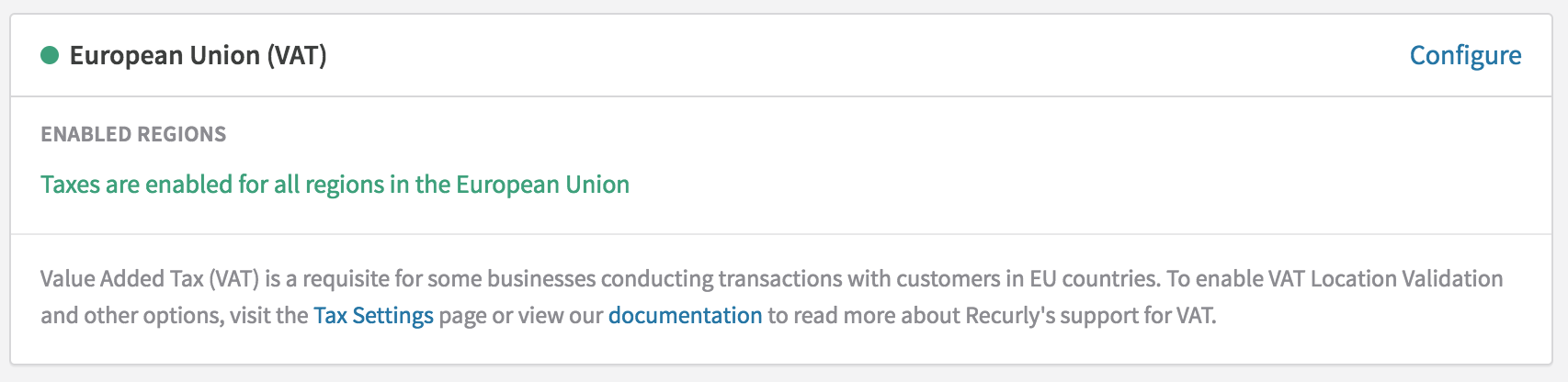
Enable and select countries
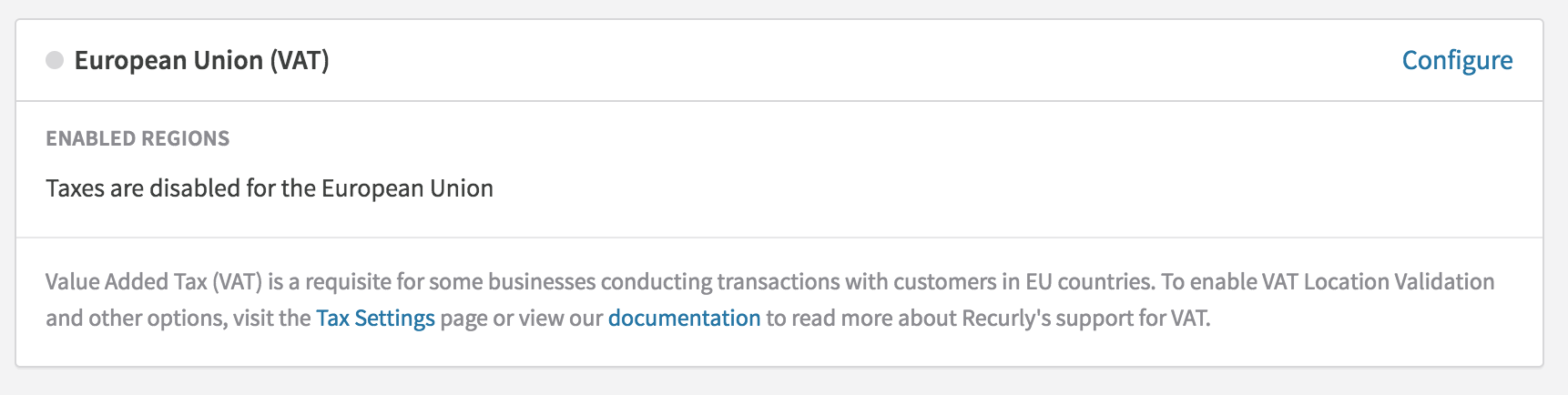
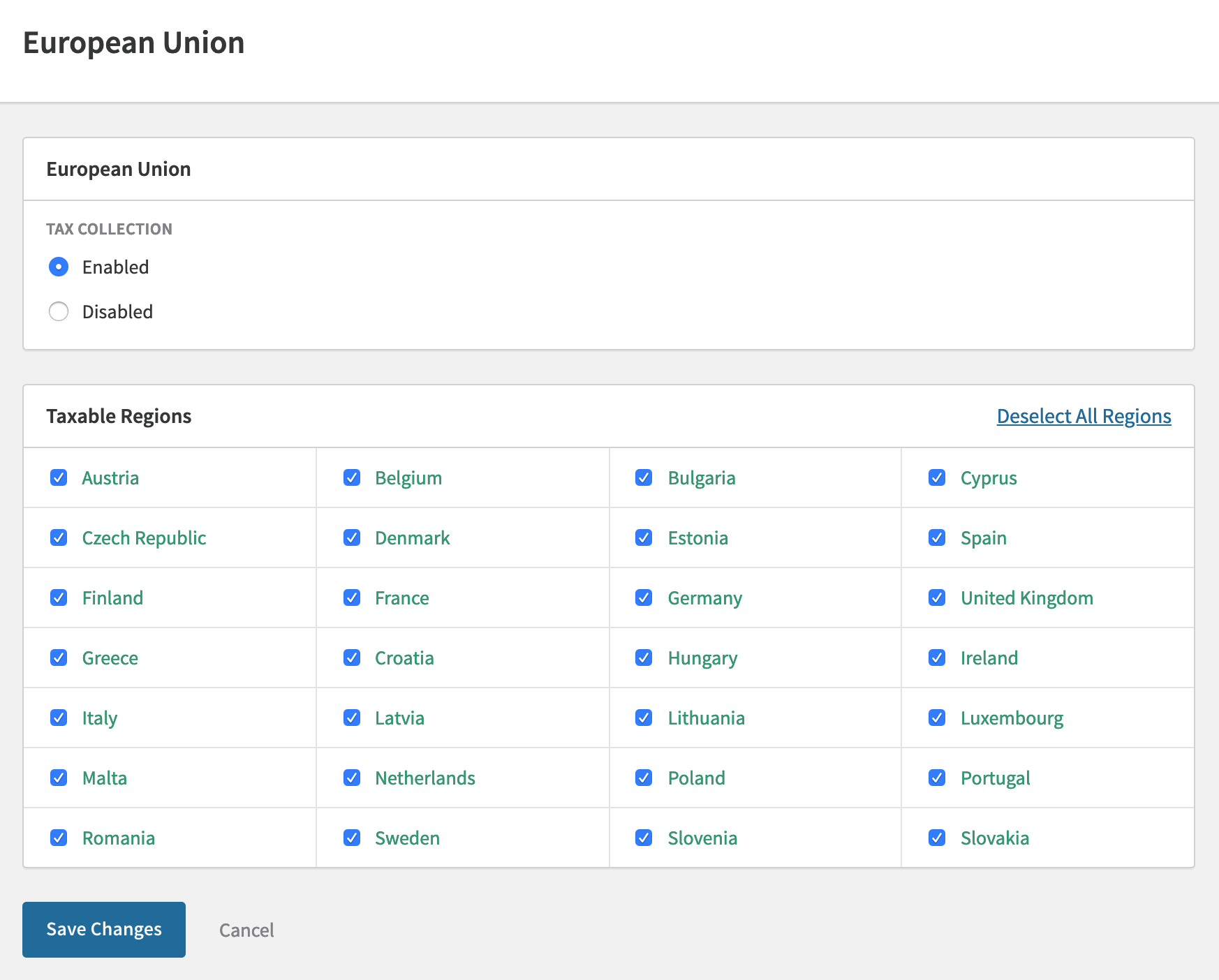
Select Enabled to reveal the country list. Choose at least one country. EU merchants must include their business entity's country. Non-EU merchants selling digital services must enable all countries — unregistered countries will block digital sales unless the customer has a valid VAT number.
Enable country invoice sequencing
FAQs
Can EU VAT support tax-inclusive pricing?
Yes. See the tax-inclusive pricing documentation for details.
What happens if I don't upgrade to Recurly.js v3 before enabling EU VAT?
If you're on Recurly.js v2 and enable EU VAT, your VAT preview amounts may not match the final invoices. The actual invoices will be accurate — only the previews are affected. Upgrading to v4 is recommended.
What if I'm not collecting billing or shipping details during checkout?
Without the customer's country stored in Billing Info or Account Info, tax calculation isn't possible. VAT is a country-level tax — only the country is required for accurate rate determination. IP addresses can serve as secondary location evidence for digital services, but should not be used as the primary address indicator. The primary evidence always comes from the billing or account (shipping) address.
What if I offer digital services in the EU but am not registered in all countries?
By not registering in an EU country, you can't sell digital services there. Recurly blocks digital sales to countries where you're not VAT registered, unless the customer provides a valid VAT number.
Does Recurly offer VAT registration assistance?
Recurly doesn't offer VAT registration directly, but our tax partner Avalara can assist with VAT registration, MOSS, and tax filing through AvaTax Pro. Contact [email protected] to be connected with Avalara or Vertex.
As a non-EU digital services provider, am I required to collect VAT?
Yes — if you sell digital services to non-VAT-registered consumers in the EU. All digital services providers selling to EU consumers must collect VAT based on the customer's country rate, with no minimum sales threshold. Consult a tax advisor to confirm your obligations. Contact [email protected] to be connected with Avalara or Vertex for guidance.
Can I ensure cross-border sales remain VAT-free if a business customer doesn't provide a VAT number?
No. If the customer is in an EU country where you've activated EU taxes and doesn't provide a valid VAT number, Recurly automatically adds VAT. To avoid charging VAT outside your home country, require a VAT number from all EU business customers before completing the purchase.
Updated 3 months ago