
Signup declines
Learn how to use Recurly's sign-up decline rate dashboard to identify why sign-up transactions fail and improve your payment strategy.
Prerequisites
- Users must have analytics user role permission.
Definition
Key benefits
Key details
General filters
- Invoice creation date: Choose a specific timeframe, up to the last 18 months, using the start and end date dropdowns.
- Gateway: View all payment gateways together or examine one at a time to see where issues are happening.
- Failure type: Shows the top 5 reasons payments fail by default; adjust the filter to see more reasons.
- Payment type: Break down failed payments by the payment method your customers use.
- Sign-up decline type: Choose between sign-up declines or trial conversion declines.
- Metric type: Visualize sign-up declines by transaction count or by total amount.
Sign-up declines
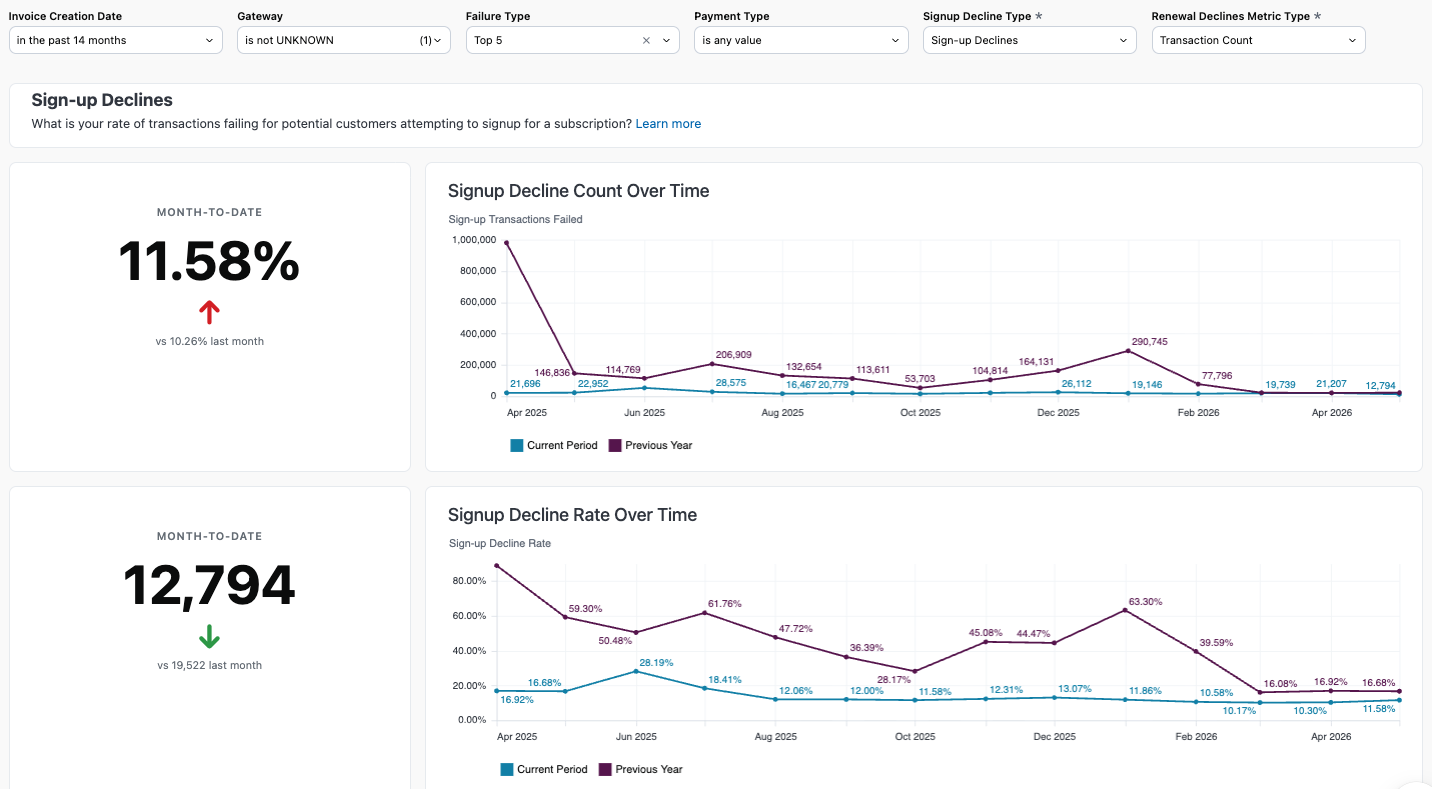
View your sign-up decline rate trend over time to monitor your signup rate and catch any growing issues early. Compare a similar timeframe year-over-year to understand your performance.
Decline reasons
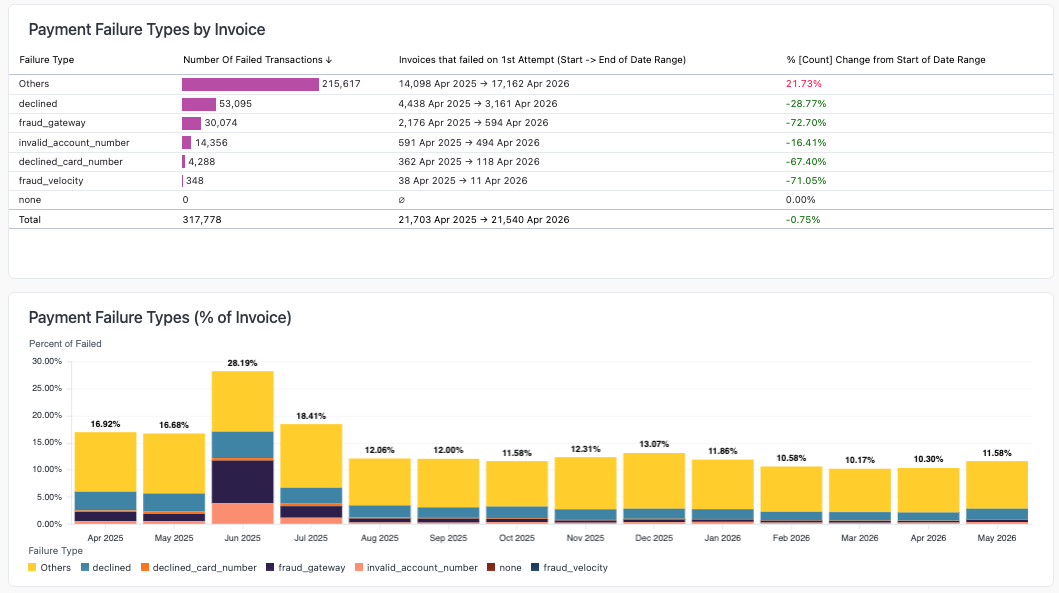
See the specific decline reasons behind invoices that failed on the initial sign-up attempt, broken down by count and percentage of total failed invoices. Use these charts to spot changes in your overall failure types.
Gateways and payment methods summary
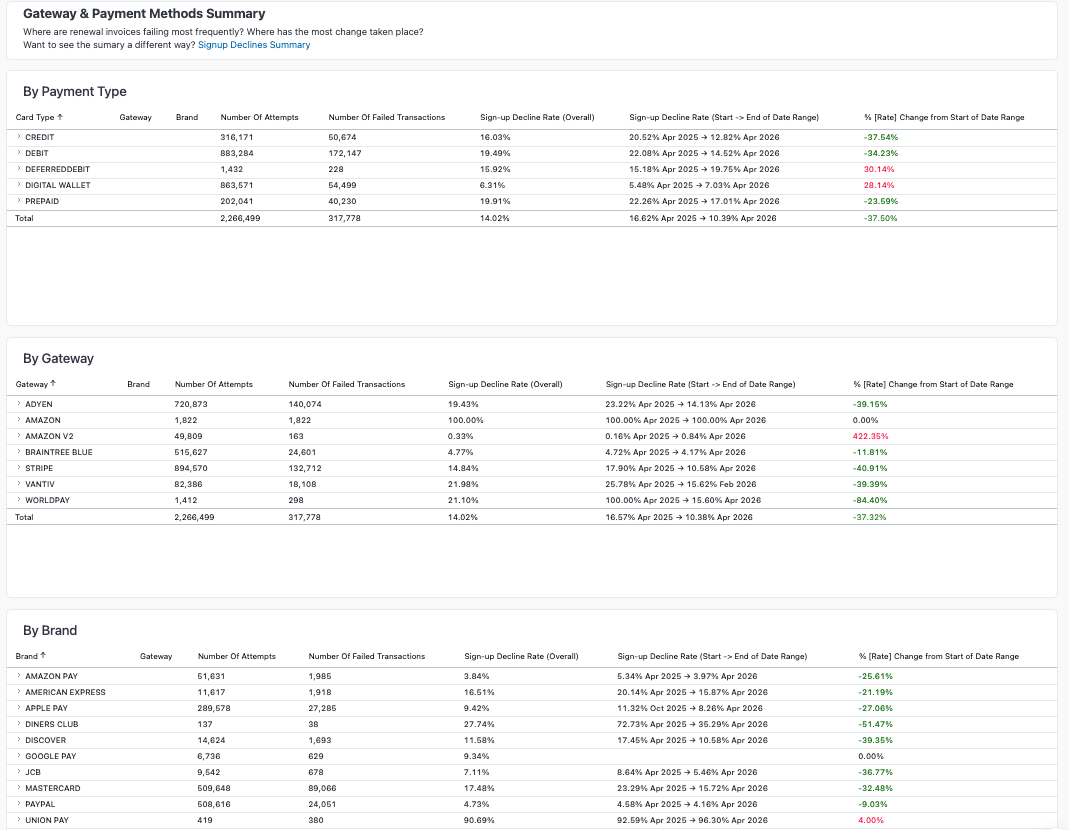
This section shows how your gateways and payment methods perform at the point of sign-up, summarizing the decline rate for each gateway, supported payment method, and card brand.
- Transactions attempted: The total number of attempts made through each gateway and payment method during the selected timeframe.
- Transactions failed: How many of those attempted transactions were unsuccessful.
- Sign-up decline rate overall: The percentage of transactions declined at sign-up, for a broad view of performance.
- Sign-up decline rate, start to end of range: How the decline rate changed from the beginning to the end of your selected period.
- Rate change: The percentage change in the sign-up decline rate over the chosen date range, useful for spotting trends or the effects of changes you've made.
Related dashboards
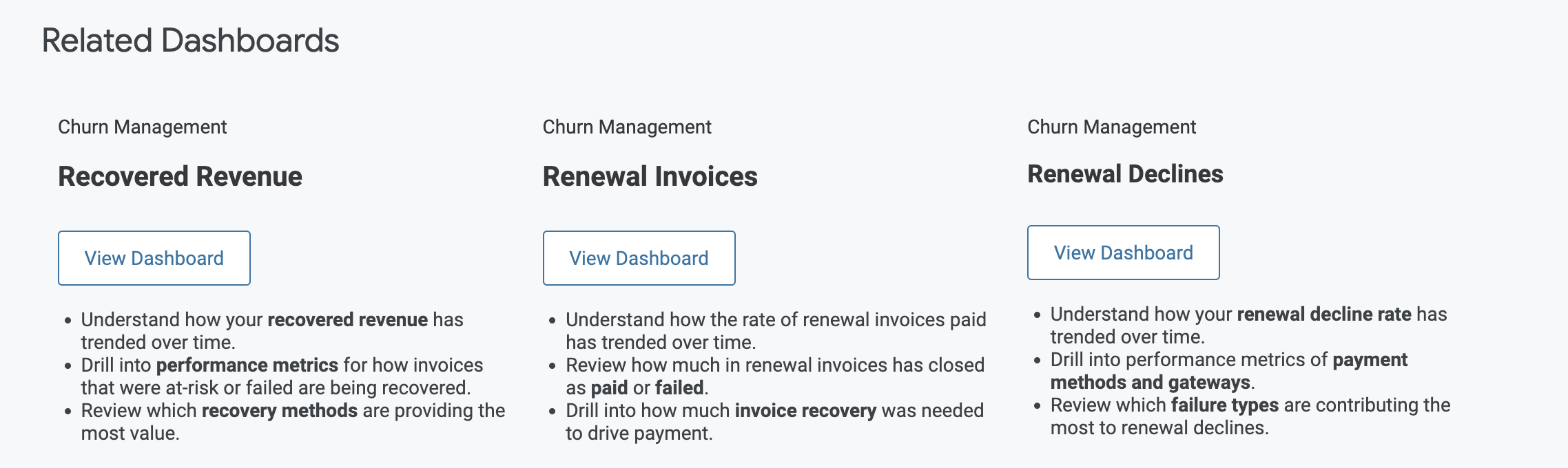
Explore related dashboards to learn more about how Recurly can help you improve your sign-up decline rate.
Updated 2 months ago