
Compass Assistant
An extension of your team. Compass Assistant is an AI-powered chat that can help you make smarter, faster decisions to grow your subscription business.
Definition
Key details
✦ Get answers

To open Compass Assistant, click the sparkles icon in the bottom right corner of your Recurly site. Start with an example prompt or ask your own question. Ask follow-up questions to refine results, and provide feedback with a thumbs up or thumbs down.
Compass Assistant helps you find what you need through conversational navigation and record search. Search coverage includes:
- Product docs
- Knowledge base articles
- Developer docs
- Code snippets
- Records — including subscriptions, plans, accounts, transactions, invoices, gift cards, items, and users
✦ Full Screen Assistant
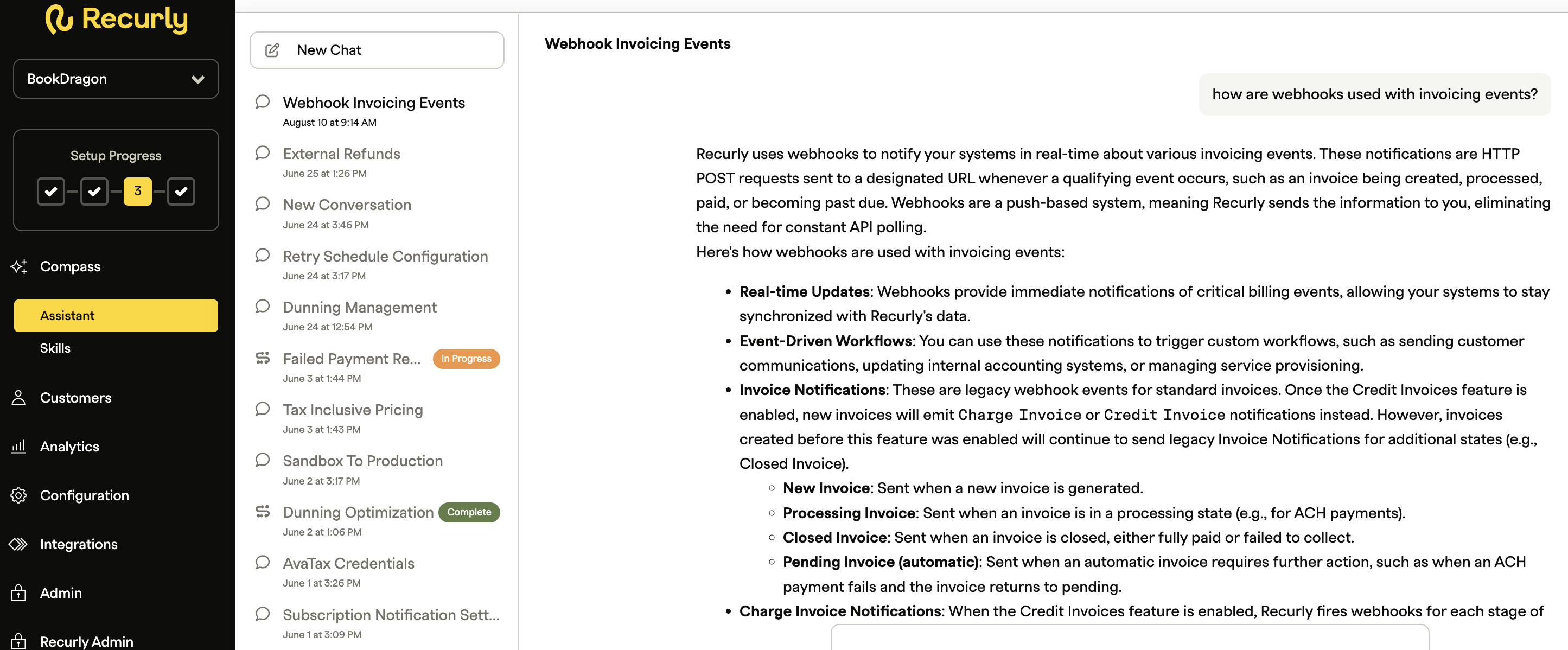
From Recurly's left navigation menu, select Assistant to access the assistant in a full screen view. Your chat history is available to pick up where you left off or start a new chat.
✦ Get data with the Data Agent
The Data Agent is an embedded AI agent within Compass Assistant that lets you generate async exports through natural language. Request an export, specify filters (version, time range, variations), and receive a download link — without navigating export forms or learning export schemas.
For an overview of available exports and how to use them, see the Export overview.
✦ Ask AI

Ask AI is an AI-powered assistant built into specific pages in Recurly. It answers questions about product functionality and helps you understand and act on information — without leaving your current workflow.
Access Ask AI
Example prompts:
- "How do I export my data?"
- "Where can I manage my account settings?"
✦ Take action
Compass Assistant's agentic AI lets you create or modify plans, add-ons, and items directly from the chat — no manual form navigation required.
✦ Code
Compass Assistant knows Recurly's APIs and is ready to help you write code. Ask for code examples, available client libraries, parameter references, and more — and get working code without leaving the app.
Get support
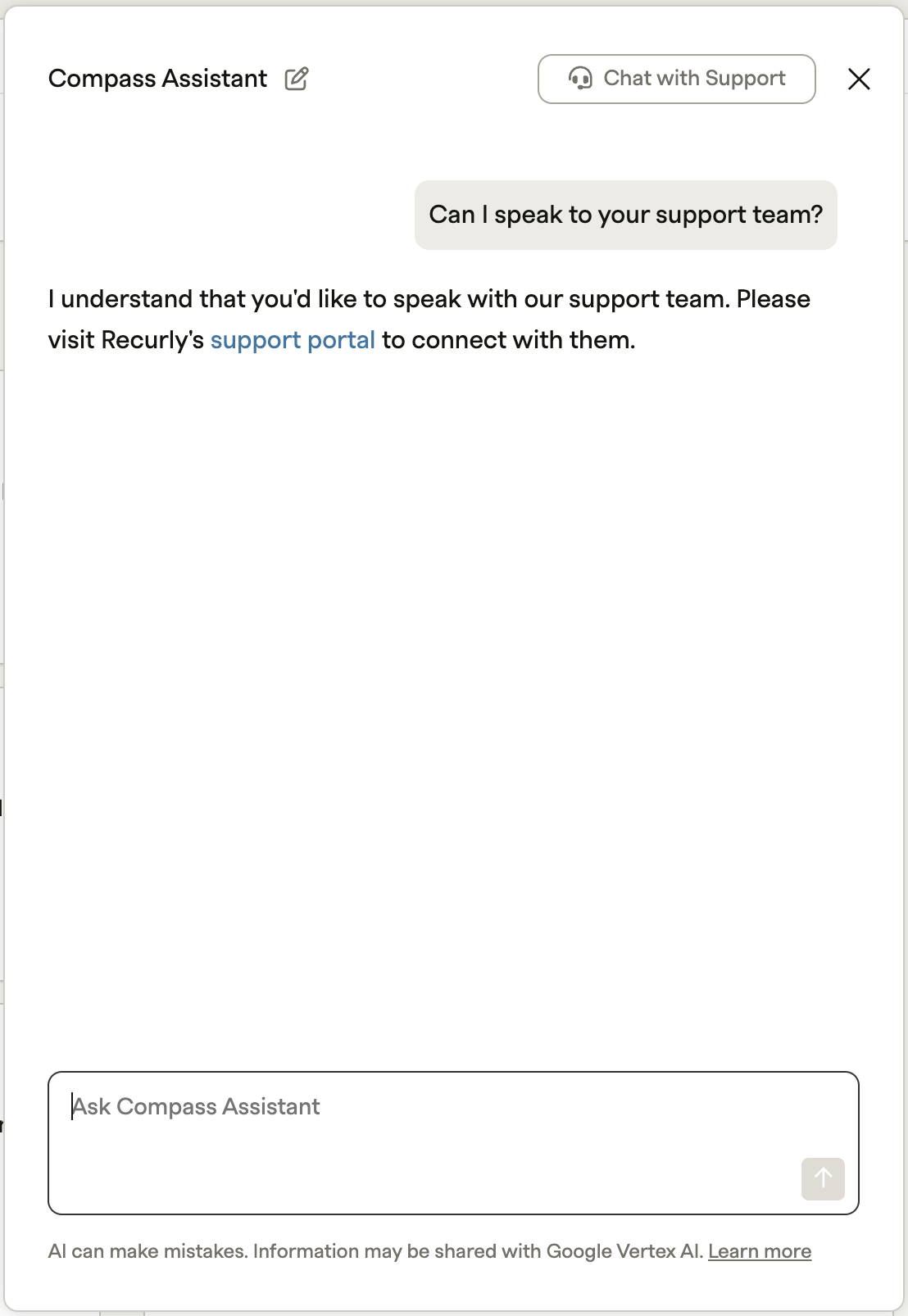
Compass Assistant detects when you need help from Recurly's Support team and can connect you directly. You can also click Chat with Support at any time.
Tips for best results
- Be specific. The more context you provide, the more accurate and useful the response.
- Iterate. If the first response isn't quite right, refine your question or ask a follow-up.
- Use natural language. No special commands — just ask as you would a colleague.
Manage conversations
New chat — Select New chat to start a fresh conversation with its own context.

Chat history — Open Chat history to view your previous conversations.
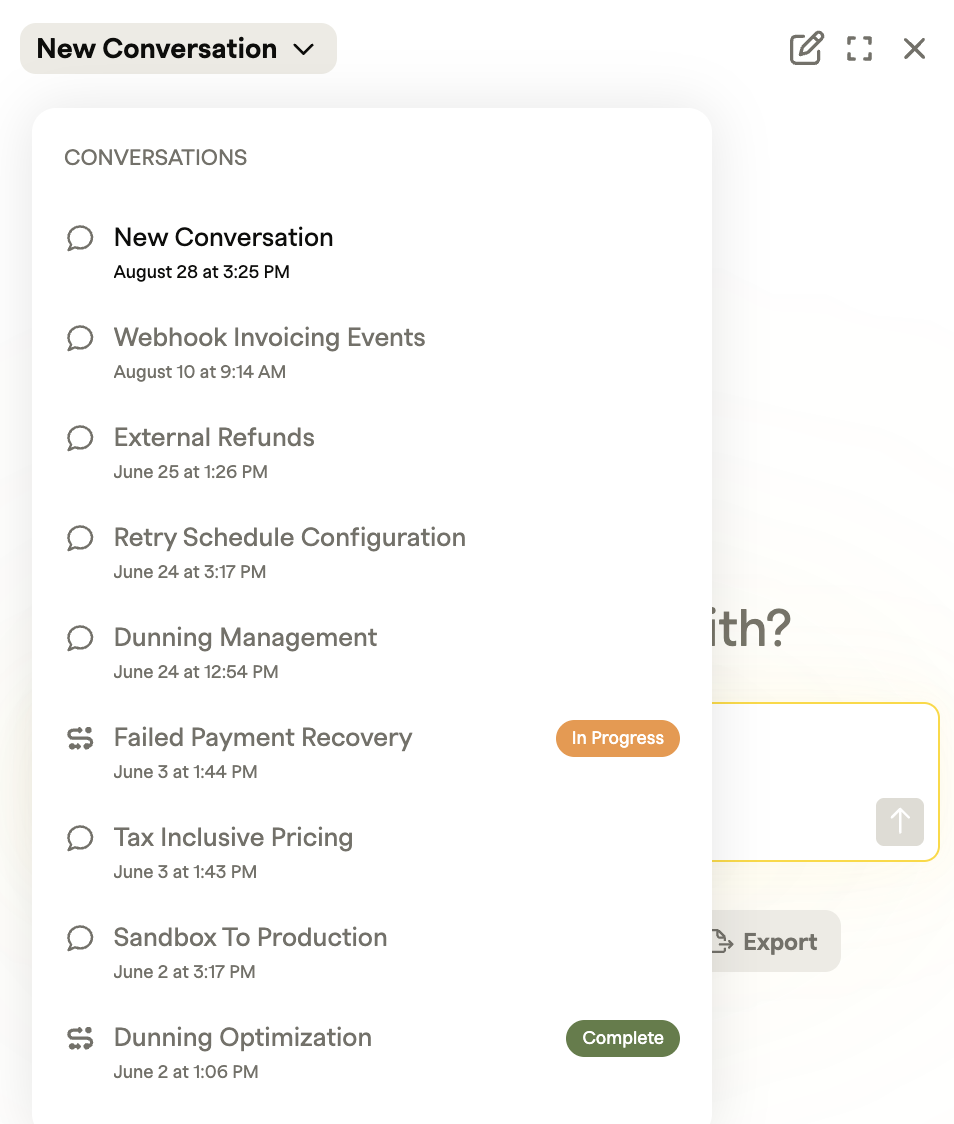
The speech bubble icon indicates a previous conversation. Select any conversation to reload it and continue the thread. Follow-up questions will use that conversation's context.
The s-shaped icon indicates a Compass Skill and to the right is the status of the skill [Not Started, In Progress, Complete].
Results respect your existing permissions — you only see content you already have access to. Your chats are private and visible only to you.
FAQs
What AI models power Compass Assistant?
Compass Assistant is powered by Google Gemini. Learn more about Gemini Data Governance and Generative AI Governance.
How is my data secured when used with AI?
Merchant data used with Recurly AI tools is stored in accordance with Recurly's Privacy Policy. AI models run on Google Vertex AI and Elasticsearch to support data security and compliance.
Is my data used to train AI models?
No. Recurly does not currently use merchant data for AI training.
Is my data shared with competitors?
No. Merchant- and subscriber-level data is never shared with competitors. Only aggregated, non-identifiable insights may be used for analytical or benchmarking purposes.
How do I opt out of Recurly Compass?
Contact [email protected] to opt out.
Updated 2 months ago