
Subscribers
Learn how to use the Subscribers dashboard in Recurly's Reporting & Analytics to track subscriber growth, composition, and churn.
Prerequisites
- Users must have analytics user role permission.
Definition
Key benefits
Key details
Filters
Use the filters in the top-left corner of the dashboard to narrow the data you're viewing:
- Date range: Select a specific timeframe and date range for the data displayed on the dashboard.
- Timeframe: Adjust this to view data over different periods for a more detailed or broader look.
- Subscriber type: Categorize the data by subscriber type — paying, non-paying, or trial.
For more on navigating and getting the most out of these filter tools, see our analytics overview documentation.
Active subscribers
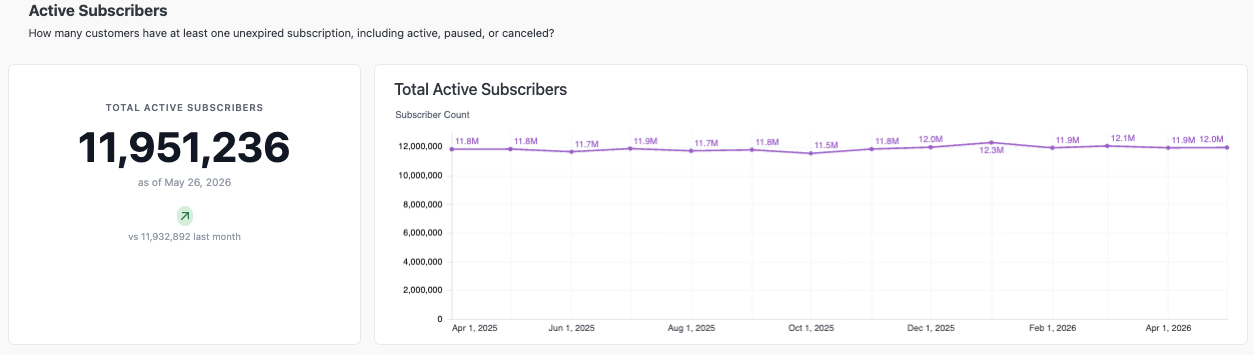
This section shows the total number of customers who hold at least one active (not expired) subscription, including subscriptions in an active, paused, or canceled state. The KPI widget displays your current active subscriber count alongside how it has changed compared to the same date last year.
Subscriber growth
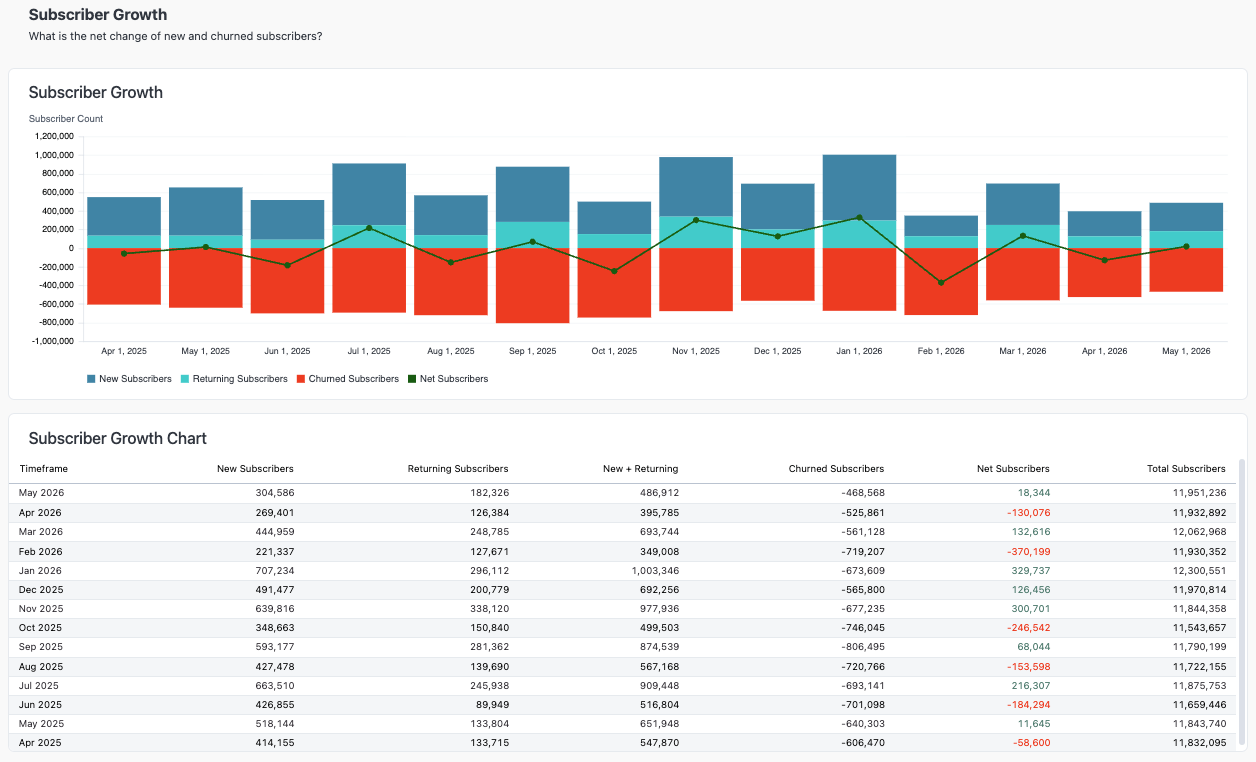
Track the trends driving your subscriber base with a chart showing new, returning, and churned subscribers over time. Together, these numbers reveal your net subscriber count — the change in subscribers gained versus lost.
- New subscribers: Customers signing up for a subscription for the first time.
- Returning subscribers: Former subscribers who have reactivated their subscription.
- Churned subscribers: Subscribers whose subscriptions have ended, whether voluntarily or involuntarily.
A table below the chart breaks these figures down by month, so you can dig into the specific changes in your subscriber dynamics over time — insight that's essential for understanding the health and growth trajectory of your subscriber base.
Acquisition and churn rates
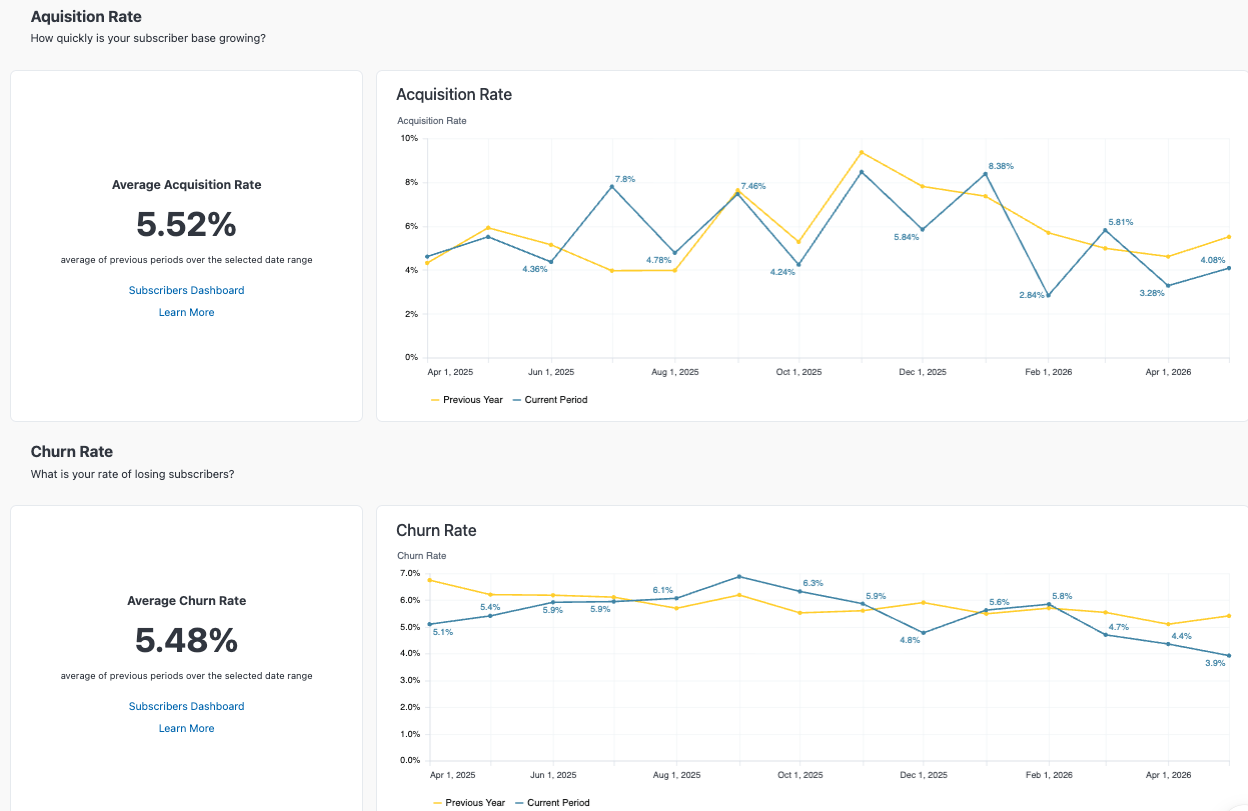
Compare your acquisition and churn rates year-over-year to see how your subscriber base is growing and what percentage of subscribers discontinued their subscription — voluntarily or involuntarily. Benchmark these rates against your industry to see how you stack up.
FAQs
Where did the previous Subscribers dashboard go?
It hasn't disappeared. A link to the Subscribers (Legacy) dashboard is available at the bottom of the Subscribers page. Recurly plans to phase out the legacy dashboard, so it's worth getting familiar with the current dashboard's features and capabilities.
How are churn and acquisition calculated?
Churn and acquisition are calculated by comparing subscribers who aren't expired at the beginning of a time period to those who aren't expired at the end of it. For example, using a weekly timeframe, a subscriber who isn't expired at the start of the week but is expired by the end of it counts as churn.
Updated 2 months ago