
Braintree
Connect Braintree to Recurly to process credit cards, PayPal, Venmo, Apple Pay, and Google Pay — with multi-currency support and optional Braintree Vault storage.
Limitations
- Restricted business types — Braintree restricts its gateway to certain business models. If your business appears on Braintree's Acceptable Use Policy, you won't be able to use the Braintree gateway.
- No lifecycle or post-auth webhooks — Recurly does not support lifecycle or post-auth webhooks from Braintree. If you're using gateway-level fraud review systems, gateway tokens, or processing transaction actions directly at the gateway, Recurly and Braintree can fall out of sync. Always capture, void, and process refunds from Recurly rather than directly in the gateway.
- Dynamic descriptors — cards only — Dynamic descriptors are supported for Braintree, but only for card payments at this time.
Definition
Key details
| Feature | Details |
| Services that work with Recurly | Subscription billing, one-time payments, card dynamic descriptors, MOTO processing |
| Supported operations | Authorize and Capture, Purchase, Refund, Void |
| Supported payment types | Credit/debit cards, PayPal, Venmo, Apple Pay, Google Pay |
| Supported card brands | Visa, Mastercard, Amex, Discover, JCB, Diners, Union Pay |
| Gateway-specific 3DS2 supported | Yes |
| Card on file supported | Yes |
| Regions | Global |
| Currencies | Multiple (per merchant account ID) — see all available. PayPal transactions are limited to PayPal-supported currencies. |
| Additional feature support | Billing and shipping information, Level 2 data, Visa trial descriptors, Braintree gateway tokens, vaulting in Braintree, MOTO |
Braintree and multi-currency
To accept multiple currencies through Braintree, configure a separate Braintree gateway instance in Recurly for each currency. Each instance requires your Merchant ID, Merchant Account ID, Public Key, and Private Key. The Merchant Account ID identifies which currency is enabled for that instance.
Processing PayPal through Braintree
You can process PayPal transactions through your Braintree merchant account. Make sure your Braintree account is configured to accept PayPal before enabling this in Recurly.
To initiate the PayPal one-touch checkout flow, use Recurly.js v4. Note that PayPal payment details displayed in Recurly Admin may look slightly different from other payment methods — this is because Recurly stores Braintree's vault token rather than the actual PayPal Billing Agreement, and uses that token for all subsequent PayPal transactions.
Processing Venmo through Braintree
See the Venmo payment method documentation for details.
Processing verifications with 3DS through Braintree
Braintree's standard verification route does not include 3DS capabilities unless you've integrated the Proactive 3D Secure route through Recurly.js. If you're a PSD2-mandated merchant in the EU, or require 3DS for risk purposes and want to process verifications rather than purchases, you'll need to use this integration path.
There are two mutually exclusive settings to configure — one requires Braintree's assistance:
Option 1 — Not vaulting with Braintree (Proactive 3DS without vaulting)
Contact your Braintree account manager to enable Verifications without Vaulting. This setting requires the holder of the card data to be PCI compliant. When requesting this feature, indicate that Recurly is storing the card data.
Once Braintree has enabled that setting, contact Recurly Support to enable the Braintree ZDA feature flag on the Recurly side. This flag unlocks the verification flow for 3DS — it does not disable 3DS through purchase routes.
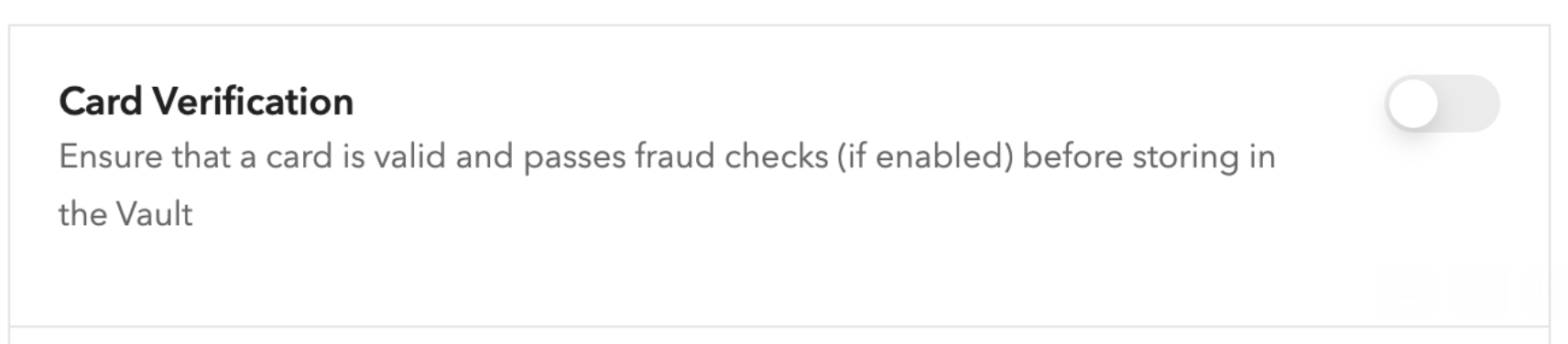
Option 2 — Vaulting with Braintree (Card Verification)
Enable Card Verification in your Braintree control panel to verify all cards before they enter the Braintree Vault.
Integrating Braintree with Recurly
Step 1: Gather your Braintree credentials
You'll need the following credentials from your Braintree Control Panel:
- Merchant ID
- Merchant Account ID (one per currency you intend to accept)
- Public Key
- Private Key
Step 2: Configure Braintree in Recurly
Configure Visa free trial settings
If your Braintree merchant account is associated with Australia or Canada, select the appropriate country from the dropdown. For all other countries, select Other. If you're not running free trials, select None. See the Visa free trial mandate guide for details.
Step 3: Enable PayPal (optional)
Confirm your Braintree merchant account is configured to accept PayPal transactions — check your Braintree Control Panel or contact Braintree Support. No additional configuration is required in Recurly beyond the standard gateway setup.
Step 4: Test the configuration
Step 5: Go live
Updated 4 months ago