
Subscription by plan
Learn how to use Recurly's Subscription by Plans view to see total subscriptions and subscription breakout by plan.
Subscription by Plans gives you a color-coded visualization of your subscriptions, organized by plan. Displayed over the timeframe you choose, it makes it easy to see how popular each plan is and how it's performing.
Available on all Recurly plans
Prerequisites
- Users must have Analytics user role permission.
Definition
Subscription by Plans gives you a color-coded visualization of your subscriptions, organized by plan. Displayed over the timeframe you choose, it makes it easy to see how popular and how well each plan is performing.
NoteIt's important to understand the difference between a subscriber and a subscription. A single subscriber might hold multiple active subscriptions, but this dashboard counts each individual subscriber — not the number of subscriptions they hold. Data only includes plans that have had at least one subscriber.
TipFor more on navigating and using the filter tools, see our analytics overview documentation.
Key benefits
Instant plan popularity overview
See at a glance which plans have the most traction, with color-coded bars that make dominant trends easy to spot.
Interactive deep dives
Select any bar to access detailed subscription metrics without leaving the chart.
Strategic trend analysis
See the performance trajectory of each plan to guide plan refinement and target your subscription strategy.
Key details
Total subscriptions
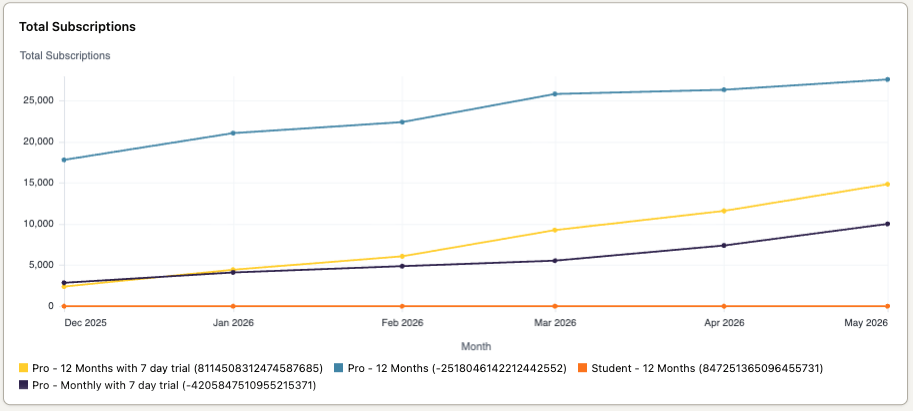
Total Subscriptions is a visual breakdown of your subscriptions by plan over your selected timeframe. Each bar represents a time unit, its height shows the total number of subscriptions, and each plan is color-coded so you can see at a glance which ones are gaining subscriptions.
Subscription breakout
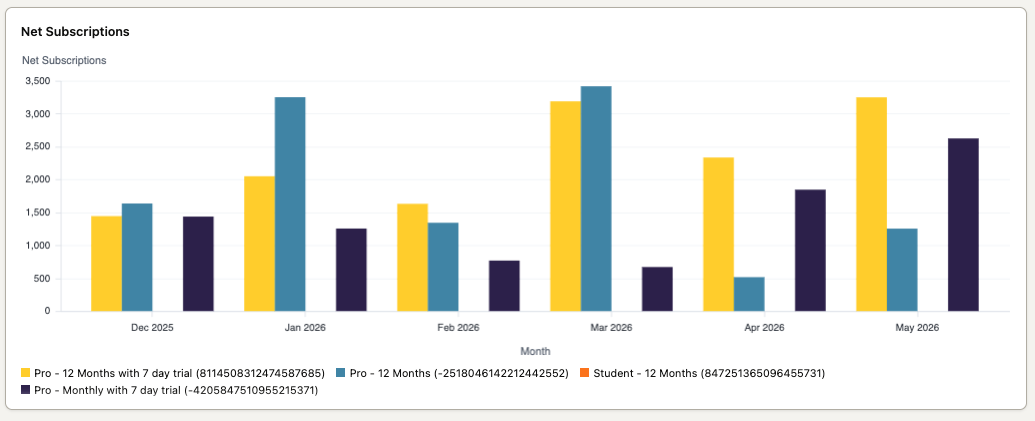
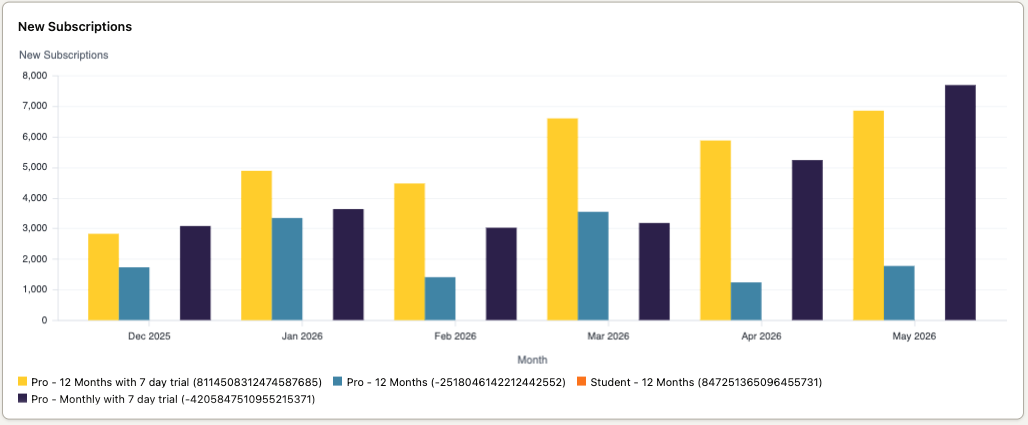
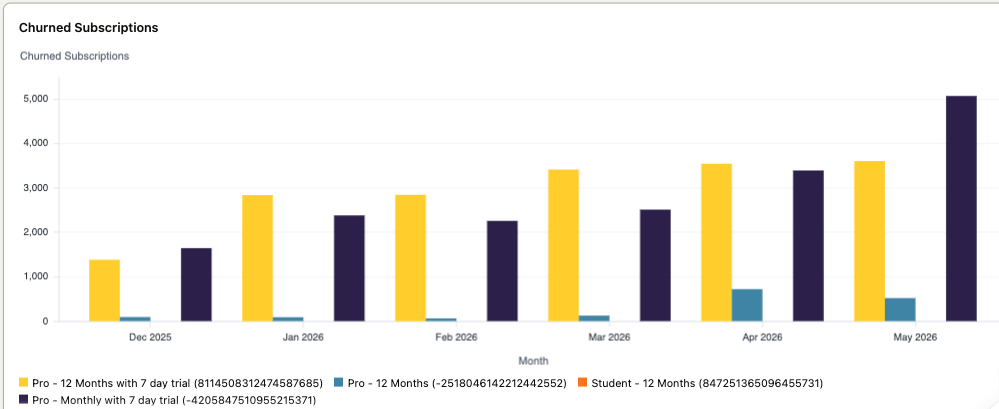
These three bar charts — net, new, and churned subscriptions — let you analyze subscription growth rate, see which plans are gaining or losing subscribers, and spot which plans have higher churn rates.
Net subscriptions
New subscriptions
Churned subscriptions
Updated 2 months ago
Did this page help you?