
Data retention
Configure automatic redaction of inactive account payment method and PII data after defined retention periods to support GDPR and data minimization requirements.
Prerequisites
- Site administrator permissions are required to configure Data Retention Settings
- A site feature flag must be enabled — contact Recurly Support to request access
Limitations
- Payment Method Retention and PII Retention periods must each be set between one and ten years
- PII Retention must be equal to or longer than the Payment Method Retention period
- Accounts with active subscriptions, open child accounts, unpaid invoices, or uninvoiced charges are excluded from redaction
Definition
Key benefits
account.redacted event every time an account is redacted, with a payload indicating exactly which data class was cleared.
Key details
Configuring retention periods
Navigate to Configuration → Data Retention Settings to configure retention periods for your site.
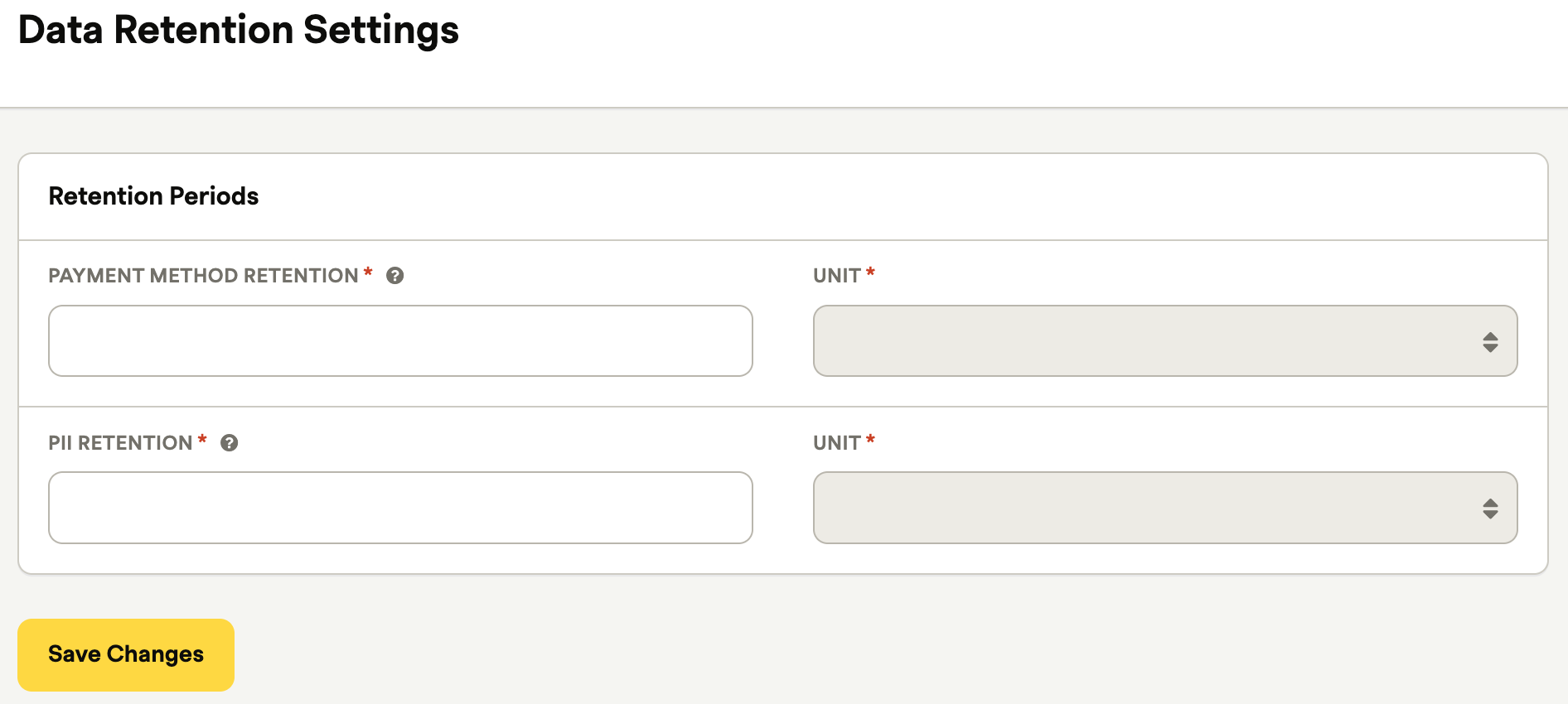
| Field | Description | Constraints |
| Payment Method Retention | How long card and billing data is kept after account inactivity | 1–10 years |
| PII Retention | How long full PII (name, email, address, and more) is kept after account inactivity | 1–10 years; must be equal to or longer than the Payment Method Retention period |
How redaction works
Two-phase redaction
When PII Retention is set longer than Payment Method Retention, accounts pass through two sequential phases:
If both retention periods are equal, redaction happens in a single pass.
Inactivity window
An account's "last active" date is whichever of the following is most recent:
- The account's
created_atdate - The most recent transaction's
created_atdate - The most recent subscription renewal date
Redaction scope
Payment method redaction clears:
- All billing info records
- Card fields on transactions: card type, last four digits, expiry, BIN, and first six digits
PII redaction additionally clears:
- Account fields: first and last name, email, company, address, VAT number, username, and IP addresses
- All invoice and shipping addresses
- Customer fields on transactions: customer IP, VAT, and tax-exempt certificate
- Update-attribute activity metadata
Orphaned transactions
Transactions without an associated account — such as those from closed accounts — are processed separately by a dedicated cron job. The same retention rules apply directly to those transaction records.
Account activity
Redaction events appear in the account's activity log under the Redacted verb. Each entry indicates whether PII was cleared.
Webhooks
When an account is redacted, Recurly fires an account.redacted webhook. The payload includes the account data in its post-redaction state and a data_type field indicating whether payment_method or pii data was cleared.
JSON payload — account.redacted
{
  "id": "b18znuwra79d",
  "object_type": "account",
  "site_id": "9s2roxi35o2v",
  "event_type": "redacted",
  "event_time": "2026-04-15T20:00:00Z",
  "account_code": "abc123",
  "data_type": "payment_method"
}
XML payload — redacted_account_notification
<?xml version="1.0" encoding="UTF-8"?>
<redacted_account_notification>
  <account>
    <account_code>abc123</account_code>
    <username>jsmith</username>
    <email>[email protected]</email>
    <first_name>Jane</first_name>
    <last_name>Smith</last_name>
    <company_name>Acme Corp</company_name>
    <phone>555-1234</phone>
    <dunning_campaign_id nil="nil"/>
  </account>
  <data_retention>
    <data_type>payment_method</data_type>
  </data_retention>
</redacted_account_notification>
FAQs
Can I set the payment method and PII retention periods to the same length?
Yes. If both periods are equal, redaction happens in a single pass — payment method data and full PII are cleared at the same time.
What happens to transactions that don't have an associated account?
Orphaned transactions — such as those from closed accounts — are handled by a dedicated background job. The same retention rules apply directly to those transaction records.
Will accounts with open invoices be redacted?
No. Accounts with active subscriptions, open child accounts, unpaid invoices, or uninvoiced charges are excluded from redaction until those conditions are fully resolved.
How do I enable this feature?
Data Retention Settings requires a site feature flag. Contact Recurly Support to request access, then configure your retention periods at Configuration → Data Retention Settings.
Updated 5 months ago