
Account updater
Recurly’s Account Updater service monitors your customers’ Mastercard®, Visa®, Discover®, and American Express® credit cards for changes, making updates in Recurly's records whenever necessary. Maximize revenue retention with Recurly's Account Updater—keeping customer payment details always up-to-date.
This feature requires an additional cost. Contact [email protected] or your Recurly account manager for pricing details.
Prerequisites
- Account Updater must be activated on the Payments Settings page in Recurly
- To enable Mastercard® updates, a Mastercard® Merchant Category Code (MCC) is required
- To enable American Express® Cardrefresher, a direct American Express® merchant account and Individual SE number are required. Do not provide a CAP or MAP SE number.
- Additionally, for American Express Cardrefresher, your business must be located in the United States. Consumer accounts located outside the US or accounts not associated with your SE number, will not receive updates.
- For Adyen Real Time Account Updater (RTAU), Adyen must be your only gateway and you must be processing raw card data through Recurly (not gateway tokens or network tokens). You can use standard Account Updater even if you are using Adyen as a gateway.
Limitations
- Account Updater only applies to stored credit cards — it's not available for non-card payment methods
- One-time transactions are not submitted to the Account Updater service
- Account Updater does not work for merchants using exclusively gateway tokens where Recurly doesn't have access to actual card data
- OptBlue merchant accounts (gateway-provided SE numbers) are not supported for American Express® Cardrefresher
- Updates only occur when your Recurly site is in production mode
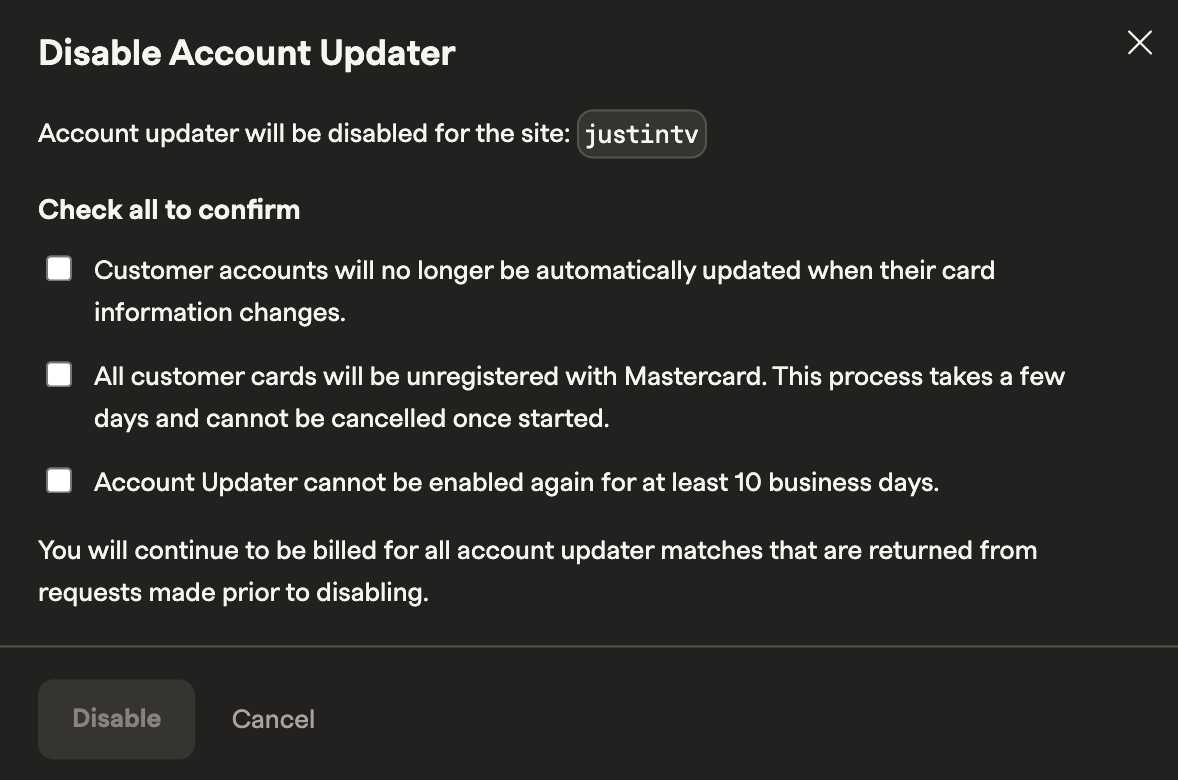
- If you disable Account Updater, it cannot be re-enabled for 10 business days
- Only users with billing info editing rights can access Account Updater settings
- Adyen's RTAU has limited card brand support — it covers Visa, Mastercard, and Amex in certain regions only. Recurly recommends keeping both Adyen RTAU and Recurly Account Updater enabled to cover all cases
Definition
Key details
Credit card support
Account Updater integrates with card update programs from Mastercard®, Visa®, American Express®, and Discover®. The cardholder's issuing bank — not Recurly — determines participation and sends account-change events to each network. Recurly also supports card updates in Europe in certain cases.
Enabling Account Updater
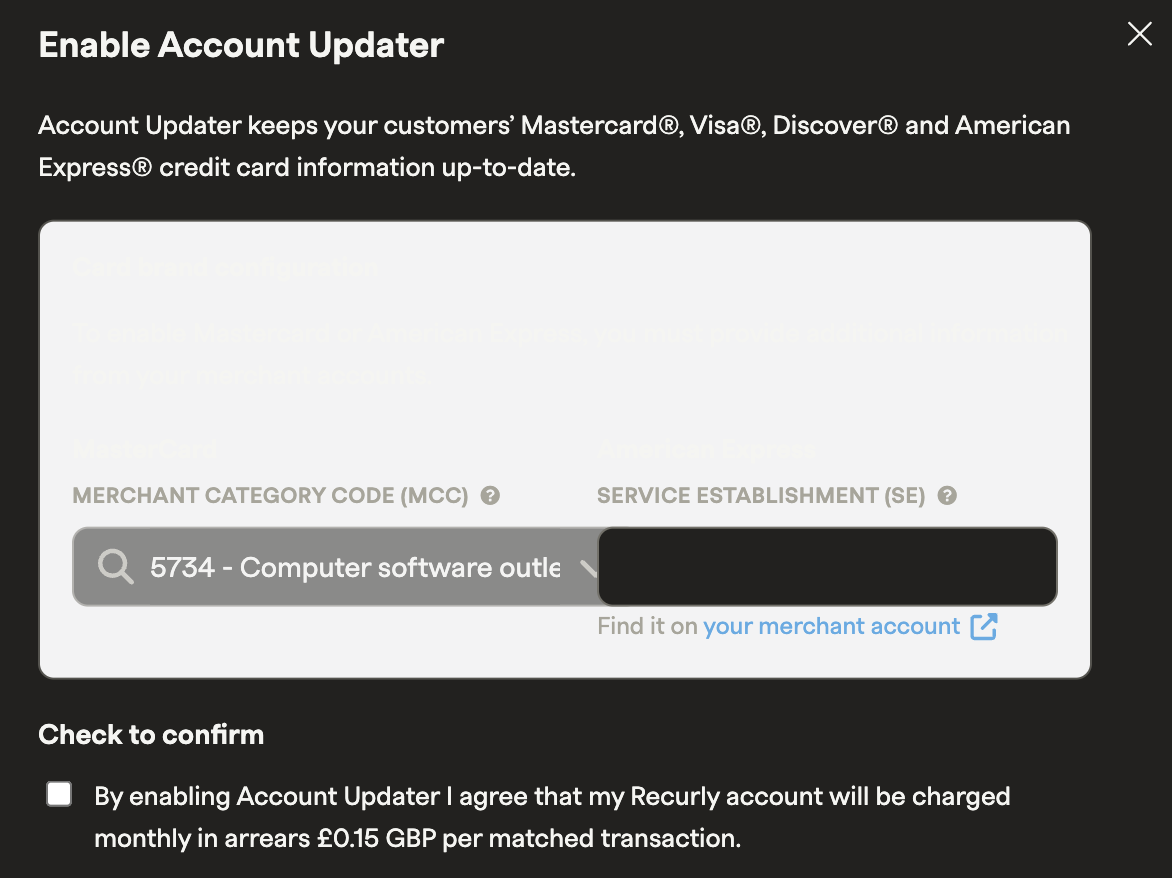
- Mastercard® Merchant Category Code (MCC) — required to enable Mastercard® updates
- 10-digit American Express® SE number — required to enable Cardrefresher. Gateway-provided (OptBlue) SE numbers will not work — only direct Amex SE numbers are supported
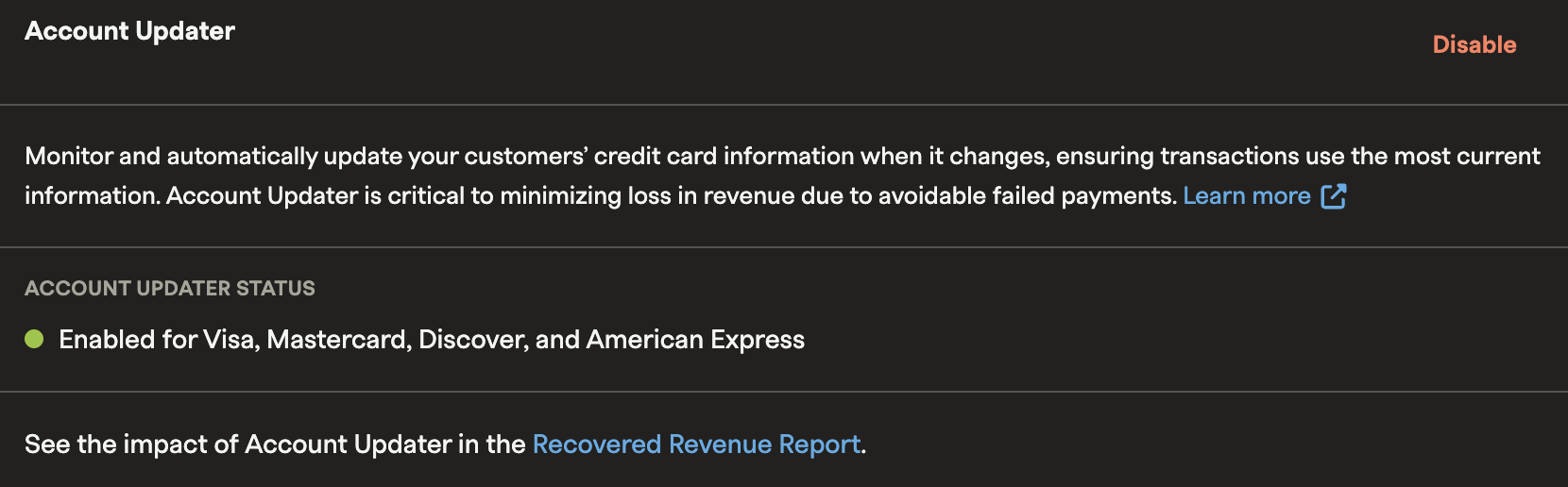
Once enabled, your status will update to reflect which card networks are active for your account.
How Account Updater works
Account Updater runs on a publish/subscribe model across all four supported card networks. There are four billable Account Updater event outcomes:
- Updated expiration date — automatically updates the expiration date stored in billing info
- Updated card number — replaces the full card number with the new one. In rare cases, this can include a card brand change. When that happens, customers must return to session to re-authenticate their card, since card networks don't share Network Transaction ID (NTID) formatting across brands. Recurly recommends proactively reaching out to affected customers and having them reauthenticate, which will run a verification and update the NTID on file. See Verify stored card information for details
- Credit card account closed — flags the billing info as invalid to prevent further charges
- Contact cardholder — indicates that the customer should update or verify their payment information
Each of these events triggers the Update Billing Info webhook.
Pre-renewal behavior
Account Updater runs pre-renewal for subscriptions with outdated billing information approximately one week before the renewal date. For subscriptions with longer billing cycles — quarterly, bi-annual, or annual — Recurly looks ahead further than one week.
Dunning behavior
Post initial decline
After a card declines, Recurly queries available card update services to check for any missed updates before renewal. This is especially useful if the card was updated after the initial data request. Mastercard in particular returns advice codes that indicate when new card information is available — helping prevent a subscription from churning.
No-change requeuing
If a card update request returns as "No Change," "No Response," "Contact Cardholder," or "No Match," Recurly requeues the card to check for status changes throughout the dunning period — continuing until the invoice is failed or closed. "Contact Cardholder" is also a billable Account Updater event outcome.
If the customer has other active or past-due subscriptions, Recurly continues querying for updates across those as well. For event-based Account Updater services, Recurly may also receive updates outside of these specific scenarios, since the timing of third-party events is outside of Recurly's control.
American Express® Cardrefresher integration
Recurly's Cardrefresher integration keeps Amex card details up to date automatically by connecting directly to the American Express® Account Updater service. This reduces payment failures caused by outdated card details.
To use this service, you must have a direct American Express® merchant account located in the United States and an Individual SE number. OptBlue (gateway-provided) SE numbers, and MAP/CAP SE numbers (upper levels in Amex heirarchy) are not supported.
Customers located outside the US will not receive updates to their cards.
Adyen Real Time Account Updater integration
Adyen Real Time Account Updater (RTAU) returns card update responses in real time, inline with transaction processing. This helps keep card details current during authorization and can reduce renewal declines caused by outdated information.
To use Adyen RTAU with Recurly, you must meet all of the following:
- Adyen is your only gateway
- You're processing raw card data through Recurly (not gateway tokens or network tokens)
- You're processing card payments (RTAU doesn't apply to non-card payment methods)
For full setup instructions, see the Adyen Real Time Account Updater documentation.
Monitoring account activity
You can monitor credit card billing info updates made by Account Updater in the Activity section of any customer account.
Excluding a customer from Account Updater
Disabling Account Updater
FAQs
How does Recurly's Account Updater work?
When enabled, Recurly periodically checks with participating card networks to refresh stored payment details, helping avoid declined transactions caused by outdated card information.
Which card networks does Account Updater support?
Recurly's Account Updater integrates with Visa®, Mastercard®, American Express®, and Discover®. Participation is determined by the cardholder's issuing bank, not Recurly.
Do I need to do anything after enabling Account Updater?
No. Once enabled, Recurly handles all checks and updates automatically. You should see improved authorization rates as stale card details are refreshed.
What if I have Account Updater enabled at both Recurly and another gateway?
There's no guarantee which system updates first. Running both simultaneously can lead to temporary data mismatches and additional costs, since Recurly can't see updates made by another gateway.
When should I enable Account Updater at a gateway instead of through Recurly?
If you store only gateway tokens — not full card data — in Recurly, updating card info at the gateway level may be necessary. Keep in mind this won't refresh billing data within Recurly itself, so customer records in Recurly may remain outdated.
How do I update my American Express® SE number?
SE numbers can't be changed directly in Account Updater settings once the feature is enabled. You have two options: disable Account Updater and re-enable it with the new SE number (note: a 10-business-day cooldown applies before you can re-enable), or submit a support ticket to Global Support to have it updated without disrupting the service.
Updated 5 days ago