
Ramp pricing
Configure subscription prices that increase or decrease over time using Recurly's ramp pricing — ideal for introductory offers and customer loyalty programs.
Prerequisites
- Only Bill What Changed must be enabled to use ramp pricing.
- If your account was created before May 2018, Credit Invoices must also be enabled. Contact [email protected] to have these features added to your account.
Definition
Key benefits
Key details
Ramp pricing is fully compatible with all other Recurly features including coupons, gift cards, trials, aligned renewals, paused subscriptions, plan changes, and subscription modifications.
Ramp intervals
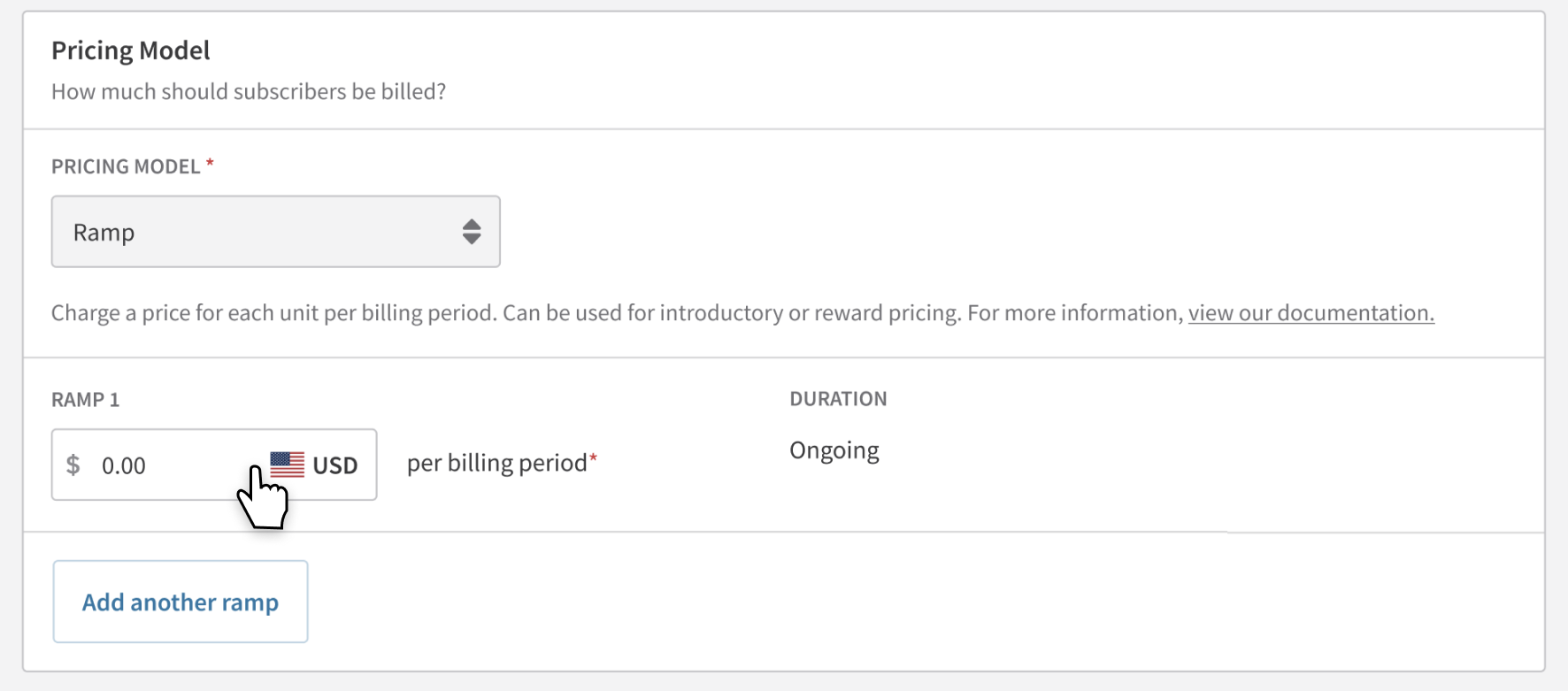
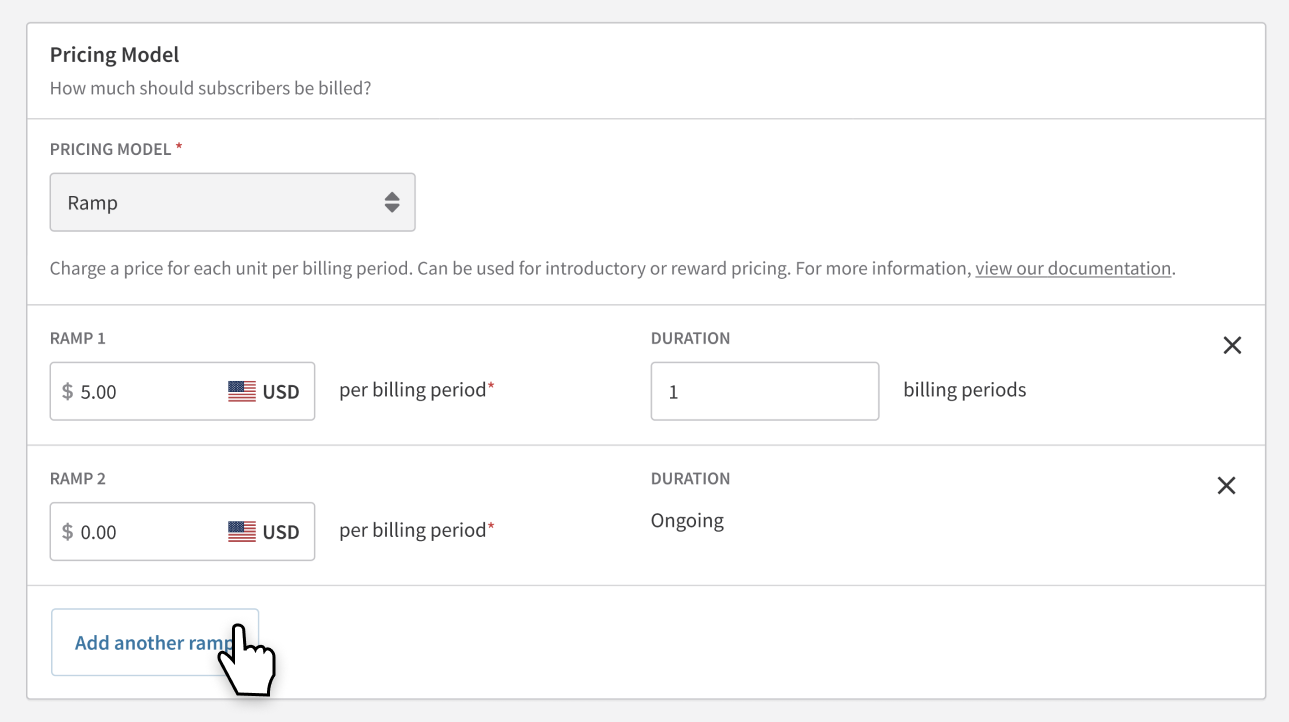
- Intervals can represent a price increase or decrease
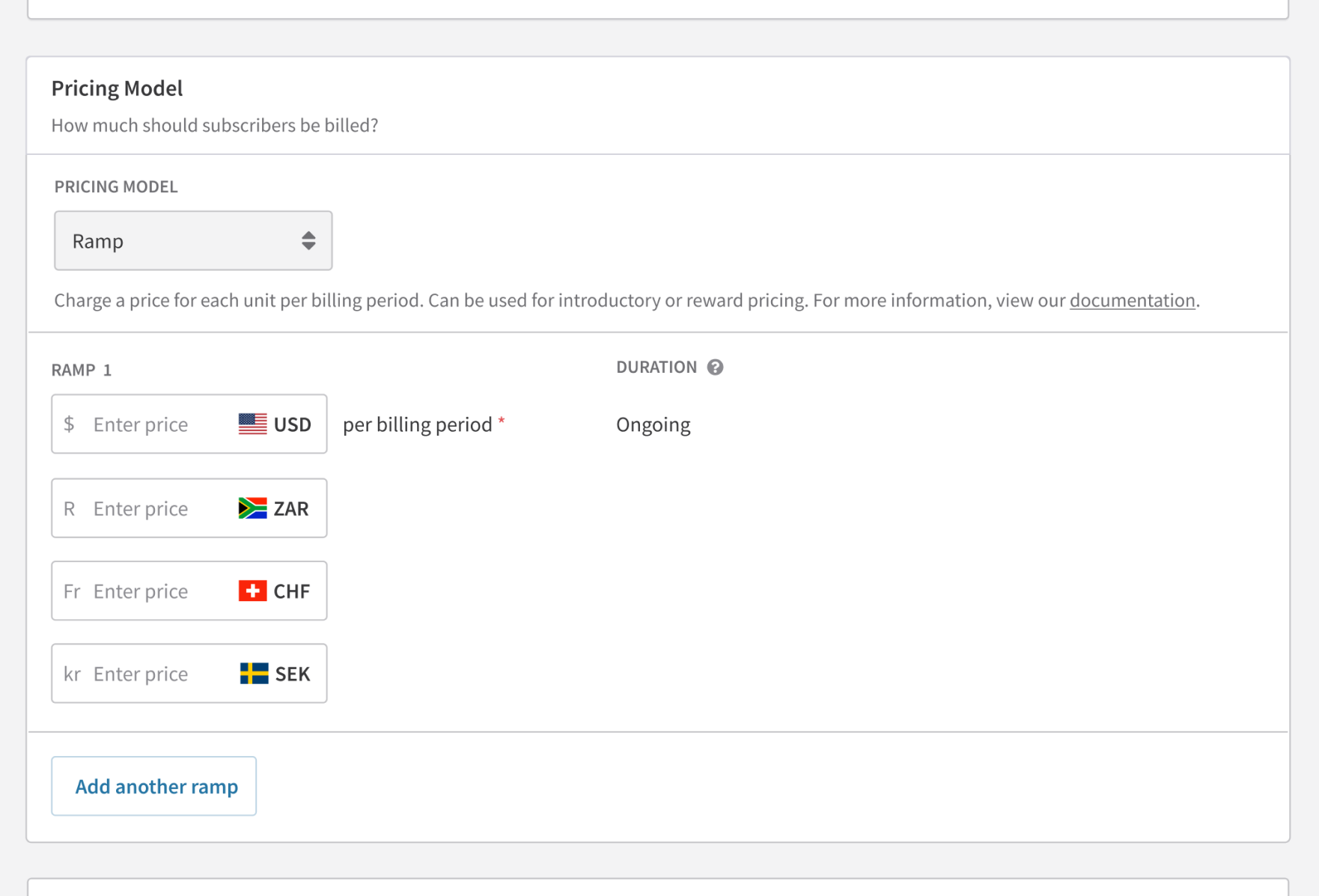
- Up to 12 intervals per plan or subscription
- Prices can be set in all currencies configured on your site
- Intervals can extend beyond the subscription term; if the term auto-renews, intervals continue at the configured schedule once a new term starts
- A subscription must be created from a plan that already has ramp intervals — you can't add ramp intervals to a subscription independently
Pausing subscriptions
- Ramp-priced subscriptions can be paused immediately or scheduled for pause
- The ramp interval schedule pauses with the subscription and resumes on unpause
- Modifying the pricing schedule cancels any scheduled pause and generates an invoice for the next billing cycle
Trials
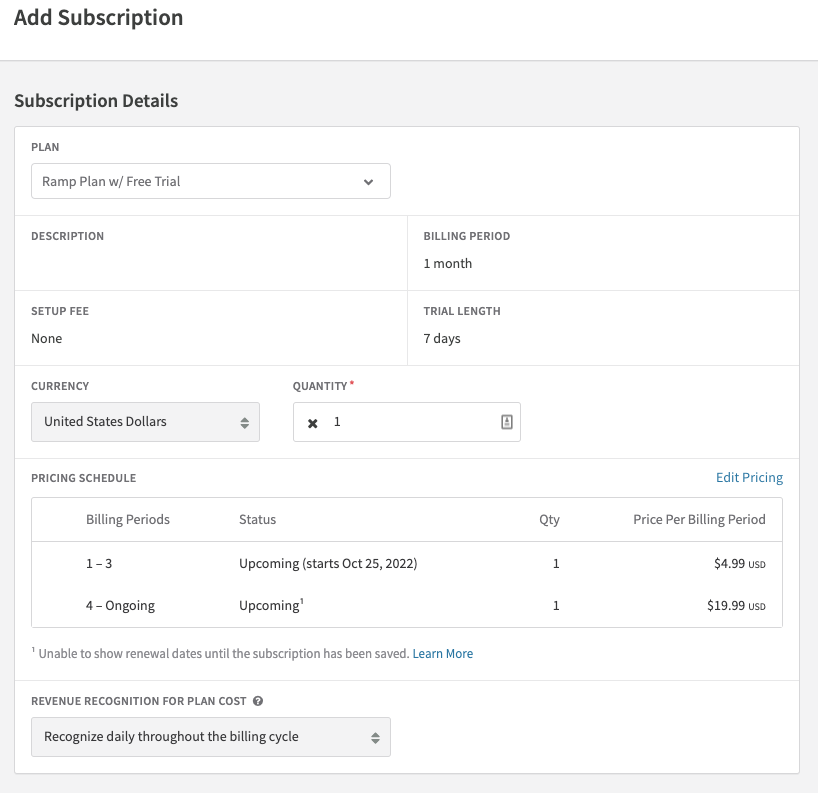
Trials work alongside ramp pricing. Set the trial duration on the plan — the first ramp interval price is charged once the trial period ends.
Ramp price change email
An email template is available to notify subscribers of upcoming price changes.
- Configure the Ramp Price Change template under Subscription Renewal templates in your email settings
- The email is sent when a new ramp interval begins
- Supported template parameters:
next_ramp_interval_start_dateandnext_ramp_interval_price - If the ramp price change email is scheduled on the same day as other renewal reminders, it takes priority
Exports
- A dedicated Subscriptions — Ramp Pricing Export provides detailed information for each ramp interval per subscription. See the export documentation for details.
- The Subscriptions, Subscription — History, and Subscriptions — Churned exports now include two additional columns:
pricing_modelandcurrent_ramp_id
Analytics
Ramp-priced plan performance is available in the Plans, Promotions & Pricing section of Recurly Analytics.
Activity logs
Activity logs capture before-and-after comparisons for changes to a ramp-priced subscription's pricing schedule — useful for support teams verifying whether a change has already been applied.
Checkout and Hosted Pages
- Checkout and Hosted Payment Page display the starting price — the price of the first ramp interval. Display additional pricing details on the page your customer is directed from.
- Hosted Account Management Page shows the cost of the next ramp interval at the next invoice date.
Salesforce integration
Ramp-priced subscriptions can be created via Salesforce using the default ramp intervals from the plan.
Sandbox to production
Ramp pricing can be tested on all Recurly sandbox and development sites. In production, it's available only on Professional or Elite plans.
When converting a sandbox or development site to a Core production site, all ramp-priced plans are deleted and cannot be edited or re-enabled on the Core plan. Once upgraded to a Professional or Elite plan, ramp-priced plans can be created and used normally.
Changing plans on a subscription
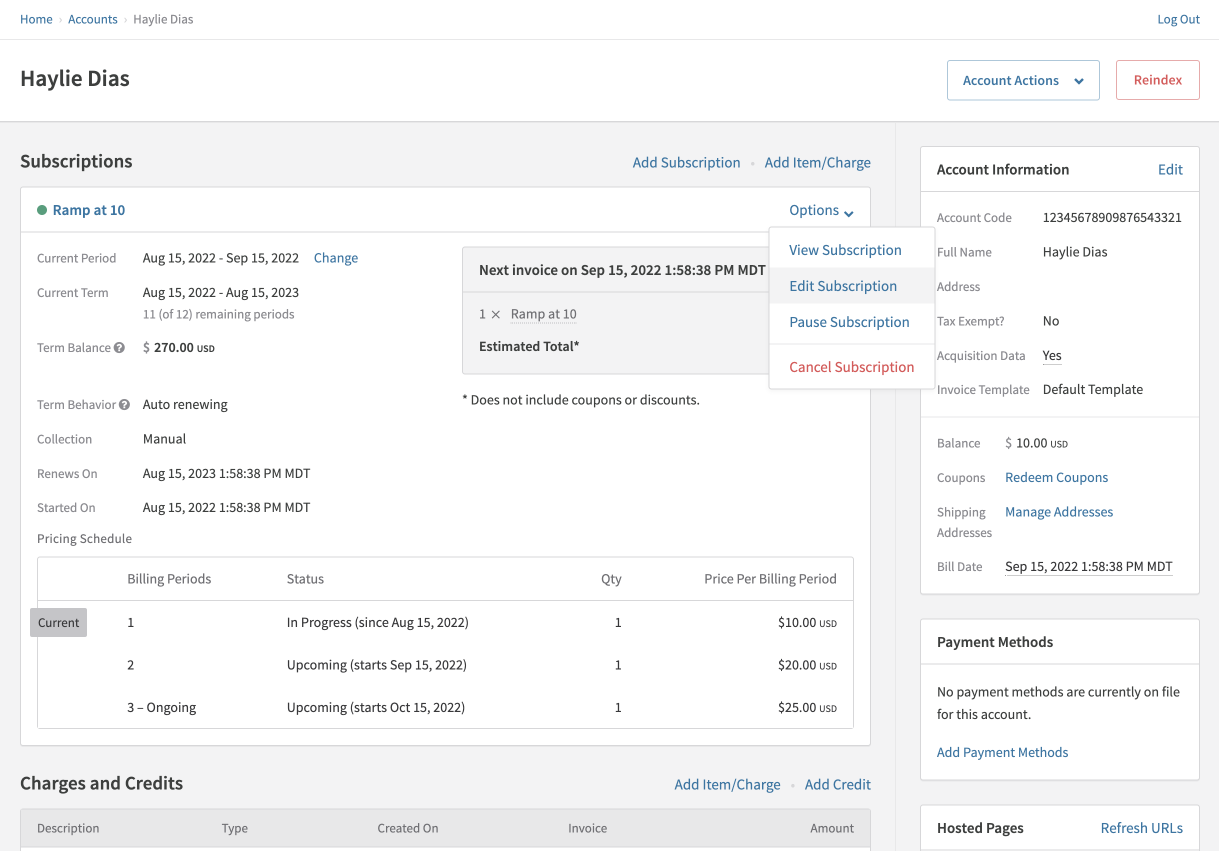
You can change the base plan of a subscription immediately, at the billing date, or at renewal. When changing plans, you can modify the ramp interval schedule for the new plan — including removing introductory intervals and switching directly to the full price — without creating a new plan or saving and re-editing the subscription.
Example
A customer completes the intro ramp interval on a lower-priced plan and is now paying full price. If they want to upgrade to a higher-priced plan, you can move them directly to the full price on the new plan, bypassing its introductory intervals entirely.
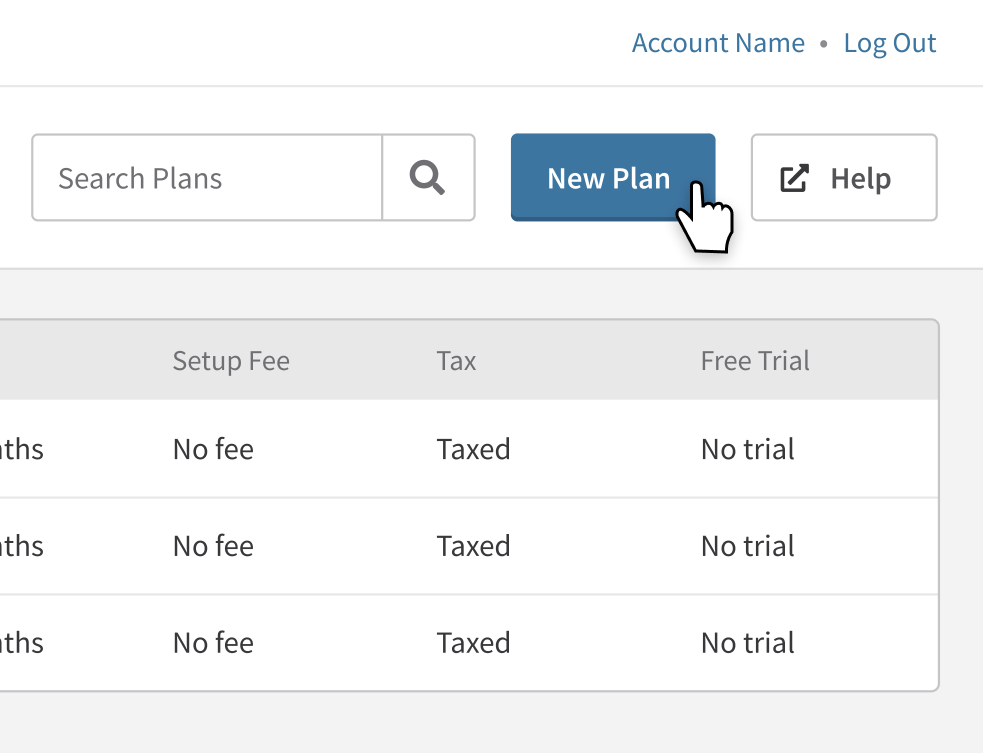
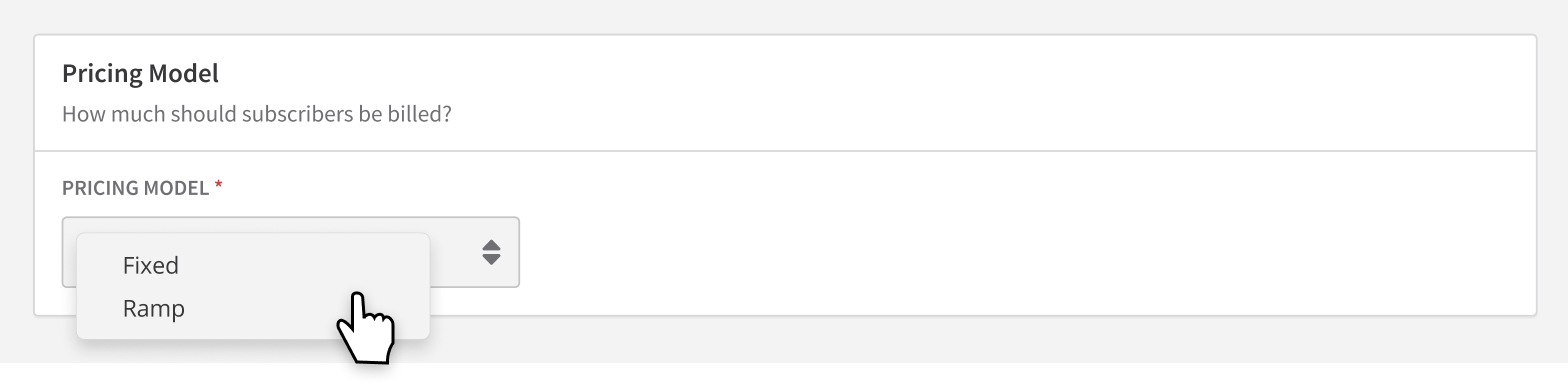
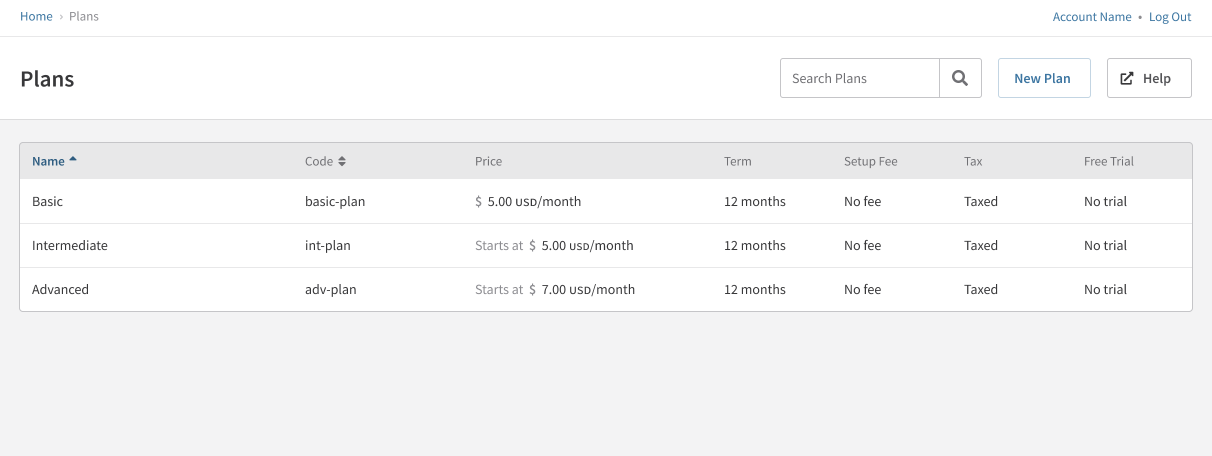
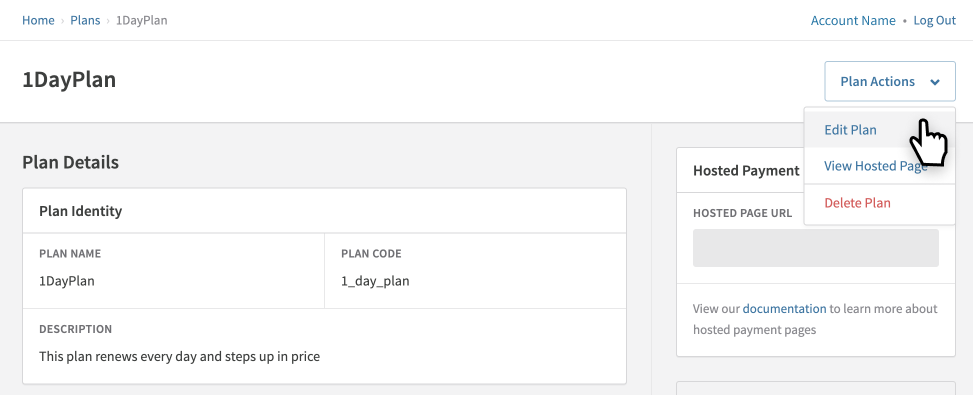
Create a plan with ramp pricing
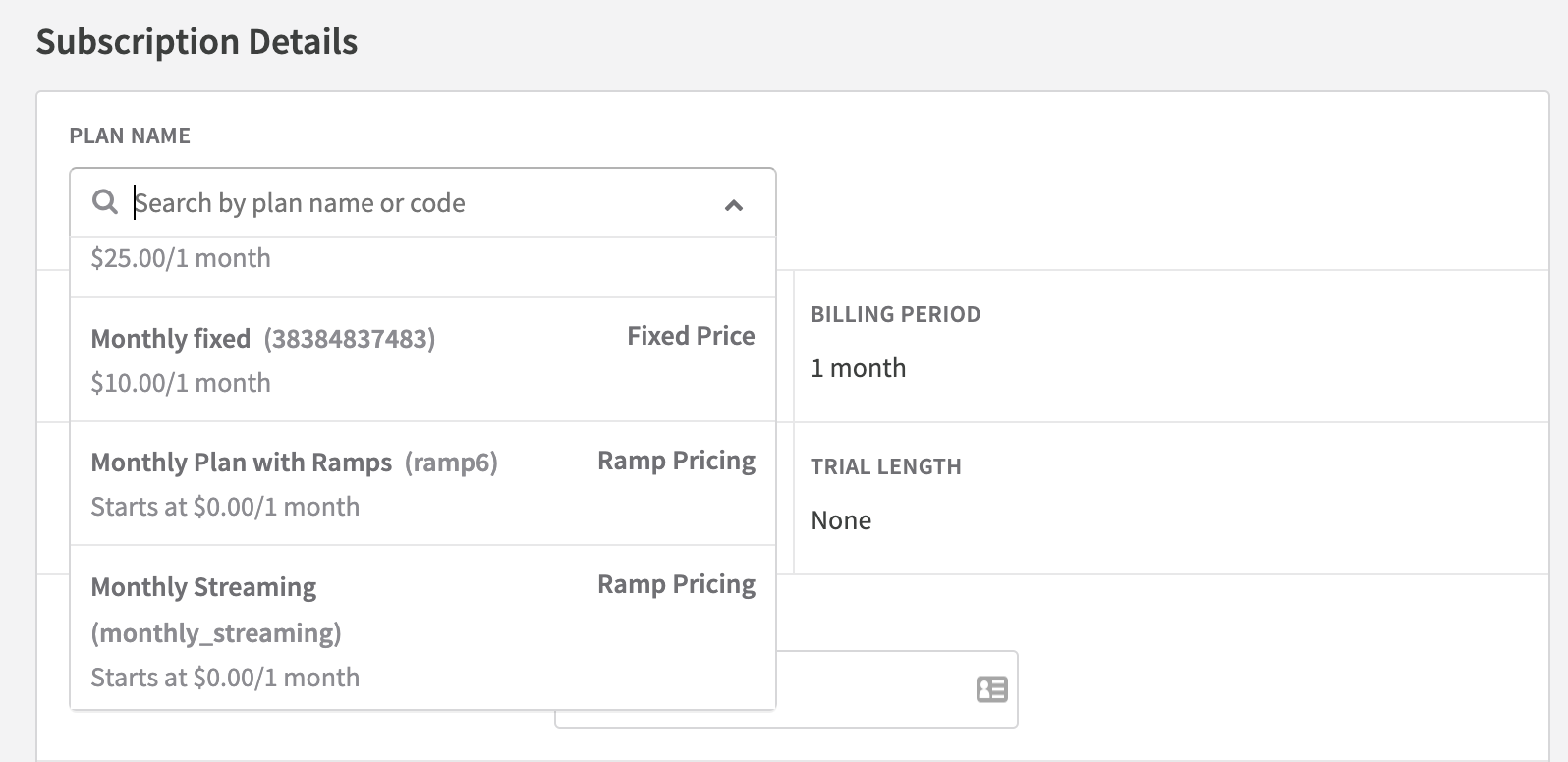
Create a subscription with ramp pricing
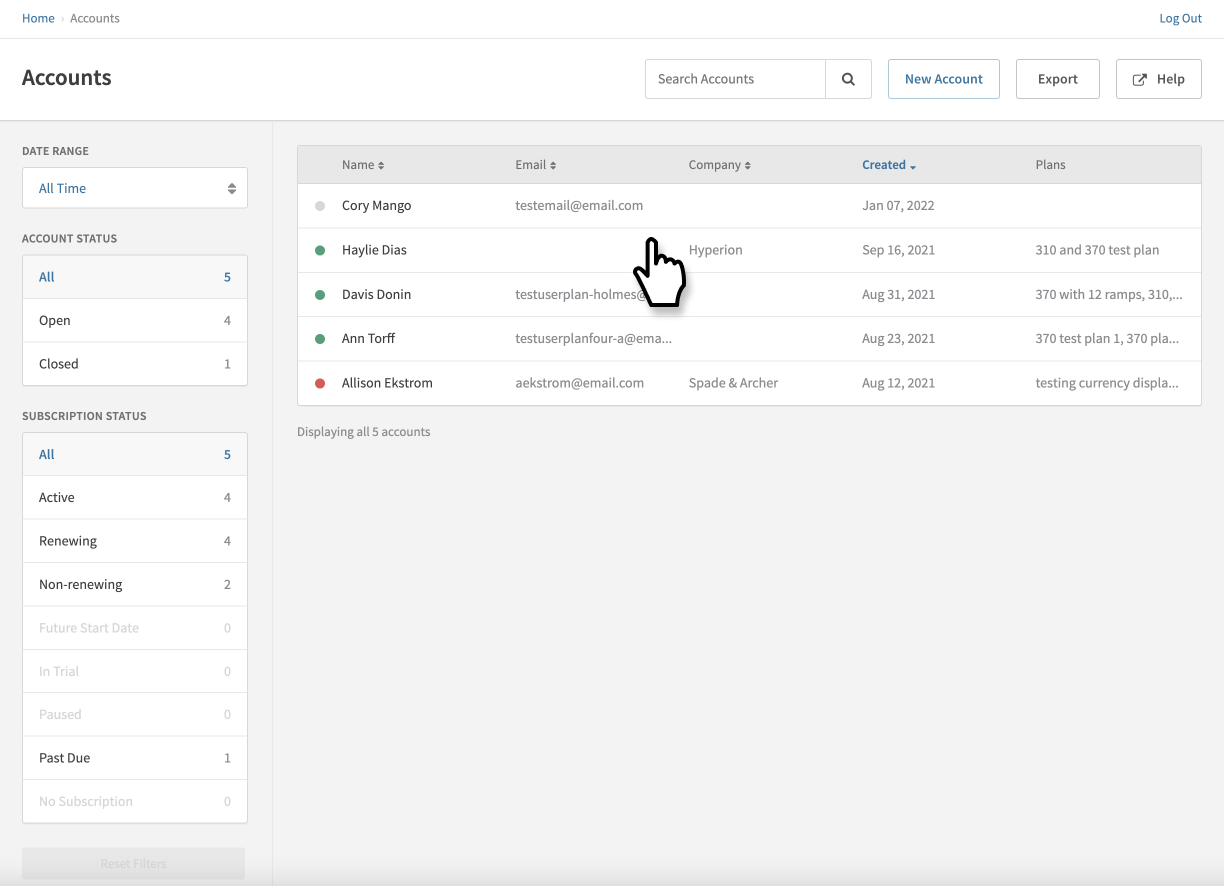
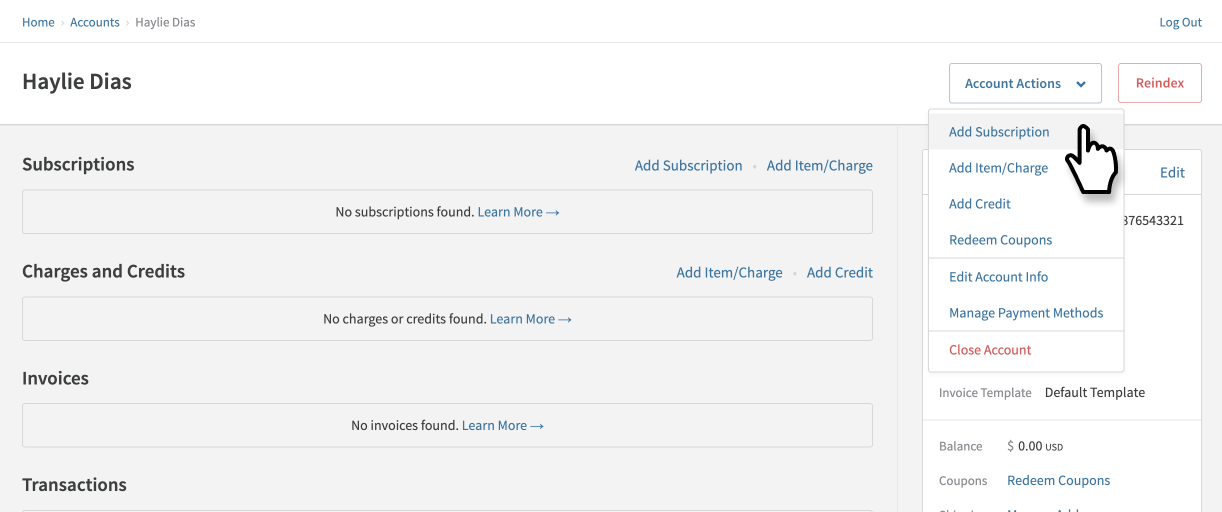
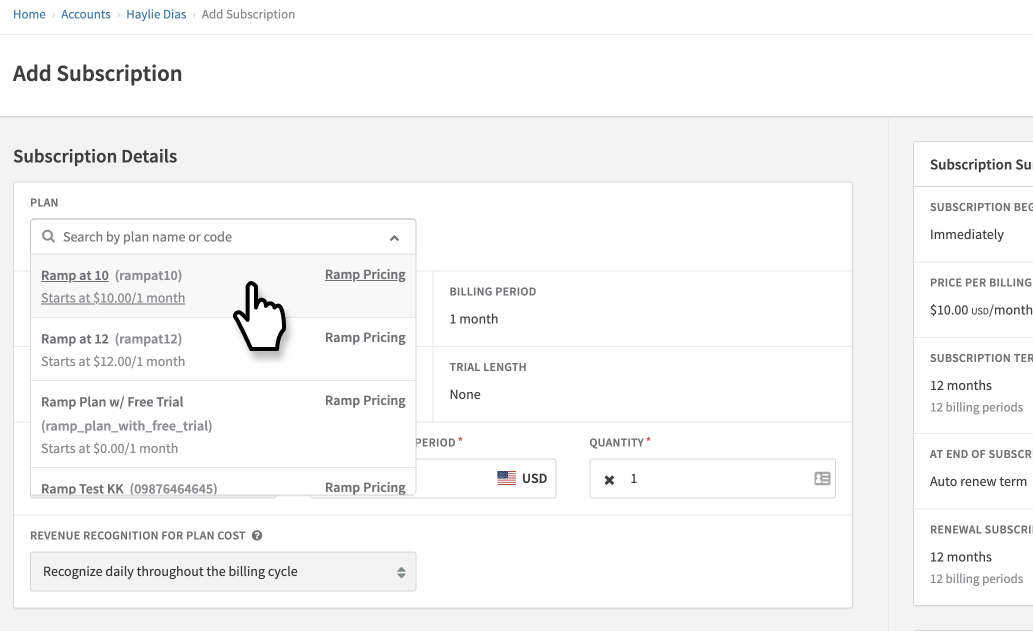
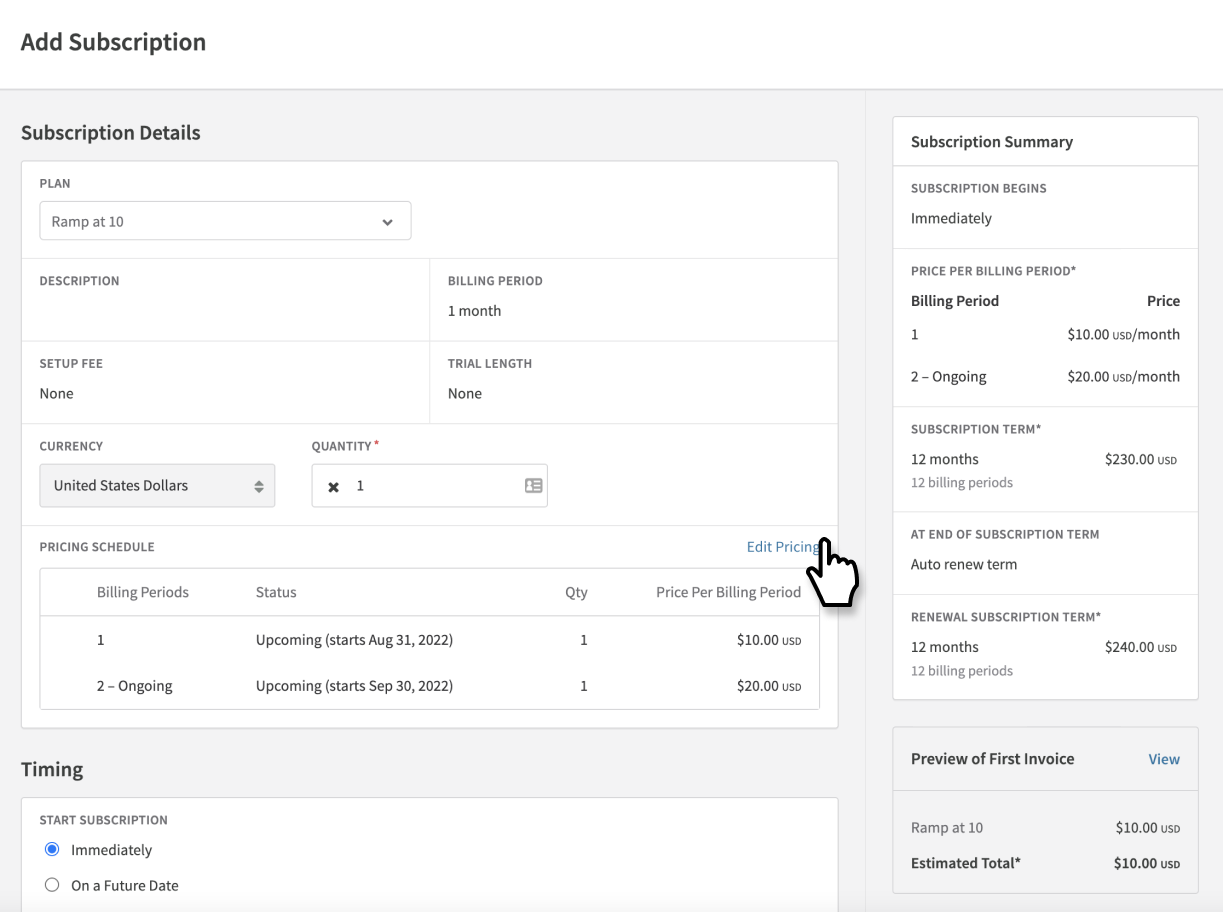
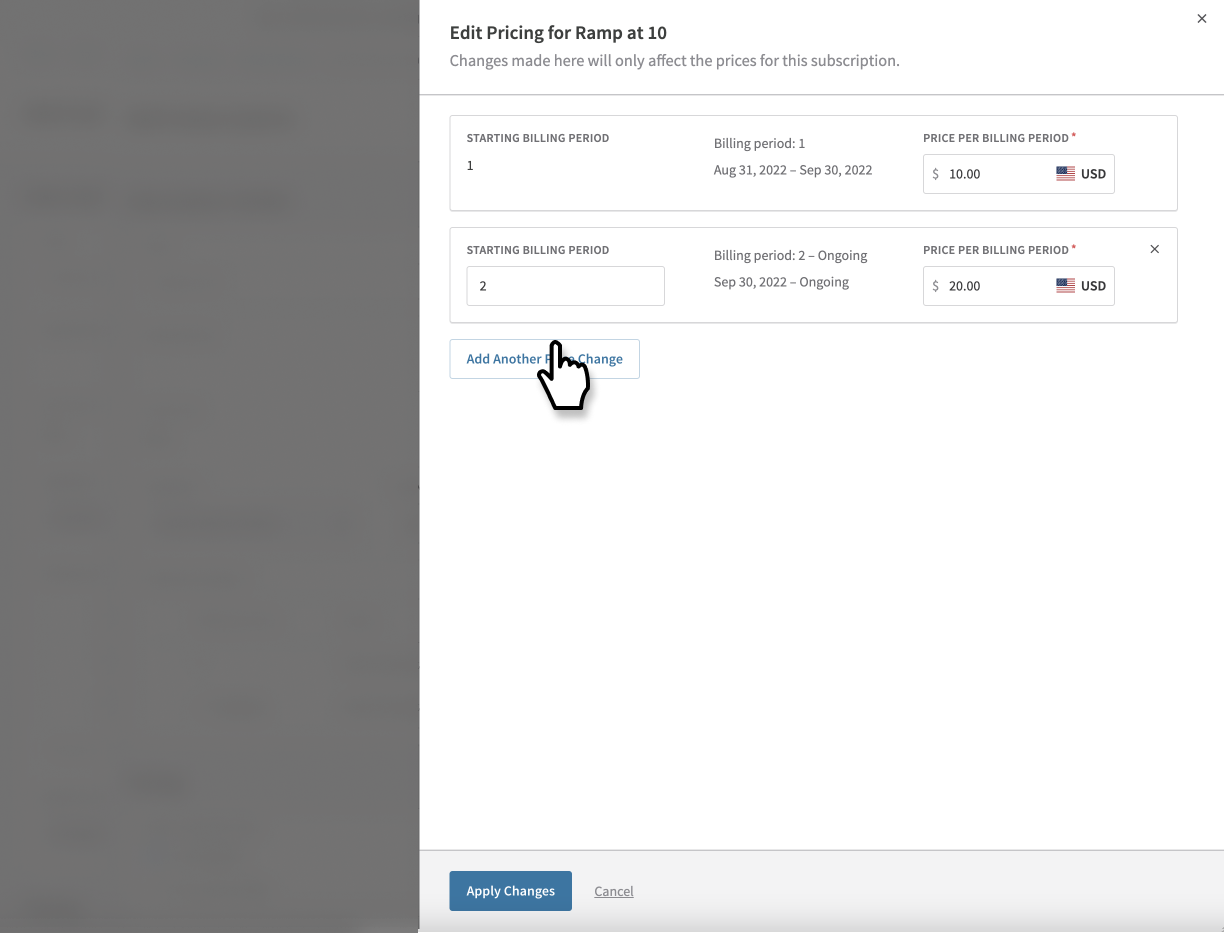
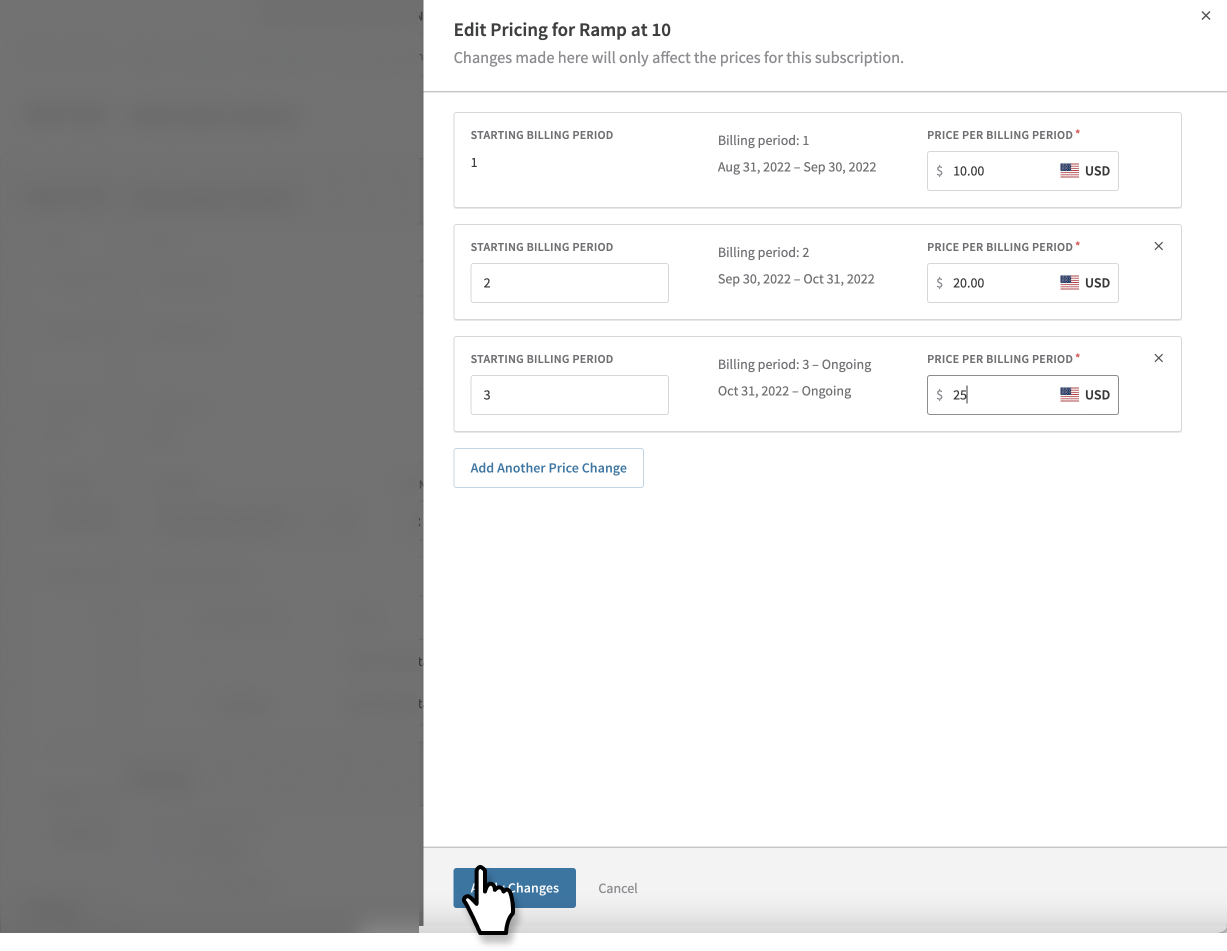
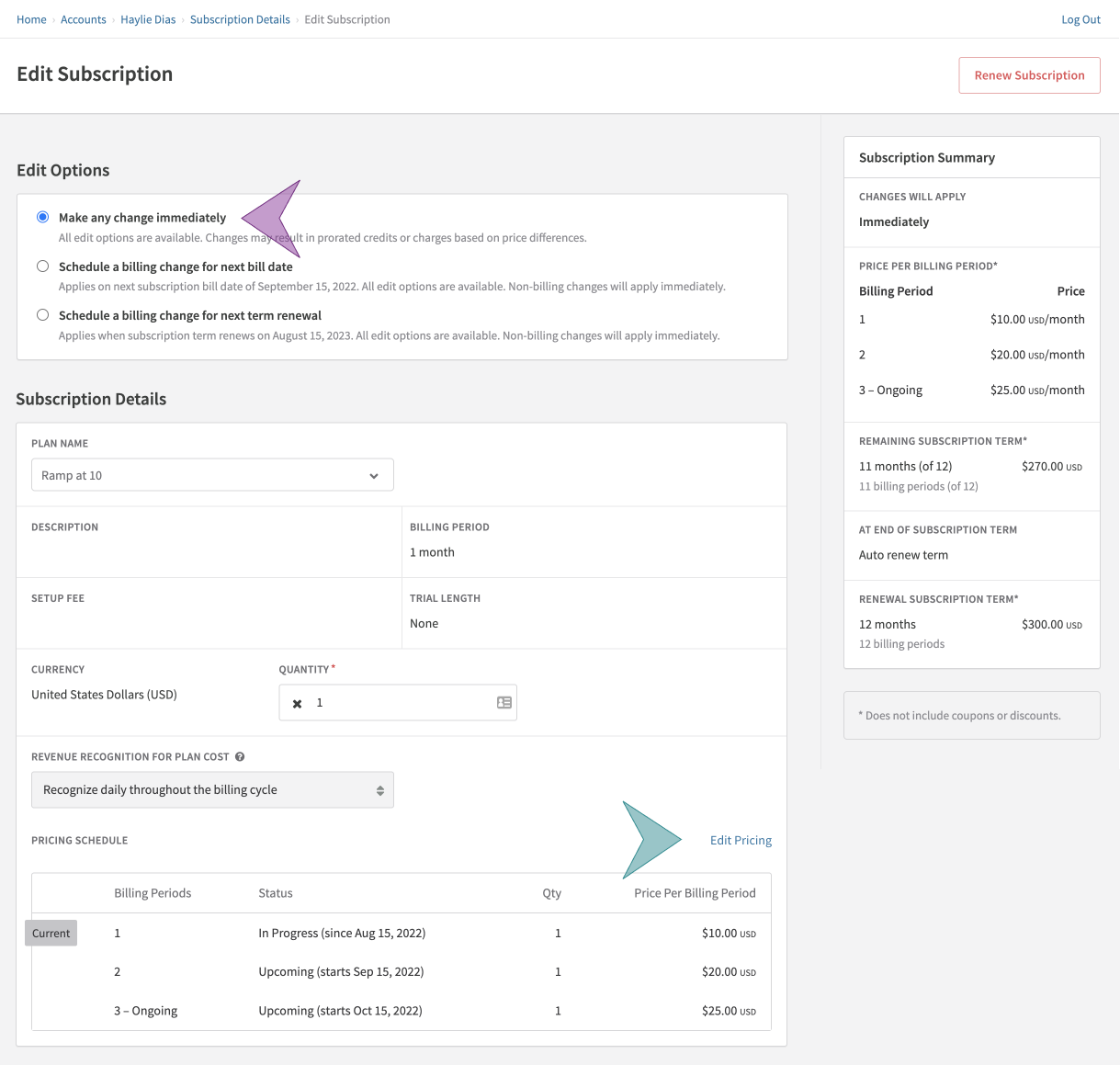
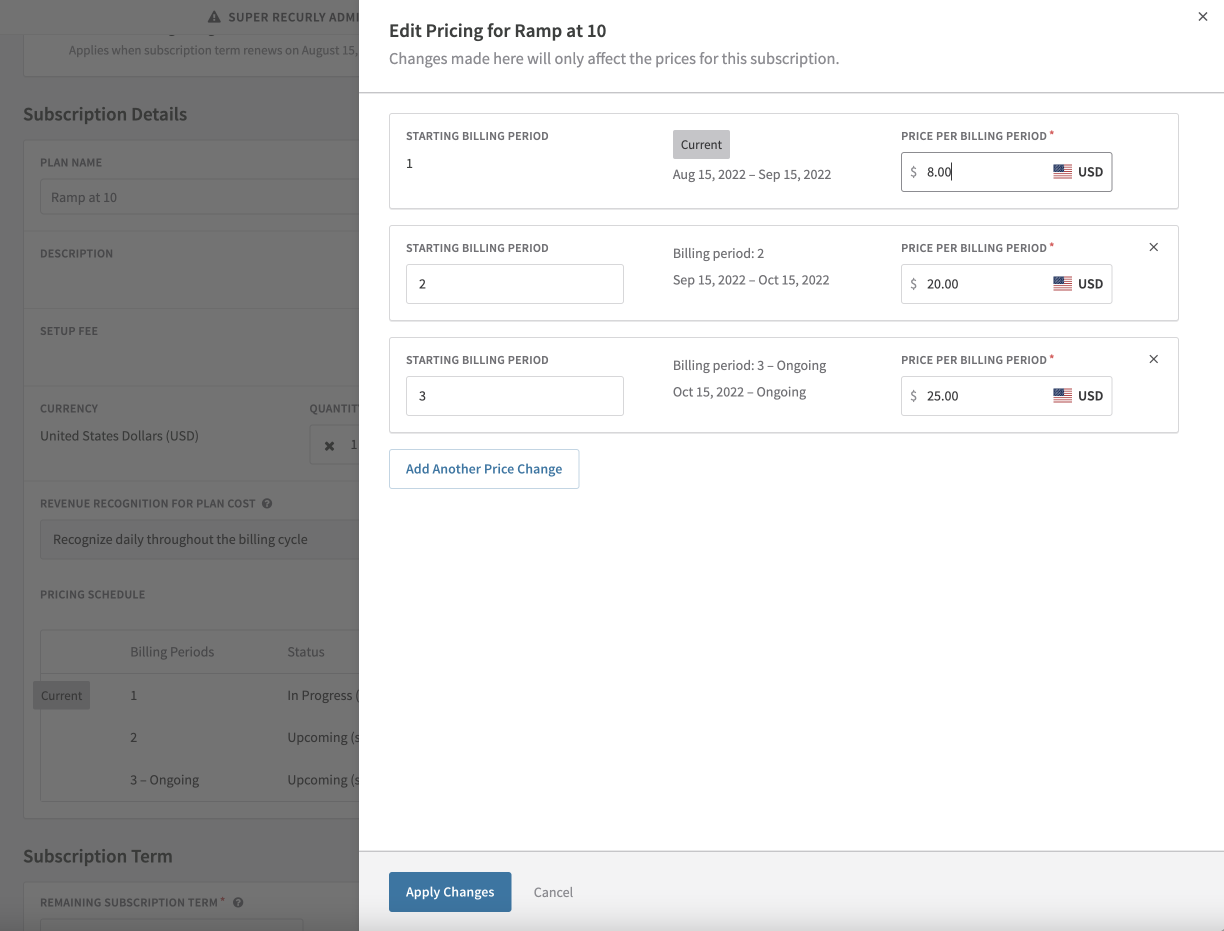
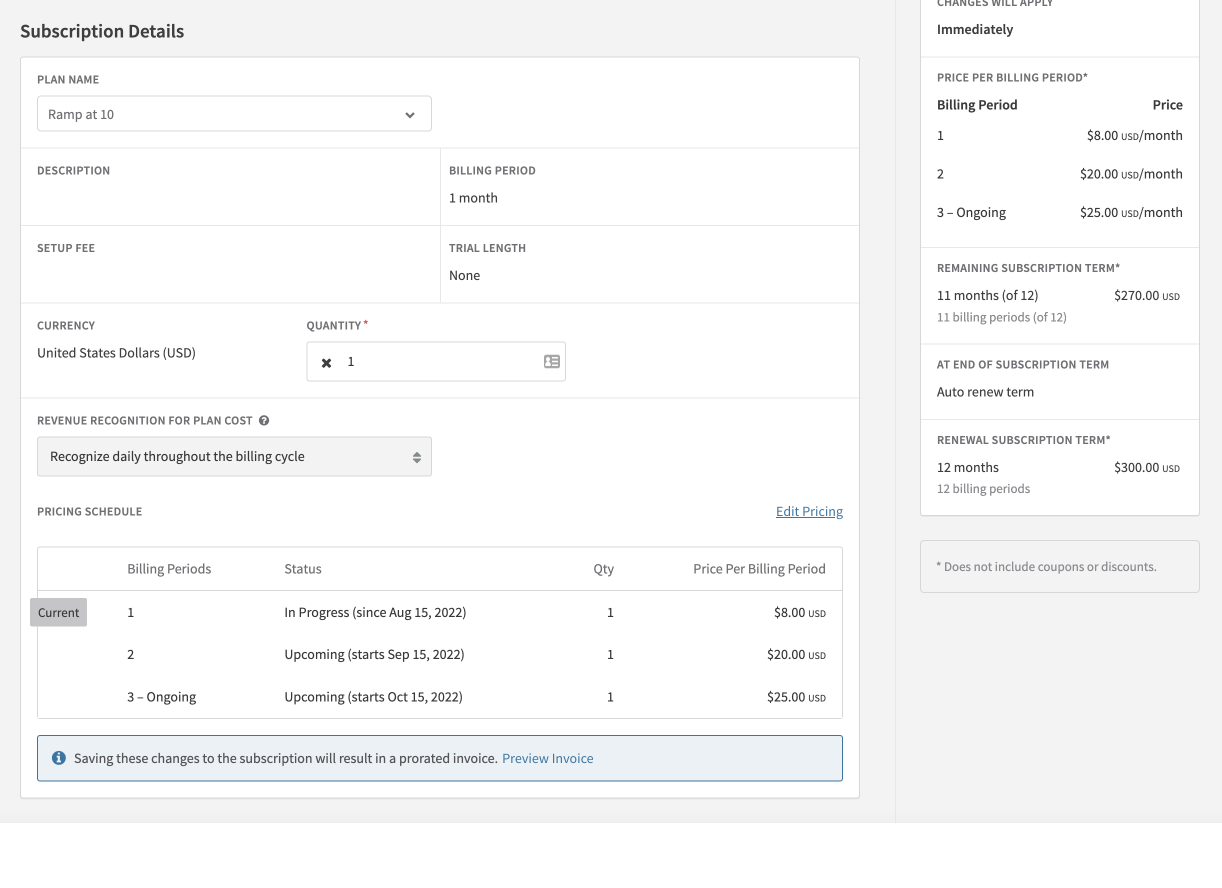
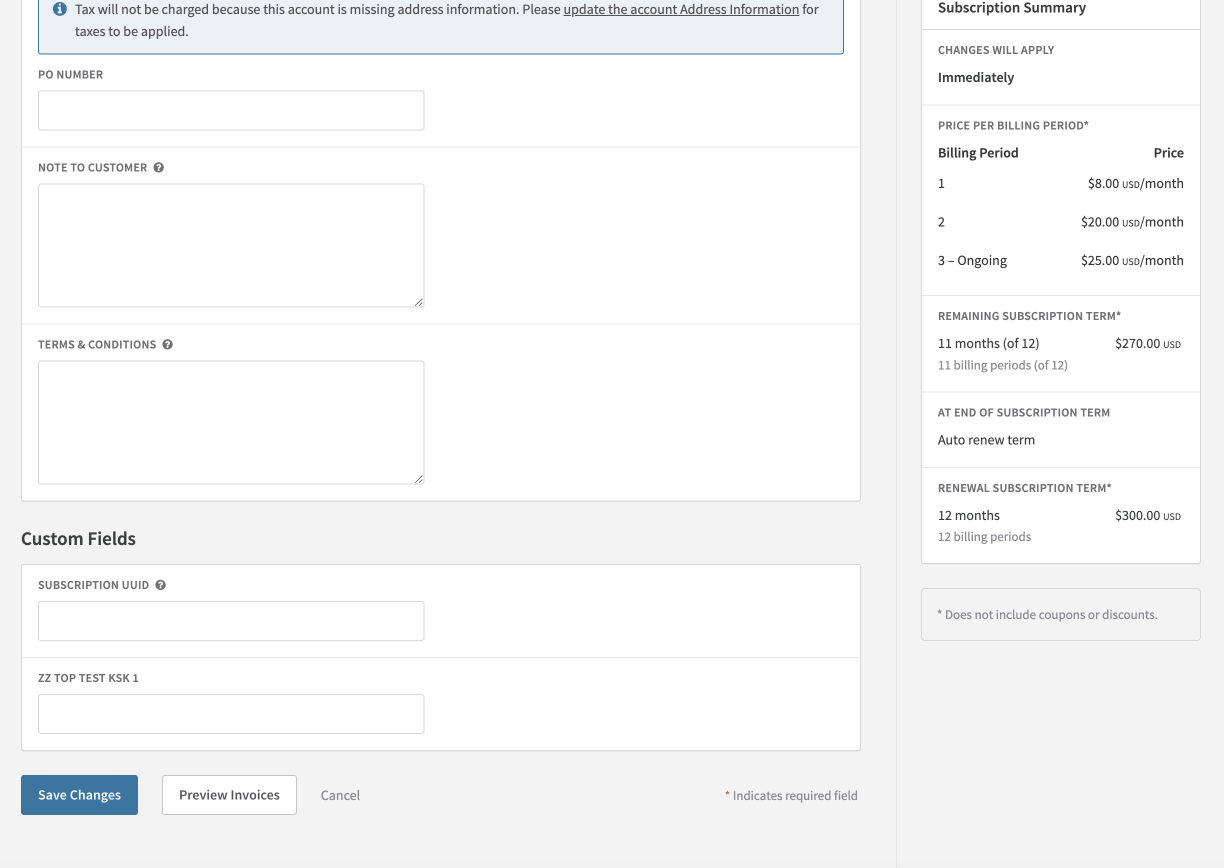
Edit a subscription with ramp pricing
Migrate existing subscribers
If you're rolling out ramp pricing across your existing subscriber base, use the approach that fits your situation.
New subscribers
Existing subscribers
Move subscribers via the API
Use the subscription change endpoint to shift existing subscribers to the new ramp-priced plan. The subscription adopts the base ramp schedule from the plan, and you can then modify the pricing schedule per-subscription as needed.
Updated 5 months ago