HomeProduct DocsAPI ReferenceChangelog
RecurlyAPI GuidesRecurly.jsWebhooksAPI ReferenceSupportBook demo
Product Docs

Expired card management

Recurly's Expired Card Management automatically extends expiring card dates before renewal to reduce transaction failures and involuntary churn — no setup required.

Expired Card Management proactively handles expiring credit cards to prevent renewal failures. When a card is approaching its expiration date, Recurly temporarily extends the date on file — giving subscribers time to update their details without losing access to their service.
Available on all Recurly plans

Limitations

  • The success rate of automatic card date extensions may vary by card issuer and network.
  • Not all credit cards support automatic updates.

Definition

Expired Card Management is a Recurly feature that temporarily extends the expiration date on credit cards approaching expiry before an upcoming billing cycle. Rather than waiting for a transaction to decline, Recurly keeps the payment path open through the renewal window, reducing hard declines and giving subscribers time to update their details without any service interruption. This is intentionally distinct from Account Updater — instead of replacing card data automatically, Recurly selects a future expiration date to avoid conflicts with card network updates.

Key benefits

Uninterrupted subscriber experience Subscribers keep access to their services without needing to manually update card details before renewal.
Reduced involuntary churn Fewer subscription lapses caused by expired cards means more revenue retained without subscriber intervention.
Revenue protection Prevent transaction failures from expiring cards from becoming lost revenue.
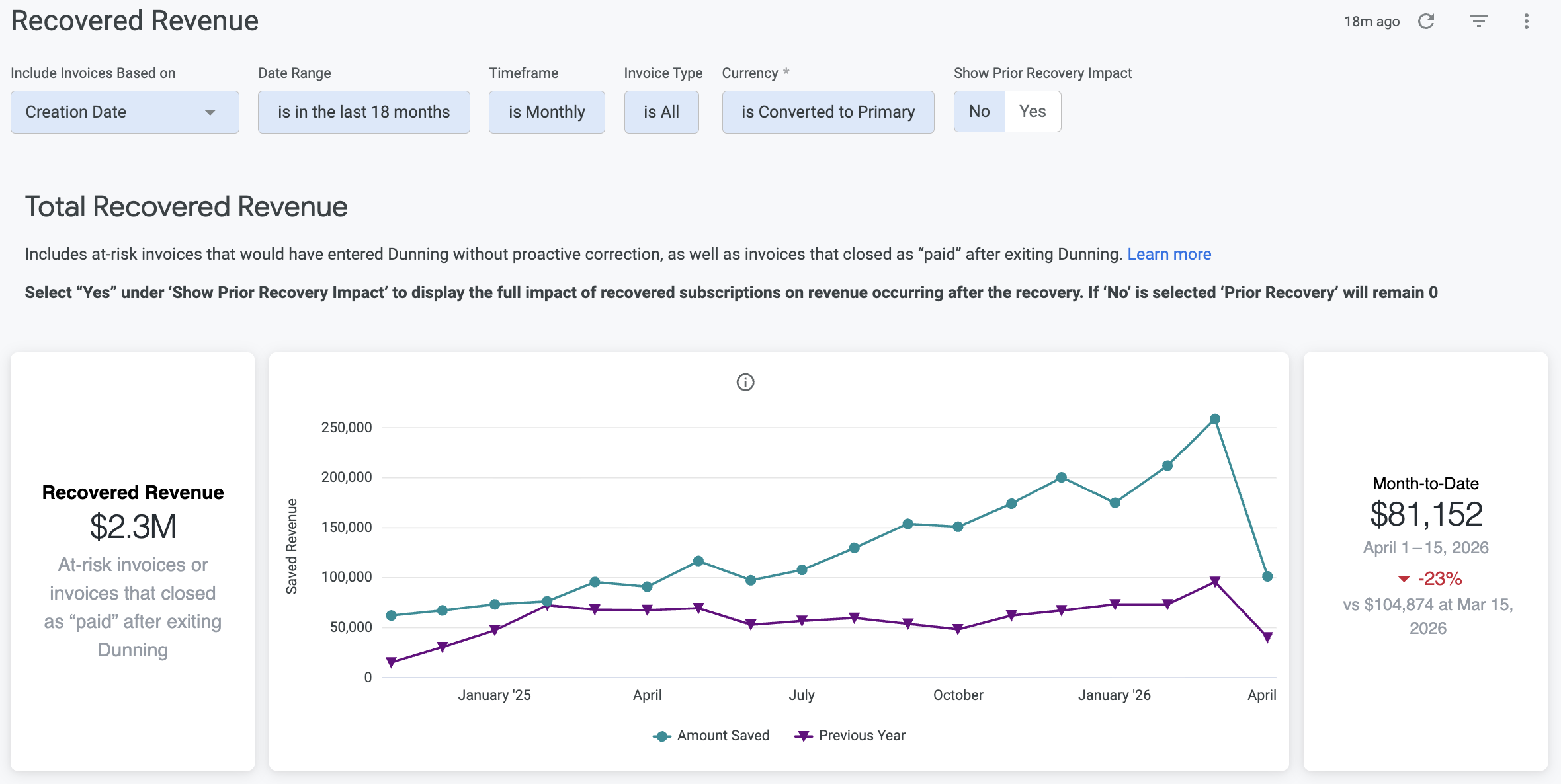
Recovery insights Track the feature's impact through the Recovered Revenue dashboard in Analytics.

Key details

How it works

When a credit card is set to expire before an upcoming billing cycle, Recurly temporarily extends the expiration date on file. This reduces the likelihood of hard declines at renewal and gives subscribers a window to update their card before any service interruption.

Setup

No setup required. Expired Card Management applies automatically to all accounts once your site is in production.

Monitor recovered revenue
1

Open Churn Management analytics

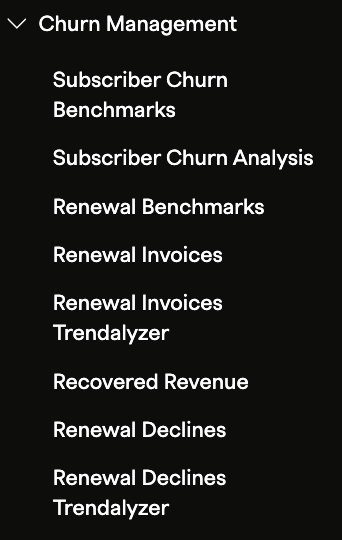
In the Recurly Admin Console, navigate to Analytics → Churn Management.

2

Open the Recovered Revenue dashboard

View the impact of expired card management over time, including recovery rates and patterns in card expiration behavior.

FAQs

How does Recurly handle expired credit cards?

Rather than replacing card data automatically, Recurly temporarily extends the expiration date on expiring cards. This reduces the chance of payment failures and hard declines at renewal, while avoiding any overlap or conflict with Account Updater services.

How does this feature reduce involuntary churn?

Involuntary churn often occurs when outdated payment details cause transactions to fail. By keeping expiring cards active through the renewal window, Recurly reduces failed transactions — and the subscriber losses that follow.

Can I measure the revenue recovered through Expired Card Management?

Yes. The Recovered Revenue dashboard in Analytics shows recovery rates and the revenue preserved through both expired card management and retry logic, giving you a clear view of the feature's impact.


Did this page help you?