
Renewal declines
Learn how to use Recurly's Renewal Decline Rate dashboard to track why renewals fail and compare your performance against industry benchmarks.
Prerequisites
- Users must have Analytics user role permission.
Definition
Key benefits
Key details
General filters (top left corner)
- Invoice creation date: Use the dropdowns to specify a timeframe and date range, up to the past 18 months, reflected on the dashboard.
- Gateway: View your renewal declines across all gateways, or select a specific gateway to explore.
- Failure type: Shows the top 5 decline reasons by default; adjust the filter to see more.
- Payment type: Review your renewal declines by specific payment method.
- Metric type: View by transaction count or total amount.
Declined renewal invoices
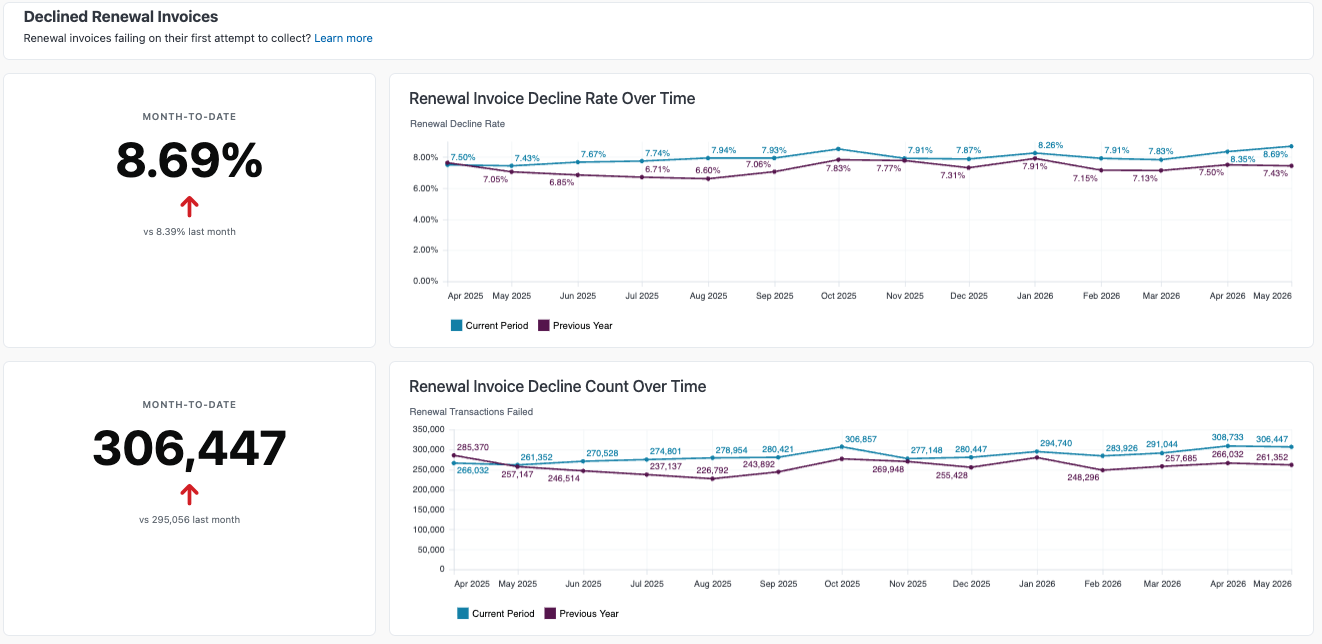
View your decline rate trend over time to monitor your decline rate and catch any growing issues with renewals early. Compare a similar timeframe year-over-year to understand your performance. Decline rate graphs are shown as both a rate and a count.
Payment failure types by invoice count
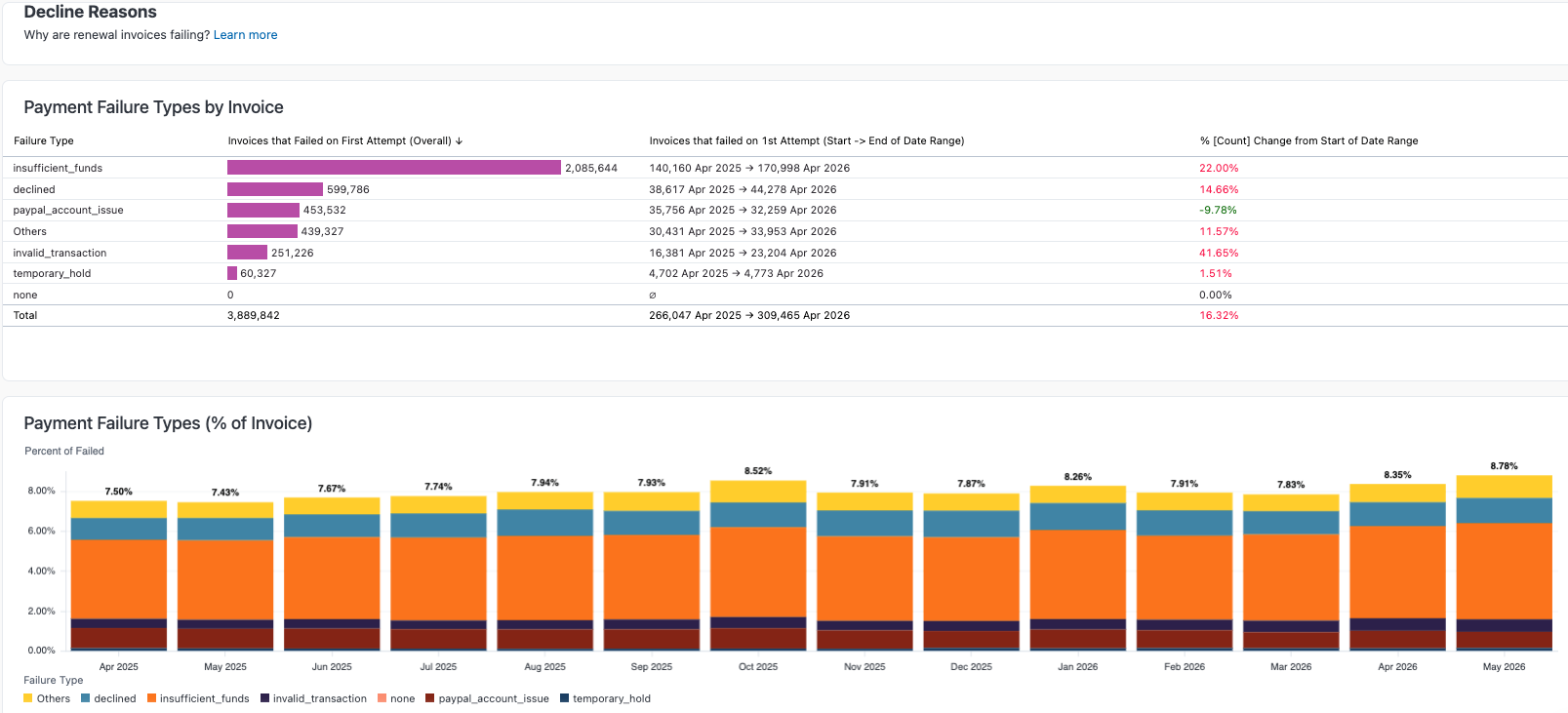
This section shows your payment failure types by invoice count, giving you a detailed view of failure types for invoices that failed on the first attempt to collect:
- The overall invoice count during the dashboard's date range.
- The invoice count at the start of the date range.
- The invoice count at the end of the date range.
- The percentage this count has increased or decreased since the start of the date range.
Decline reasons
Dive into the specific decline reasons for invoices that failed on the first attempt. These graphs break down by count and percentage of total failed invoices, helping you spot any changes in your overall failure types.
Gateways and payment methods summary
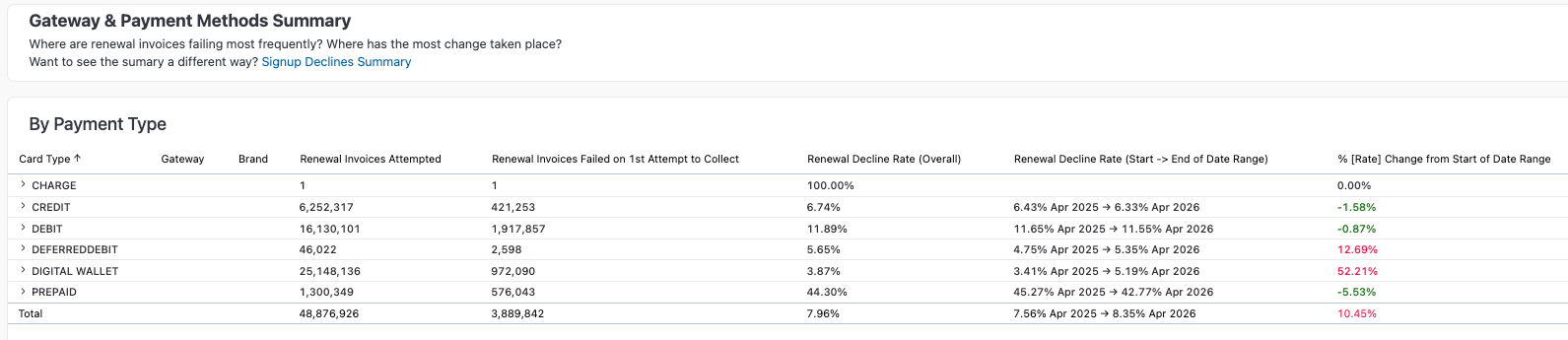
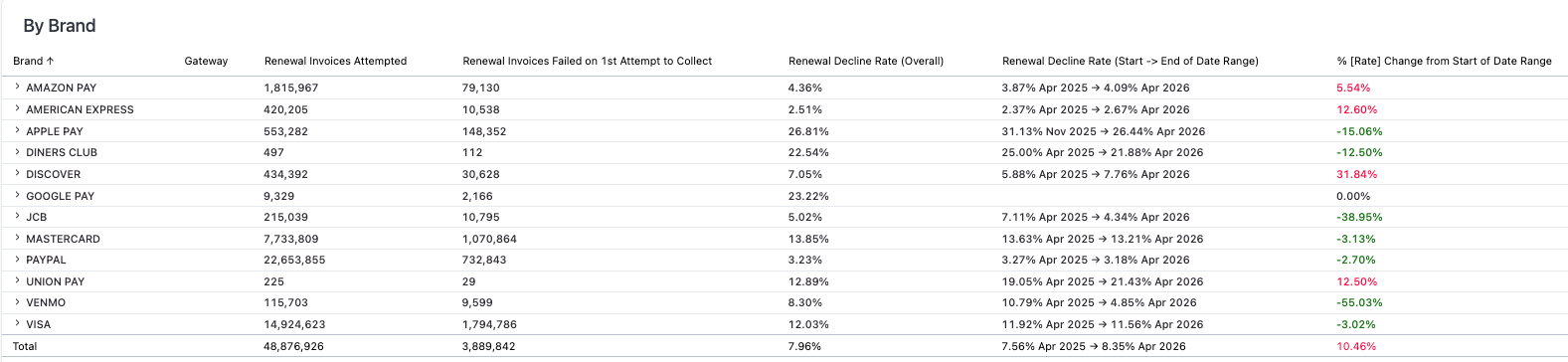
See which gateways and payment methods are performing well on renewal. These tables show how each of your gateways, and the payment methods and card brands they support, are performing.
For each of these areas, you get a detailed count of renewal invoices, renewal invoices failed on the first attempt to collect, renewal decline rate, and rate change during your selected date range.

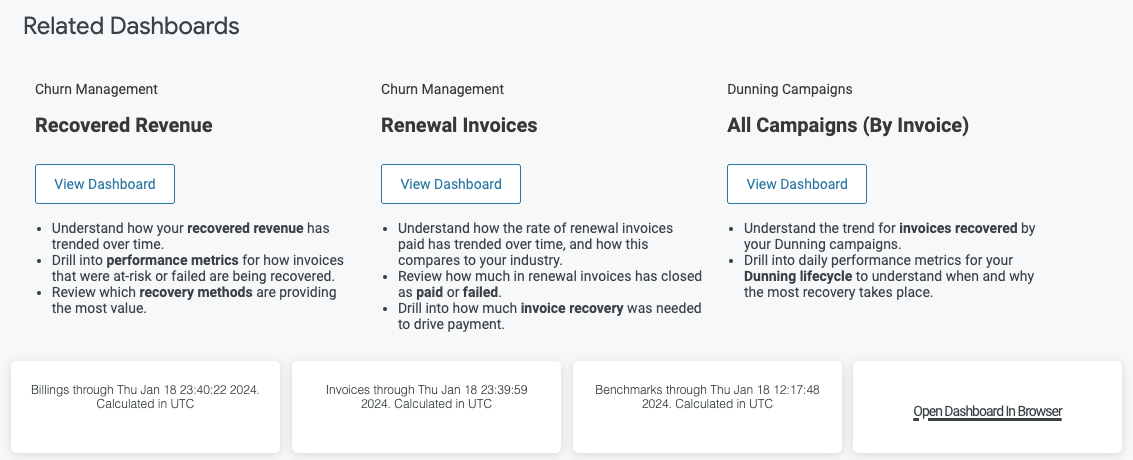
Related dashboards
Explore related dashboards to learn more about how Recurly helps prevent churn and lower your renewal invoice decline rate. Review your dunning campaign strategy too, to keep increasing your dunning recoveries.
Updated 2 months ago