
Gateways & payment methods configuration
Configure payment gateways in Recurly — add credentials, set card types, enable Zero Dollar Authorizations, manage failover, and switch gateways without losing customer payment data.
Gateway configuration
If you don't yet have a gateway, visit recurly.com/gateways to explore supported options. When choosing a gateway, consider: the region your company is based in, the regions where your customers are, and your customers' payment preferences.
Once you have a gateway, follow these steps to add it to Recurly:
Open Payment Gateways
From your gateway configuration page, click Add Gateway.
Select your gateway
Choose your payment gateway from the list. If you don't see the right gateways for your location, check your company country settings in your Business Entity.
Enter your credentials
Input your gateway credentials. These are typically API credentials, not your virtual terminal login. See the gateway-specific documentation for details.
Configure Zero Dollar Authorization (ZDA) settings
If your gateway supports ZDA, configure which card types use it. Test billing info updates for every accepted card type after enabling ZDA. Not all gateways require this setting — ZDA support is implied on some gateways and doesn't require configuration.
Add Recurly IPs to your gateway allowlist (if required)
If your gateway requires IP allowlisting, see the IP Allowlist documentation for the full list of IPs to supply.
Test configuration
Once a gateway is configured, use the Test Configuration option for a basic verification check. When your site is in production mode, Recurly recommends running a test transaction (and then voiding it) to fully validate the gateway setup before going live.
Enabling/disabling a gateway
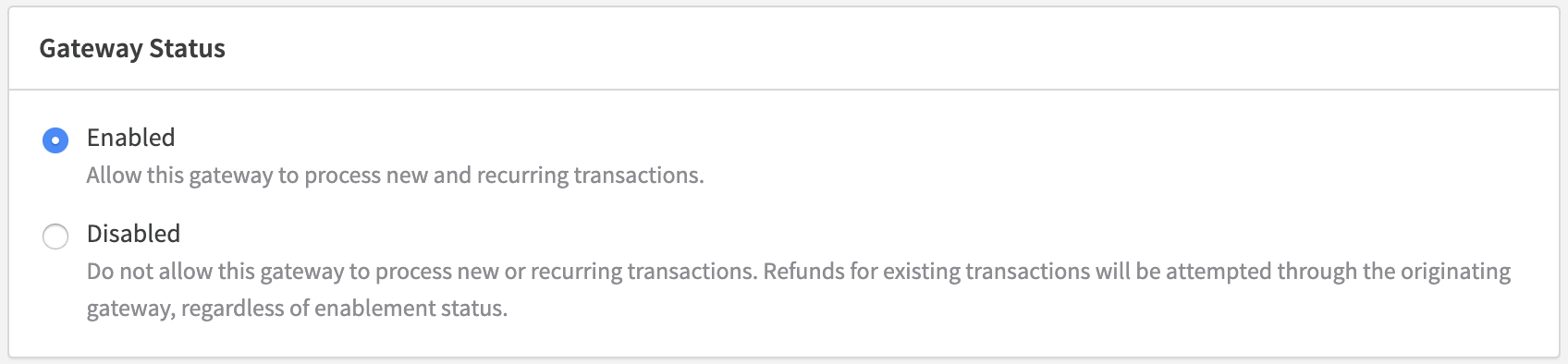
A gateway can be enabled or disabled at any time to control which gateway receives transactions. In the gateway edit page, toggle Gateway Status between Enabled and Disabled. Gateways are set to Enabled by default when first added.
Payment routing
For accounts with multiple gateways, Recurly routes transactions based on accepted card type and currency. Beyond that, Recurly sends transactions to the gateway added first. To specify a gateway per transaction, use Recurly's Custom Gateway Routing.
Switching gateways
Because Recurly stores customer credit card data, you can switch payment gateways at any time. Disable or delete the old gateway, enable the new one, and Recurly will automatically route transactions to the new gateway — as long as it supports the same card types and currencies as the previous one.
Note that not all payment data migrates easily, especially tokenized payment instruments. Contact Recurly Support before switching if you have a specific migration use case.
Gateway downtime
If a payment gateway is unreachable, Recurly automatically retries recurring transactions every 2–4 hours until the gateway responds or a maximum of 20 payment failures is reached.
Zero Dollar Authorizations (ZDA)
Zero Dollar Authorizations let you verify a customer's payment method without placing a temporary hold on their card. This reduces customer support inquiries around unexplained card charges.
Prerequisite: ZDA must be enabled on your payment gateway account. Contact your gateway provider to confirm support and activate the feature before enabling it in Recurly.
Validations
Recurly runs the following validations before passing a transaction to your gateway:
- Credit card number passes the Luhn check
- CVV format matches the selected card type
- Expiration date is in the future and in the correct format
- Zip code format is valid (when a country code is supplied, for supported countries)
- Address information is present based on your site-level address requirements
Fraud velocity checks
All transactions pass through a fraud velocity filter before reaching your payment gateway. See the transactions documentation for details on the fraud check system and how to configure it.
Updated 4 months ago