Hosted account management

Simplify customer experience with Recurly's Hosted Account Management. Deliver white-labeled subscription pages or support your customers with pre-built hosted pages.

Overview

Required plan

This feature is available to all customers on any Recurly subscription plan.

Definition

Hosted Account Management helps you give subscribers a consistent subscription experience on your website. You can either build the experience with Recurly’s API or use Recurly’s preconfigured hosted pages for customers to manage their subscriptions.

👍

New Recurly Checkout!

The new Checkout capability is now available to all Recurly customers. With quick setup and deployment, rich customizable features, and flexible payment options, Checkout is the new standard for fast and low-friction consumer checkout, powering subscription purchases for your business. Learn more.

Key benefits

  • Streamlined customer experience: Let subscribers manage, update, or cancel their subscriptions without leaving your website.
  • Flexibility: Choose between custom-built pages using the Recurly API or Recurly’s hosted pages.
  • Enhanced security: Unique secret tokens ensure only authorized access to each customer’s account information.

Key details

Recurly's Hosted Account Management gives you the flexibility to tailor the subscription experience to your needs. Customers can view their account status, modify billing details, retrieve past invoices, or make changes to their subscriptions.

Access

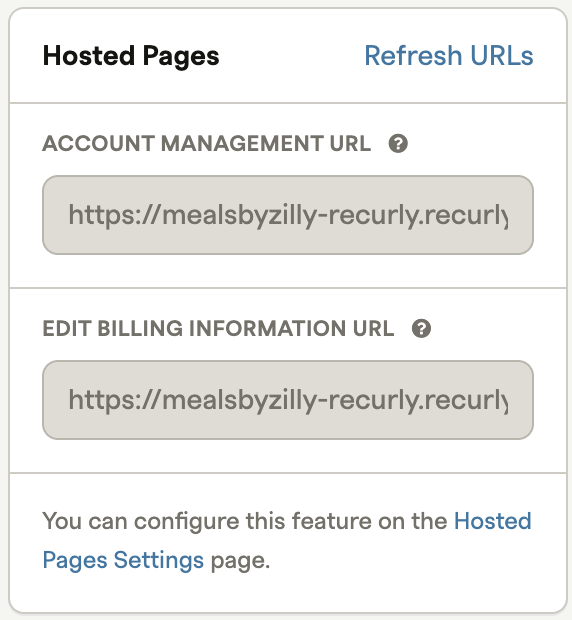
Customers use pre-defined URLs to access their account management tools. To provide those URLs:

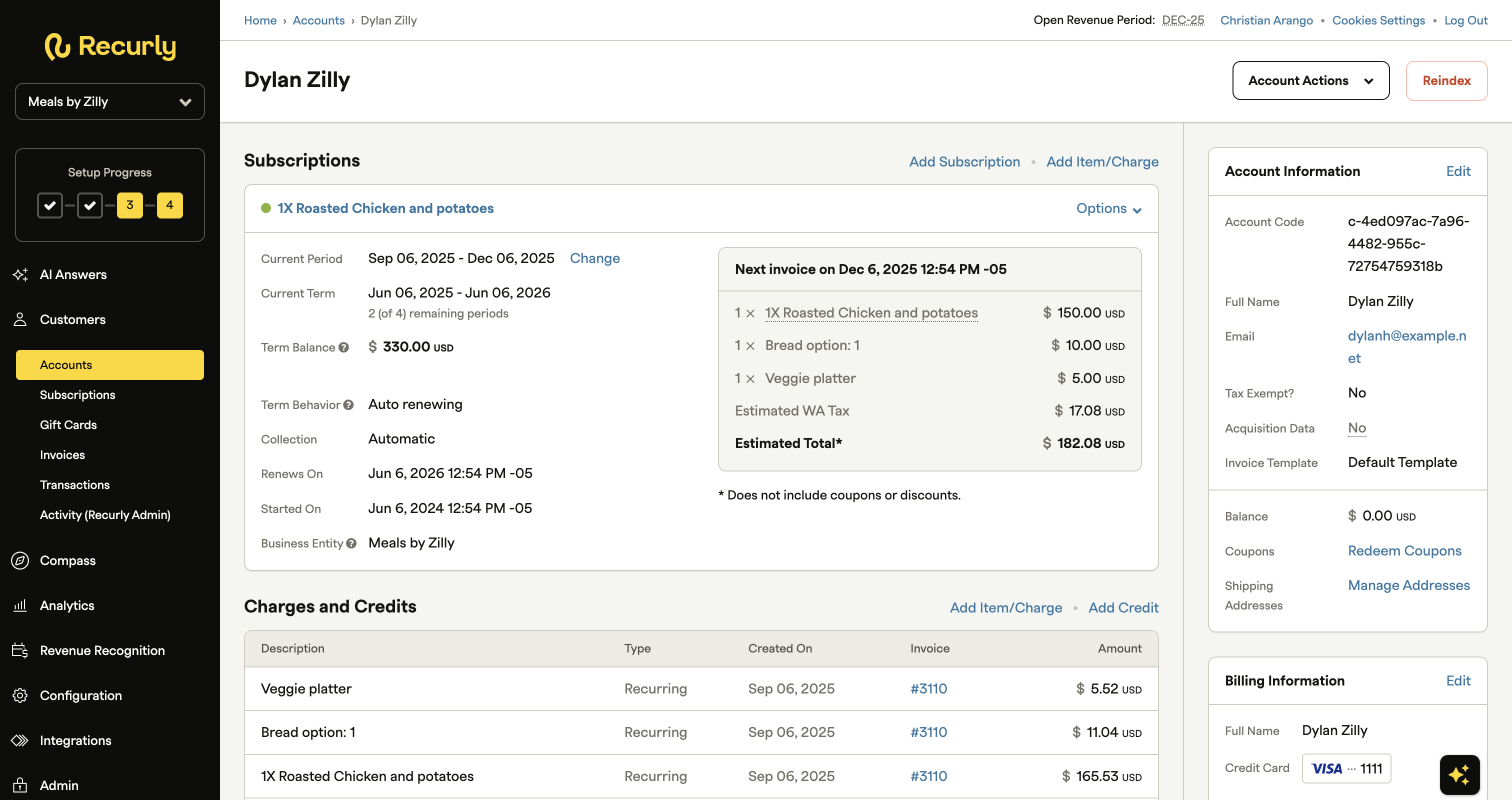
  1. Navigate to CustomersAccounts.
  2. Select an account.
  1. On the right side of the screen, under Hosted Pages, you’ll find two options: Account Management URL and Edit Billing Information URL.
  1. Share either one or both URLs with your customer.

Note: Bear in mind that what customers can do depends on their access level. You can configure access as either Account Login or Guest View Only. Continue reading to learn how to configure it.

❗️

Security alert

Safeguard this URL and token. Anyone with the link can access the account as the actual customer.

Account management URL

The customer is automatically authenticated and can see all invoices and subscriptions. They can also:

  • Change their payment method
  • Cancel subscriptions
  • Edit their billing information
  • Redeem gift cards

They can also change their email and password by clicking their name and selecting an option from the drop-down menu.

Edit billing information URL

With this URL, the customer can quickly update their billing information.

Customer access

Two primary settings control how your customers access Hosted Account Management: Account Login and Guest View Only. You can let customers register and gain full access to the portal, or give them links to specific hosted invoices. The default setting is Guest View Only.

Account Login

This setting unlocks the full Hosted Account Management portal. Once authenticated:

  • Customers land on a login page that also includes a sign-up section, accessible through your unique vanity URL.
  • Customers can create an account and log in using the email address that appears as their Account Info email address in your Recurly admin.
  • Each customer gets a distinct Hosted Account Management Login Token URL under Edit Account in the Recurly admin. Handle this link with care—it provides direct access.

You can include the account_hosted_maintenance_url parameter in your Recurly emails to send users straight to their account. For more details on editing email templates, see the Email templates documentation.

Guest view only

This setting uses Hosted Account Management to display limited customer details without requiring an account. It’s primarily used for hosted invoice pages and the billing info page.

Configuration

  1. Log in to your Recurly admin account.
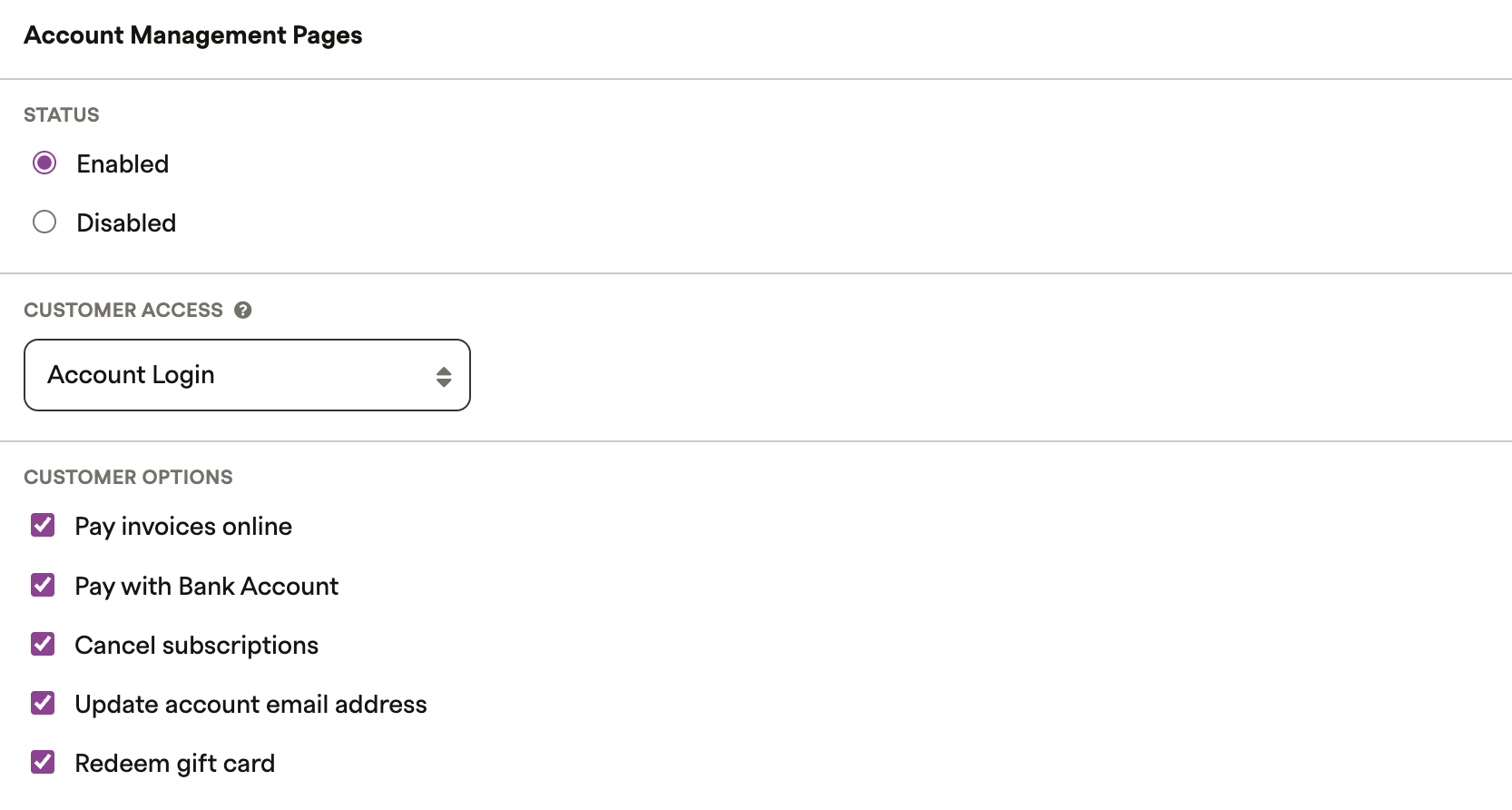
  2. Navigate to ConfigurationHosted Pages Settings, then scroll to Account Management Pages.
  3. Select Enabled to activate Hosted Account Management.
  4. Choose between Account Login and Guest View Only.
  5. Under Account Management Pages, select what customers can view or edit on their account management page.

Online payments

If you’re on the Professional or Elite plan, you can use Online Payments. This lets customers pay manual invoices via credit card, PayPal, Amazon account, or ACH. When Online Payments is enabled in Hosted Account Management, a Make a Payment option appears on the hosted invoice page.

319 328

If the invoice includes a recurring subscription, an opt-in checkbox appears so customers can use the selected payment method for automatic renewal payments. If they don’t select it, the next invoice will remain manual.

Enable online payments

In your Recurly admin, go to Hosted Pages Settings and, under Customer Options, select the Pay invoices online checkbox. If the Make a Payment button doesn’t appear, confirm that your gateways are configured correctly.

Test the customer experience

To test the hosted invoice experience with Online Payments:

  1. Issue a manual invoice.
  2. In your Recurly admin, open the invoice.
  3. Select the Hosted Invoice button.

This unique link shows the Guest View version of the customer’s hosted invoice.

Display settings

Both Hosted Account Management and Hosted Payment Pages use the same branding configuration.

Customization

The customization settings apply to both hosted payment pages and account management pages, so adjust them with both in mind.

  1. Under Display Options, adjust your branding preferences.
  2. Under Google Analytics, enter your code so hosted payment pages report to your Google Analytics property.
  3. Save your settings.

Remember to protect unique token links and review your settings regularly to ensure a secure, clear experience for your customers.