
Apple Pay on the Web
Integrate Apple Pay on the Web with Recurly using Recurly.js v4 or Checkout — covering certificate setup, MPAN best practices, and gateway-specific configuration for Braintree.
Prerequisites
- An Apple Developer account and a verified domain where your checkout page will reside.
- Recurly.js v4 or Checkout.
- A supported Apple Pay gateway: Adyen, Stripe, Braintree, Vantiv, Worldpay, Commerce Hub, Checkout.com, Chase Orbital, Nuvei, or CyberSource.
- Zero Dollar Authorizations are supported with this payment method.
Limitations
- Apple Pay on the Web is not available on Recurly Hosted Payment Pages (HPP). It is supported on Recurly Checkout.
Definition
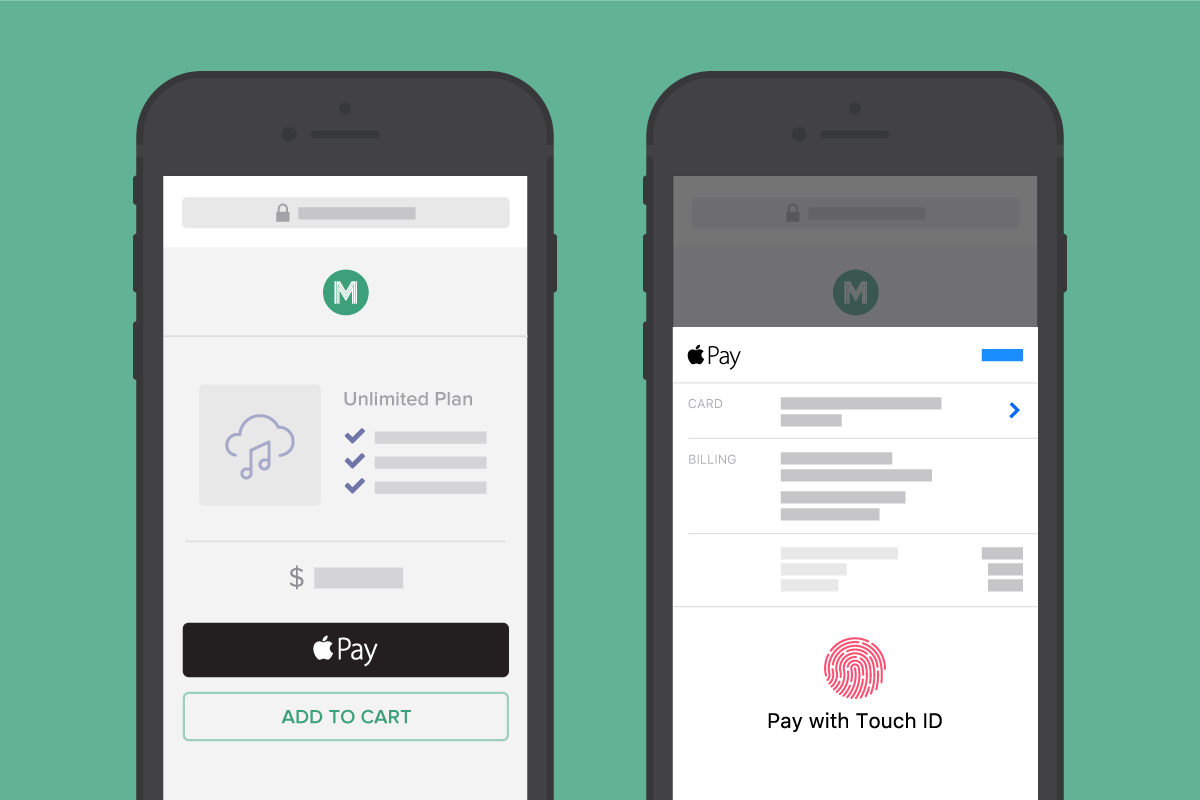
Key details
Use cases
Ecommerce checkout — Offer a fast, low-friction payment option for customers on your web pages using Apple Pay.
Subscription billing — Simplify recurring payment setup for customers with Apple Pay stored in their device wallet.
Multi-domain support — Contact Recurly Support about enabling the Merchant Registration API capability if you need Apple Pay across multiple domains.
Apple Pay in Chrome — Apple Pay is not natively supported in Recurly.js on Chrome, but you can load the latest version of Apple Pay JS in your environment to enable it. See the ApplePay Recurly.js documentation for details. Not supported in Recurly Checkout UI.
Token types
Understanding the token types used in Apple Pay helps you configure the correct behavior for subscriptions.
FPAN — Funding Primary Account Number
The actual credit card number physically printed on the card. Also referred to as PAN.
DPAN — Device Primary Account Number
A tokenized card number created when a consumer adds a card to a device wallet (e.g., iPhone Apple Wallet). DPANs are sent to gateways in place of the actual FPAN.
- Tied to a specific device (e.g., a specific iPhone or iPad) and typically accompanied by a Cryptogram when the customer is in session.
- DPANs are full card numbers with different digits from the FPAN, and can appear on receipts and other UI elements.
- DPANs are invalidated when a consumer removes the card from their device. If they re-add the same card or add a new one, a new DPAN is created. Subscriptions using a DPAN can fail due to this consumer-driven behavior and are non-recoverable.
MPAN — Merchant-Level Token
A merchant-level token used for Apple Pay that is associated with the merchant rather than a specific device. MPANs are not transferable between merchants and are not suitable for M&A-related data migrations.
- MPANs are not invalidated when a consumer removes their card from a device, making them subscription-friendly.
- MPANs benefit from expiry date forwarding, but card number changes are not received via Account Updater. Apple may receive new FPAN details, but the MPAN in Recurly remains unchanged.
- MPANs are full card numbers with different digits from the FPAN, and can appear on receipts and other UI elements.
Cryptogram
A one-time authentication value generated during an Apple Pay transaction. Cryptograms are not stored and must be sent on all customer-initiated transactions.
Best practices and compliance
- Return customers — Use Recurly.js even when an existing account code or billing info is on file. Recurly.js collects device-related cryptogram data required for customer-initiated Apple Pay transactions. See re-authenticating existing billing information.
- Always request MPANs — Set your integration to request Merchant-level tokens. Token type is exposed on the payment method as
apple_pay(DPAN) orapple_pay_merchant_token(MPAN). Note: not all issuers support returning MPANs — this is not always an integration issue.
Using Apple Recurring Requests (MPAN)
To request MPANs for renewals, use Simple or Advanced Labeling in your Recurly.js integration.
- Simple Labeling — Add the recurring flag to the Apple Pay constructor. See the Recurly.js Apple Pay documentation.
- Advanced Labeling — Configure the
RecurringPaymentRequest. See Apple's RecurringPaymentRequest documentation.
For full context, see Apple's documentation on specifying the recurring payment request.
MPAN or DPAN Return BehaviorKeep in mind that MPANs are not guaranteed even if you are integrated properly. MPANs are returned based on a combination of decisions beyond Recurly's control. Parties involved are: Apple, Card Networks, Issuing Bank - -between these three entities, a decision is made to return a DPAN or an MPAN based on Issuer support, card network and/or bank policies, your merchant risk profile, and other indicators.
If you are not receiving MPANs consistently, or at all, and your integration looks accurate, it is likely due to this decisioning process.
Checkout flow
Step 1: Request keys and CSRs from Recurly Support
Contact Recurly Support to initiate the following:
Receive your Certificate Signing Requests (CSRs)
CSRs are required to create the Apple Pay Payment and Merchant Identity certificates. Each CSR is unique to your merchant account — allow several business days for generation. You must use the Recurly-provided CSRs to ensure the integration works correctly.
Step 2: Create certificates in the Apple Developer portal
Merchant Identity Certificate — authenticates your merchant sessions with Apple Pay servers.
Apple Pay Certificate (Payment Processing Certificate) — used to process transactions through Apple Pay.
Step 3: Upload certificates and finalize setup in Recurly
Braintree setup
Setting up Apple Pay with Braintree differs from other gateways and requires coordination between Recurly and Braintree.
Enable Apple Pay on Braintree
Follow Braintree's Apple Pay documentation, then update your Recurly.js v4 checkout page to incorporate Apple Pay with Braintree client authorization per Recurly's developer documentation.
FAQs
What is Apple Pay on the Web?
Apple Pay on the Web lets customers make secure, fast payments on websites using Apple Pay. It integrates into your web pages via Recurly.js v4 for a streamlined checkout experience.
What are the prerequisites for integrating Apple Pay on the Web?
You need an Apple Developer account, a verified checkout domain, Recurly.js v4, and a supported Apple Pay gateway added to your Recurly site.
How do I enable Apple Pay on the Web?
Follow the checkout flow in this guide — it covers setting up your Apple Developer account, configuring settings in both Apple and Recurly, and working with Recurly Support to enable the feature flag and obtain CSR files.
What are Apple Pay Certificates and why are they needed?
The Merchant Identity Certificate authenticates your merchant sessions with Apple Pay servers. The Apple Pay (Payment Processing) Certificate processes transactions on your behalf. Both are required for the integration to function.
How do I set up Apple Pay with Braintree?
Braintree setup uses a different process. Follow Braintree's Apple Pay documentation to enable it on the Braintree side, then enable the feature flag in Recurly. No additional configuration under Configuration → Apple Pay is needed for Braintree.
Can I use Apple Pay on the Web with Recurly Hosted Payment Pages?
No — Apple Pay on the Web is not supported on Hosted Payment Pages. It works on your own web pages via Recurly.js v4 and on Recurly Checkout pages. See the Checkout documentation for more.
How do I contact Recurly Support?
Reach out via the Recurly Support page.
Where can I find detailed integration documentation?
See the Recurly.js Apple Pay documentation for full integration details.
What do I do when my CSRs are about to expire?
Contact Recurly Support to generate new CSRs. Once you have the new files, delete and re-upload all files yourself to control timing and minimize any downtime for customers using Apple Pay.
Updated 2 months ago