
HomeProduct DocsAPI ReferenceChangelog
RecurlyAPI GuidesRecurly.jsWebhooksAPI ReferenceSupportBook demo
Product Docs

Retention by plan

Learn how to use Recurly's Retention by Plan dashboard to track subscriber retention, active volume, and churn by plan.

The Subscriber Retention by Plan section gives you a detailed look at your subscribers, segmented by plan. See everything from active to churned subscribers, distinguished by which plan they signed up with.
Available on all Recurly plans

Prerequisites

  • Users must have Analytics user role permission.

Definition

The Subscriber Retention by Plan section gives you a detailed look at your subscribers, segmented by plan. See everything from active to churned subscribers, distinguished by which plan they signed up with.
NoteIt's important to understand the difference between a subscriber and a subscription. A single subscriber might hold multiple active subscriptions, but this dashboard counts each individual subscriber — not the number of subscriptions they hold. Data only includes plans that have had at least one subscriber.
TipFor more on navigating and using the filter tools, see our analytics overview documentation.

Key benefits

Plan-specific insights See subscriber activity and trends filtered by plan, to understand what's driving retention for each one.
Clear data segmentation Understand the difference between a subscriber's original plan and any later plan changes, so your retention analysis stays accurate.
Informed strategy development Use these insights to build targeted retention strategies for specific plans that keep subscribers around longer.

Key details

This section gives you a granular view of active and churned subscribers, broken down by plan.

Subscriber Retention by Plan includes reactivations and works at the subscription level — each subscription's retention is tied to the plan it was activated with. Subscriber Retention, on the other hand, works at the subscriber level: it combines concurrent subscriptions based on the subscriber's first activation and last expiration. If a subscriber has a gap with no active subscription, their next activation starts a new subscriber cycle and they're counted again. See the Subscribers dashboard for more on returning subscribers.

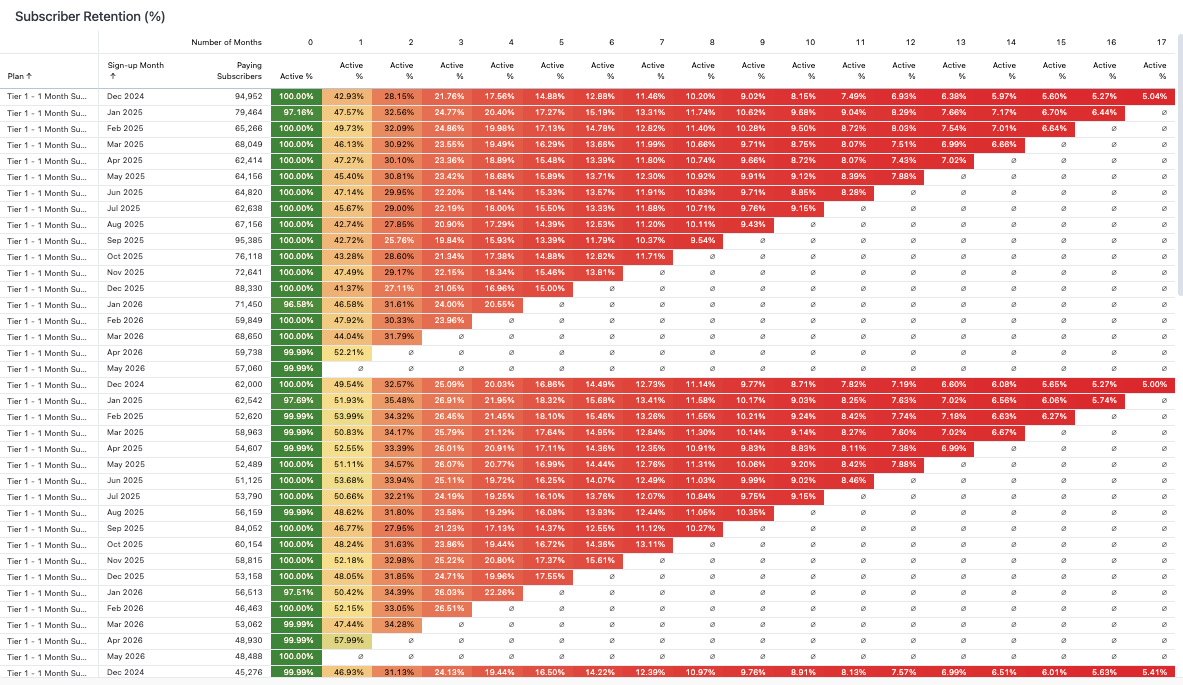
Retention by plan status

This report shows Subscriber Retention based on a subscriber's initial subscription plan — the plan they activated with. If a subscriber activates a second subscription, they're counted again for that month and plan. Later changes to the subscription plan don't affect the data shown here.
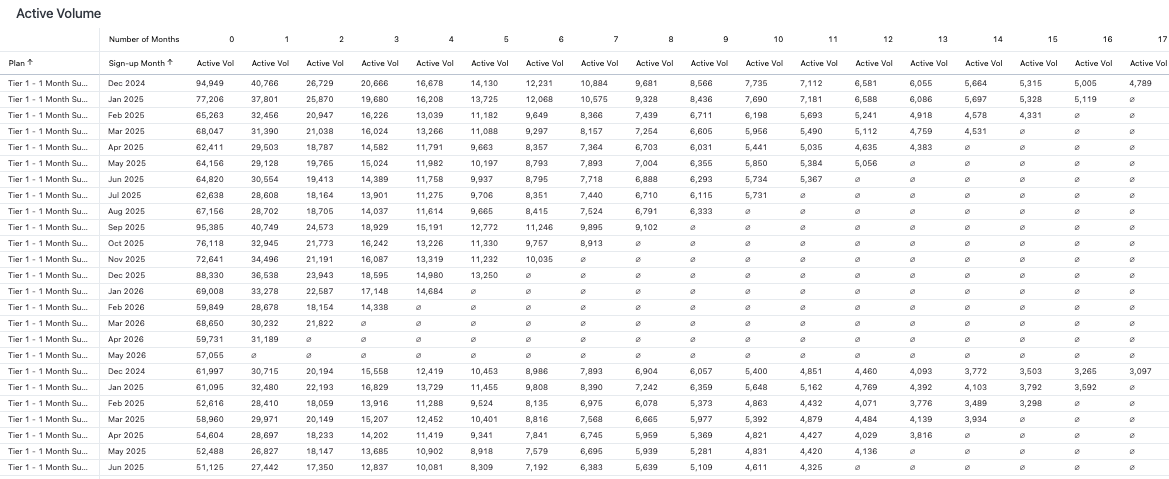
Active volume by plan

Shows the count of active subscribers, grouped by sign-up period and plan.
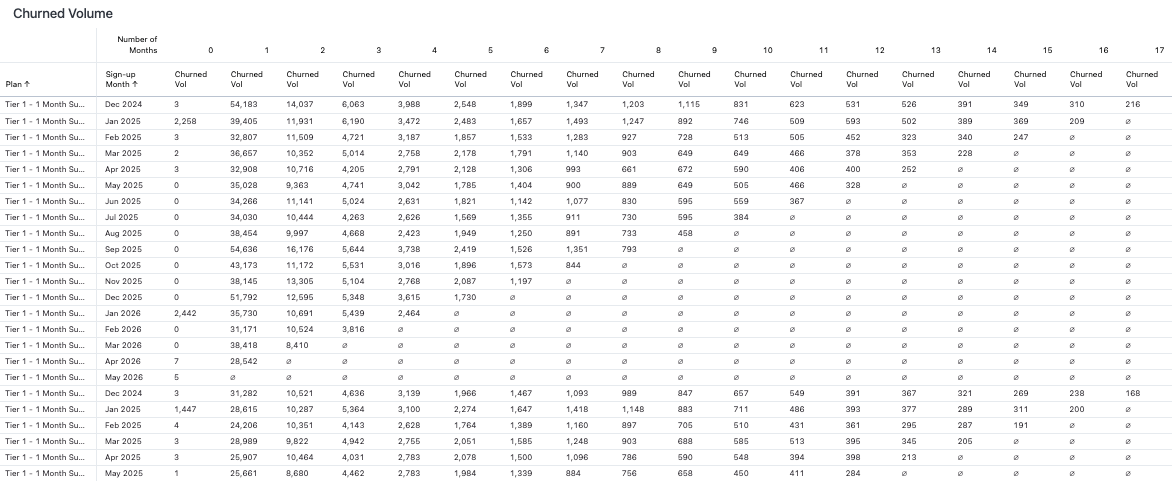
Churned volume by plan

Shows the number of subscribers who churned within the selected timeframes and plans.

Did this page help you?