
Payments Hub: Getting started
Discover how Payments Hub centralizes your payment performance data by consolidating information from multiple gateways into a single, actionable dashboard. This guide explains how to access the hub within Recurly Analytics and provides a roadmap for the full learning path.
 Scale • Payments Hub
Payments Hub
Your payment performance data, all in one place. Learn your way around every dashboard — and know what to look for from day one.
Navigation Menu
 Navigate Home
 Getting started
What is Payments Hub?
A payment analytics dashboard inside your Recurly account — giving you a complete view of your payment performance without ever leaving the platform.
Before Payments Hub, understanding your payment performance meant logging into each gateway portal separately and manually reconciling the data.
Payments Hub changes that. It pulls all of your payment data — across every connected gateway, payment method, and value-add service — into one place. One view to understand what's working, what isn't, and where to focus.
What's inside
Overview dashboard
Top-level payment health — success rates, volume by region, and payment method mix.
Payment processing dashboard
Acceptance rates by gateway, payment method, card BIN, and decline reason.
Account updater dashboard
Revenue protected through automatic card updates before payments fail.
Payment retry recovery dashboard
How many failed invoices were recovered — and how quickly.
Fraud prevention
Blocked transactions and risk score trends. Available for Kount-enabled merchants. Learn more about Kount →
How this path works
Each step walks through one dashboard, what it shows, and an activity to try in your account.
How to find it
Payments Hub lives inside Analytics in your Recurly account. No setup required — if you have the Analytics role, it's already there.
Log in to your Recurly account
Head to app.recurly.com and sign in with your credentials.
Navigate to Analytics
Click Analytics in the left-hand navigation.
Select Payments Hub
Under Analytics, click Payments Hub to open the Overview dashboard — your starting point for all payment analytics.
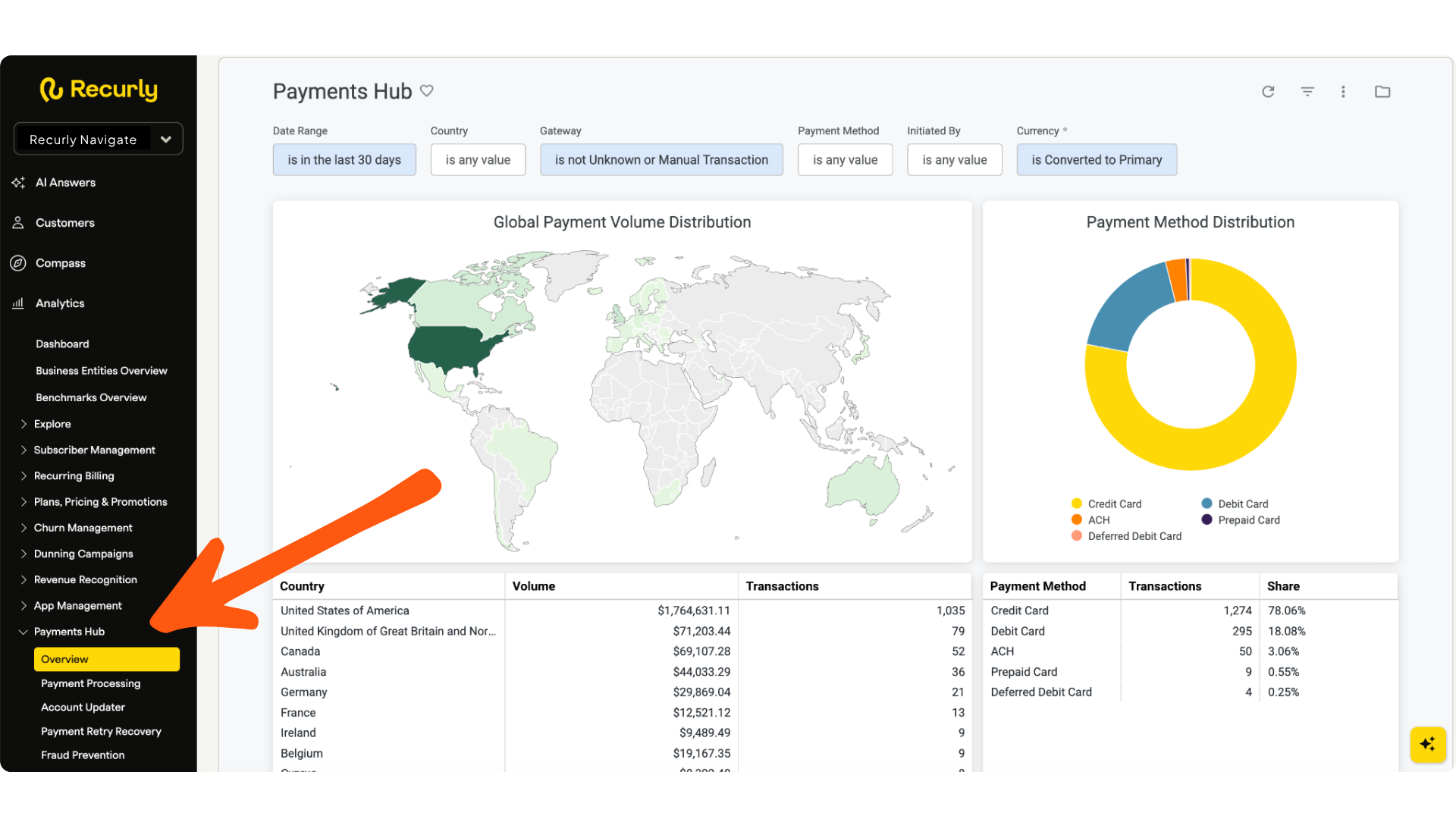
You need the Analytics user role in Recurly. If it's missing from your nav, contact your Recurly admin to confirm your permissions. Learn about user roles →
Payments Hub began collecting data in Q1 2026. Data prior to that date is not available in these dashboards — this is expected.
Before you move on
Getting started checklist
Watch the full walkthrough
Rather watch it all at once? View "Recurly Payments Hub: Your new payment analytics dashboard" on demand now — a complete walkthrough of every dashboard covered in this path.
Watch on demand →Resources
Updated 3 months ago