
Tiered, volume and stairstep pricing
Learn how tiered, volume, and stairstep pricing models work in Recurly, and how to configure each one on a plan or add-on.
Recurly supports three quantity-based pricing models — tiered, volume, and stairstep — each with a different approach to how price changes as quantity increases. This page covers how each model works and how to set one up on a plan or add-on.
Definition
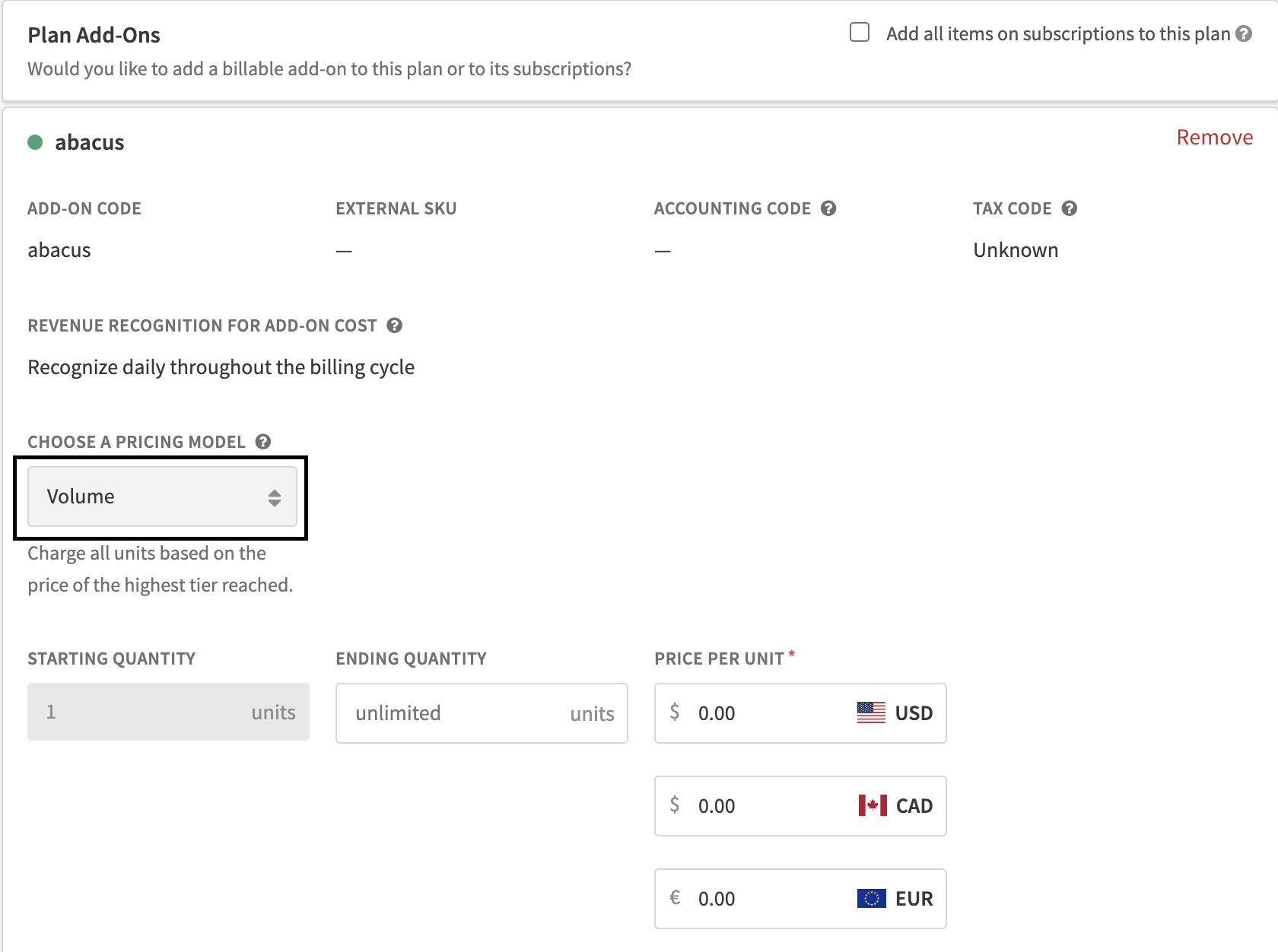
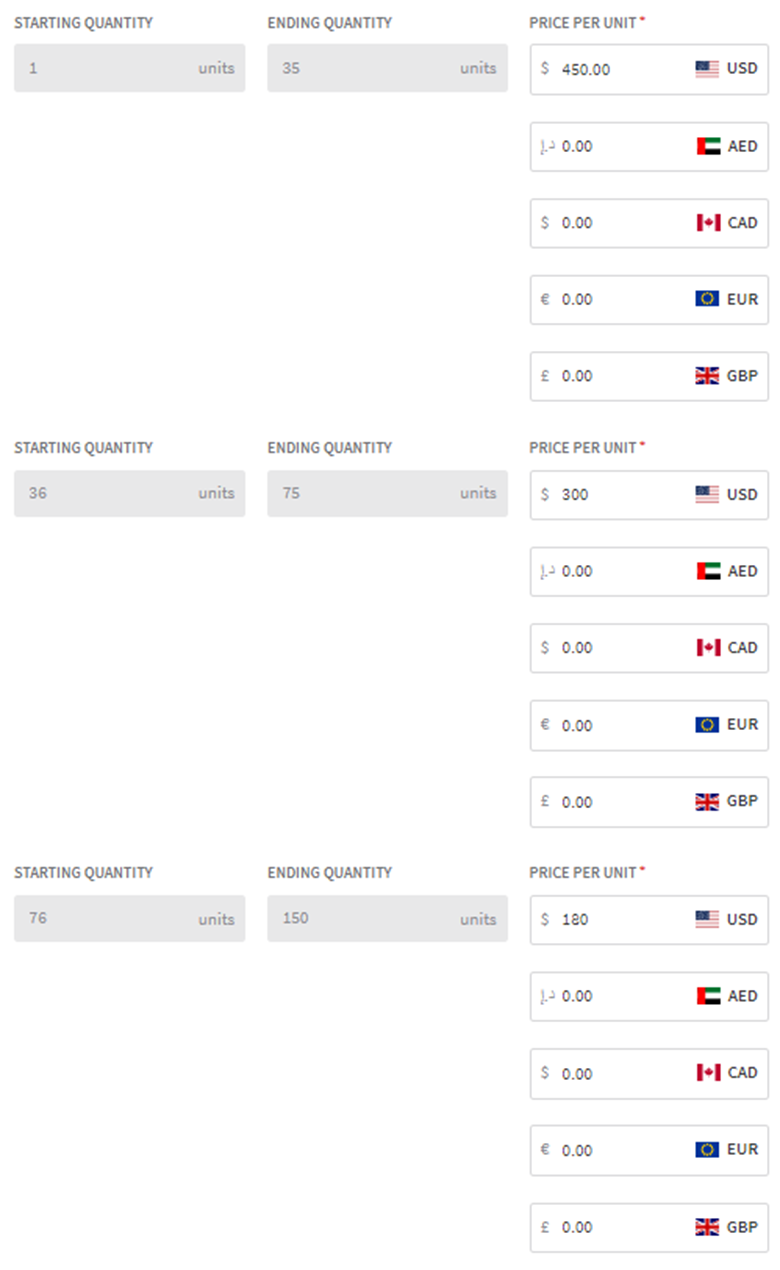
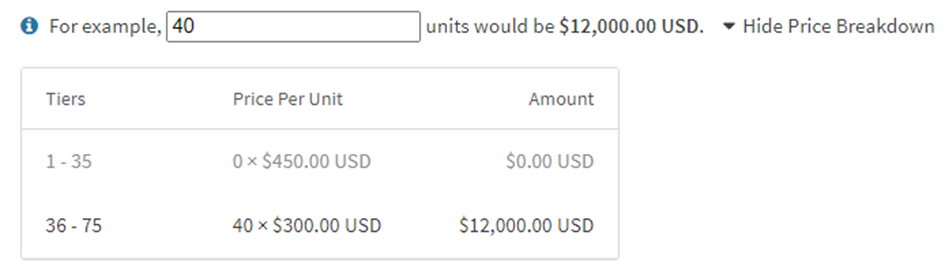
Volume pricing is a model where the per-unit cost decreases as quantity increases, but the rate that applies to the highest tier reached is applied to all units — not just those above the threshold.
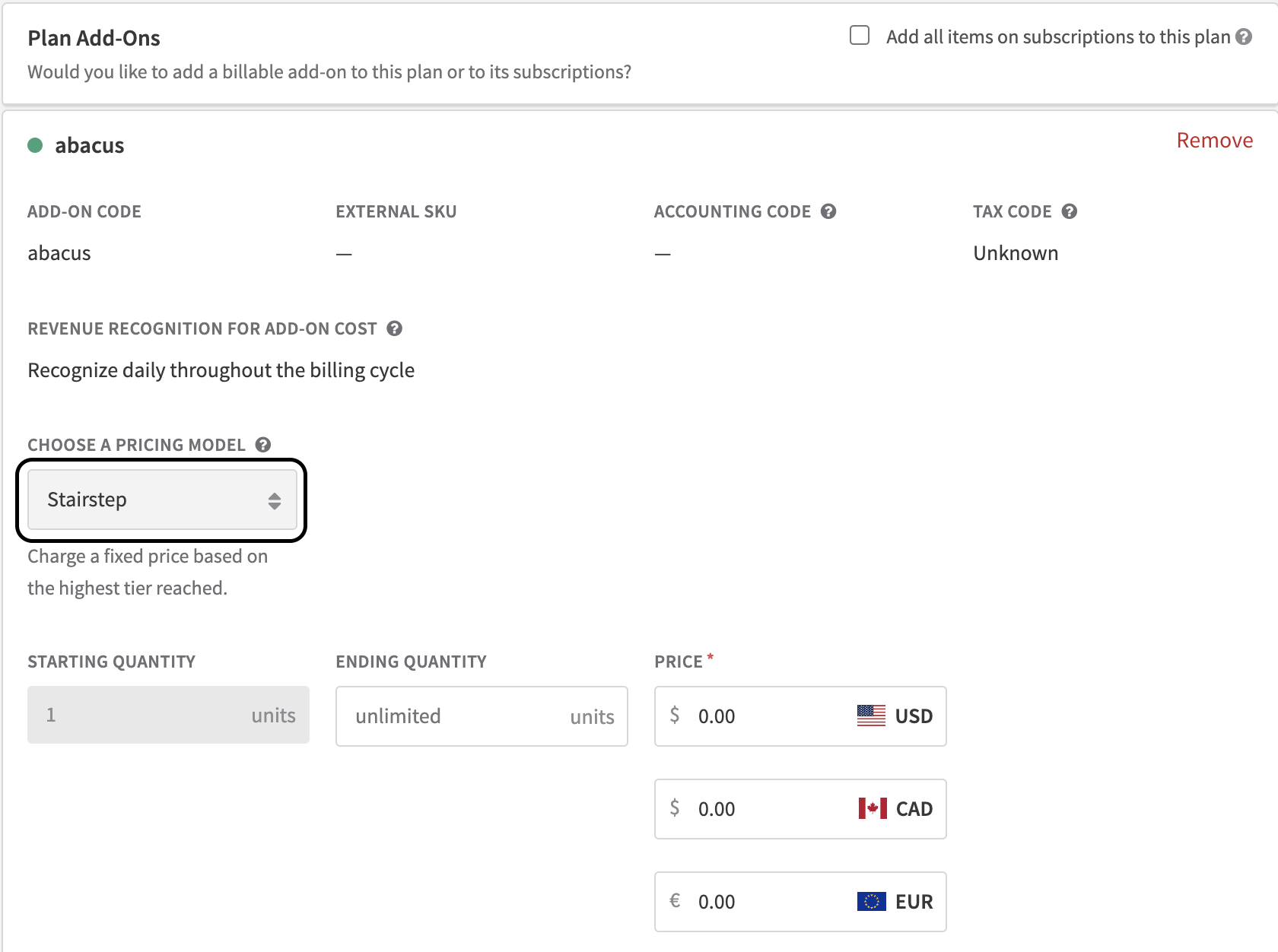
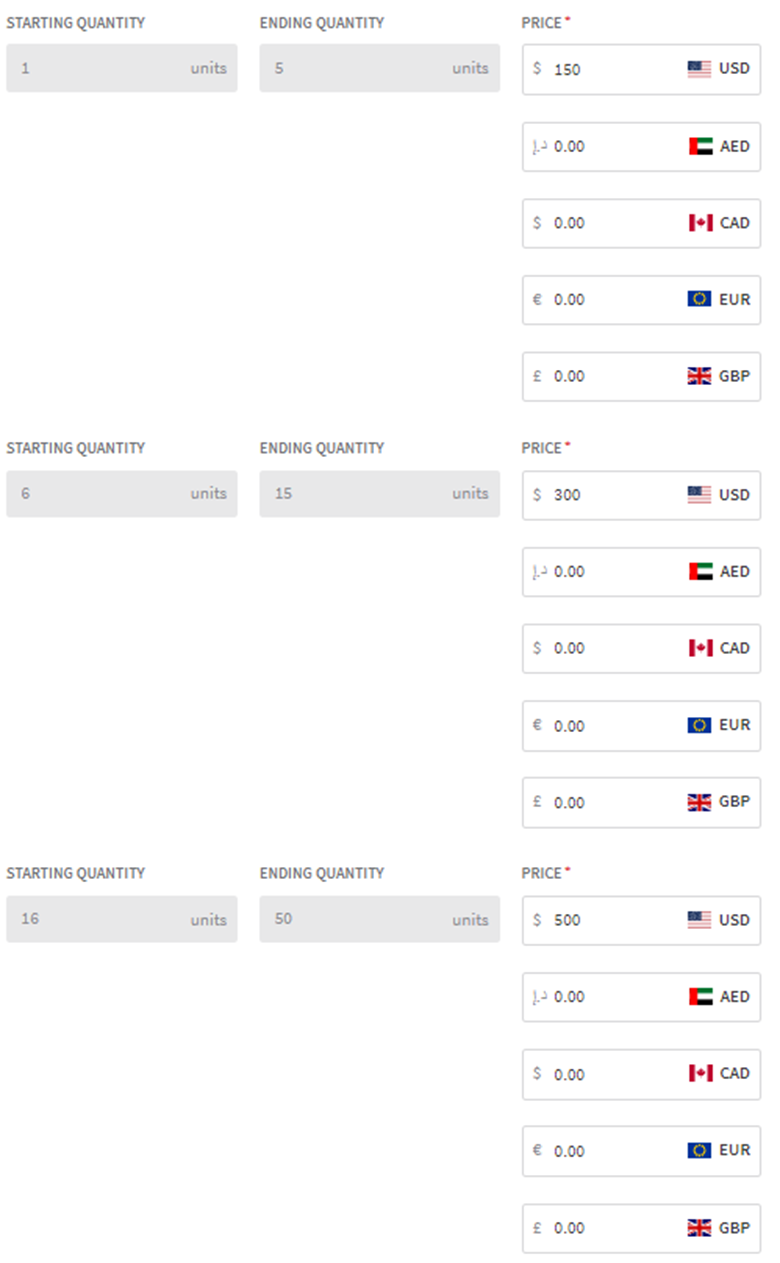
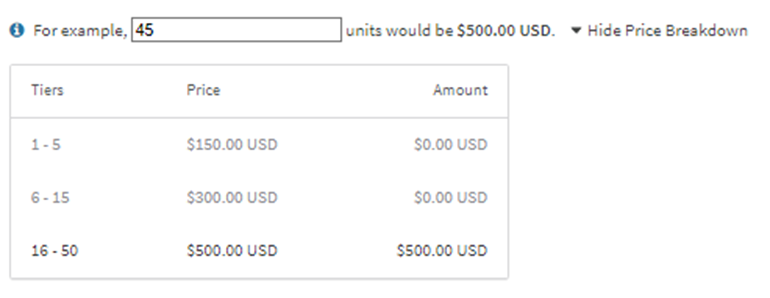
Stairstep pricing charges a flat rate for a defined quantity range, regardless of the exact quantity purchased within that range. Moving into a new range ("step") changes the flat rate.
Key benefits
Key details
Tiered pricing
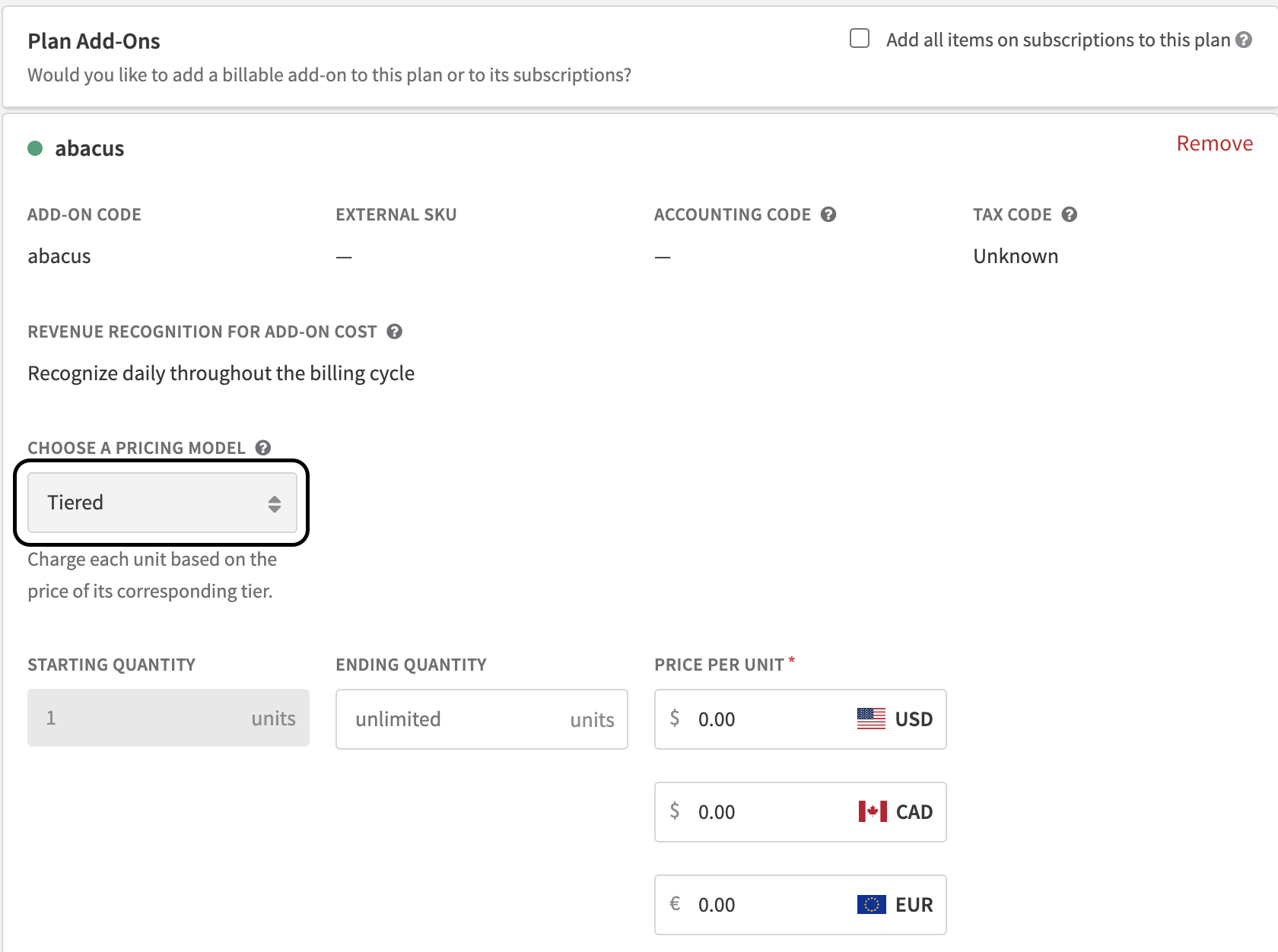
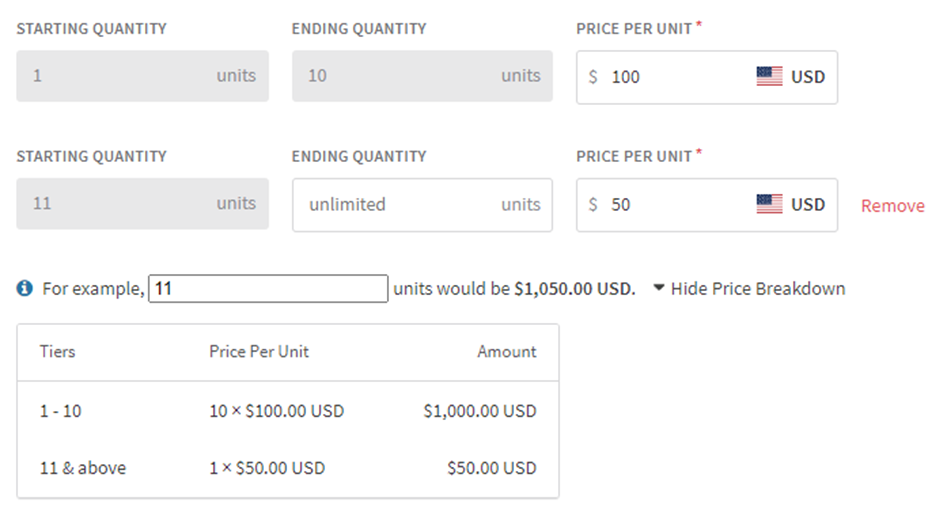
With tiered pricing, units are charged at different rates depending on which tier they fall into. A business might charge $1.00 per unit for the first 100 units, then $0.50 per unit for every unit beyond that. The customer pays different rates for different portions of their total quantity.
This model works well for any product where the marginal cost of delivering an additional unit decreases at higher volumes, and where you want customers to feel a direct reward as they increase their usage.
Volume pricing
With volume pricing, the entire quantity is priced at the rate of the highest tier reached. If a customer purchases 21 seats and the volume threshold for $9/seat is 20+, all 21 seats are billed at $9 — not just the last one. This makes volume pricing simpler for customers to reason about, and a stronger incentive for pushing past a tier threshold.
Stairstep pricing
With stairstep pricing, the total charge is a flat rate based on which quantity range the purchase falls into. A SaaS provider might offer: $50 for 1–10 seats, $100 for 11–20 seats, and $150 for 21+ seats. A customer buying 25 seats pays $150 — the same as a customer buying 100. The price doesn't scale linearly; it jumps at each step.
This works best when your delivery costs are similarly step-shaped — for example, when each pricing tier corresponds to a server tier, support tier, or capacity block.
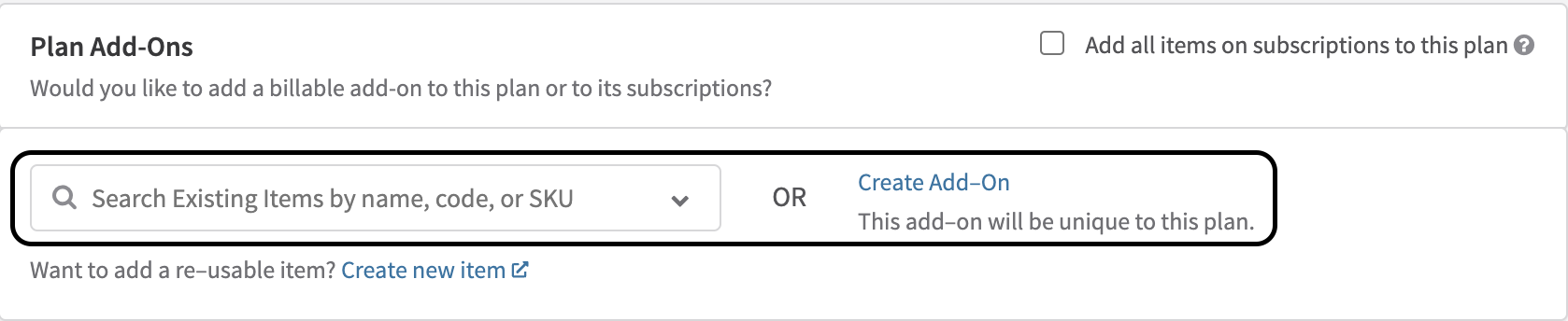
Set up tiered pricing

Set up volume pricing

Set up stairstep pricing

Updated 5 months ago