
Business entity
Configure your business entity in Recurly to control the company name, address, contact information, and VAT/Tax ID details that appear on customer invoices — with support for multiple entities, global addresses, and entity-specific invoice treatments.
Definition
Key benefits
Key details
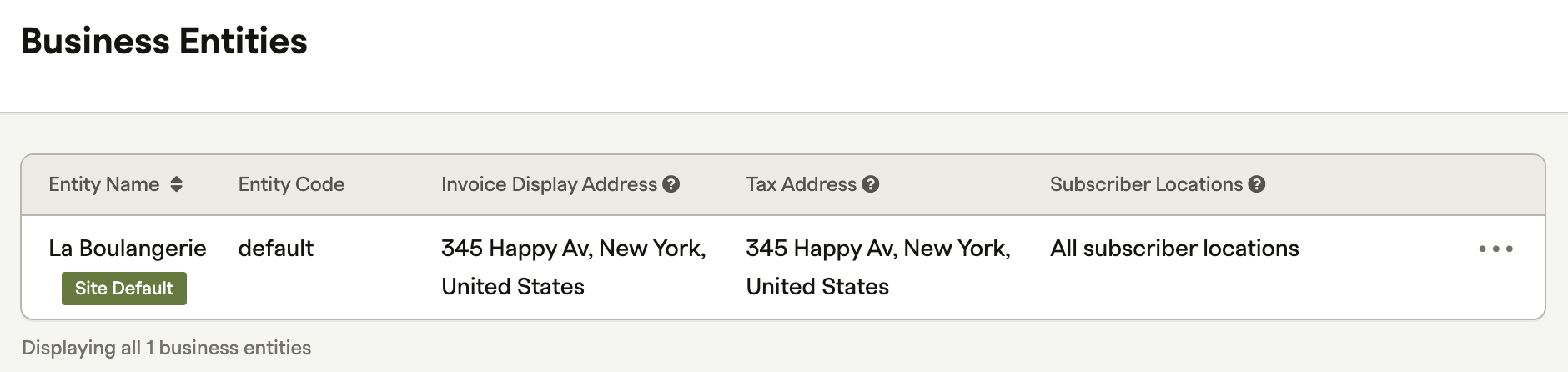
A business entity has three required components and several optional ones.
Required:
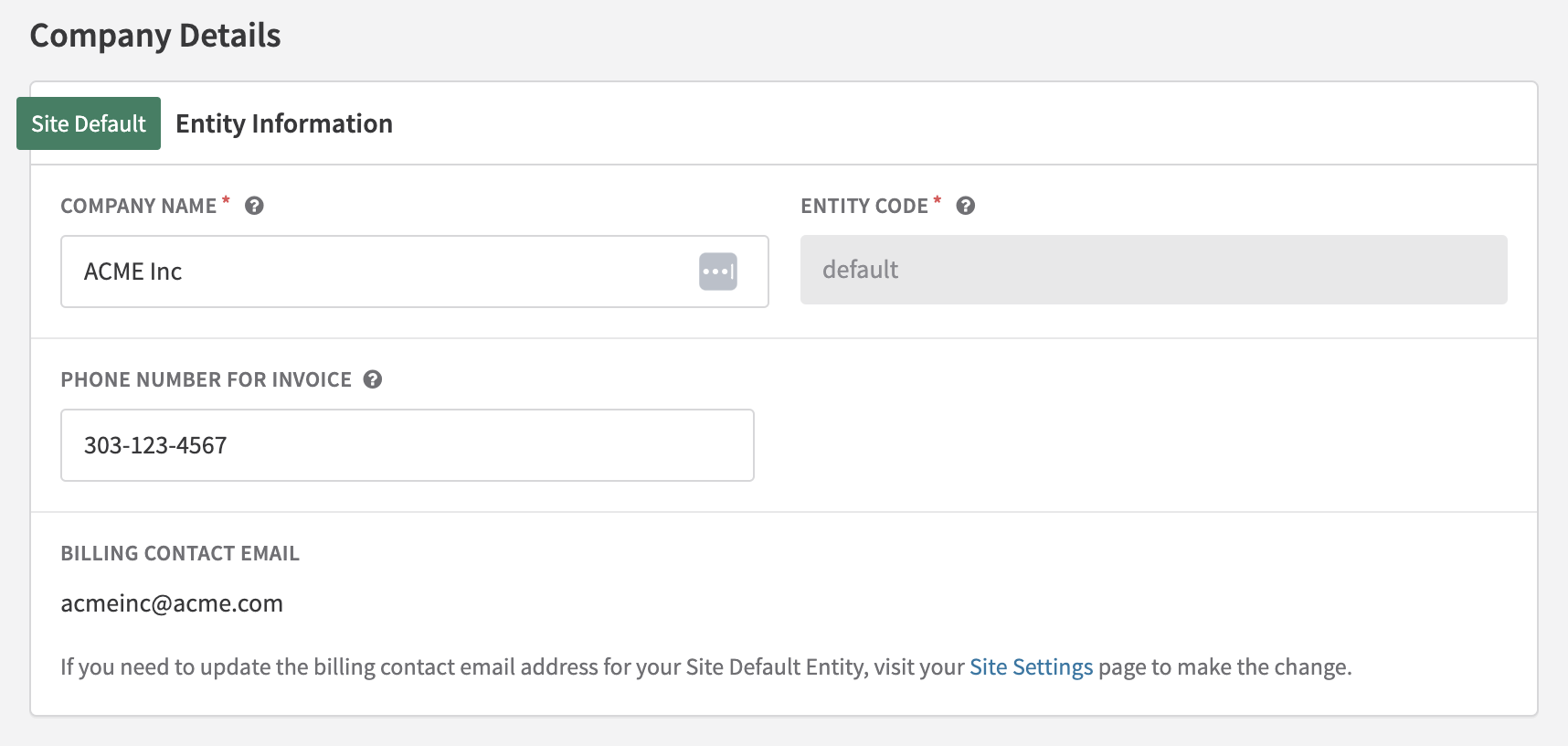
- Company details — The legal name of the business, entity code (a unique identifier used in URLs and API references — the default entity code is
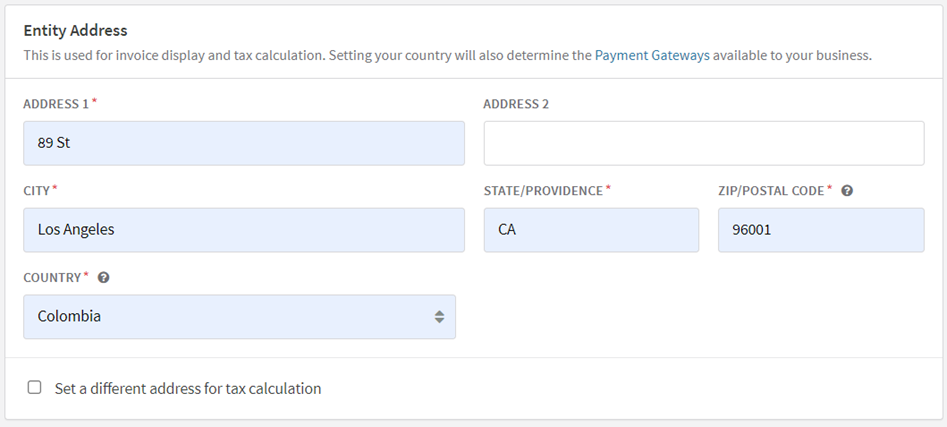
defaultand cannot be modified), phone number, location, and other relevant details such as website and DBA. - Invoice display address — The company address that appears on each customer invoice. By default, this address is also used as the origin address for tax calculations.
- Tax address — The address Recurly uses to calculate tax obligations. If you want to use a different address for tax purposes, check Set a different address for tax calculation — this address is sent to Avalara or Vertex; the invoice display address remains unchanged.
Optional:
- Merchant Category Code (MCC) — Helps Recurly ensure certain payment processing features are applied correctly. For example, merchants classified as 8398 (Non-Profits/Charities) are not eligible for Level 2/3 processing. If you maintain separate MCCs for different card brands, enter them under Scheme Merchant Category Codes — they may be used in payment optimizations and fraud checks.
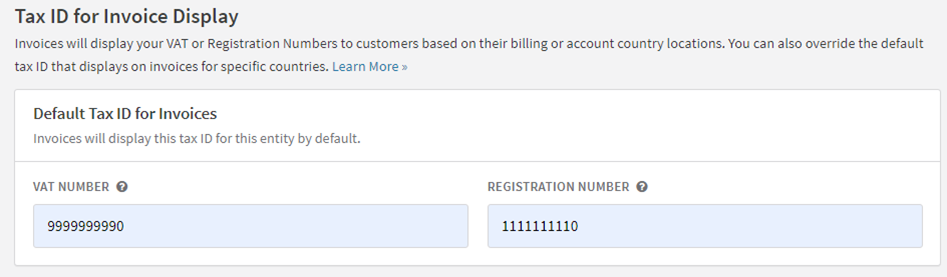
- Tax ID Numbers (TINs) / TIN/VAT information — If your company collects VAT or has a Tax Identification Number, enter it here. Consult your tax advisor to determine whether this applies to your business.
- Billing Contact Email — The email address displayed on all Recurly invoices and receipts, and used as the "from" address for all transaction-related customer communications. Your Site Default Entity always uses the billing contact email from Site Settings. If you don't set an entity-specific email on an alternate entity, the Site Settings email is used as a fallback.
- Logo/images for header and footer — Images displayed at the top and bottom of invoices. Entity-level invoice images are available on all Recurly plans.
- Customer notes — A free-text section for customer-facing details — for example, "Thanks for your business!" Also used for local compliance notes such as authorized dealer info, delivery note numbers, Israel invoice fields, and similar requirements. Shown only when text is present; no section title is displayed. Appears at the bottom of the invoice in larger font than Terms and Conditions.
- Terms and conditions — A free-text section for payment terms, legal notes, or other contractual information. Shown only when text is present.
Set up your business entity
Company details
Enter the company's legal name, entity code, and customer support phone number. The entity code acts as a unique identifier in URLs and API references — the default value is default and cannot be changed.
Invoice display address
The address entered here appears on all customer invoices. By default, it's also used as the origin address for tax calculations. To use a different address for tax purposes, check Set a different address for tax calculation — a separate tax address field appears, and only that address is sent to Avalara or Vertex.
Invoice settings
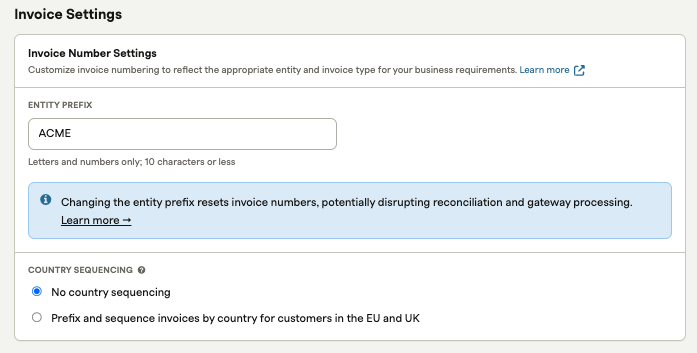
Configure invoice treatments specific to a business entity — including entity prefix, EU country sequencing, header/footer images, and charge invoice notes.
Entity prefix
An entity prefix is an alphanumeric value (four characters or fewer) prepended to the sequential invoice number. When you add one, the sequence restarts at 1000 and increments by one.
Country sequencing
By default, Recurly uses a single invoice number sequence across your site. Certain EU member states require a unique sequence per country — the Country Sequencing feature supports this. Enable or disable it using the radio buttons in the entity's Invoice Settings.
See Invoice Display for examples of invoices with multiple entities and customized prefixes.
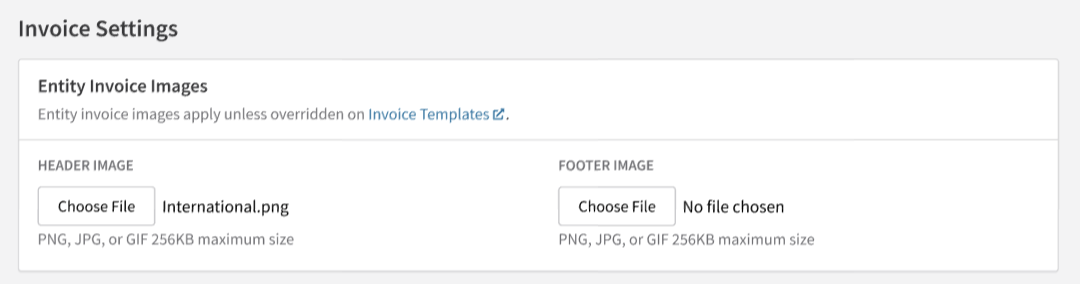
Entity invoice images
Add logo images to the header and footer of invoices. Footer images are often used for secondary logos or custom communications. Entity-level invoice images are available on all Recurly plans.
Entity charge invoice notes
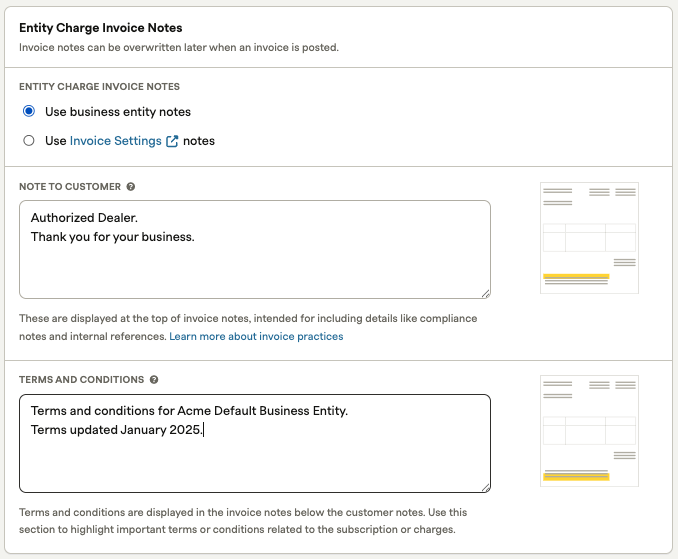
Override the site-level Invoice Settings notes with entity-specific notes — useful when different entities serve different markets or compliance requirements.
Customer notes — Shown on the invoice if text is present. No section title is displayed; content appears at the bottom of the invoice in larger font than Terms and Conditions. Supports local compliance content such as authorized dealer info, delivery note numbers, type of supply, intra-community supply, and Israel-specific invoice fields.
Terms and conditions — Shown on the invoice only if text is present. Ideal for payment terms, legal notes, or contractual information.
Entity-specific invoice treatments and Invoice Customization
Invoice templates with custom display addresses or header/footer images continue to apply those settings to accounts assigned to that template. To use entity-level invoice treatments instead, open the invoice template's edit page and select the option to use the address and images from the entity level rather than the template.
This setting can be changed at any time. Updated settings apply only to invoices generated after the change.
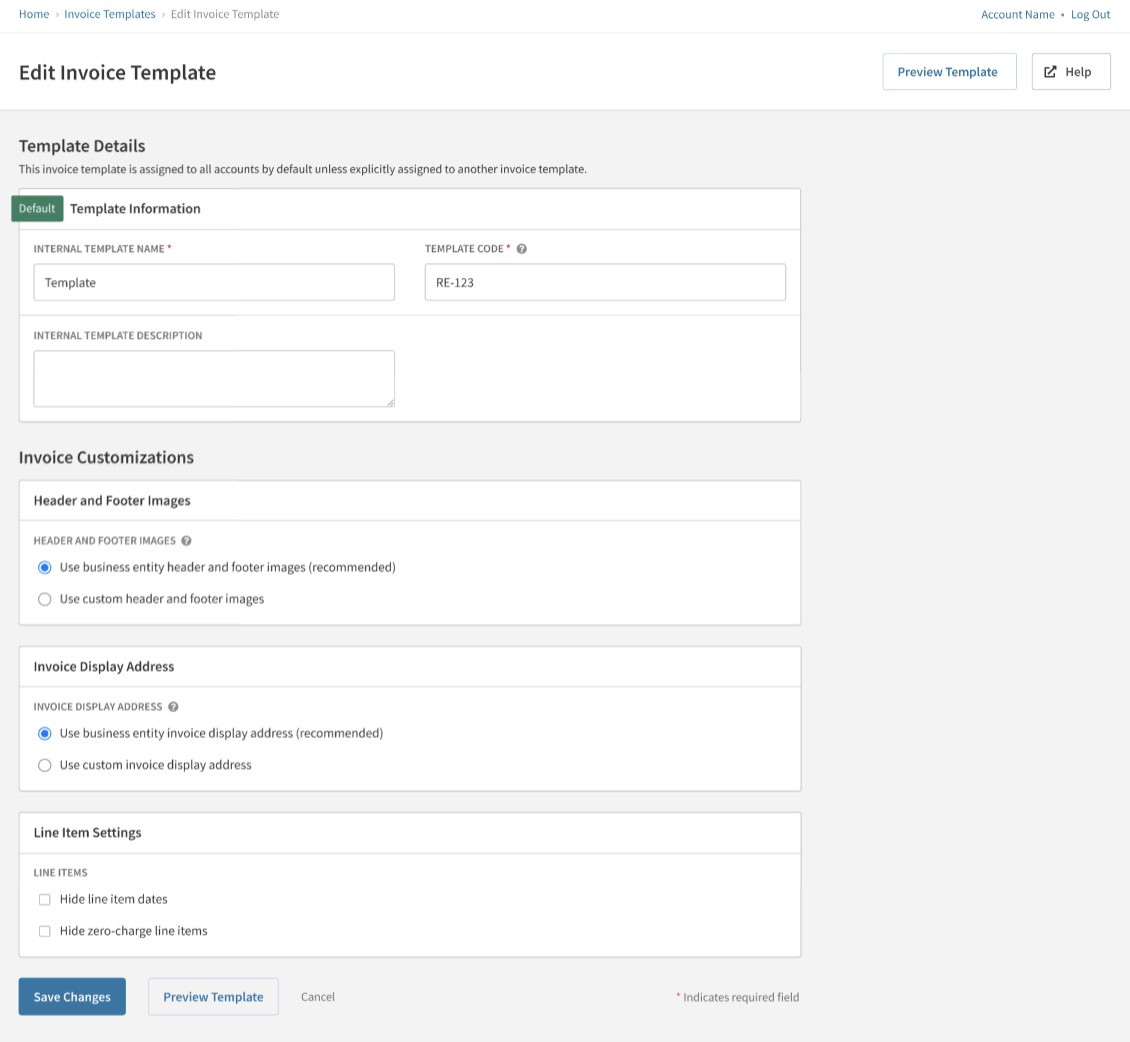
New invoice templates created on your site automatically include options to use entity-level addresses and images. These settings can be modified at any time.
Updated 3 months ago