
Invoice dashboard
View, search, filter, and sort all customer invoices from Recurly's centralized invoice dashboard — with full status definitions for charge and credit invoices.
Prerequisites
- An active Recurly account with admin access.
Definition
Key details
View invoices
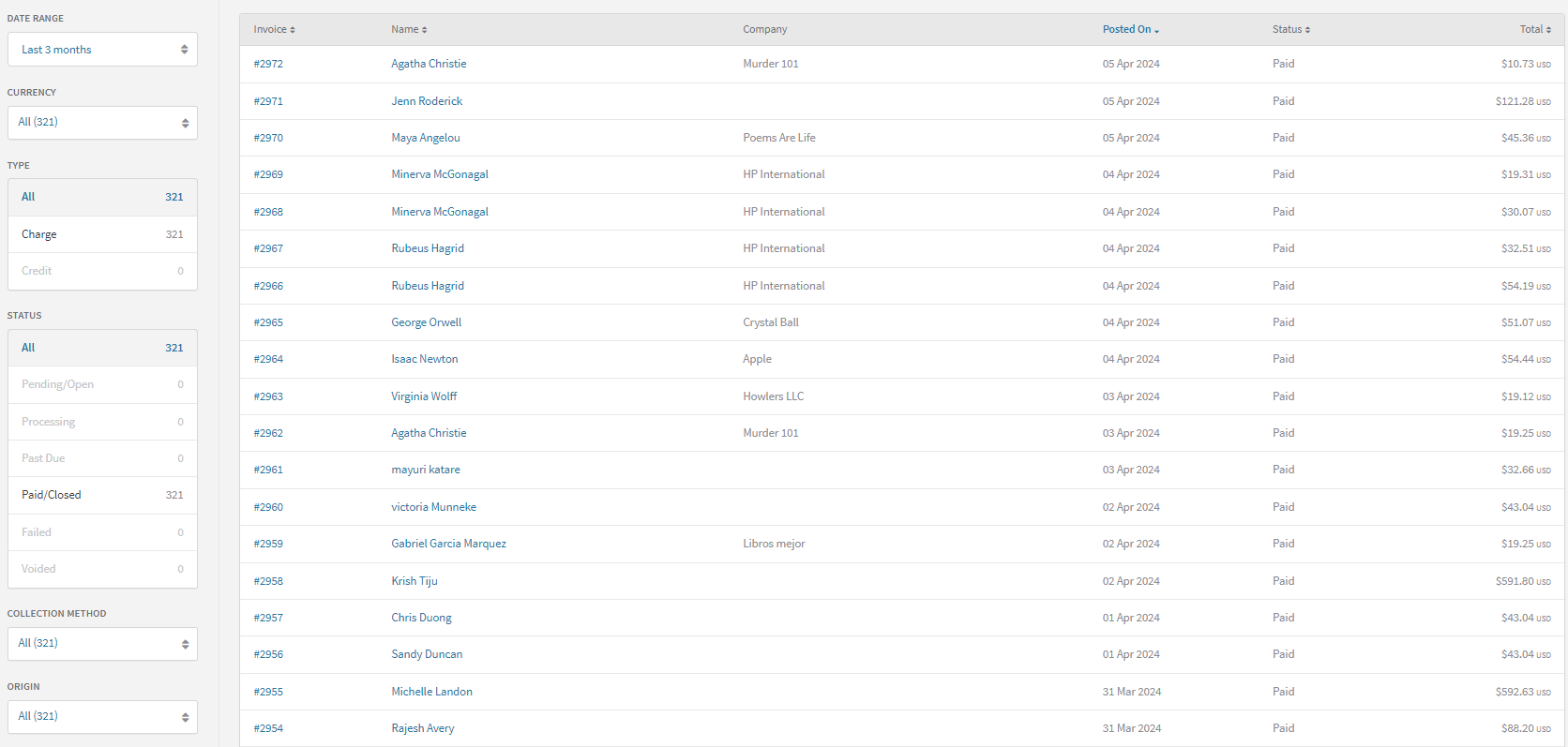
Navigate to Customers → Invoices in the Recurly Admin Console to access all customer invoices.
Search
Find specific invoices by searching on any of the following:
- Account code
- Account username
- Account email address
- Account first and last name
- Account company name
- Invoice number
- Invoice PO (Purchase Order) number
- Bill To address on the invoice
- VAT number on the invoice
- Total amount
- Discount amount
- Tax amount
- Reason for invoice recovery
Filter
Narrow the invoice list using the following filters:
- Posted date
- Currency
- Invoice type — legacy invoices from purchases appear under Charge; those from refunds appear under Credit
- Invoice status
- Collection method
- Invoice origin
Sort
Click any column header to sort the invoice list by: invoice number, account display name, posted date, status, or total amount.
Invoice statuses
Pending / Open
Invoices start as Pending — neither paid nor past due. For automatic collection, invoices shift to Paid or Past Due based on the transaction result. For manual collection, invoices remain Pending until payment is received or the selected term option's due date is reached.
Processing
An invoice is Processing when a payment has been initiated but the result is pending — common with ACH and Direct Debit payments. The invoice updates to Paid or Past Due/Failed once the transaction result is received.
Past Due
An invoice becomes Past Due when it remains unpaid by the due date set by the selected term option. For automatic collection, invoices decline on the initial transaction. For manual collection, invoices switch to Past Due 24 hours after the due date.
Account balances can be applied to past-due invoices via the UI or the following API endpoints:
- API V3: GET Account Balance, PUT Apply Credit Balance
- API V2: GET Account Balance, PUT Apply Credit Balance
Paid / Closed
An invoice is Paid when the total balance is settled. Invoices with a zero balance at posting (due to adjustments, discounts, or credits) are immediately marked Paid. Manual collection invoices reach Paid once the full balance is received.
Failed
An invoice is Failed when it is deemed uncollectable and written off as bad debt. When the Credit Invoices feature is enabled, failing an invoice generates a corresponding write-off credit invoice, balancing the failed charge invoice to zero.
Credit invoice statuses
Open
Every credit invoice starts as Open, indicating an outstanding credit balance.
Processing
A credit invoice enters Processing when a refund transaction is initiated but the result is pending — common with ACH bank payments. The processing transaction amount is temporarily deducted from the invoice balance; if declined, the balance increases again. Any partial balance not covered by the processing transaction can still be used toward new charge invoices on the account. After the transaction resolves, the invoice moves to Closed (if fully settled) or back to Open (if declined).
Closed
A credit invoice is Closed when it has no outstanding credit balance — either the full balance was applied to payments, or a combination of payments and voided balances reduced it to zero. A Closed credit invoice can be reopened if a credit payment is voided, which typically happens when the corresponding charge invoice is failed.
Voided
A credit invoice is Voided when it is identified as a mistake. A voided credit invoice's balance was neither applied to payments nor refunded.
Updated 4 months ago