
Renewal invoices
Learn how to use Recurly's Renewal Paid Rate dashboard to track renewal invoice outcomes and recovery performance.
Prerequisites
- Users must have Analytics user role permission.
Definition
Key benefits
Key details
Filters (top left corner)
- Date range: Use the dropdowns to select a timeframe and date range, up to the past 18 months, reflected on the dashboard.
- Select timeframe: Adjust this to view data over different periods for a more detailed or broader overview.
- Currency: Select a specific currency from the dropdown. By default, all currencies are converted to the site's primary currency.
Renewal invoices paid without issue
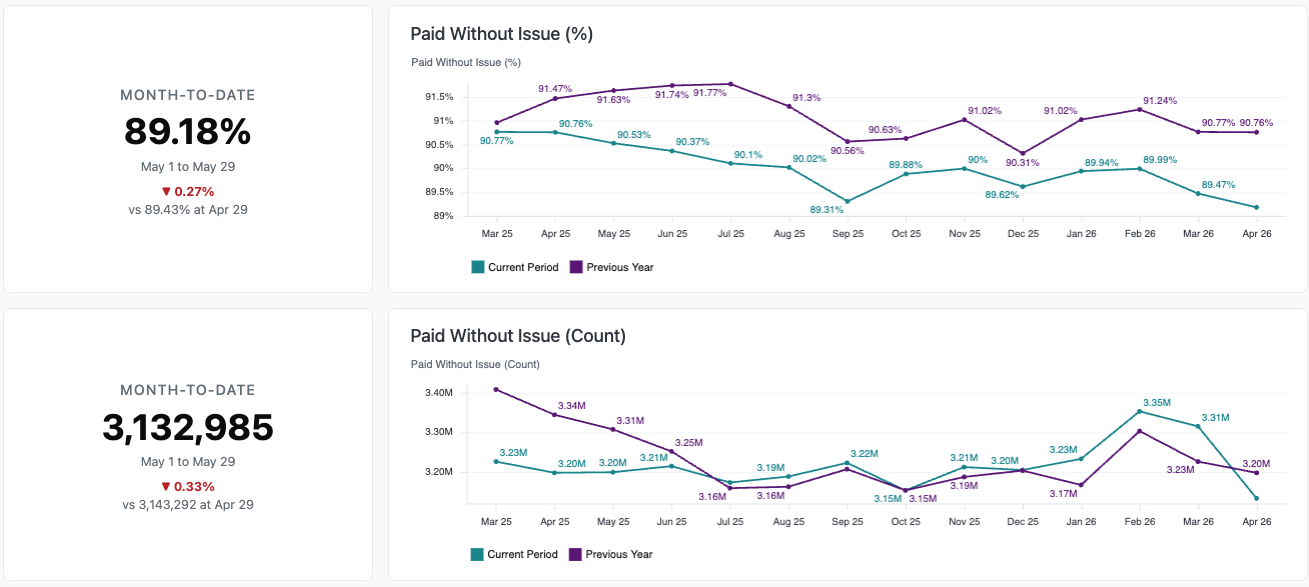
These two graphs show the trend in the percentage of invoices paid without any intervention from Recurly or the customer — invoices that don't require any recovery, before or after the transaction, such as account updater or customer updates. One graph breaks these invoices down by percentage of total invoices created, and the other by invoice count.
Renewal invoice outcomes
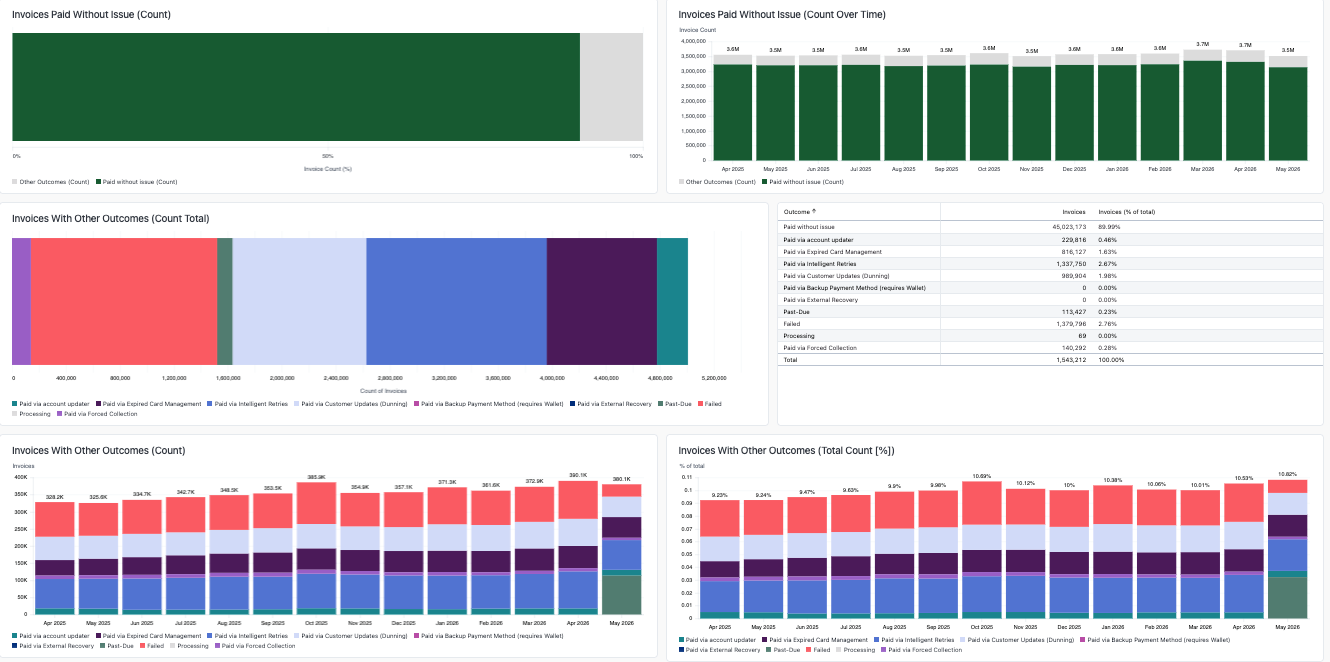
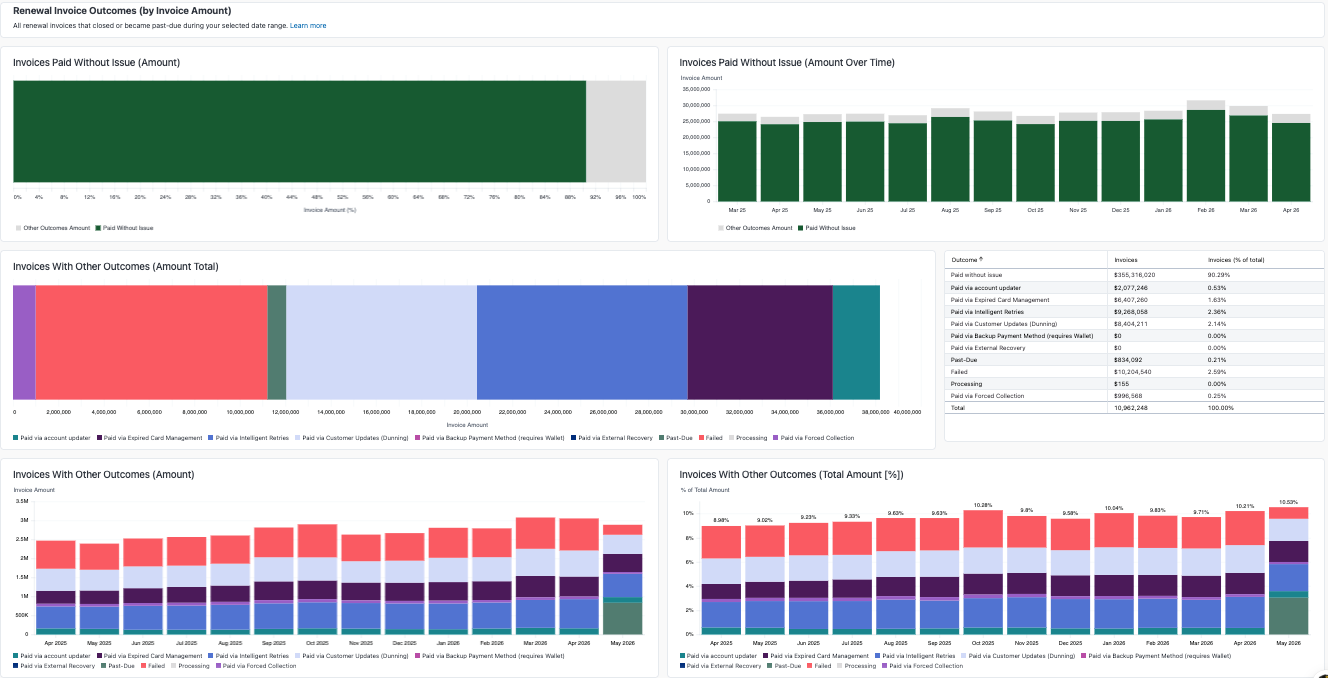
This series of four graphs shows how many invoices were paid without any intervention, and how Recurly helped drive invoice success through our churn management features.
The remaining two graphs show the status of the rest of your invoices — how many were successfully paid through Recurly's churn management features (Account Updater, Expired Card Management, Intelligent Retries, Customer Updates during dunning, and Backup Payment Method), how many failed during the selected period, how many are past due or processing, and how many were updated through external recoveries.
To understand how well each feature is performing, we show both the count and the percentage of revenue across these tables.
This data is also broken out by currency, so you can see how recovery success varies across currencies.
Related dashboards
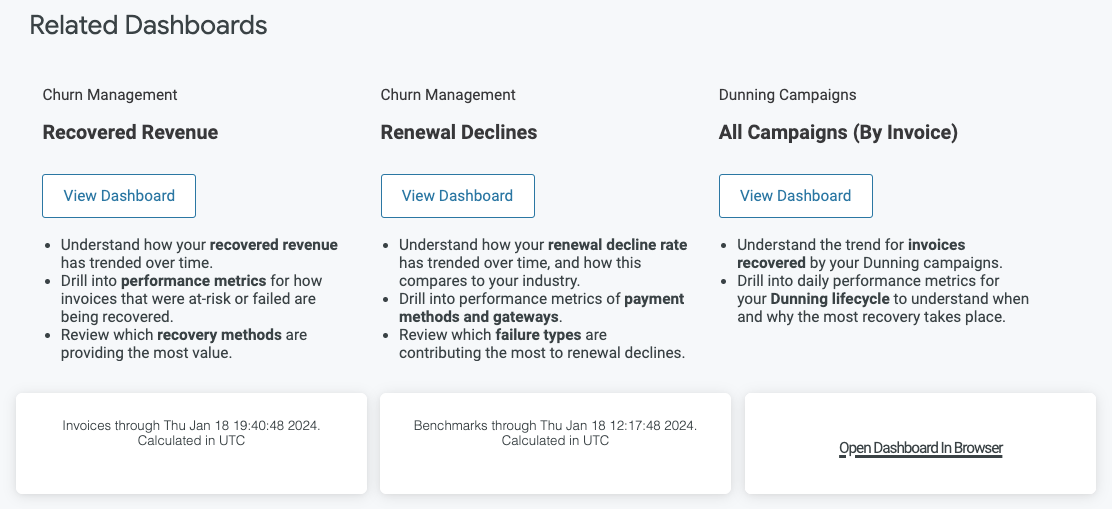
Explore related dashboards to learn more about how Recurly helps prevent churn and lower your renewal invoice decline rate. Review your dunning campaign strategy too, to keep increasing your dunning recoveries.
Updated 2 months ago