
Fraud prevention
Monitor transaction blocking and fraud risk score trends. Track fraud protection effectiveness while balancing security with customer experience.
Prerequisites
- You must have the Analytics user role permission.
- You must have Kount enabled on your Recurly site.
Definition
Key benefits
Key details
General filters (top left corner)
- Date range — Adjust the time interval for your data to track and analyze long-term trends. The default view is 30 days.
- Country — Filter data to one or more countries.
- Gateway — Isolate individual payment gateways.
- Payment method — Drill down into fraud for a specific payment method.
- Currency — Filter by the various currencies available for your site's geo-location.
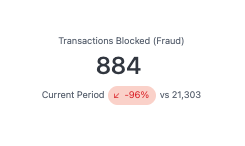
Transactions blocked (fraud)
The total number of transactions flagged and blocked as fraudulent in the selected period.
If this number is higher than you'd expect, or has spiked, here are a couple of things to consider:
- Your site may be under attack from a fraudster, and Kount is working properly.
- You've recently updated a fraud rule in Kount that may be misbehaving. Talk to your Kount representative to review rules on blocked transactions you believe are false positives.
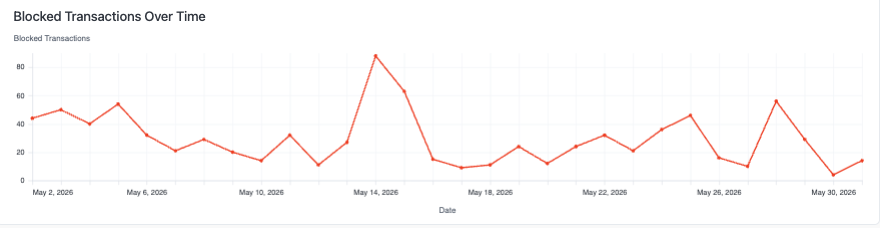
Blocked transactions over time
This line chart tracks the daily count of fraud-blocked transactions in the time period.
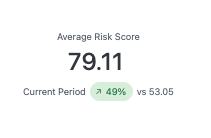
Average risk score
The mean Kount risk score assigned to transactions in the selected period, along with a comparison to the previous time period.
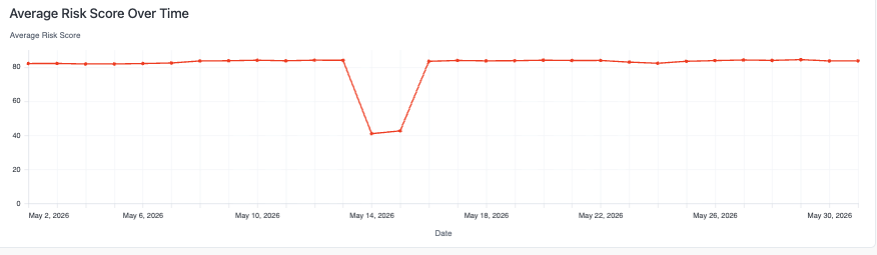
Average risk score over time
This line chart tracks the daily average Kount risk score in the time period. Use it to identify when risk levels start rising so you can act before blocked transaction volume surges.
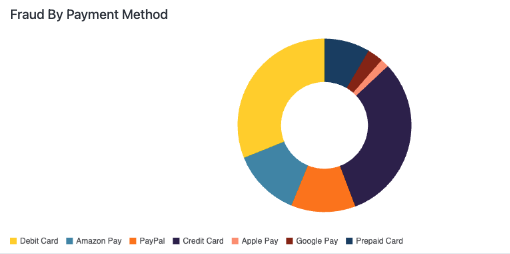
Fraud by payment method
This pie chart breaks down blocked fraud transactions by payment method.
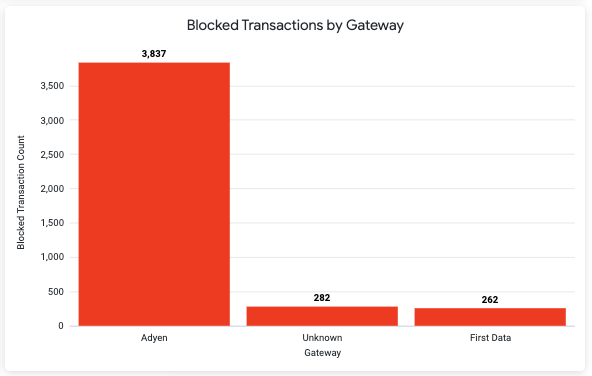
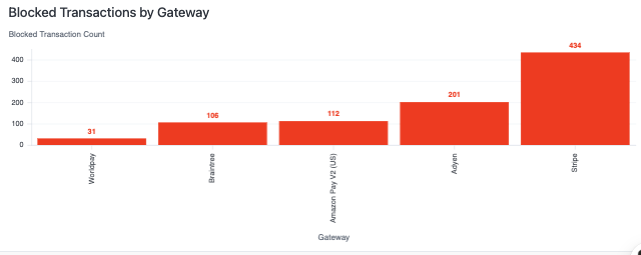
Blocked transactions by gateway
This bar chart shows the volume of fraud-blocked transactions by payment gateway.
Updated 2 months ago