
Expired card management
Recurly's Expired Card Management automatically extends expiring card dates before renewal to reduce transaction failures and involuntary churn — no setup required.
Limitations
- The success rate of automatic card date extensions may vary by card issuer and network.
- Not all credit cards support automatic updates.
Definition
Key benefits
Key details
How it works
When a credit card is set to expire before an upcoming billing cycle, Recurly temporarily extends the expiration date on file. This reduces the likelihood of hard declines at renewal and gives subscribers a window to update their card before any service interruption.
Setup
No setup required. Expired Card Management applies automatically to all accounts once your site is in production.
Monitor recovered revenue
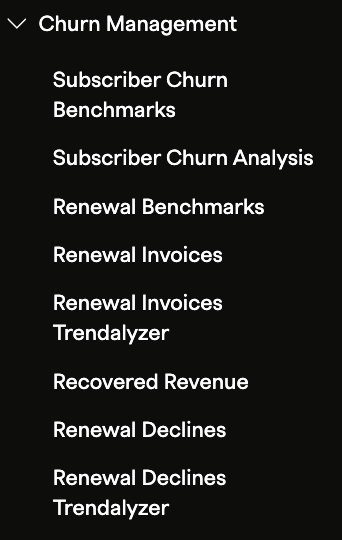
Open Churn Management analytics
In the Recurly Admin Console, navigate to Analytics → Churn Management.
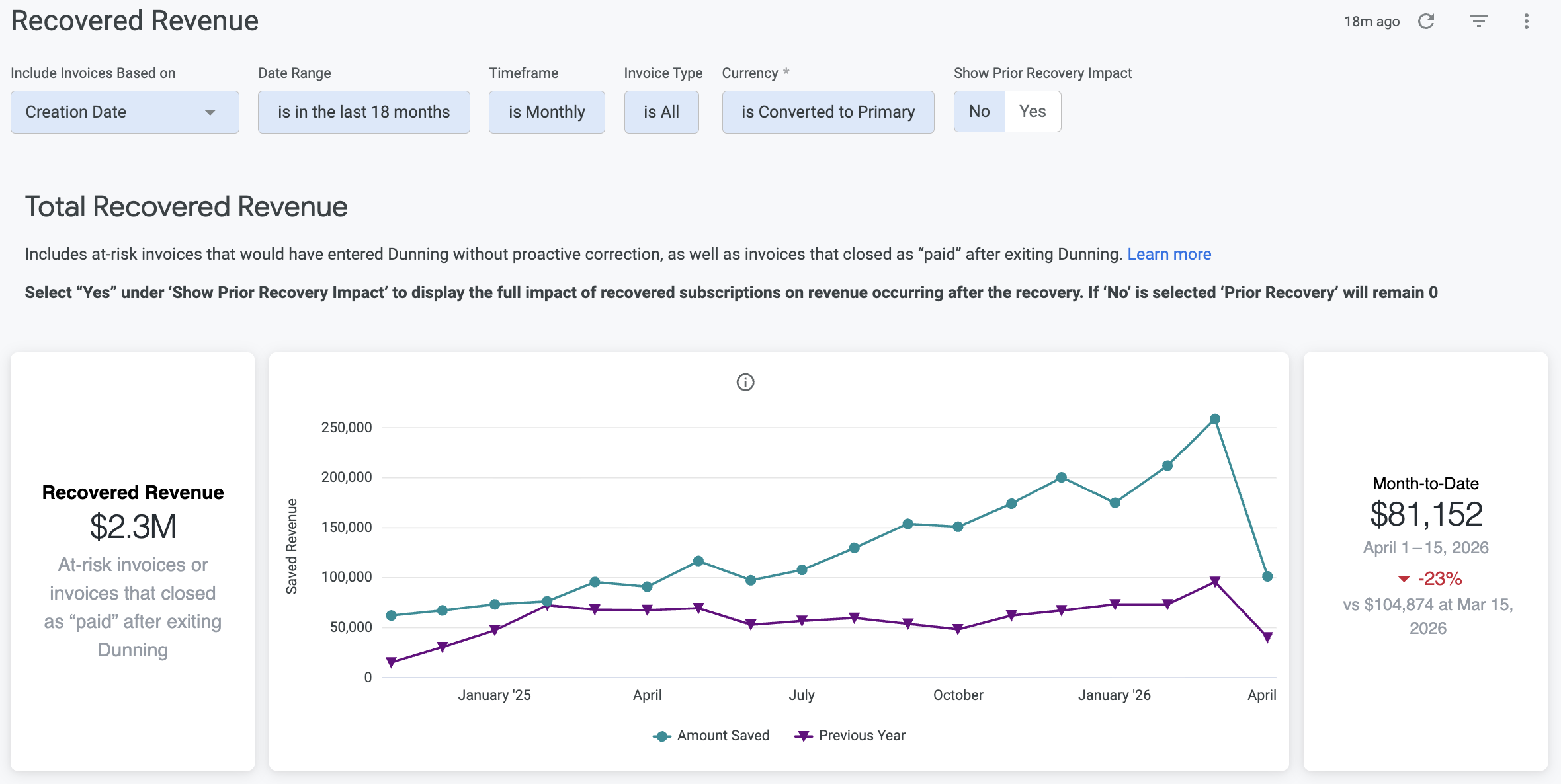
Open the Recovered Revenue dashboard
View the impact of expired card management over time, including recovery rates and patterns in card expiration behavior.
FAQs
How does Recurly handle expired credit cards?
Rather than replacing card data automatically, Recurly temporarily extends the expiration date on expiring cards. This reduces the chance of payment failures and hard declines at renewal, while avoiding any overlap or conflict with Account Updater services.
How does this feature reduce involuntary churn?
Involuntary churn often occurs when outdated payment details cause transactions to fail. By keeping expiring cards active through the renewal window, Recurly reduces failed transactions — and the subscriber losses that follow.
Can I measure the revenue recovered through Expired Card Management?
Yes. The Recovered Revenue dashboard in Analytics shows recovery rates and the revenue preserved through both expired card management and retry logic, giving you a clear view of the feature's impact.
Updated 4 months ago