HomeProduct DocsAPI ReferenceChangelog
RecurlyAPI GuidesRecurly.jsWebhooksAPI ReferenceSupportBook demo
Product Docs

Tiered, volume and stairstep pricing

Recurly supports three quantity-based pricing models — tiered, volume, and stairstep — each with a different approach to how price changes as quantity increases. This page covers how each model works and how to set one up on a plan or add-on.
Available on all Recurly plans

Definition

Tiered pricing is a progressive cost model that adjusts the unit price based on defined quantity thresholds. Each tier has its own per-unit rate — units are priced at the rate of the tier they fall into.

Volume pricing is a model where the per-unit cost decreases as quantity increases, but the rate that applies to the highest tier reached is applied to all units — not just those above the threshold.

Stairstep pricing charges a flat rate for a defined quantity range, regardless of the exact quantity purchased within that range. Moving into a new range ("step") changes the flat rate.

Key benefits

Tiered pricing Encourages customers to buy more by reducing the per-unit price at higher quantities, driving sales volumes without requiring an all-or-nothing bulk commitment.
Volume pricing Rewards bulk purchases with a single lower per-unit rate applied across the entire order — a straightforward incentive that benefits both businesses and customers through economies of scale.
Stairstep pricing Offers predictable, flat-rate pricing within defined quantity ranges — simplifying budget planning for customers and revenue forecasting for your business.

Key details

Tiered pricing

With tiered pricing, units are charged at different rates depending on which tier they fall into. A business might charge $1.00 per unit for the first 100 units, then $0.50 per unit for every unit beyond that. The customer pays different rates for different portions of their total quantity.

This model works well for any product where the marginal cost of delivering an additional unit decreases at higher volumes, and where you want customers to feel a direct reward as they increase their usage.

Volume pricing

With volume pricing, the entire quantity is priced at the rate of the highest tier reached. If a customer purchases 21 seats and the volume threshold for $9/seat is 20+, all 21 seats are billed at $9 — not just the last one. This makes volume pricing simpler for customers to reason about, and a stronger incentive for pushing past a tier threshold.

Stairstep pricing

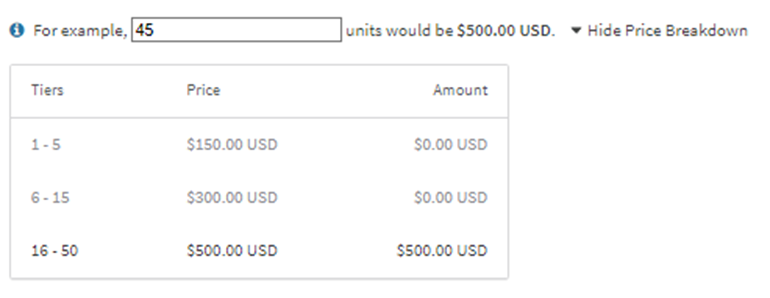
With stairstep pricing, the total charge is a flat rate based on which quantity range the purchase falls into. A SaaS provider might offer: $50 for 1–10 seats, $100 for 11–20 seats, and $150 for 21+ seats. A customer buying 25 seats pays $150 — the same as a customer buying 100. The price doesn't scale linearly; it jumps at each step.

This works best when your delivery costs are similarly step-shaped — for example, when each pricing tier corresponds to a server tier, support tier, or capacity block.

Set up tiered pricing
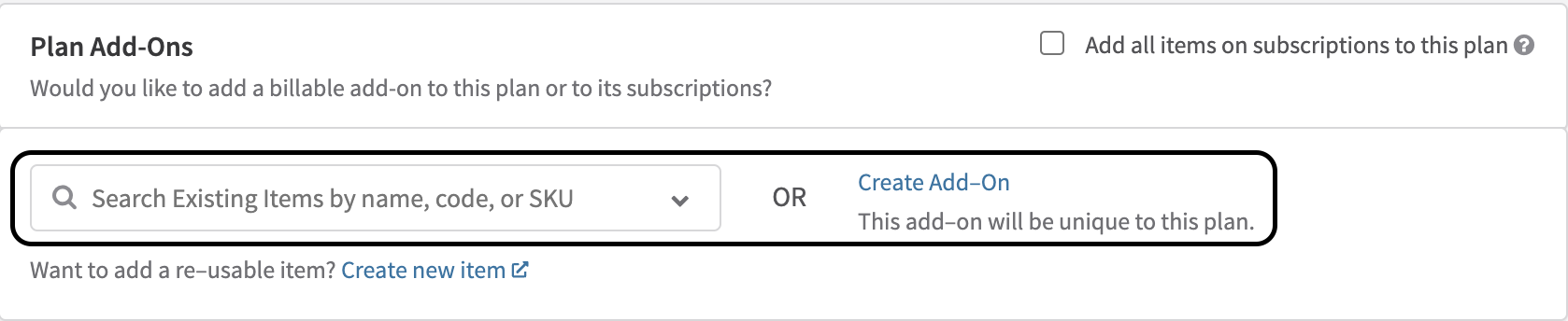
1

Create or open a plan

In your Recurly account, create a new plan or open an existing add-on you want to configure.

Plan creation screen in Recurly
2

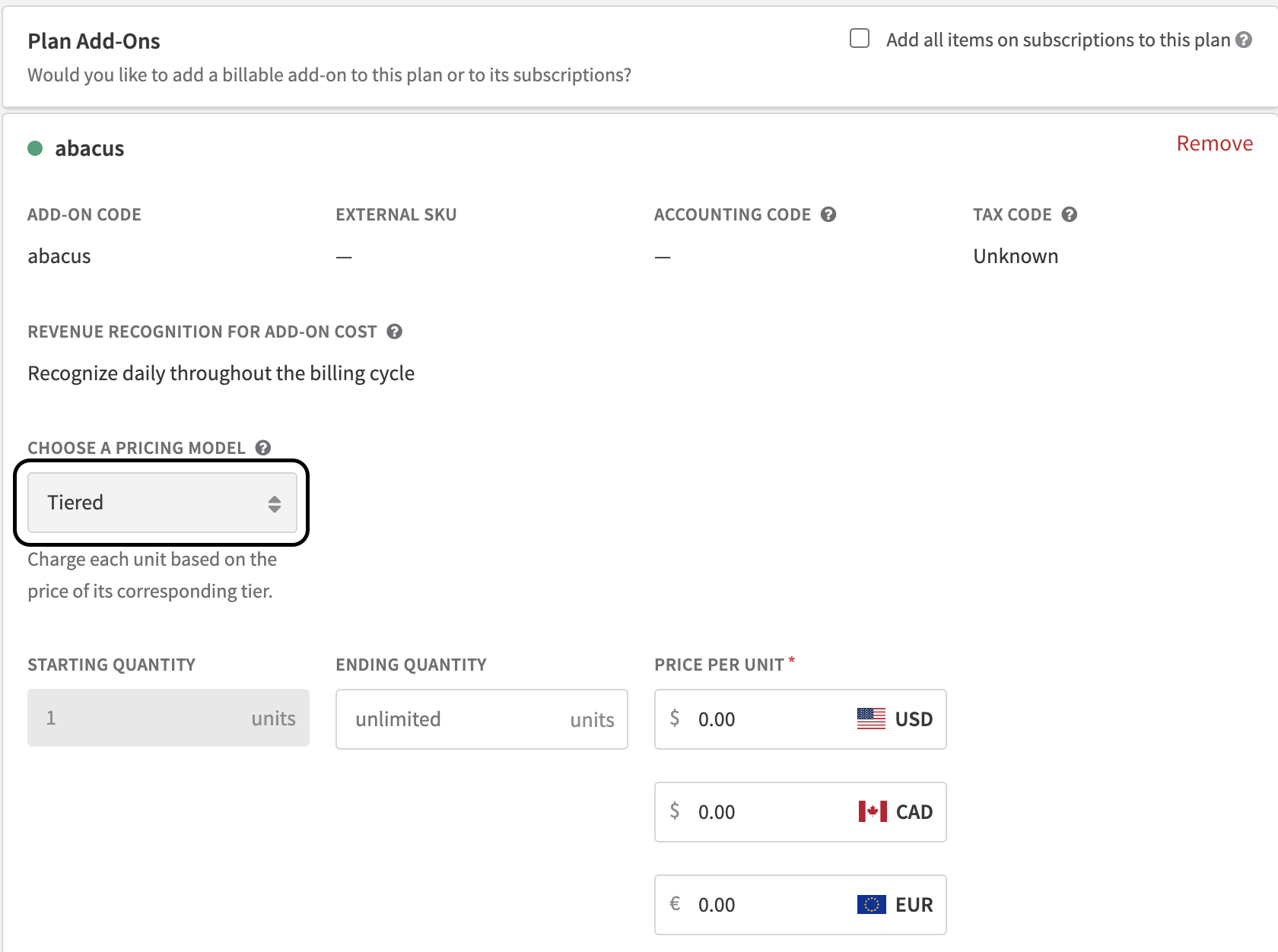
Select Tiered pricing

In the pricing model section, choose Tiered Pricing.

Tiered Pricing selected in the pricing model dropdown
3

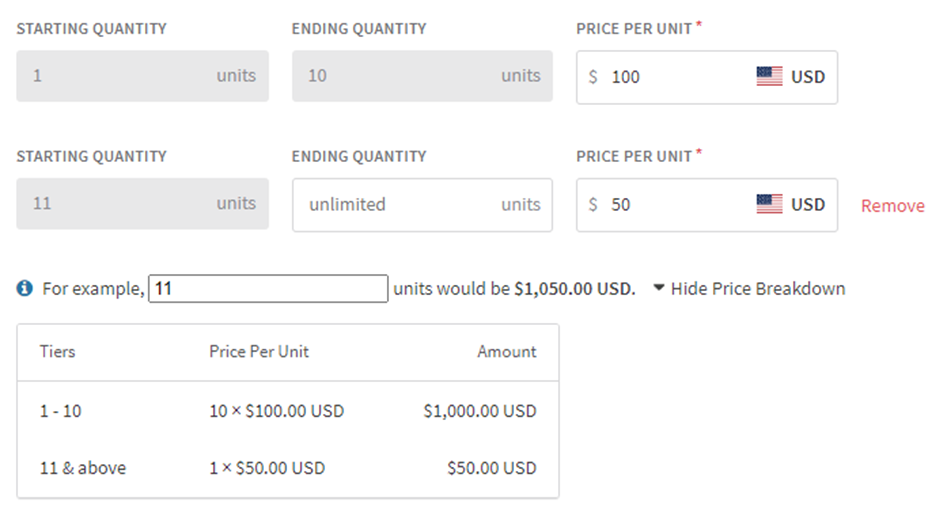
Define your tiers and prices

Set up each tier at the plan level, specifying the quantity threshold and per-unit rate for each.

Tier and price configuration fields
4

Assign the subscription quantity

Enter the quantity for the subscription add-on. Recurly will automatically calculate the correct total based on the tiers and quantity you've set.

5

Enable editable quantity (optional)

If you're using Recurly's Checkout or Hosted Payment Pages, check Editable Quantity to let subscribers choose their own quantity at signup.

Editable Quantity checkbox on the Hosted Payment Page configuration

Set up volume pricing

1

Create or open a plan

In your Recurly account, create a new plan or open an existing add-on you want to configure.

2

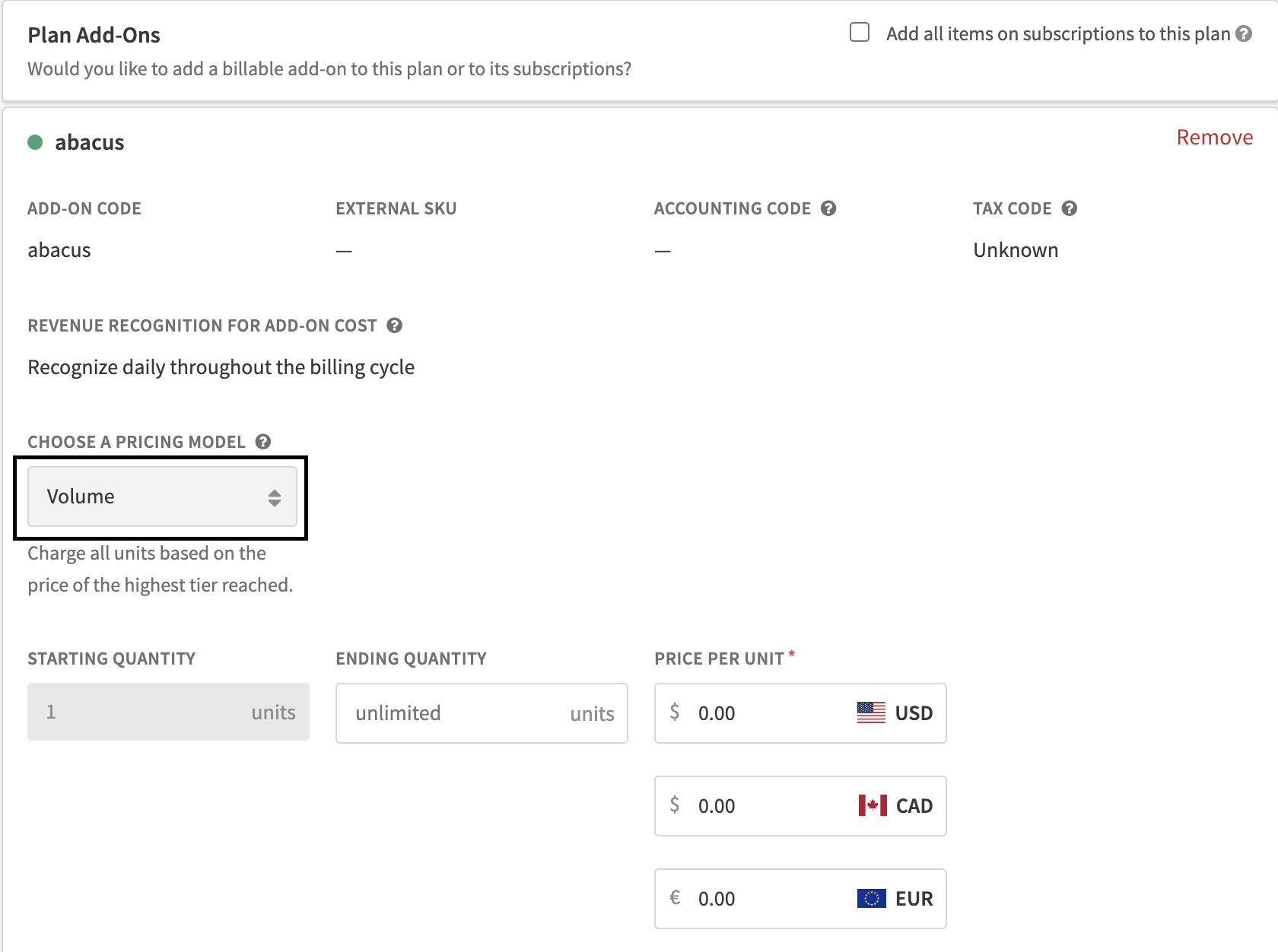
Select Volume pricing

In the pricing model section, choose Volume Pricing.

Volume Pricing selected in the pricing model dropdown
3

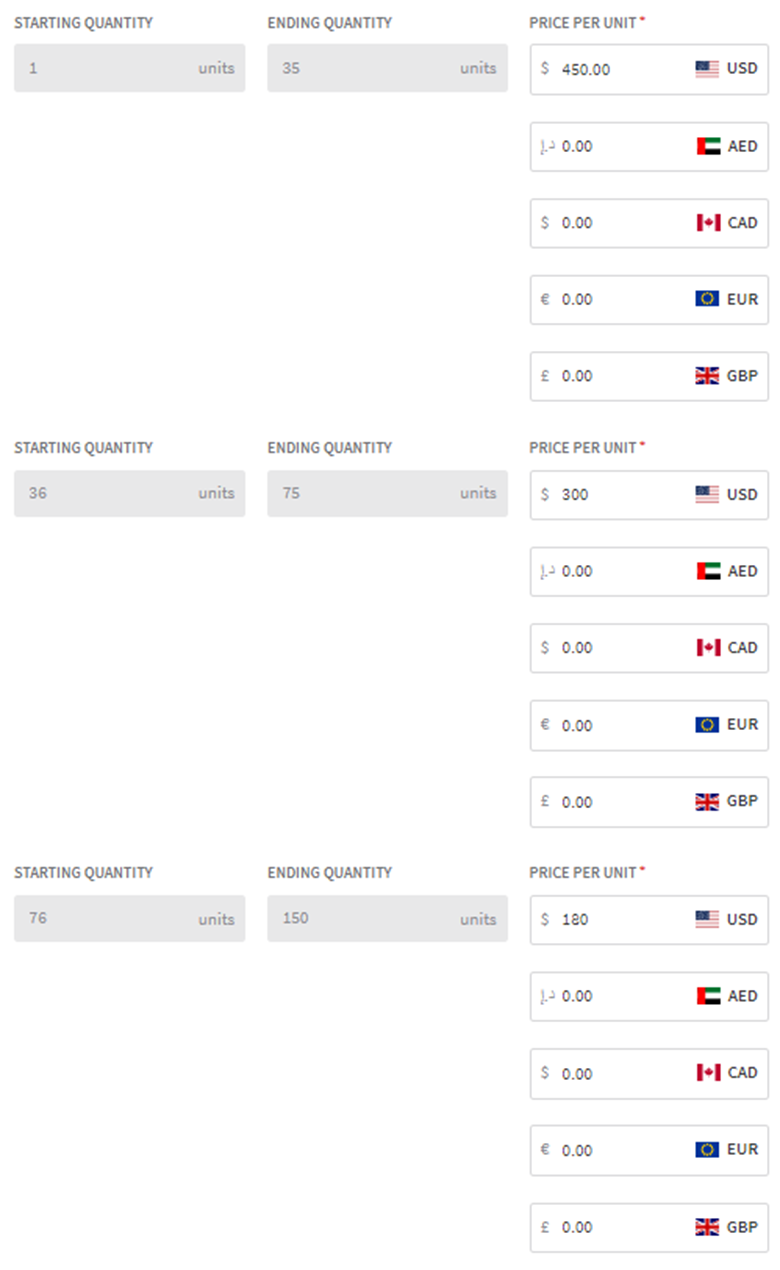
Configure volume ranges and costs

Define the quantity ranges and the per-unit rate for each. Higher volume ranges should have lower rates.

Volume range and cost configuration
4

Assign the subscription quantity

Enter the quantity for the subscription add-on. Recurly calculates the correct total by applying the rate of the highest tier reached to all units.

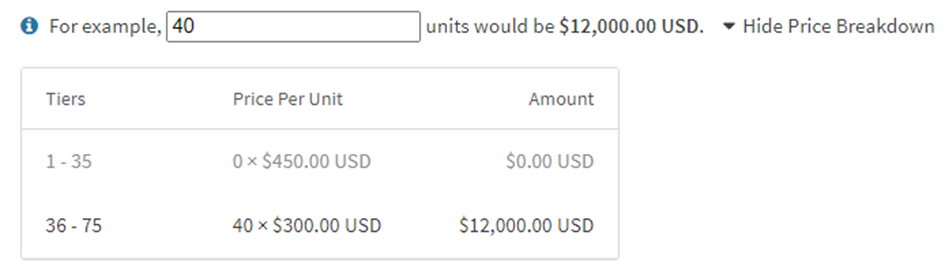
Subscription quantity assigned with calculated total
5

Enable editable quantity (optional)

If you're using Recurly's Checkout or Hosted Payment Pages, enable Editable Quantity to let subscribers select their quantity at signup.

Editable Quantity enabled on Hosted Payment Page

Set up stairstep pricing

1

Create or open a plan

In your Recurly account, create a new plan or open an existing add-on you want to configure.

2

Select Stairstep pricing

In the pricing model section, choose Stairstep Pricing.

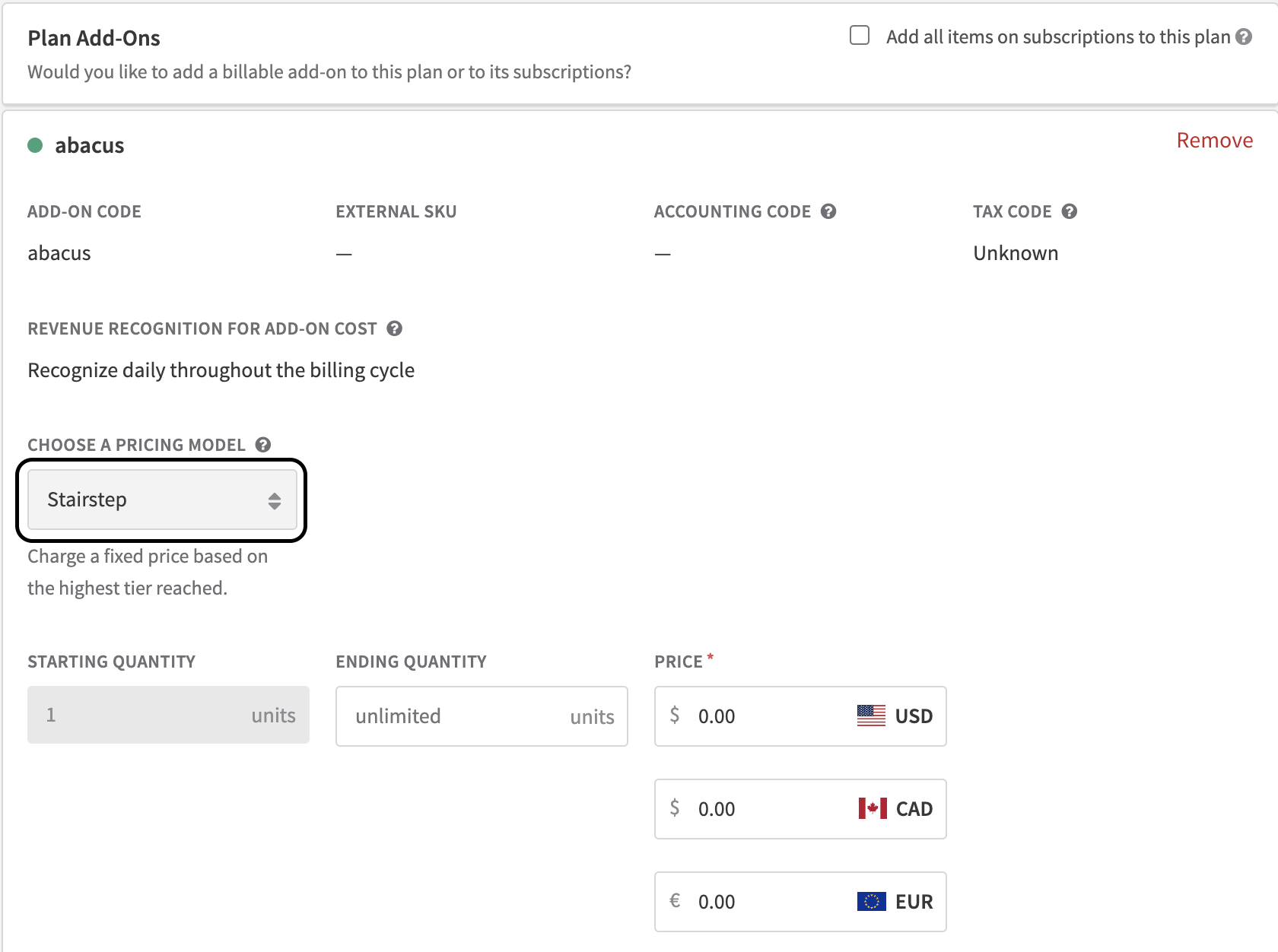
Stairstep Pricing selected in the pricing model dropdown
3

Define your ranges and flat rates

Set the starting and ending quantities for each step and assign the flat rate for that range. The rate stays consistent for any quantity within the step.

Stairstep range and flat rate configuration
4

Add more steps as needed

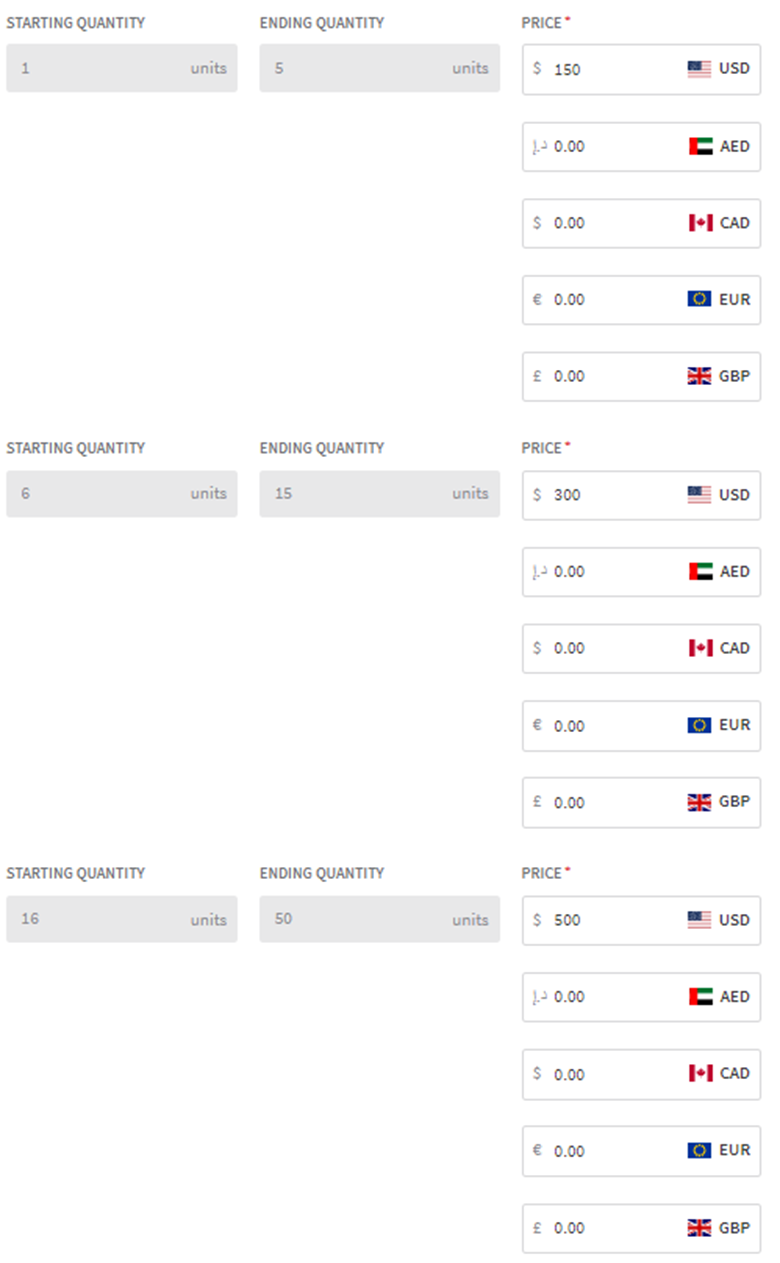
Add as many steps (tiers) as your pricing structure requires, adjusting the flat rate for each one. Recurly will automatically calculate the correct total based on which step the quantity falls into.

Multiple stairstep tiers configured
5

Enable editable quantity (optional)

If you're using Recurly's Checkout or Hosted Payment Pages, check Editable Quantity to let subscribers specify their quantity at signup.

Editable Quantity checkbox enabled on Hosted Payment Page