
One-time pricing
Recurly's one-time billing model lets merchants charge setup fees and sell non-recurring items alongside subscriptions — or as standalone purchases — using the item catalog.
One-time pricing gives you the flexibility to charge setup fees, sell standalone products, and add one-time items to any subscription — all managed through Recurly's item catalog.
Definition
Recurly's one-time billing model lets merchants charge a one-time fee — or sell non-recurring items — in addition to their regular subscription charges. It's also designed to support standalone purchases entirely outside of a subscription context. Whether you're a gym charging an equipment fee at signup, an IoT company bundling a device with an annual service plan, a web store selling exclusive items to subscribers, or a SaaS company invoicing flat fees for professional services, one-time pricing handles all of it through a single, consistent billing model.
Key benefits
Key details
One-time billing in Recurly is built on two capabilities: plan setup fees and the item catalog. Used together or independently, they cover the full range of one-time charge scenarios.
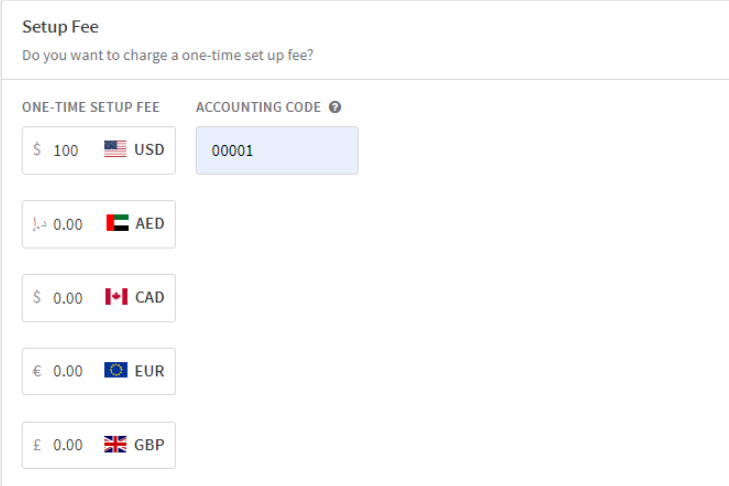
Setup fees are configured at the plan level and charged once at the time of subscription creation — ideal for activation fees, onboarding charges, or initial hardware costs.
Item catalog handles everything else: standalone products, add-on purchases, and any one-time item you want to sell to subscribers or non-subscribers alike. Each catalog item stores a default price and common attributes (SKU, accounting code, tax category) so you don't have to re-enter them at the point of sale.
Examples by industry
| Industry | One-time billing example |
| Web store | Rocksbox offers members the option to purchase additional jewelry from their web store — billed as a one-time charge alongside their subscription. |
| SaaS | TheHealthyBack charges a flat fee for professional services or one-time events through a purchase adjustment, not a recurring plan. |
Set up one-time billing
Create your items in the catalog
If your business sells one-time items, add them to Recurly's item catalog. For each item, set a default price and fill in any commonly used attributes — SKU, accounting code, and tax information. This makes it straightforward to sell items through the Recurly API or directly from the UI without re-entering product details each time.
Implement one-time purchases at checkout
In your checkout flow, create an adjustment on the customer's account for the product using the Purchases endpoint. This endpoint supports billing both recurring subscription charges and one-time purchases together in a single transaction — so your customers see one clean invoice.
Updated 4 months ago