
User lookup
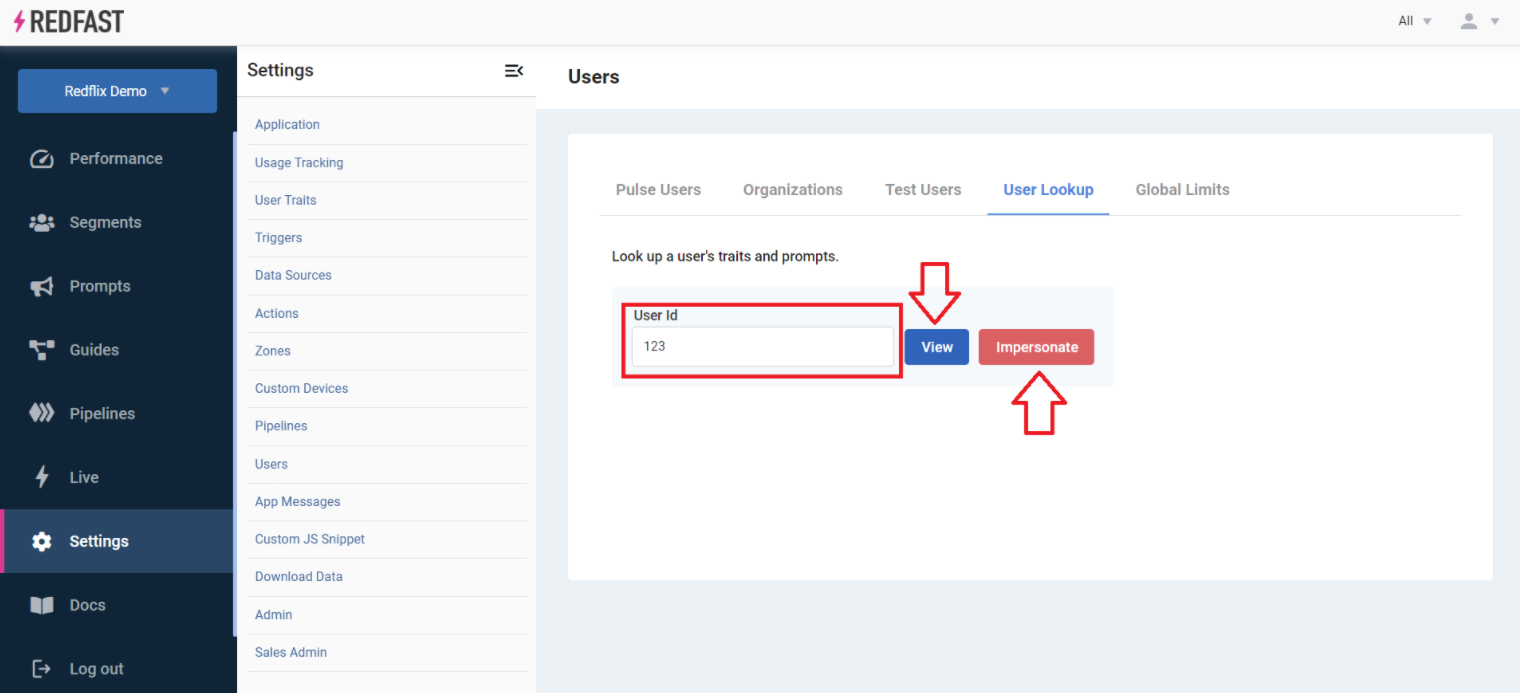
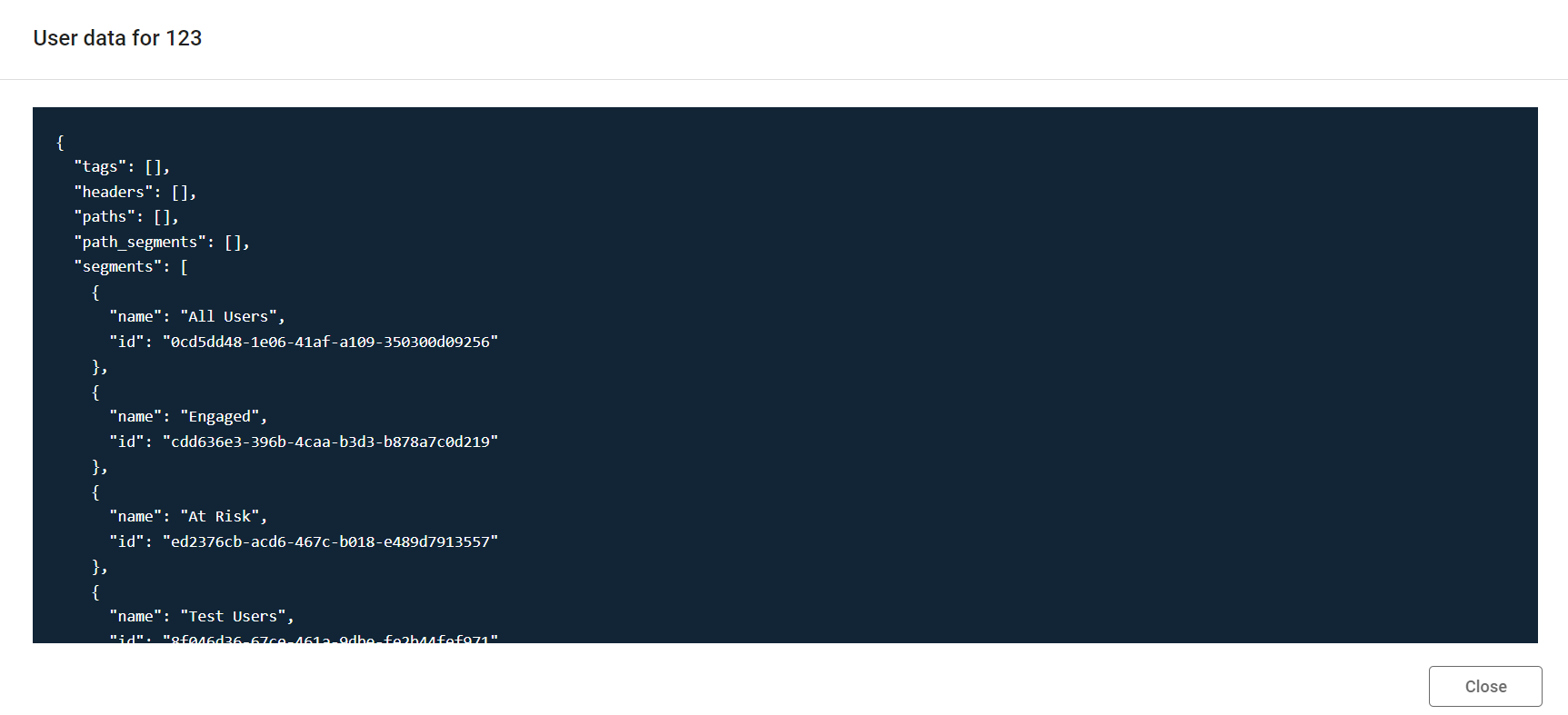
Configuration guide for the User Lookup tool, which enables you to troubleshoot individual users by viewing their traits and eligible prompts.
Something off with what one user is seeing? Use Lookup in Recurly Engage to check their traits, see which prompts they're eligible for, and impersonate them to replicate their experience.
Available on all Recurly Engage plans
Prerequisites
- You must have Company or App Administrator permissions in Engage.
Definition
The Lookup tool lets you check a specific user's traits and see which prompts they're eligible to see, which makes troubleshooting faster.
Key benefits
Quick troubleshooting
Instantly view a user’s attributes and active prompts to diagnose issues fast.
Live emulation
Impersonate any user in your environment to replicate their experience in real time.
Improved support
Provide targeted assistance by understanding exactly which prompts a user sees and why.
Key details
The Lookup tool lets you troubleshoot your users' experience with prompts by checking a specific user's traits and the prompts they're eligible to see.

Look up a user
1

Updated 23 days ago
Did this page help you?