
Overview: Performance
Overview of the Performance tab for monitoring prompt and guide metrics in Recurly Engage.
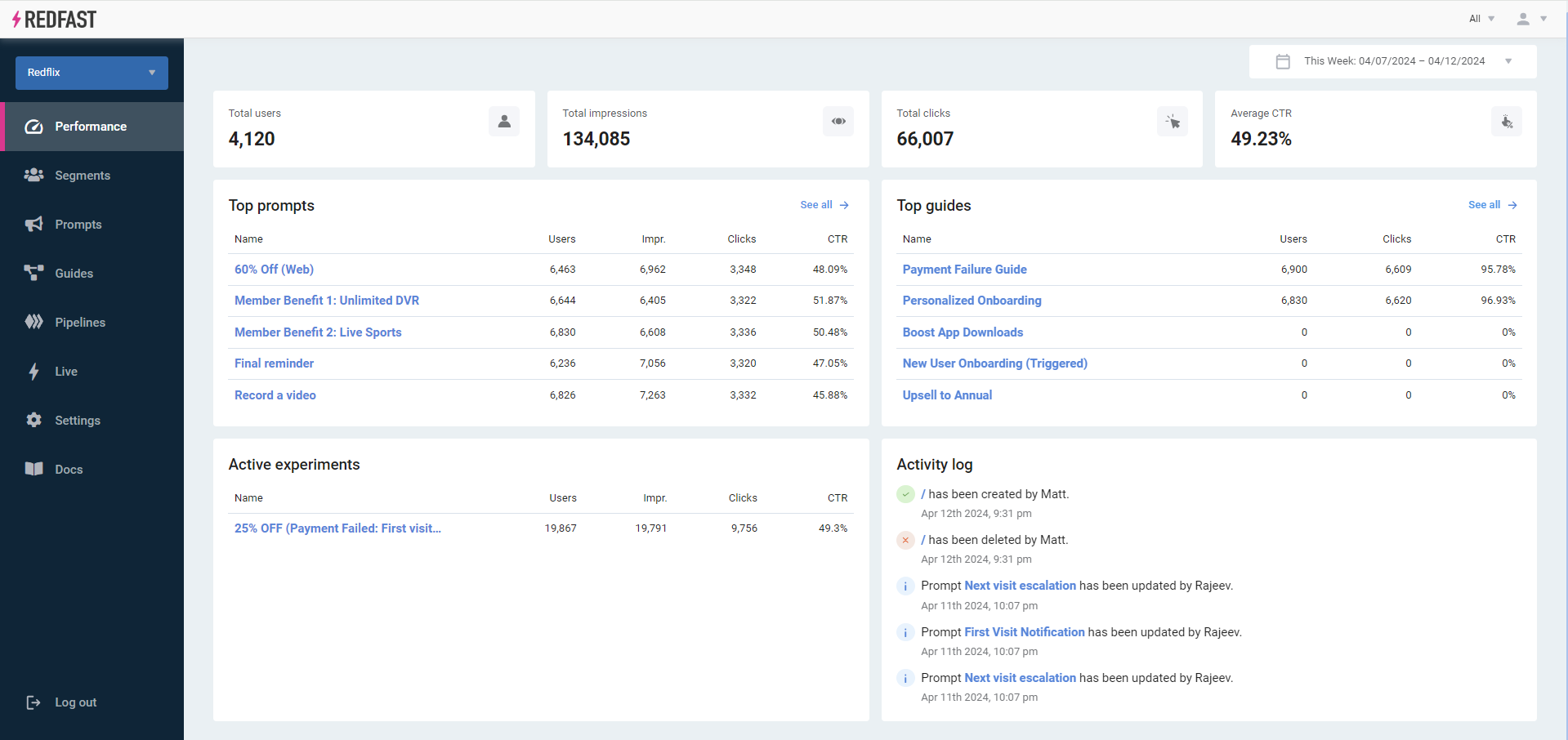
The Performance tab gives you a single view of how your Recurly Engage prompts, guides, and experiments are performing. Use it to track users, impressions, clicks, and click-through rate (CTR), and to see your top performers and recent activity.
Available on all Recurly Engage subscription plans
Prerequisites
- You must have Company, App Administrator, or App Member permissions in Recurly Engage.
Limitations
- Data reflects the selected date range.
- Historical data availability depends on your account's retention settings.
Definition
The Performance tab aggregates usage data (users, impressions, clicks, and conversions) across prompts, guides, and experiments, with insights into top performers and recent activity.
Key benefits
Holistic overview
Monitor total users, impressions, clicks, and average CTR at a glance.
Top performers
Identify your top five prompts and guides by engagement metrics.
Experiment insights
Track active experiments and their leading variations.
Activity log
Stay informed about recent changes to prompts, triggers, and actions.
Key details
By default, the Performance tab shows weekly statistics. To update the date range, select the date picker in the upper-right corner of the screen.
The tab includes:
- Total Users: Users who visited your site or app within the selected date range.
- Total Impressions: The number of times your prompts were displayed in that period.
- Total Clicks: The number of times users accepted prompts by clicking call-to-action (CTA) buttons.
- Average CTR: Clicks divided by impressions (click-through rate).
- Top 5 Prompts and Top 5 Guides: Ranked by performance, with high-level metrics for each.
- Active Experiments: Running A/B tests with the highest conversion counts.
- Activity Log: A timeline of recent updates to prompts, triggers, and actions.
Updated 23 days ago
Did this page help you?