
Dynamic variables
Configure and use dynamic variables (custom traits) within your prompts to deliver personalized messaging.
Overview
Required plan
This feature or setting is available to all customers on any Recurly Engage subscription plan.
Prerequisites & limitations
You must have Company, App Administrator, or App Member permissions in Recurly Engage.
Ensure custom traits are configured in User Traits.
Definition
Dynamic variables pull values from your configured custom traits and insert them into prompt copy, allowing per-user personalization without creating separate prompts.
Key benefits
- Personalized greetings: Address customers by name or status (e.g., “Hello Steve”).
- Contextual details: Show member tenure or plan info (e.g., “Member since January 2018”).
- Flexible use: Insert any trait multiple times in titles or messages for maximum relevance.
Key details
- Dynamic variables use your custom traits to fill prompt fields at render time.
- Add variables via the + Insert Variable link when designing a prompt.
- Supported in both Title and Message fields—use as many as needed.
Guide
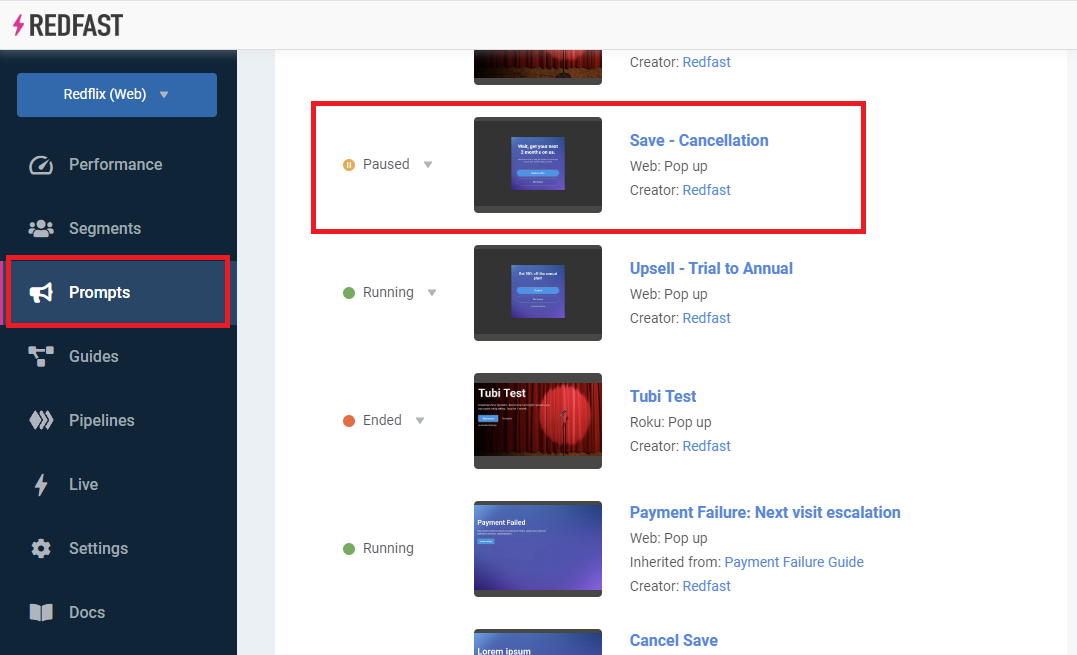
- Navigate to Prompts and select the prompt you wish to personalize.
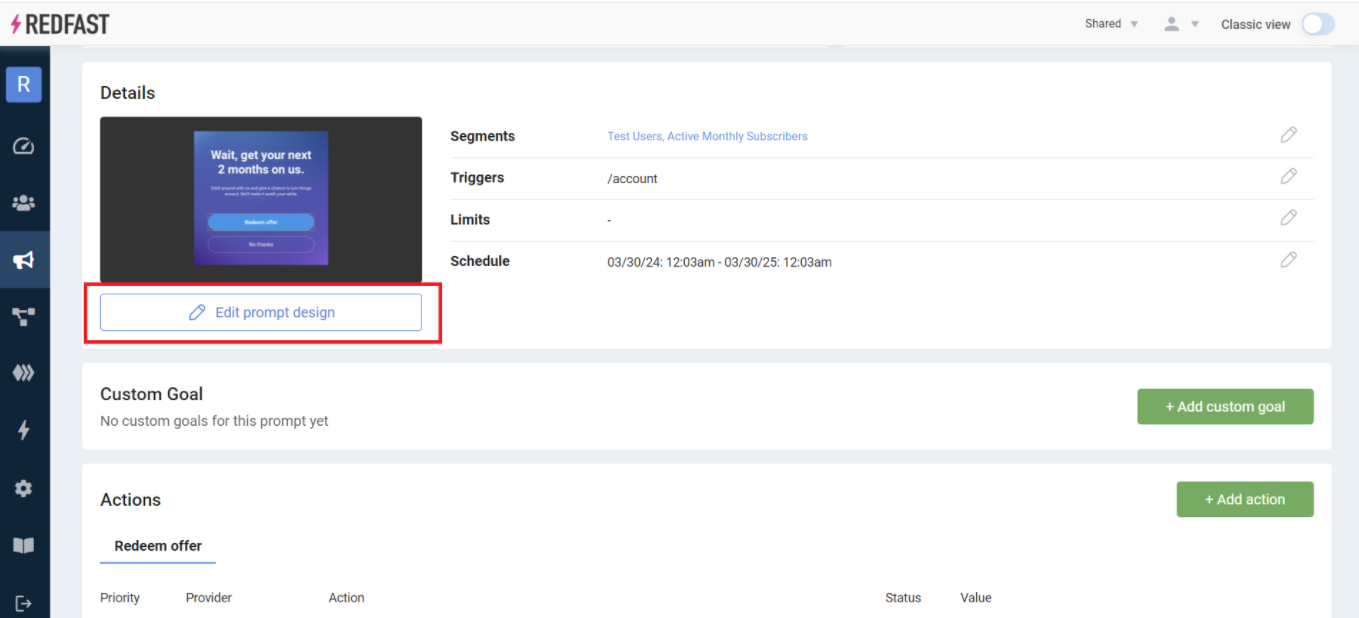
- Click Edit prompt design to open the editor.
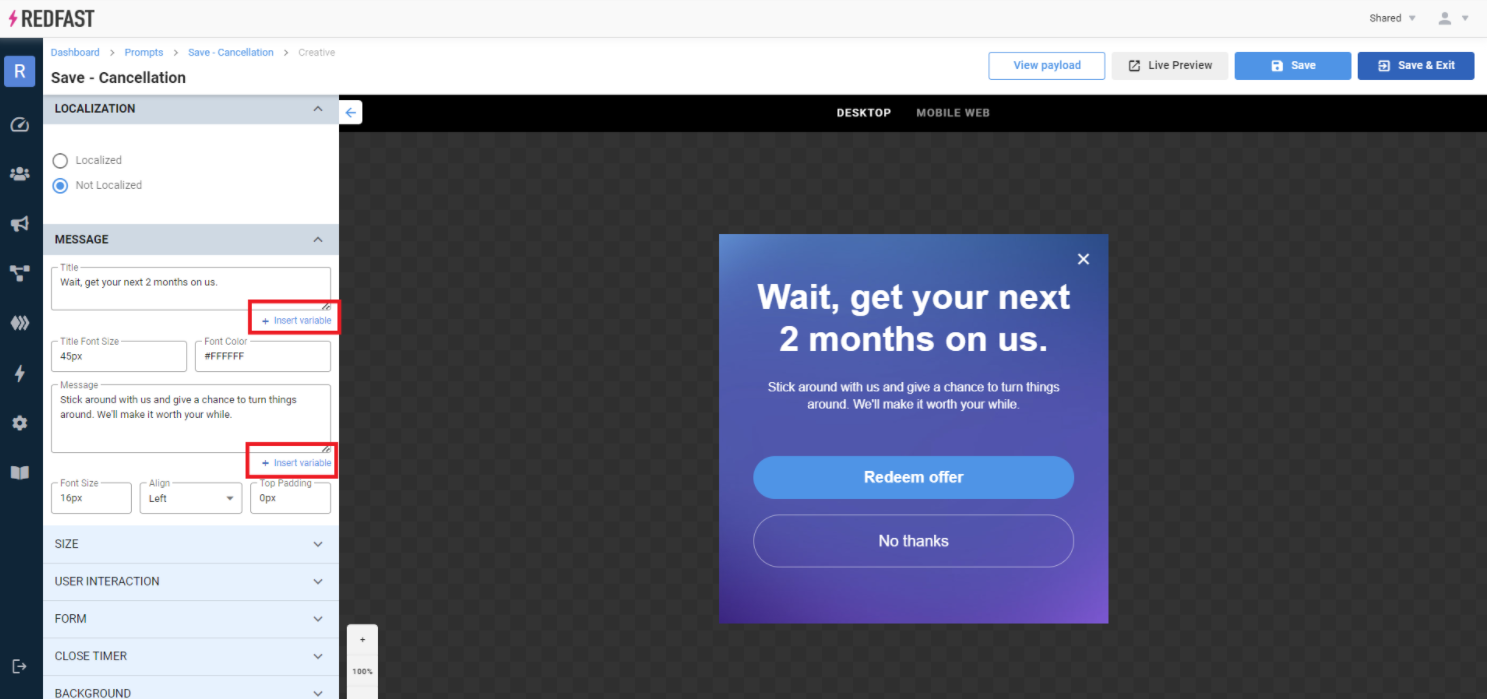
- Click the Insert variable link near the Title or Message field.
- Choose Dynamic variables from the options.
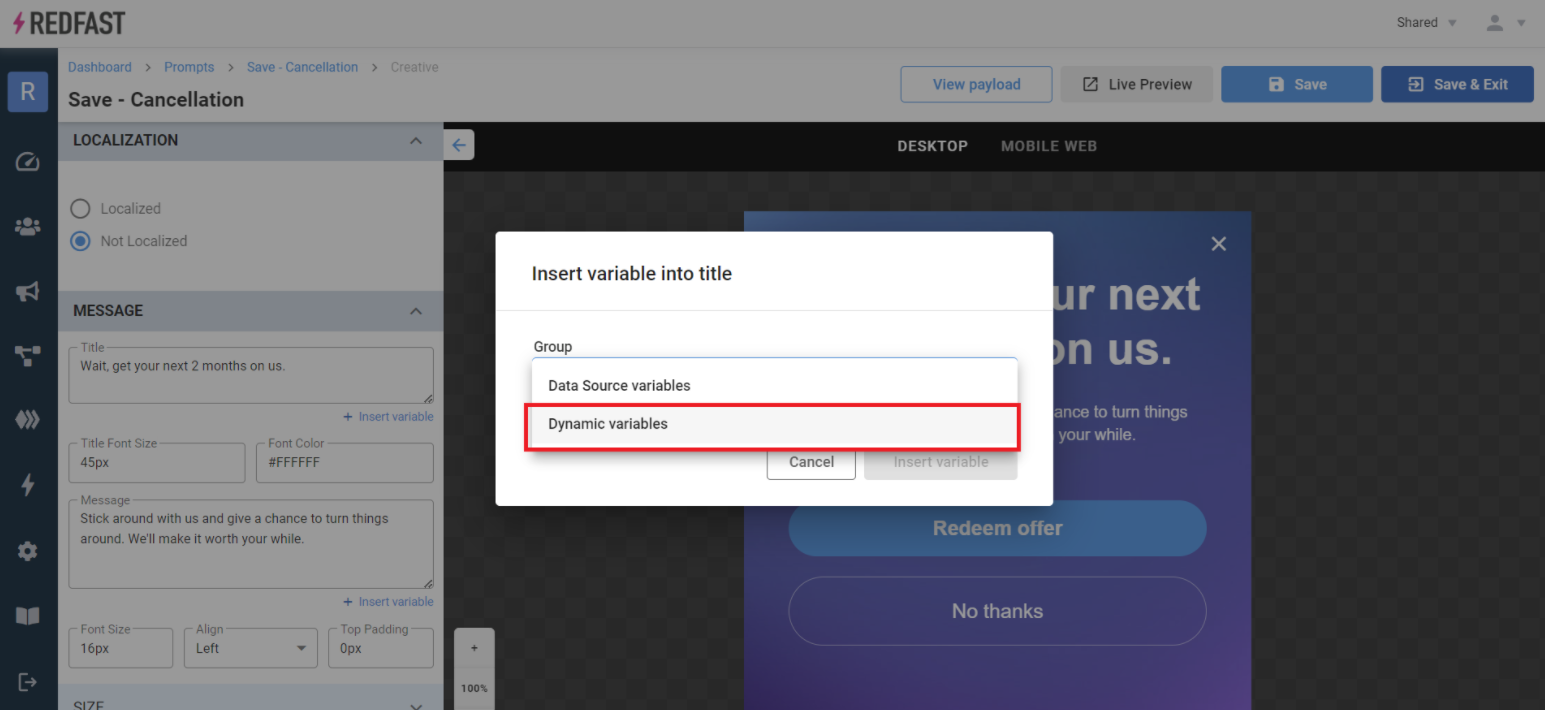
- Open the dropdown and select the desired trait variable.
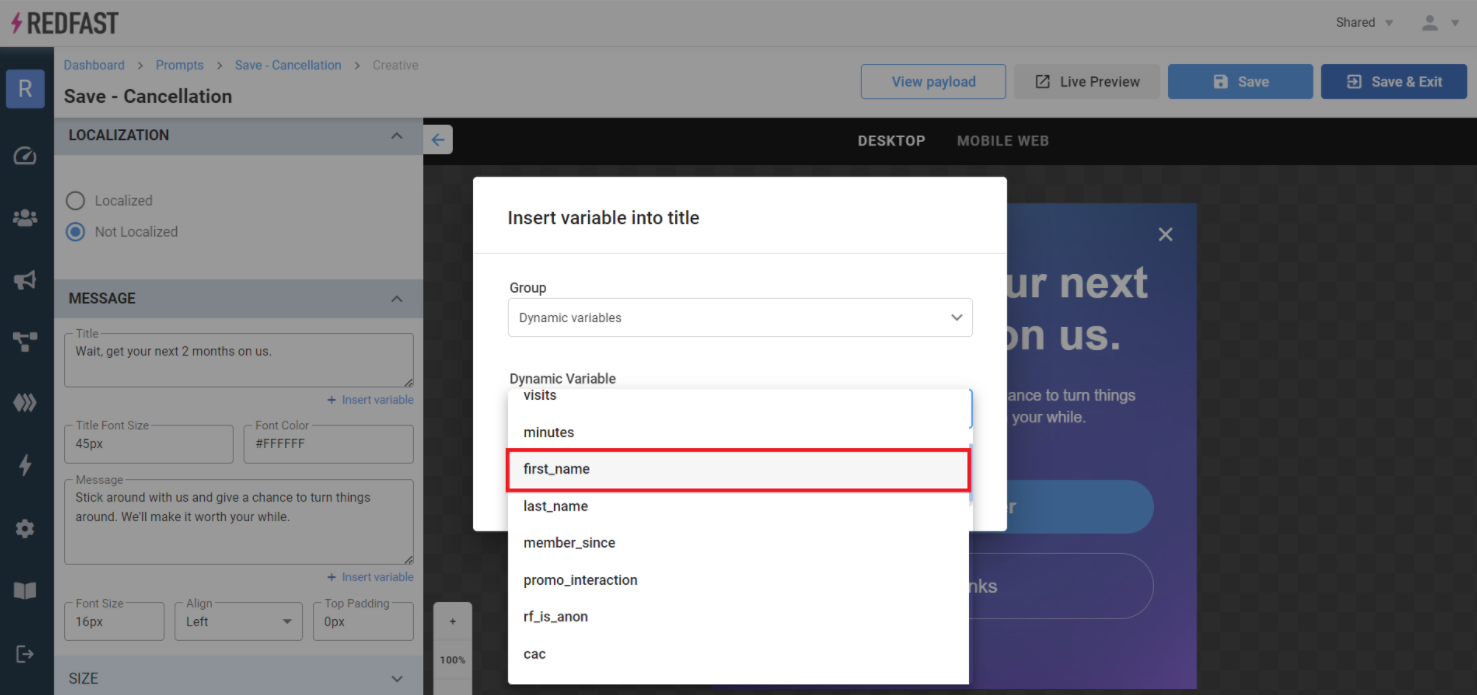
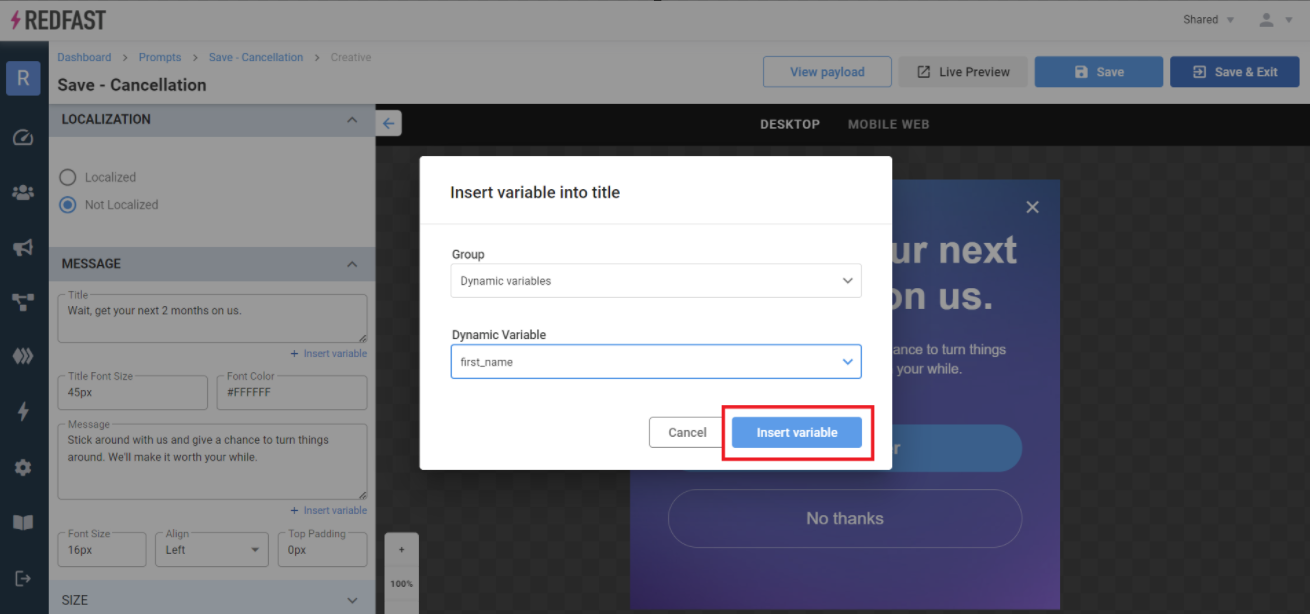
- Click Insert variable to add it to your copy.
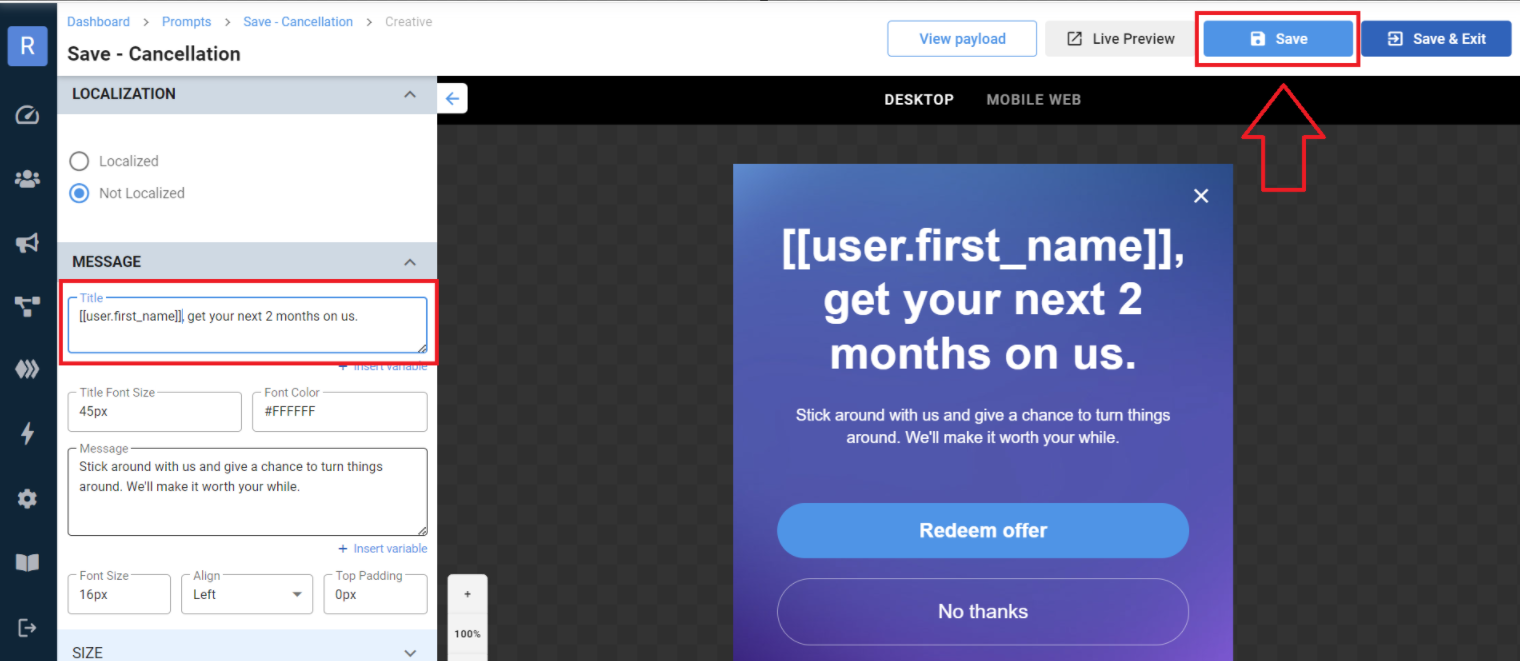
- Verify placement in the Title or Message, then click Save to apply your changes.
Updated over 1 year ago
Did this page help you?