
Creating a prompt with custom dimensions
Configuration guide for setting custom dimensions on Recurly Engage prompts using Custom CSS.
Set the exact width and height of a Recurly Engage prompt. Add a short Cascading Style Sheets (CSS) rule in the prompt Editor to override the default size.
Available on all Recurly plans
How can I create a prompt with custom dimensions?
You can override the default size by adding CSS rules in the Custom CSS section of the prompt Editor. For example, to set a popup to 550 × 420 pixels:
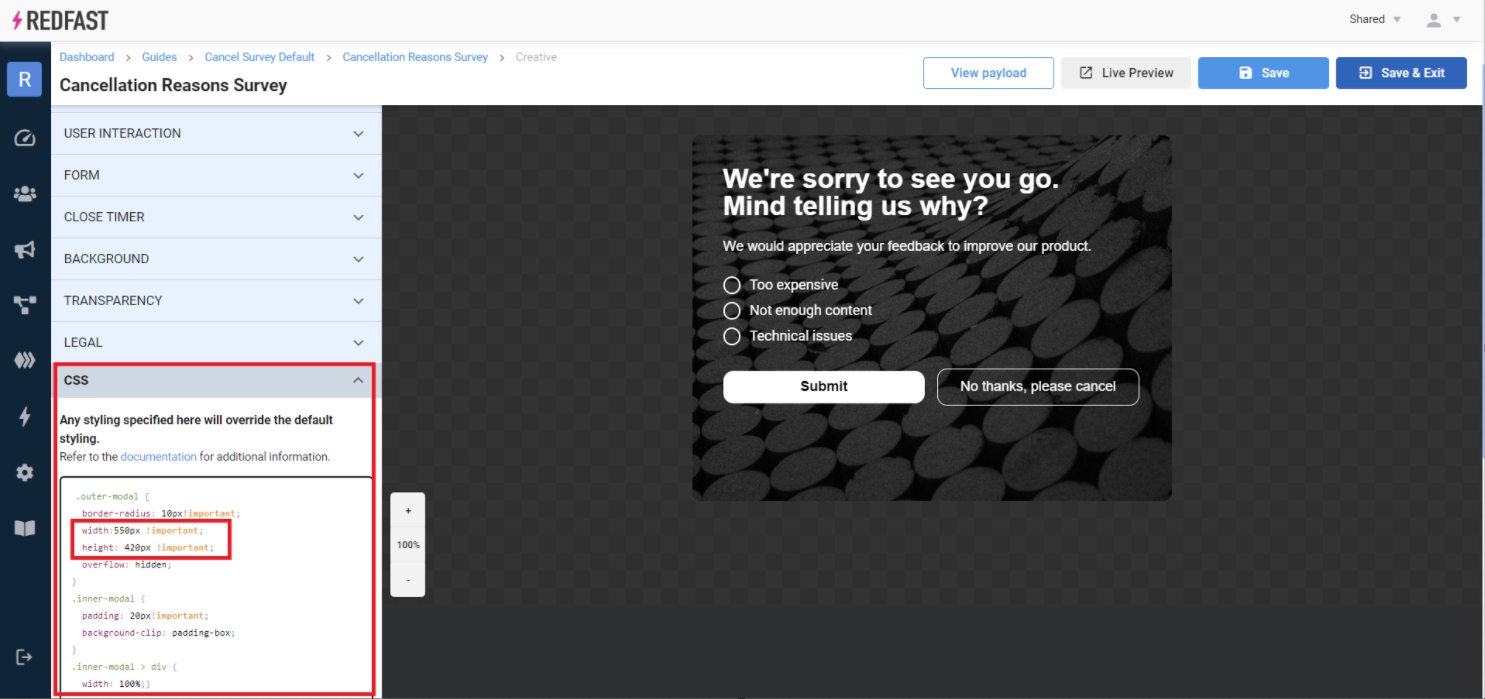
.outer-modal {
  width: 550px !important;
  height: 420px !important;
} ImportantUse
!important to ensure your dimensions take precedence over default styles. TipTest in Live Preview to verify your custom sizing behaves correctly across devices.
Updated 23 days ago
Did this page help you?