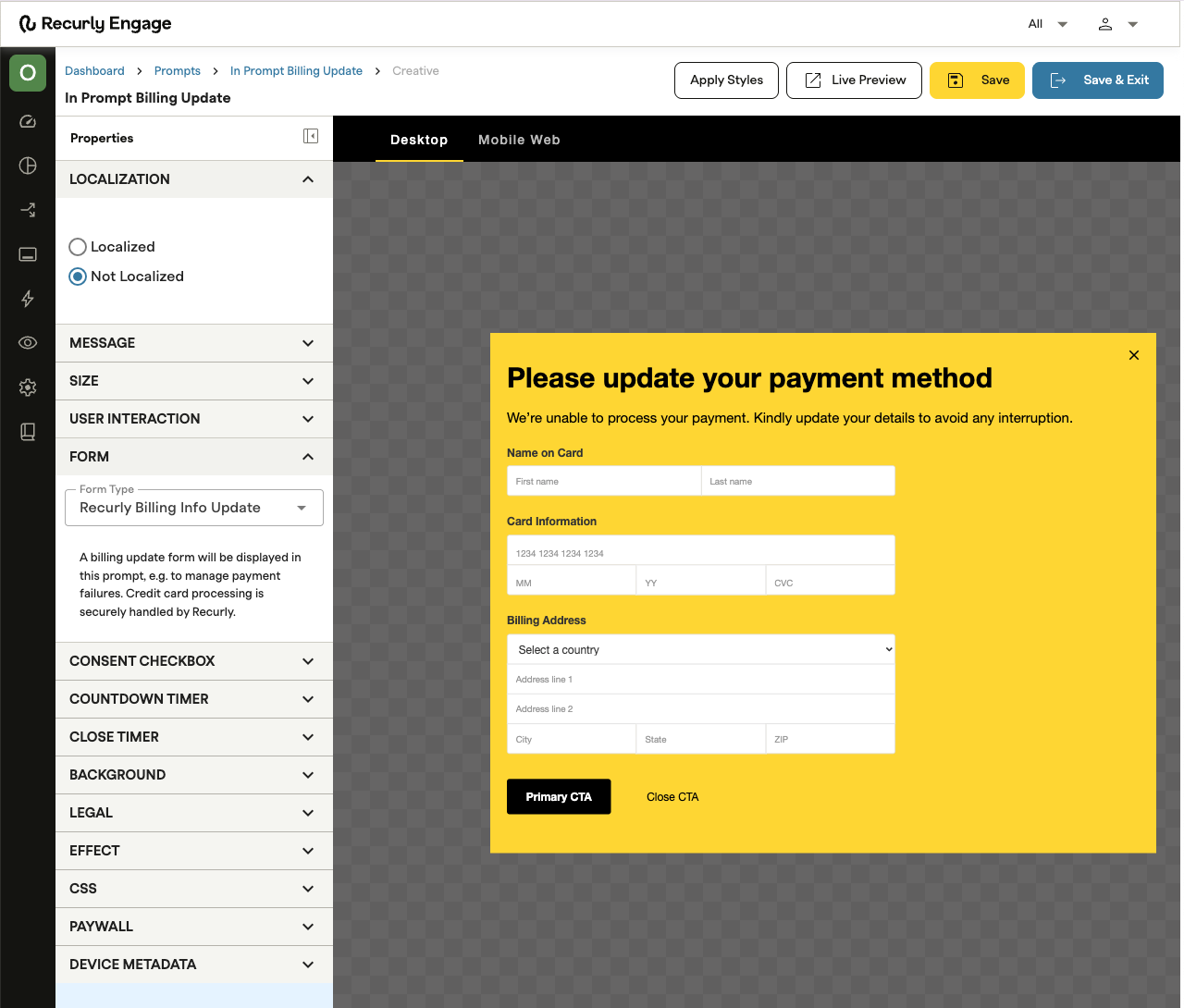
In-Prompt Billing lets your customers update their payment information without ever leaving the page they're on—no separate billing portal, no redirect. Under the hood, it uses Recurly.js to tokenize sensitive payment data client-side, keeping your integration PCI DSS compliant with no extra overhead. It fits naturally into your existing prompt workflows and can be triggered by events like a failed payment or an upcoming renewal.
Available on all Recurly Engage plans
In-Prompt Billing is a Recurly Engage feature that surfaces a payment update form inline, inside a prompt or modal within your application, instead of sending customers to a separate billing portal.
Fewer drop-offsKeeping customers in context during a payment update removes friction and reduces the chance they abandon the process mid-flow.
Faster updatesBilling fields are surfaced inline—customers can update their card in seconds, without a page redirect.
PCI DSS compliance, built inPayment data is captured and tokenized client-side via Recurly.js, so sensitive card information never touches your servers.
Fits your existing UIThe payment form supports your prompt's Custom CSS configuration, so it inherits your existing styles with no extra work.
Prefilled for convenienceExisting billing name and address details are pre-populated where possible, so customers only need to enter updated card information.
1
In-Prompt Billing requires JWT (JSON Web Token) signing as part of the integration to protect your customers' billing information.
Before any billing update is processed, your backend generates a signed JWT using a shared secret provided by Recurly Engage. This token passes through the Brig SDK and is validated server-side, so only authenticated users can initiate a billing info update. Boilerplate implementation code is provided to make this straightforward—contact your Customer Success Manager to get your JWT signing configured.
2
Create a new prompt, open the Recurly Engage creative editor, and set the Form Type to Billing Info Update. This option is available for merchants who have already integrated with Recurly Subscriptions.
Best practiceSet "Show prompt again" to after 1 day so customers who dismiss the prompt without completing their update are reminded the following day.
3
In-Prompt Billing prompts work best when surfaced in response to a billing event—for example, a failed payment or an expiring card.
Tie prompt delivery to Recurly's dunning event webhooks so customers see the update request at the most relevant moment.
4
When the prompt appears, the customer sees a secure payment form powered by Recurly.js, with their existing billing name and address prefilled where available. If they need to update those details, they can expand the form to do so.
Once they submit, the new payment information is tokenized client-side and sent to Recurly's API to update their billing profile. The customer sees your configured confirmation message, and the prompt closes automatically.