
mParticle
Integration guide for capturing Recurly Engage prompt interactions as custom events in mParticle via Custom Feed.
The mParticle connector lets you export prompt events and attributes from Recurly Engage to your mParticle workspace, so you can track user activity across platforms in one place.
Available on all Recurly Engage subscription plans
Prerequisites
- You must have Company or App Administrator permissions in Recurly Engage.
- You must have an mParticle account with permissions to create Custom Feeds.
- You must have access to your mParticle workspace's Server Key and Secret.
Definition
Using mParticle's Custom Feed integration, Recurly Engage sends prompt interaction events and related attributes to mParticle for real-time analytics and segmentation.
Key benefits
Streamlined event export
Automatically push Recurly Engage events into mParticle without custom coding.
Unified user data
Use mParticle's identity resolution and data pipeline for prompt events.
Real-time insights
View prompt impressions, clicks, and custom goals alongside all other mParticle-tracked events.
Key details
Activate the integration

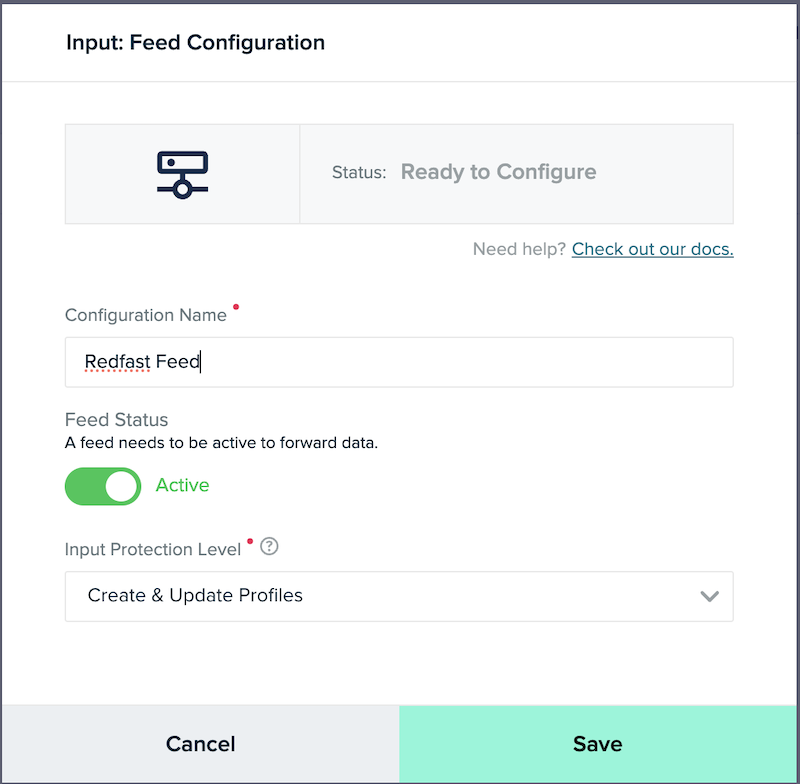
3
Share the feed details
Provide a Configuration Name, and then share the Server Key, Server Secret, and API Endpoint with your Recurly Engage Customer Success Manager or [email protected].
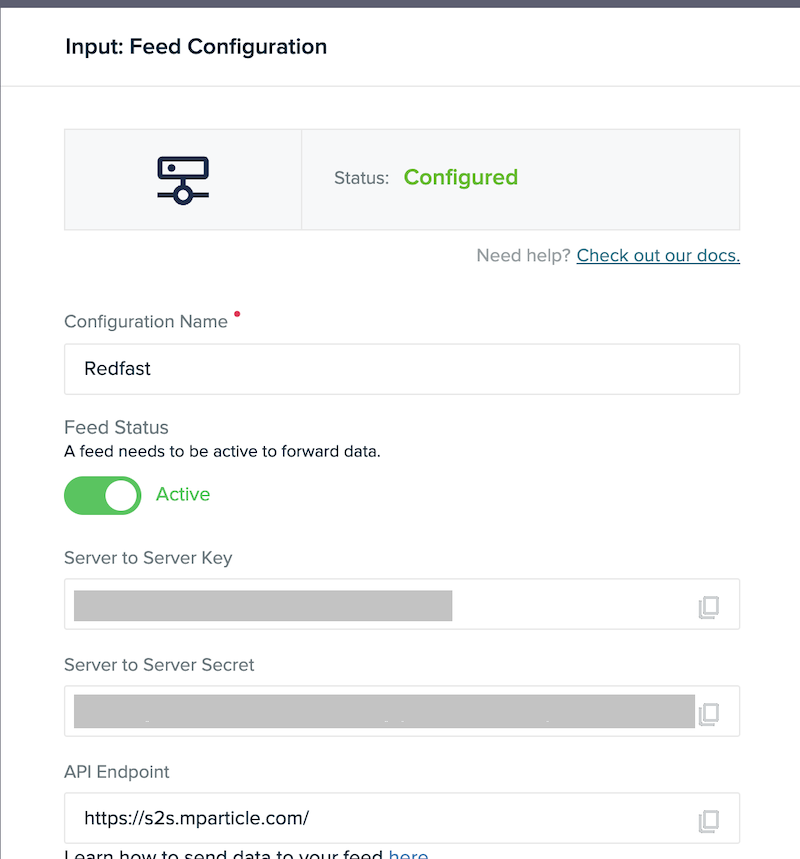
Required settings
Under Settings → Integrations → External → mParticle in Recurly Engage, configure:
- Base API Endpoint (including the mParticle Pod)
- Server Key
- Server Secret
- Mode: Production or Development
Supported actions
| Action | Description |
| Export Events | Reports custom events with user-specific prompt interactions and attributes |
Custom events and attributes
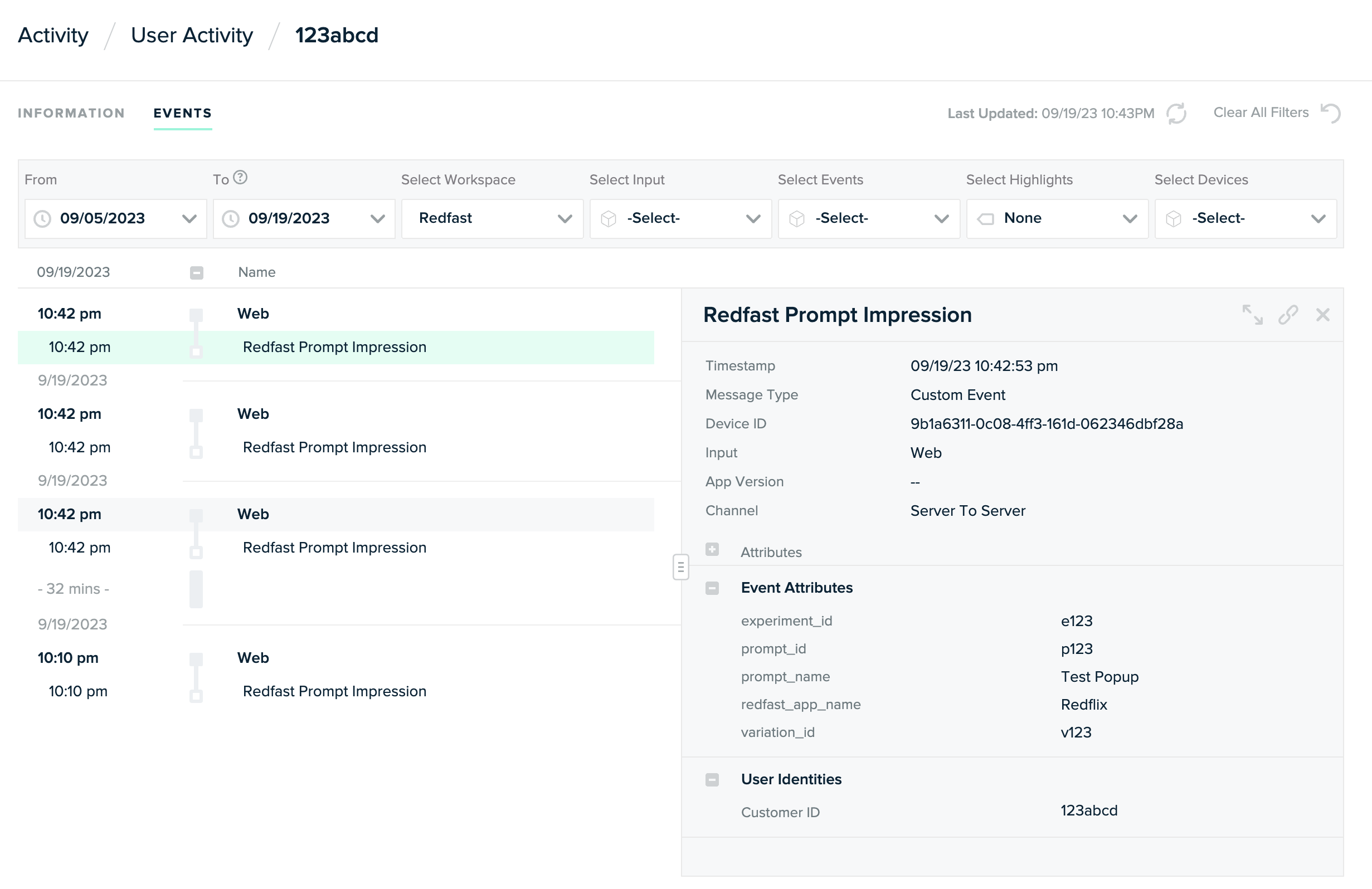
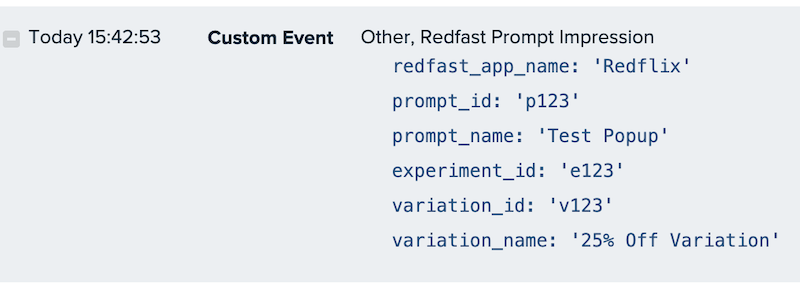
After activation, mParticle receives the following custom events, tagged to the user's identity and visible in the User Activity screen:
| Custom event | Description |
| Recurly Engage Prompt Impression | A user has seen the prompt |
| Recurly Engage Prompt Dismiss | A user has dismissed the prompt by clicking close or outside (if enabled) |
| Recurly Engage Prompt Timeout | The prompt closed automatically due to a timer |
| Recurly Engage Prompt Decline | A user declined the prompt by clicking the decline button |
| Recurly Engage Prompt Click | A user accepted the prompt using the primary call-to-action (CTA) |
| Recurly Engage Prompt Custom Goal | A user completed the custom goal action defined for the prompt |
These attributes are sent with each event (when available):
| Custom attribute | Description |
app_name | The name of your Recurly Engage instance in Pulse |
prompt_id | Unique prompt identifier (from Details) |
prompt_name | The name of the prompt |
experiment_id | Unique experiment identifier (if the prompt is part of an A/B test) |
experiment_name | Name of the running experiment |
variation_id | Identifier for the specific prompt variation |
variation_name | Name of that prompt variation |
survey_value | Value of selected survey option (if survey is enabled on the prompt) |
Additional resources
Updated about 1 month ago
Did this page help you?