Segment
Configuration guide for syncing Segment traits into Recurly Engage via Segment Unify or Amazon Lambda
Overview
Required plan
This feature or setting is available to all customers on any Recurly Engage subscription plan.
Prerequisites & limitations
Access to your Segment workspace with permission to add destinations.
Access to your Segment Unify space with permission to retrieve Unify Access Token and Space ID.
Definition
By setting up an integration to Segment Unify or by routing Segment events to an AWS Lambda Destination, Recurly Engage syncs each user's traits as they arrive on your site, enabling you to target prompts based on all profile data available within your Segment account.
Key benefits
- No additional instrumentation: Leverage your existing Segment calls—no new SDKs or code changes required.
- Real-time targeting: Segment events can be available in Recurly Engage within minutes for immediate prompt personalization.
- Flexible trait mapping: Sync any profile trait without rebuilding your analytics stack.
Key details
Setup Segment Unify Sync
If you utilize Segment Unify (formerly known as Profiles), Recurly Engage can automatically sync traits when a user starts a new session on your site or app.
Within your Segment console:
- Click on the Unify tab in the left nav
- Select the space that should be synced (i.e. production or staging)
- Click on Unify Settings in the subnav
- Select API Access
- Note the Space ID
- If an access token has not yet been created, click on Generate Token and assign a name (i.e. Recurly Engage Token). Save the token as it will be displayed only once
- Copy over the Unify Access Token and Unify Space ID within the Pulse Settings > Integrations > Segment modal and reach out to your CSM to activate this functionality.
Newly synced traits will appear on the Settings > User Traits screen 5-10 minutes after syncing has commenced.
Setup Amazon Lambda Destination
As an alternative to integrating with Segment Unify, you may setup an Amazon Lambda destination for events processed by Segment. "Identify" events will trigger a real-time sync of the associated user traits to Recurly Engage.
Setup instructions:
-
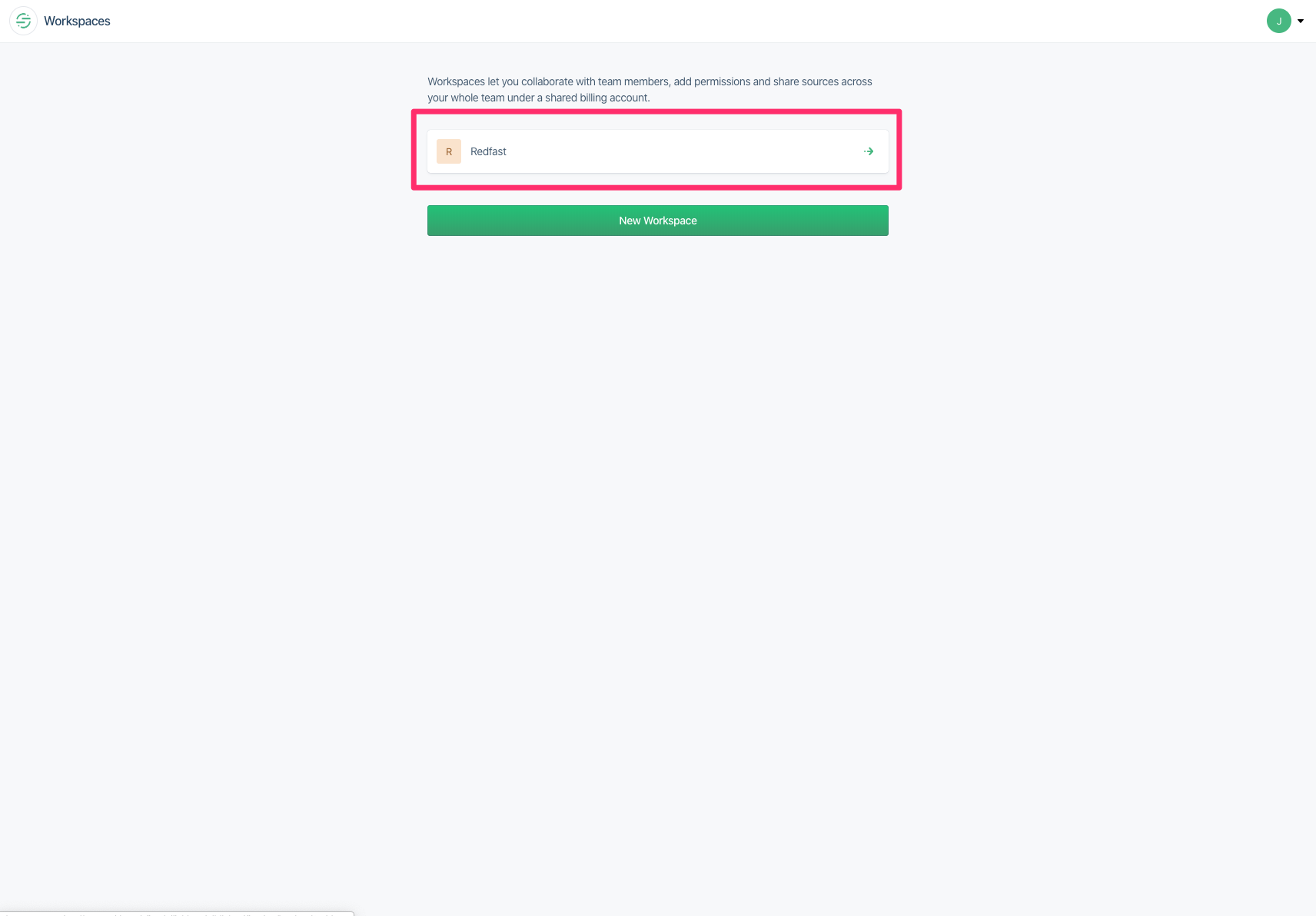
Login to Segment.
-
Go to the correct app workspace.
-
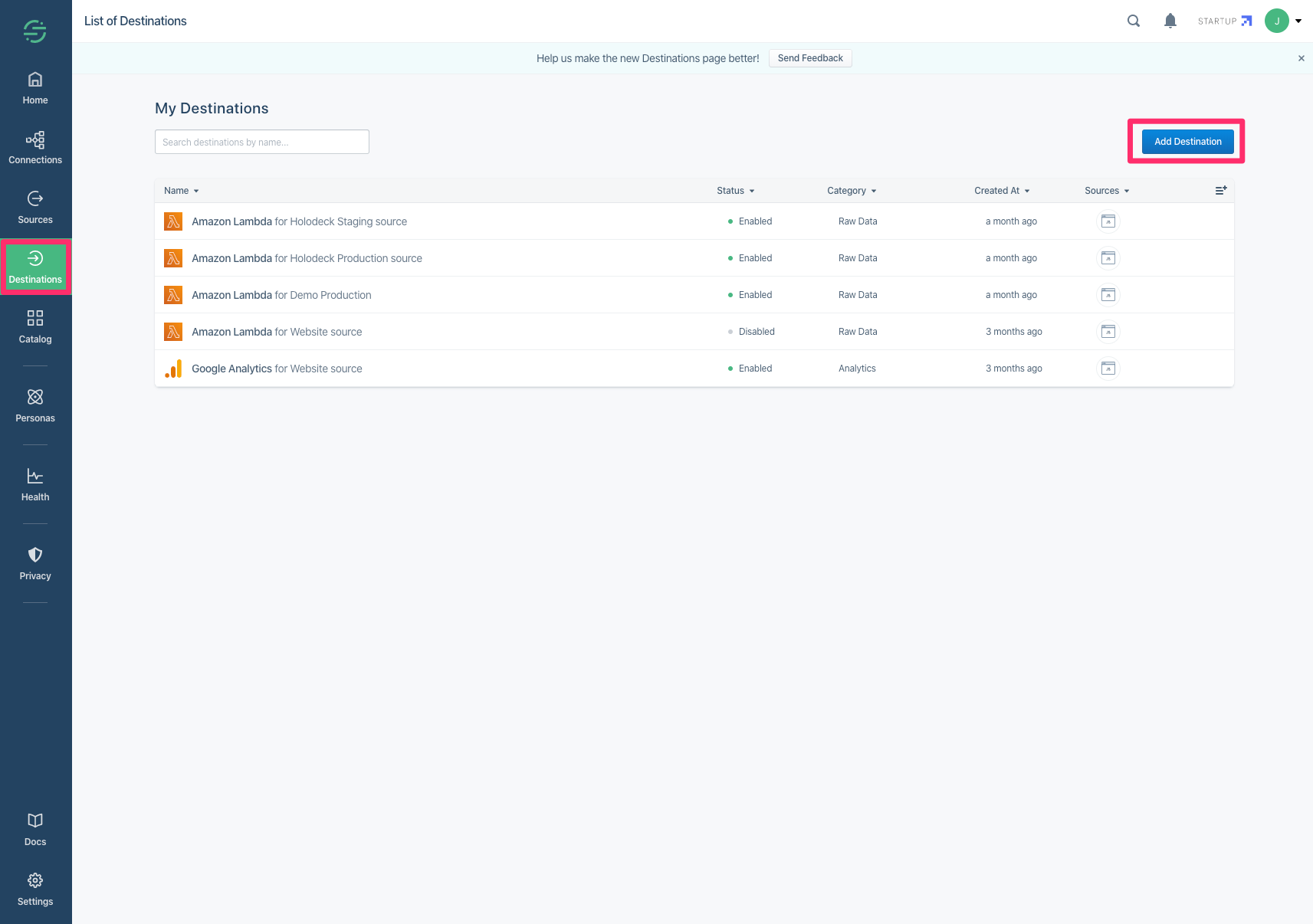
Add a new destination.
-
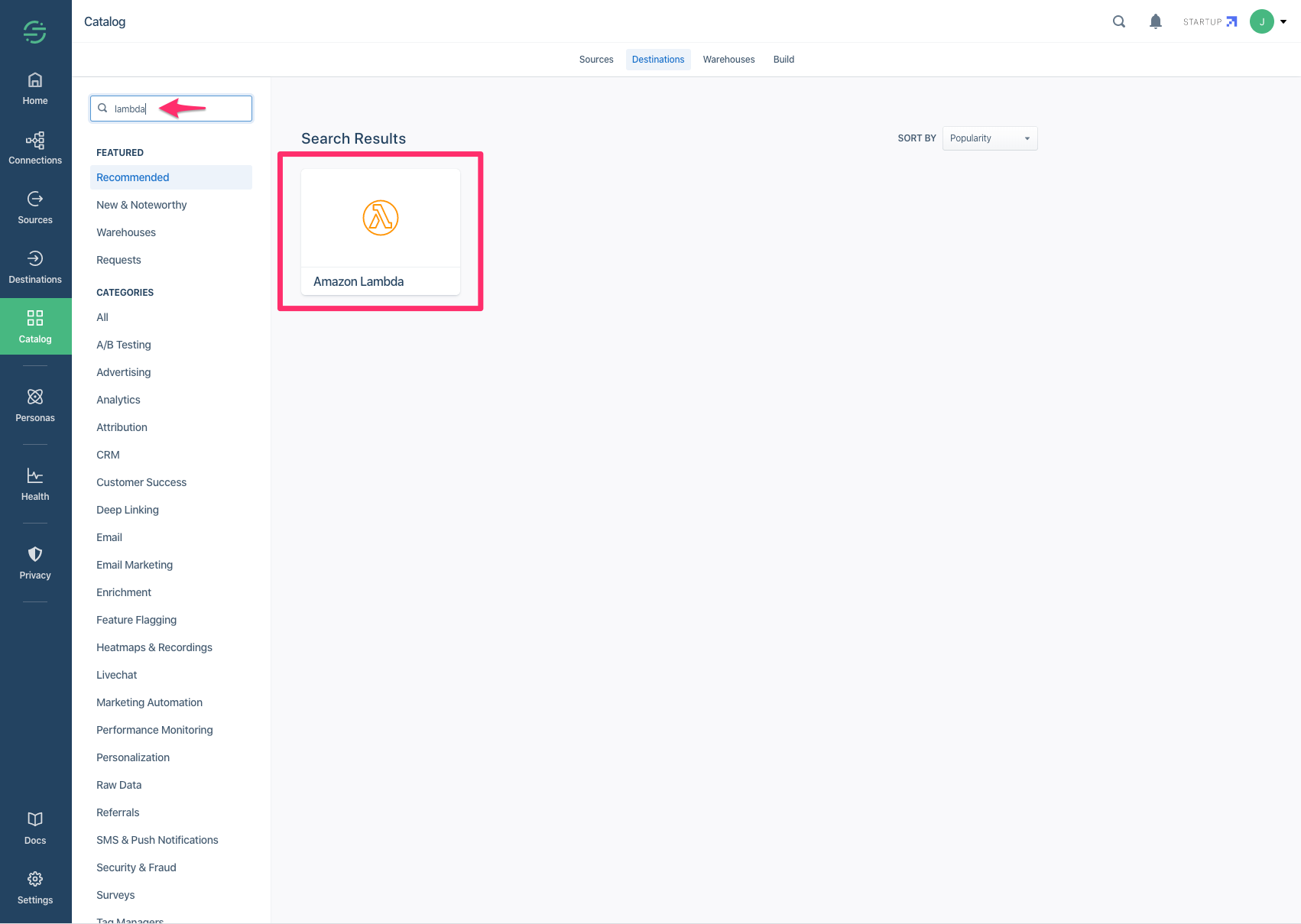
Type lambda in the search box and click the found tile.
-
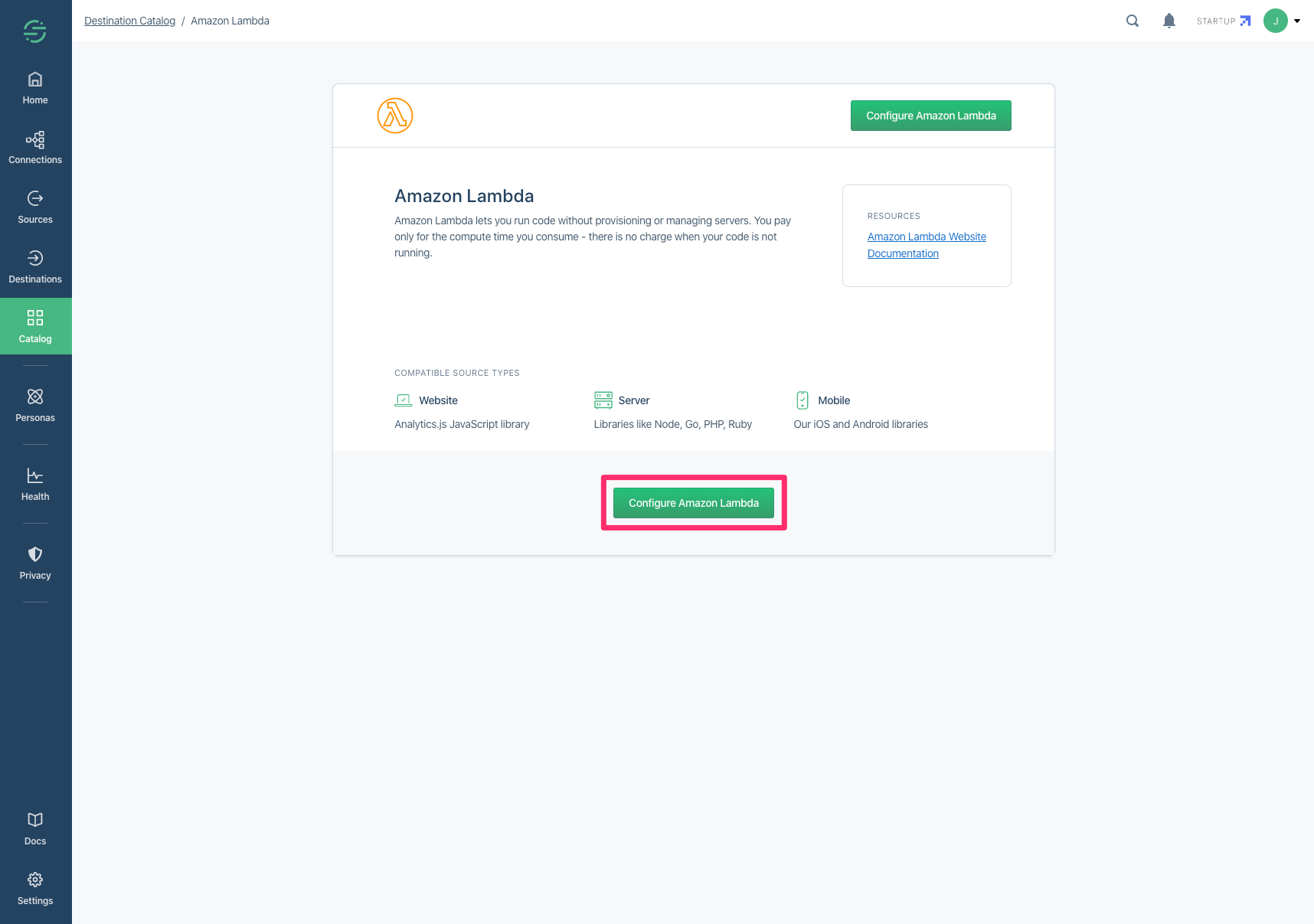
Click "Configure Amazon Lambda".
-
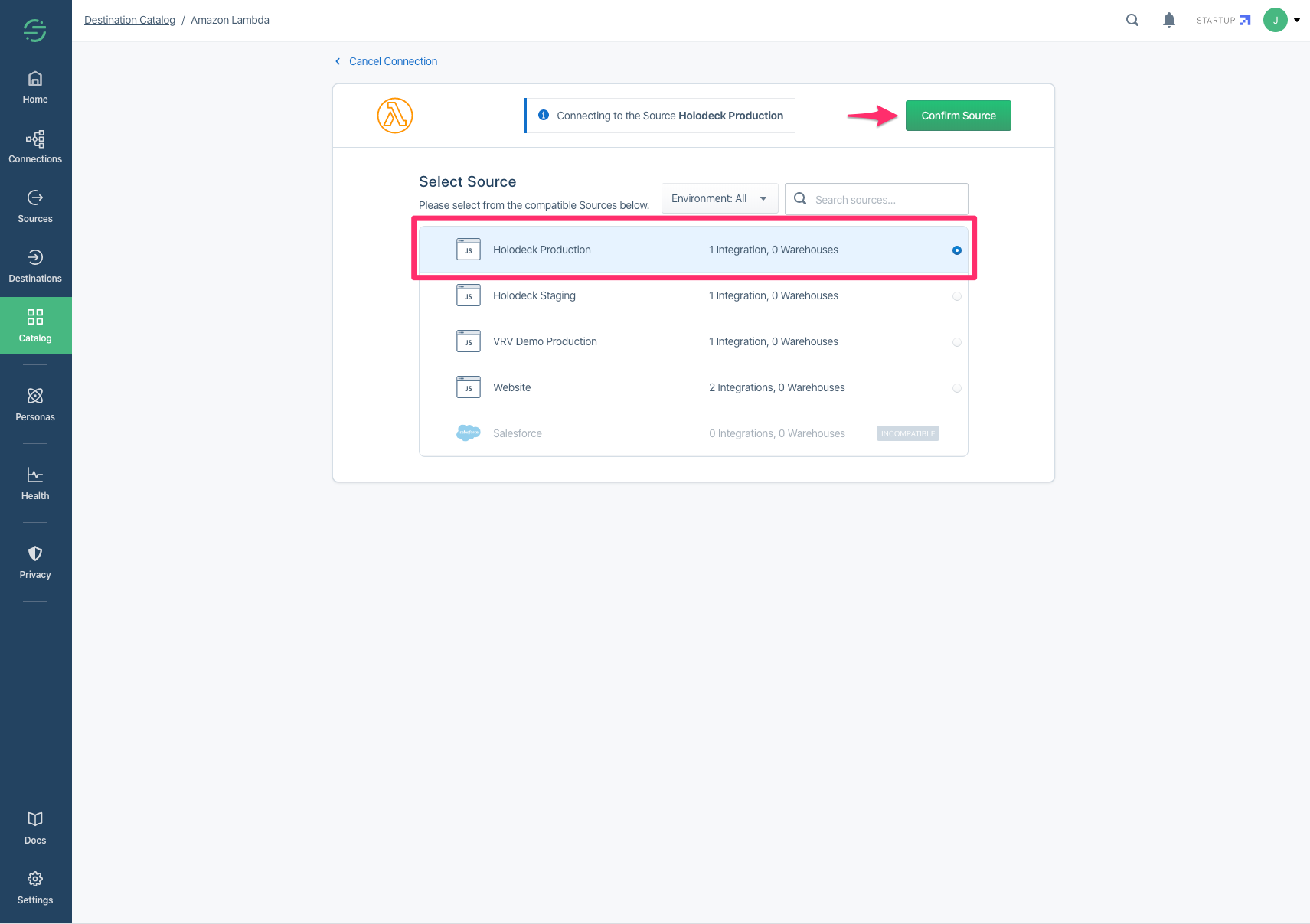
Select your app and click "Confirm Source".
-
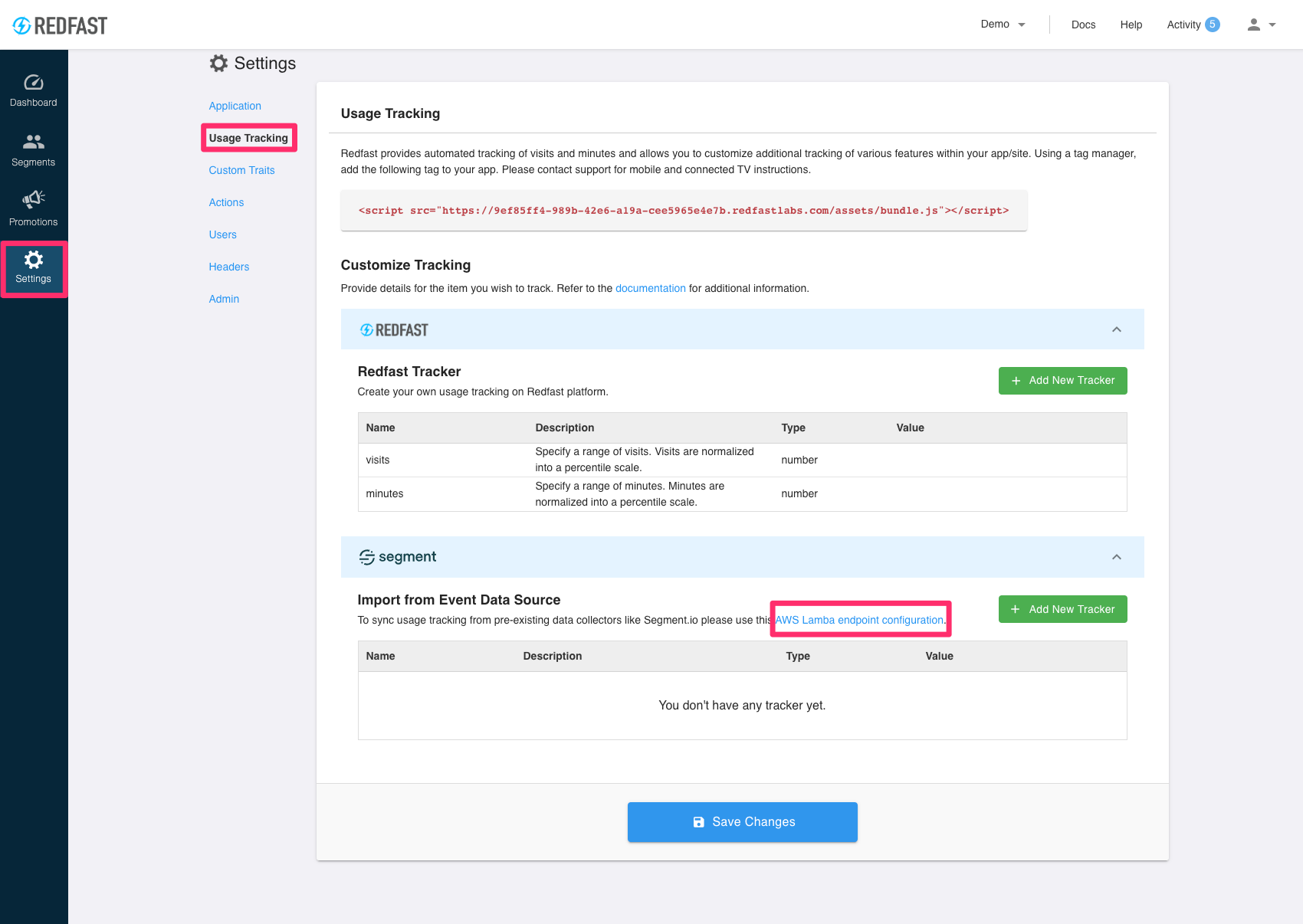
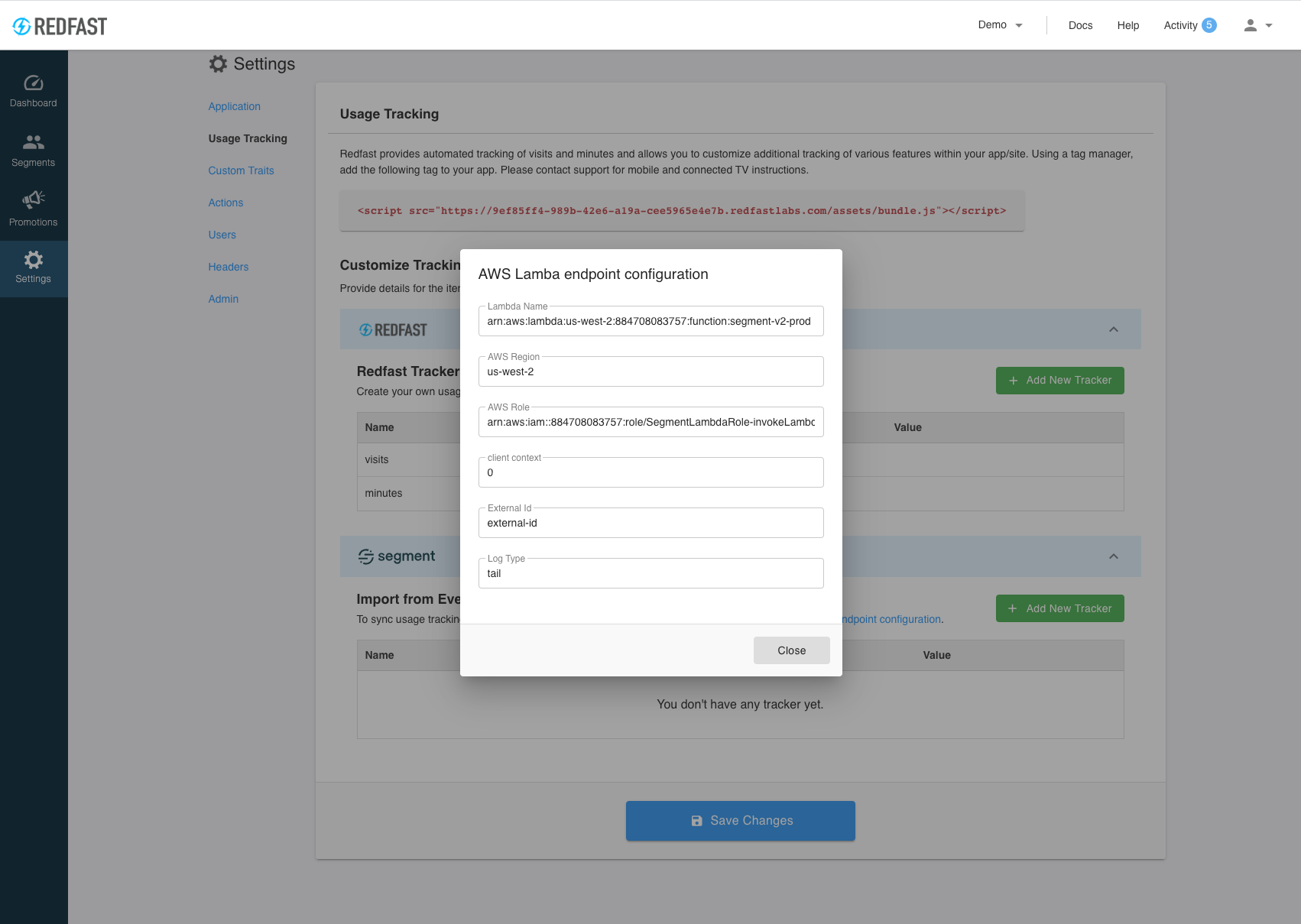
Now go to Usage Tracking and locate the credentials to enter.
-
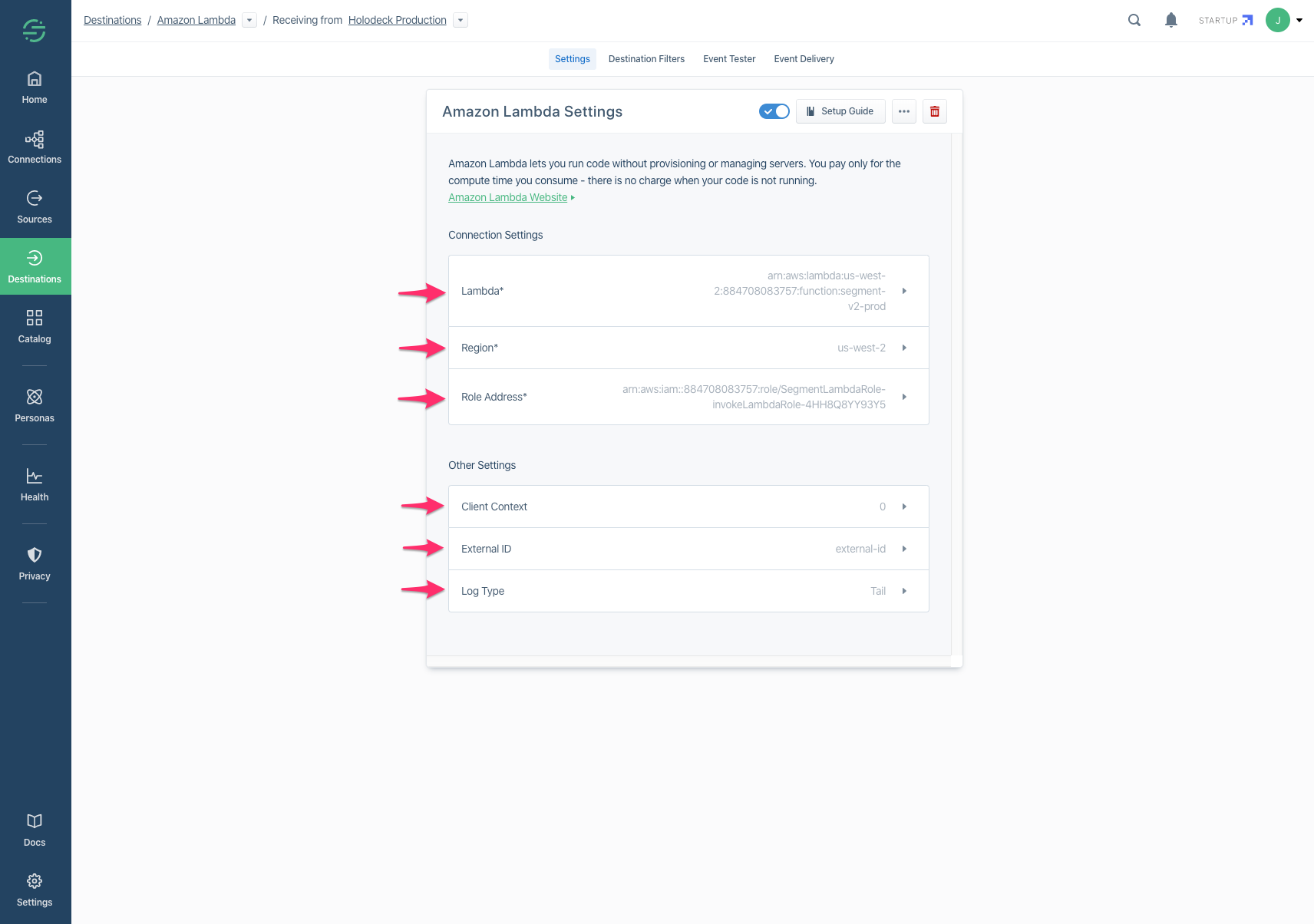
Copy over the
Region,Role AddressandLambda ARNvalues. Make sure to provide the read-onlyExternal IDto your customer success manager as the final step. Note thatClient ContextandLog Typedo not need any special configuration.
Note: New traits may take up to 10 minutes before they appear in Recurly Engage.
Updated 5 days ago