
Tealium iQ tag manager
Step-by-step instructions for integrating the Recurly Engage JavaScript client via Tealium iQ Tag Manager.
Use Tealium iQ Tag Manager to load the Recurly Engage SDK on your site without editing page code.
Available to all customers on any Recurly Engage subscription plan
Prerequisites
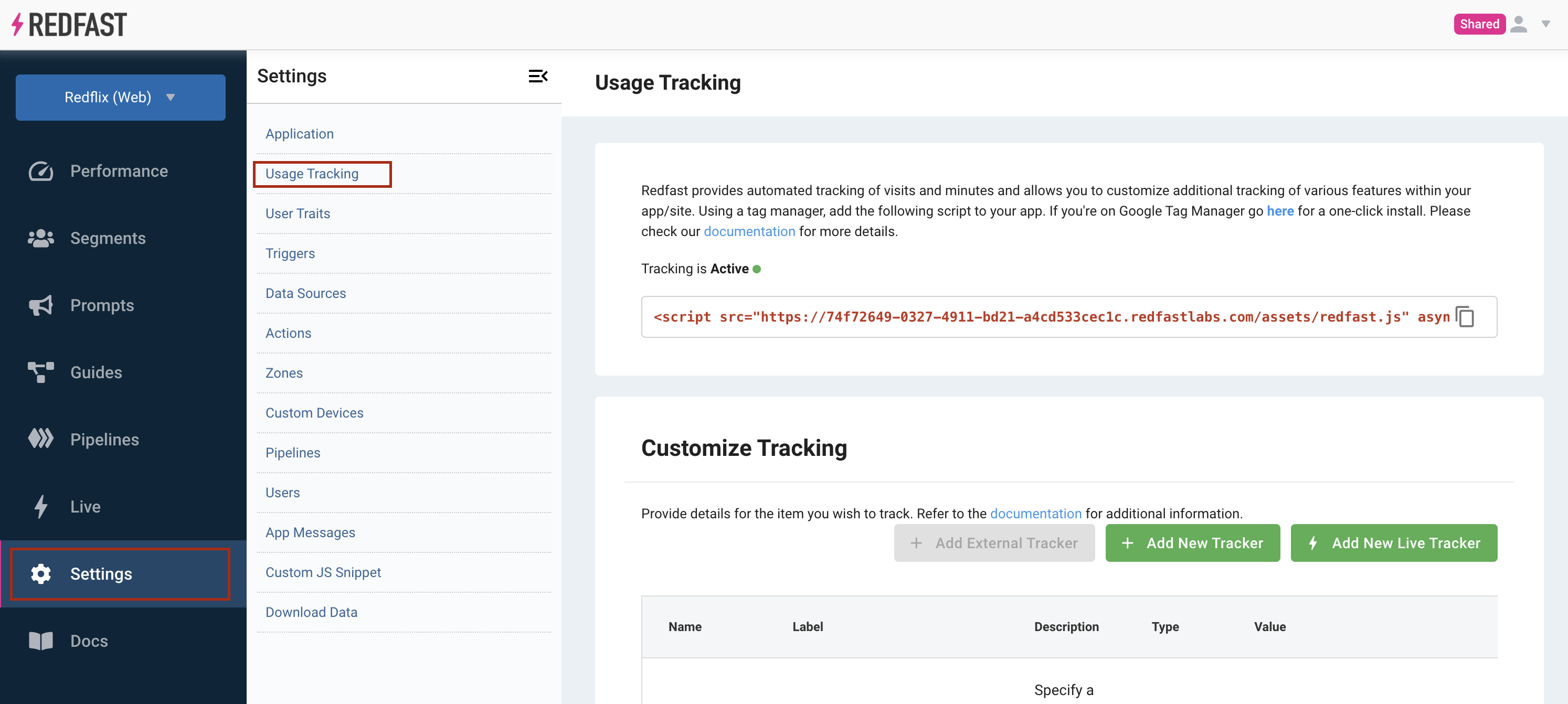
- Access to Settings > Usage Tracking in your Recurly Engage app.
Limitations
- You must have publish permissions in both your Recurly Engage and Tealium iQ accounts.
Definition
The Tealium iQ Tag Manager integration injects the Recurly Engage JS client via a generic script tag, enabling data collection and branded checkout flows.
Key benefits
Rapid setup
Deploy the client through Tealium's UI — no code changes needed.
Unified tagging
Manage Engage alongside all your marketing and analytics tags.
Instant rollouts
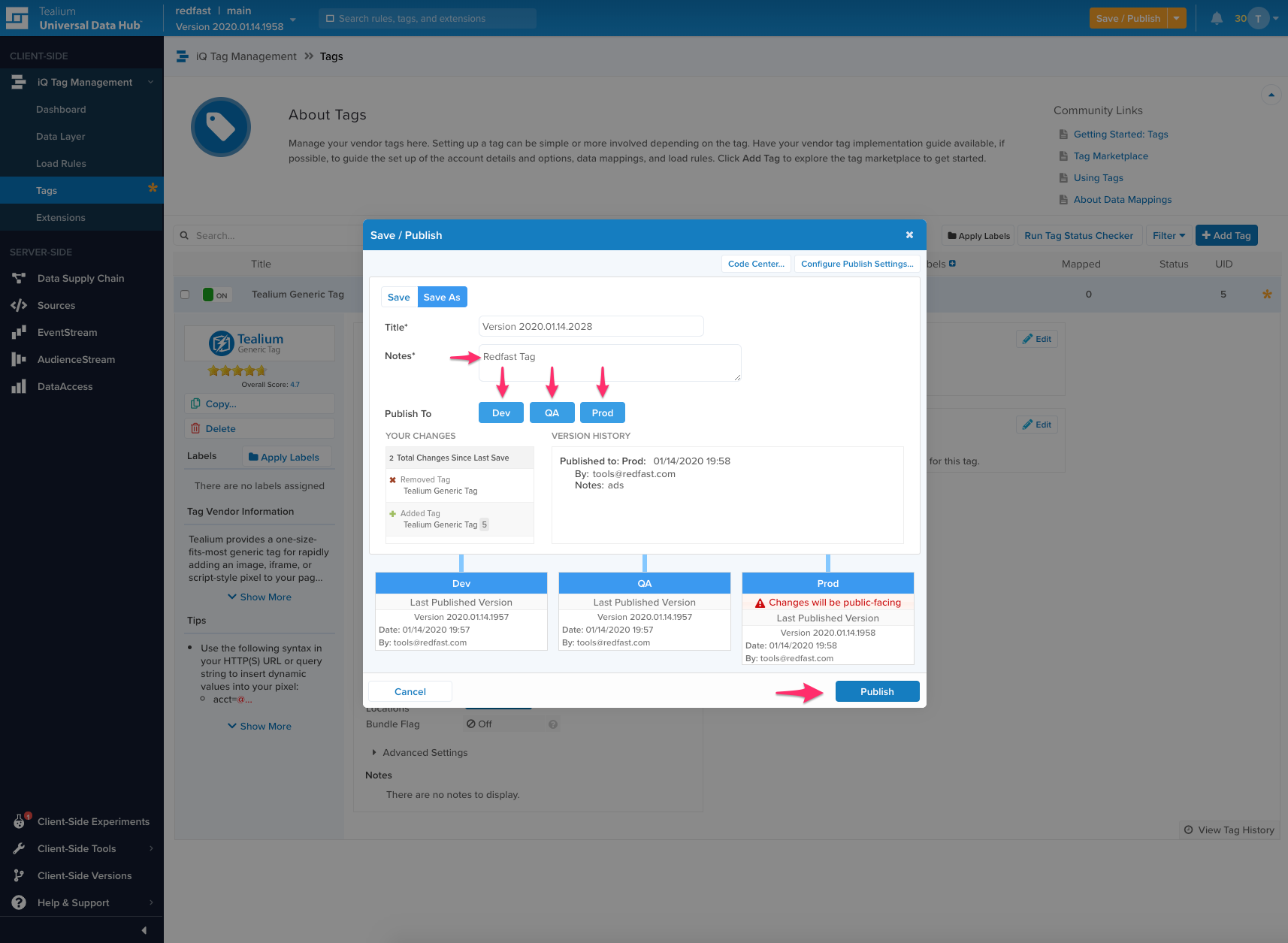
Publish to Dev, QA, and Prod environments in one workflow.
Key details
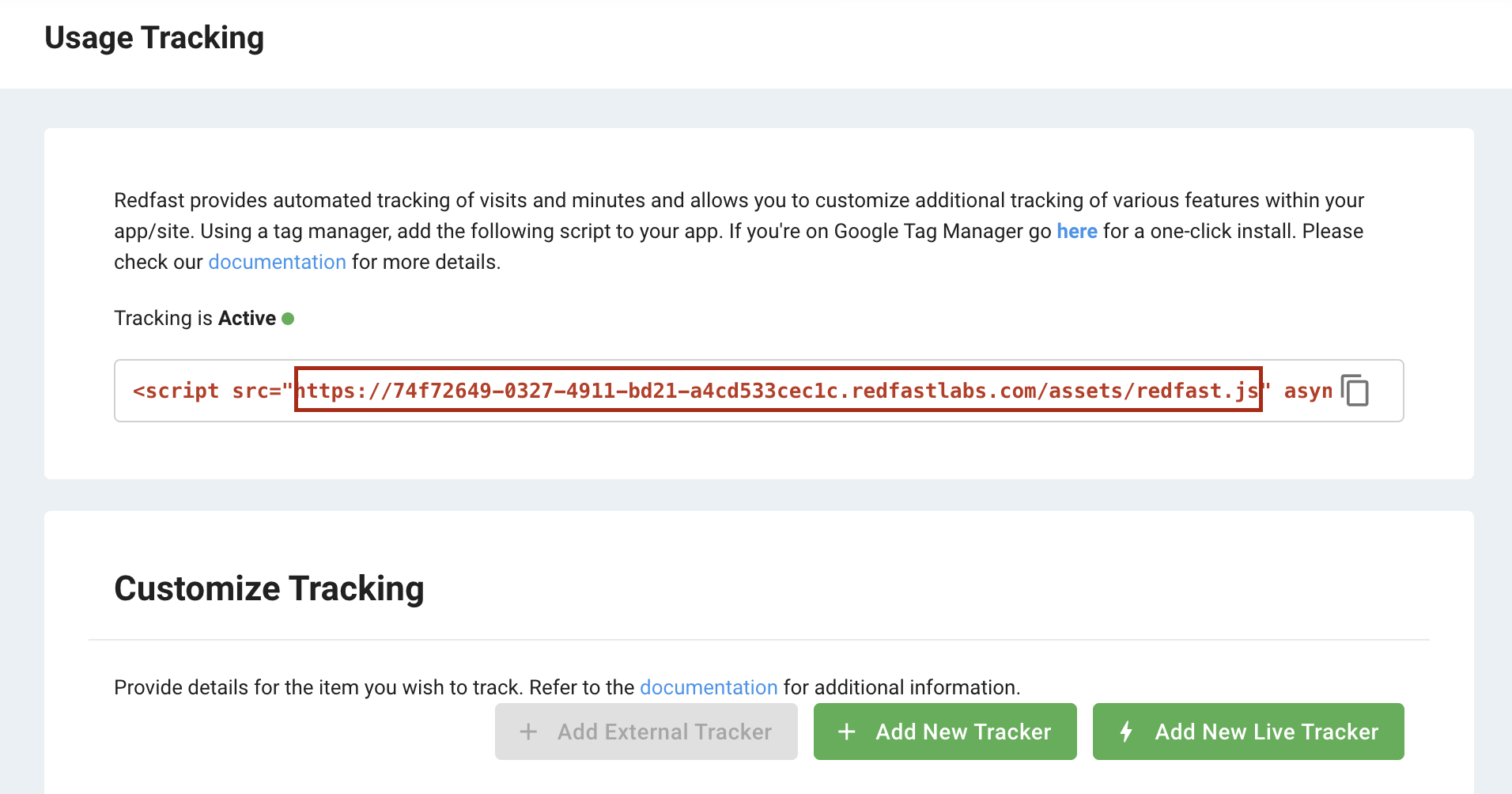
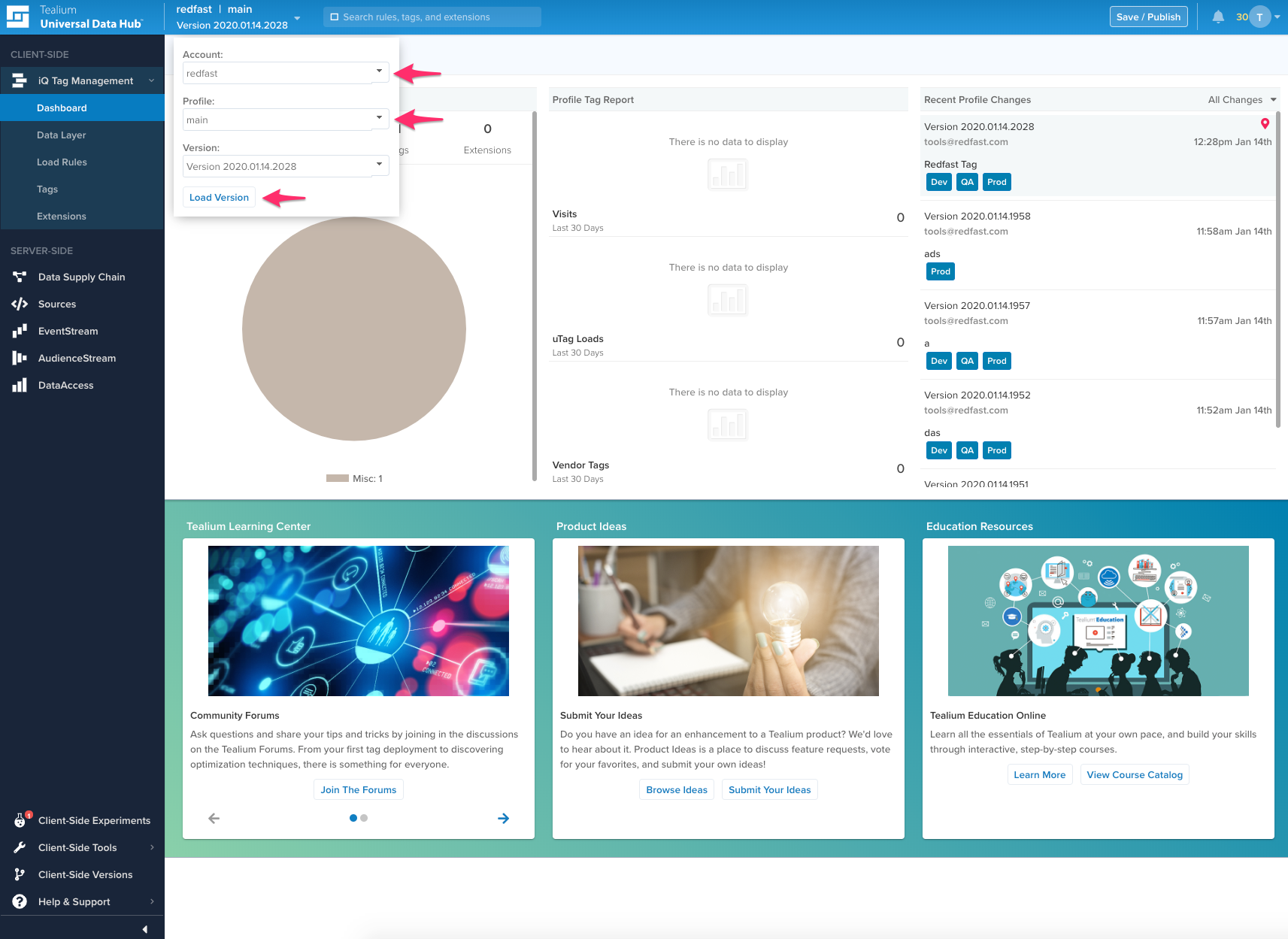
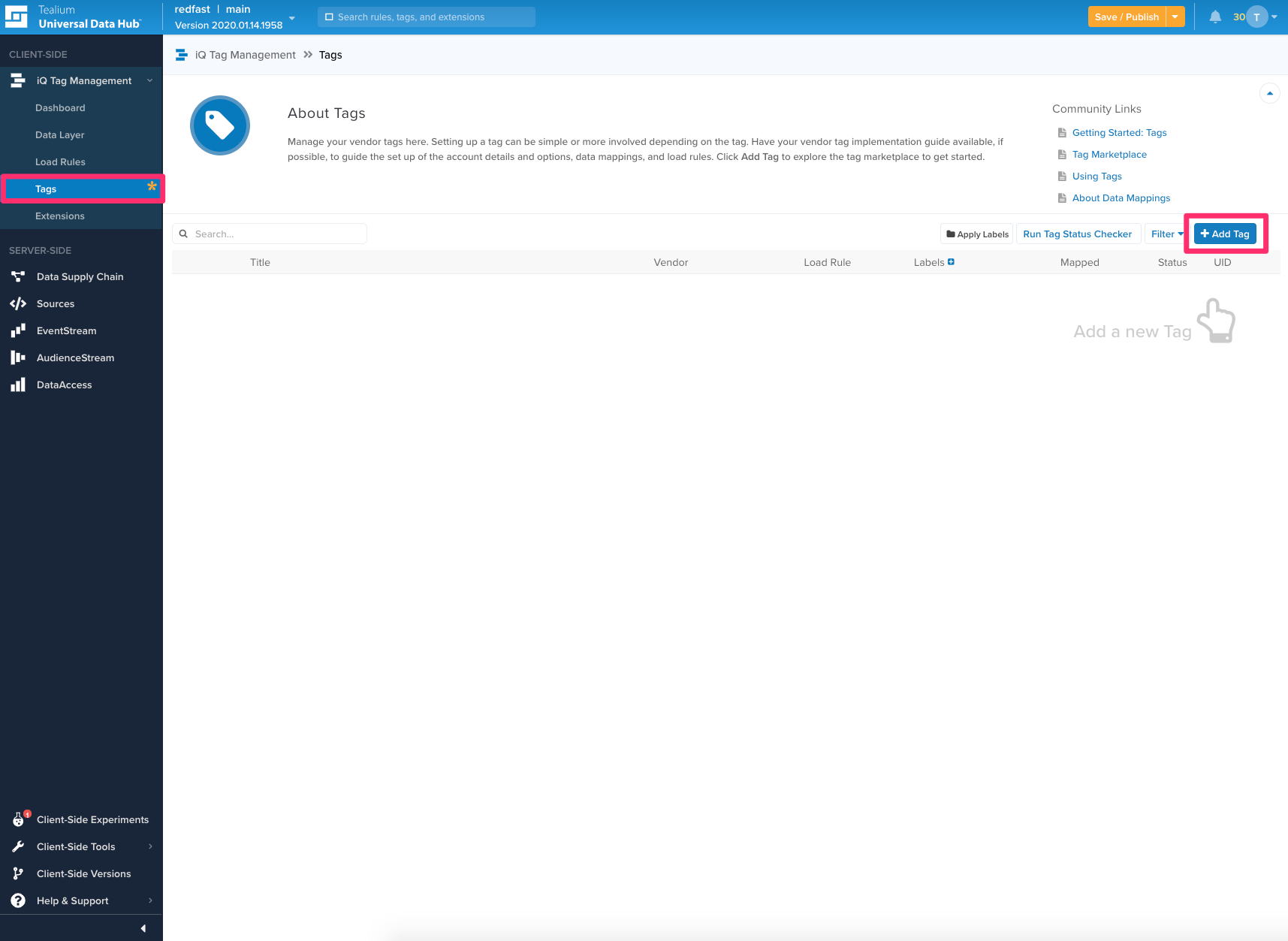
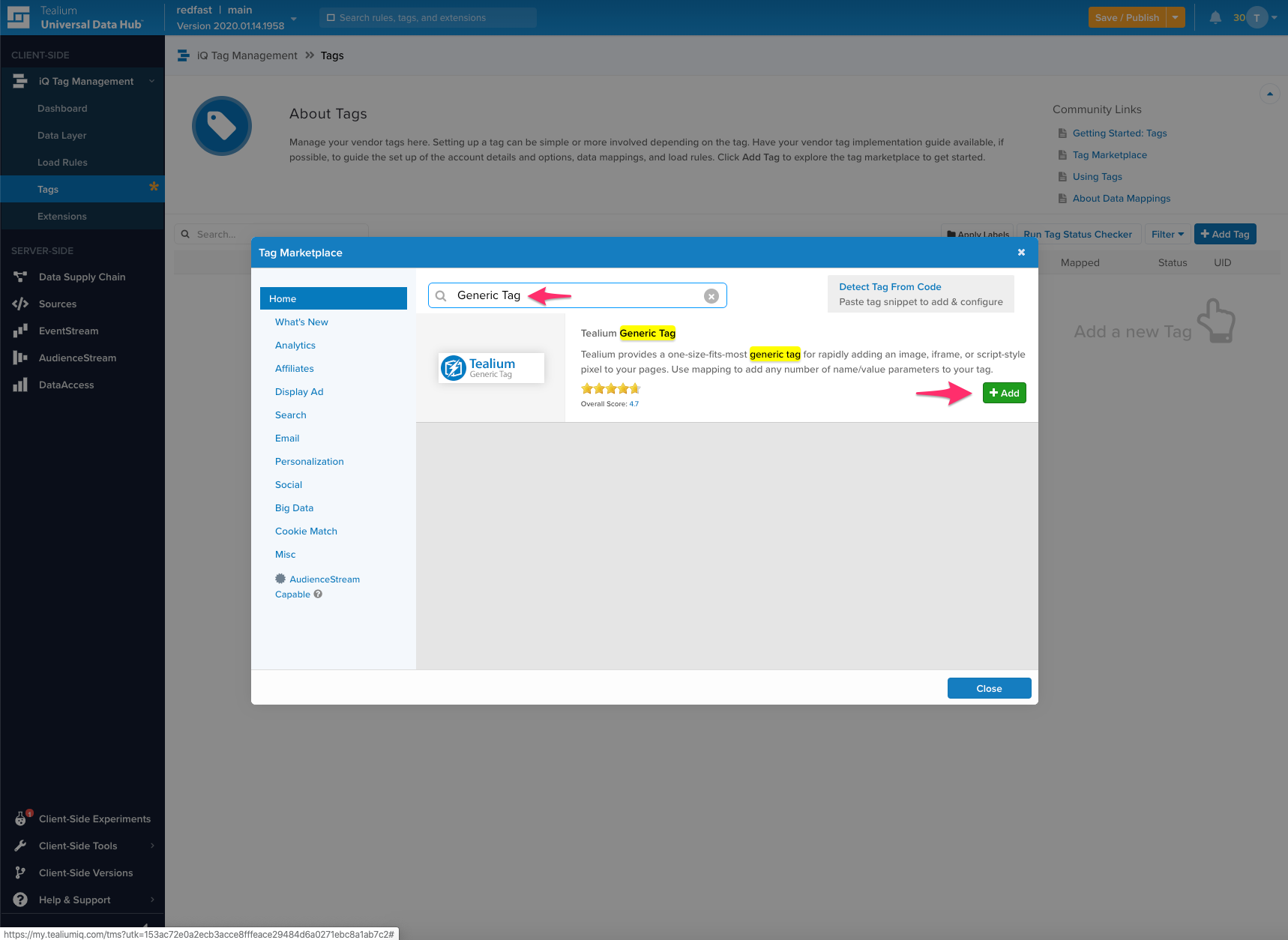
Integrate the Recurly Engage JavaScript client into your web application through Tealium iQ Tag Manager by following the steps below. Once complete, Recurly Engage starts syncing its data with your site to personalize customer experiences.
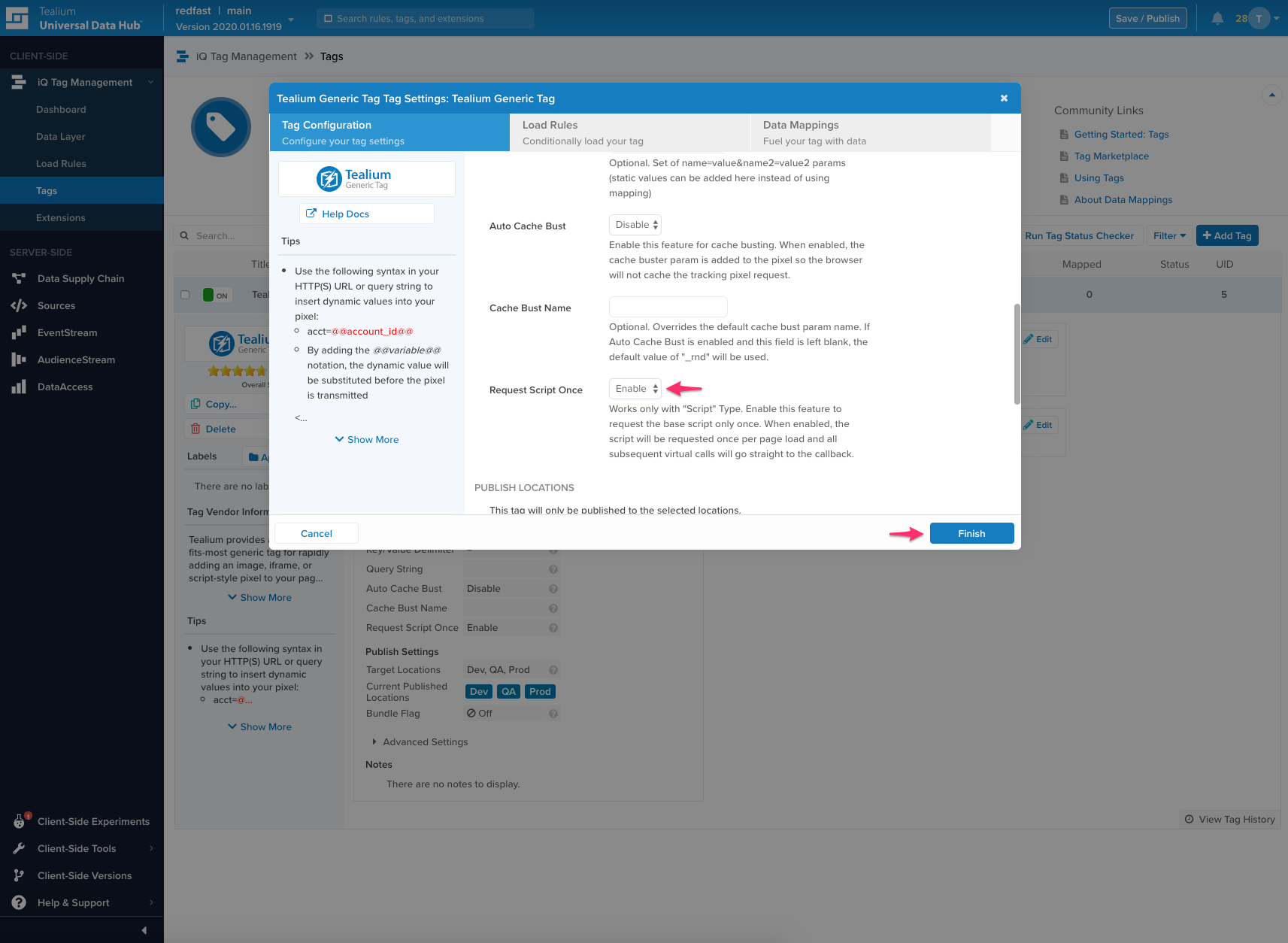
- Title: Recurly Engage Tag
- Type: Script
- Base URL: paste the URL from step 2
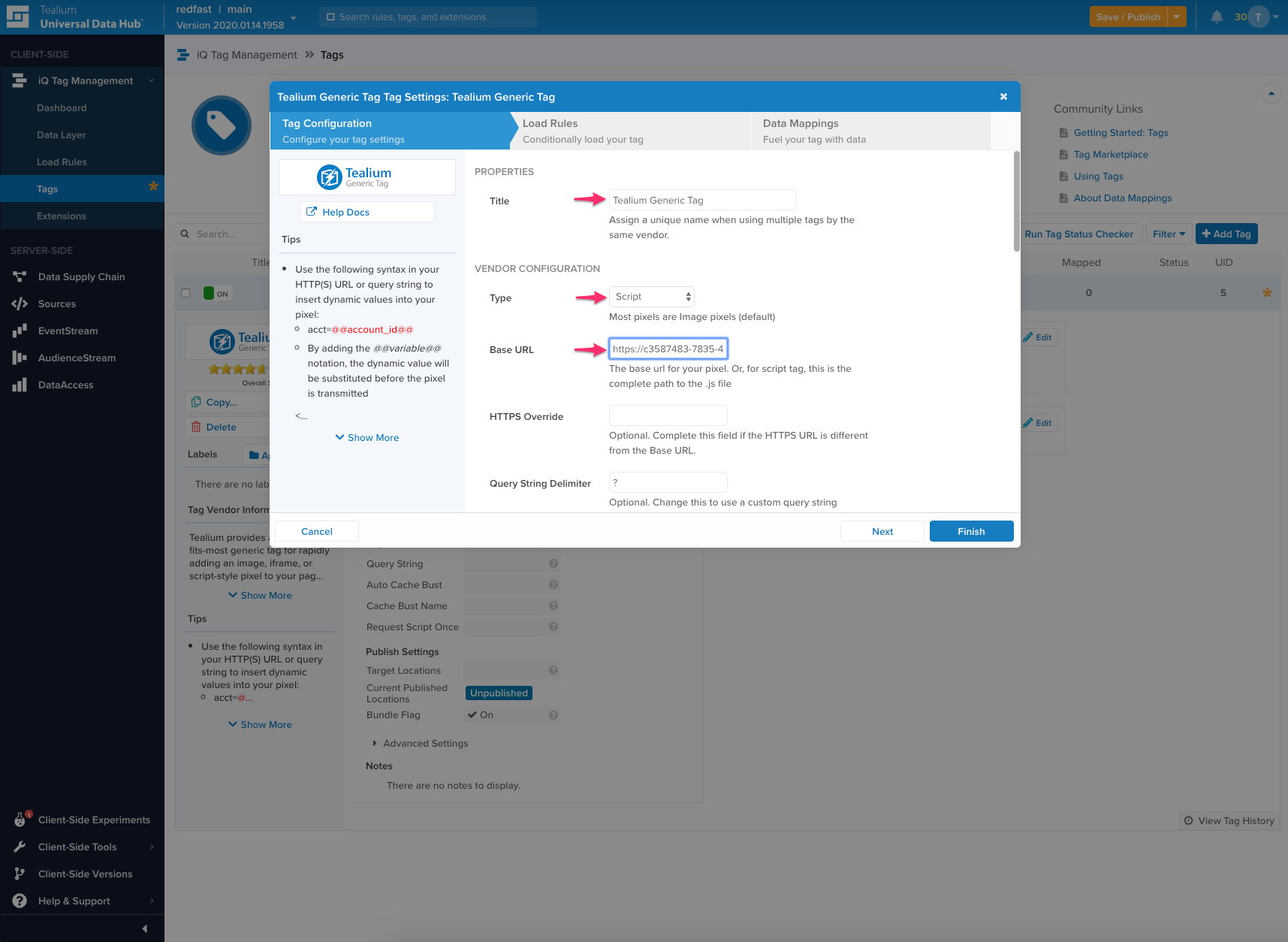
- Request Script Once: enable
Updated about 1 month ago
Did this page help you?