
Overview: Guides
Overview and how-to for multi-step Guides in Recurly Engage, including wizards, surveys, journeys, and triggered flows.
Prerequisites
- You must have Company, App Administrator, or App Member permissions in Recurly Engage.
Limitations
- Guide type is fixed on creation and can't be changed later.
Definition
Key benefits
Key details
Create a guide
Guide types
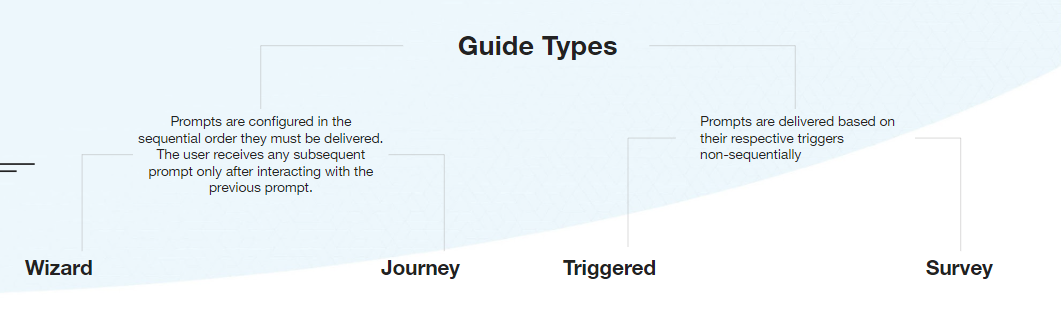
Wizard
Supported on Web and HTML5-based smart TVs.
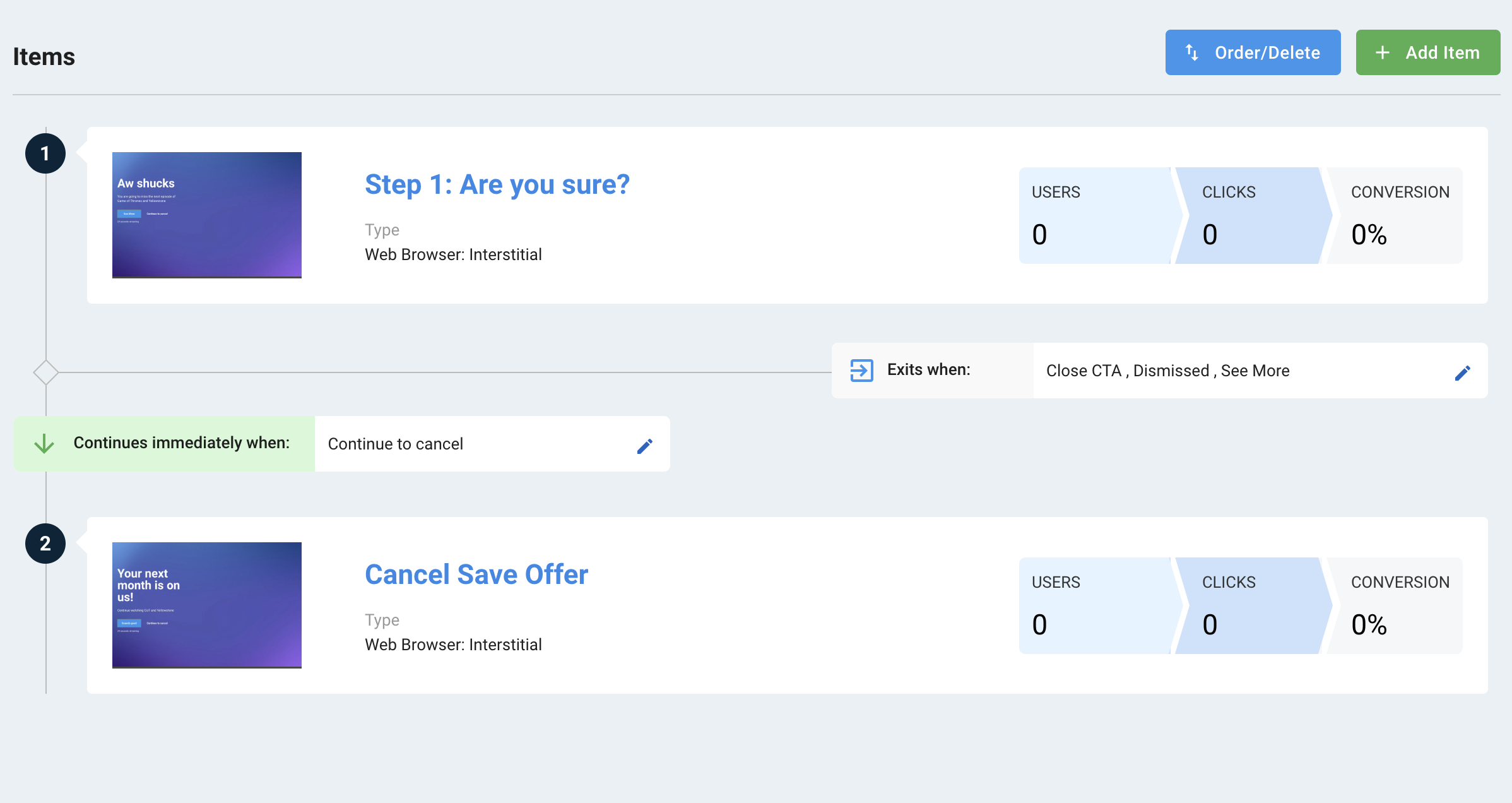
Wizard guides present prompts immediately, in the defined order, within a single session. Only the first prompt requires a trigger. Subsequent prompts fire automatically when the user interacts with the previous prompt.
Items within a guide inherit the guide's configurations: Limits, Segments, and Schedule.
Survey
Supported on Web and HTML5-based smart TVs.
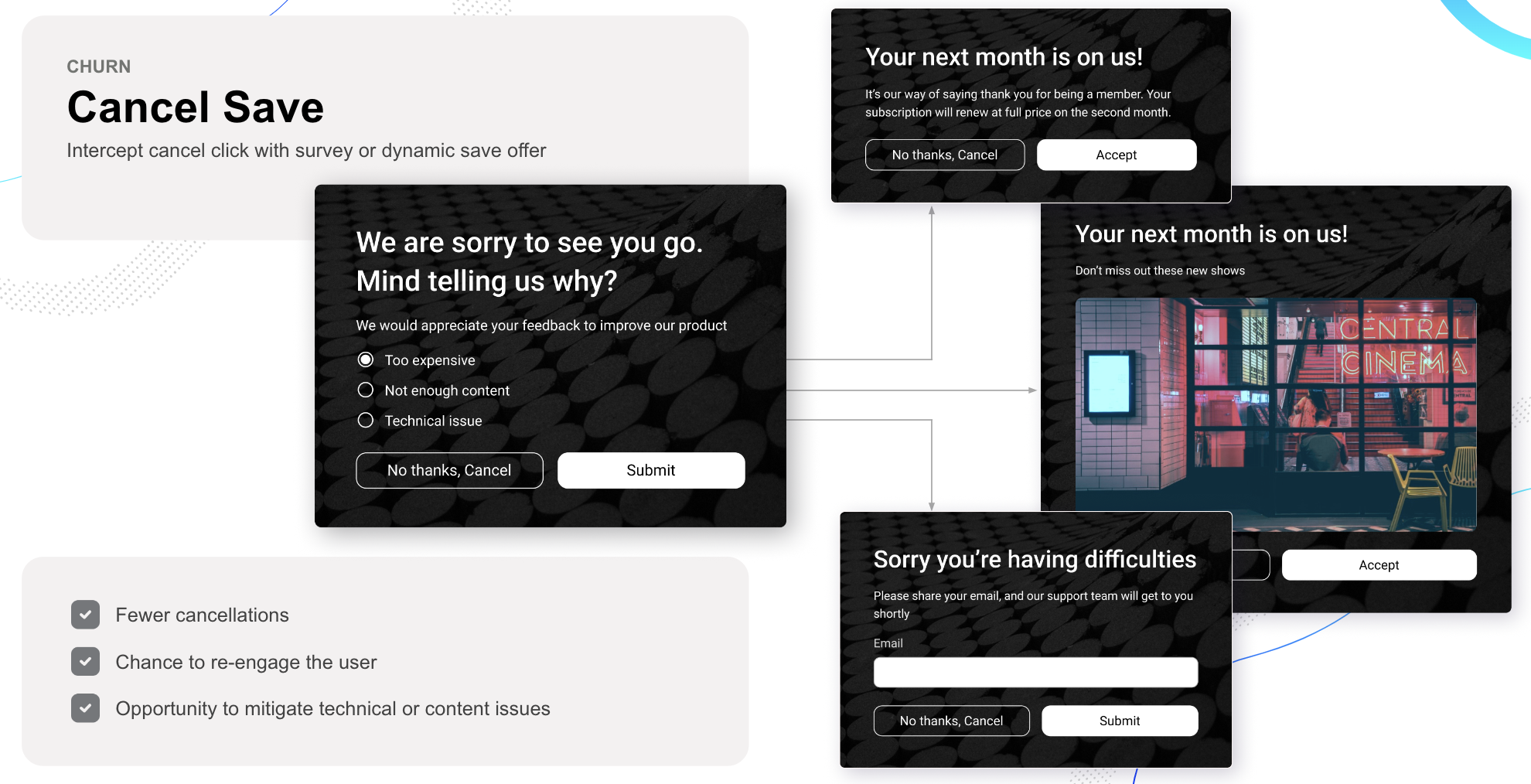
Survey guides collect user input through branching prompts. Subsequent prompts appear based on the user's selection in earlier steps.
Journey
Supported on all devices.
Journey guides onboard new users or deliver feature tours over time. You can configure them to show only unseen items or to enforce a strict order, triggering based on visits, interactions, or time delays.
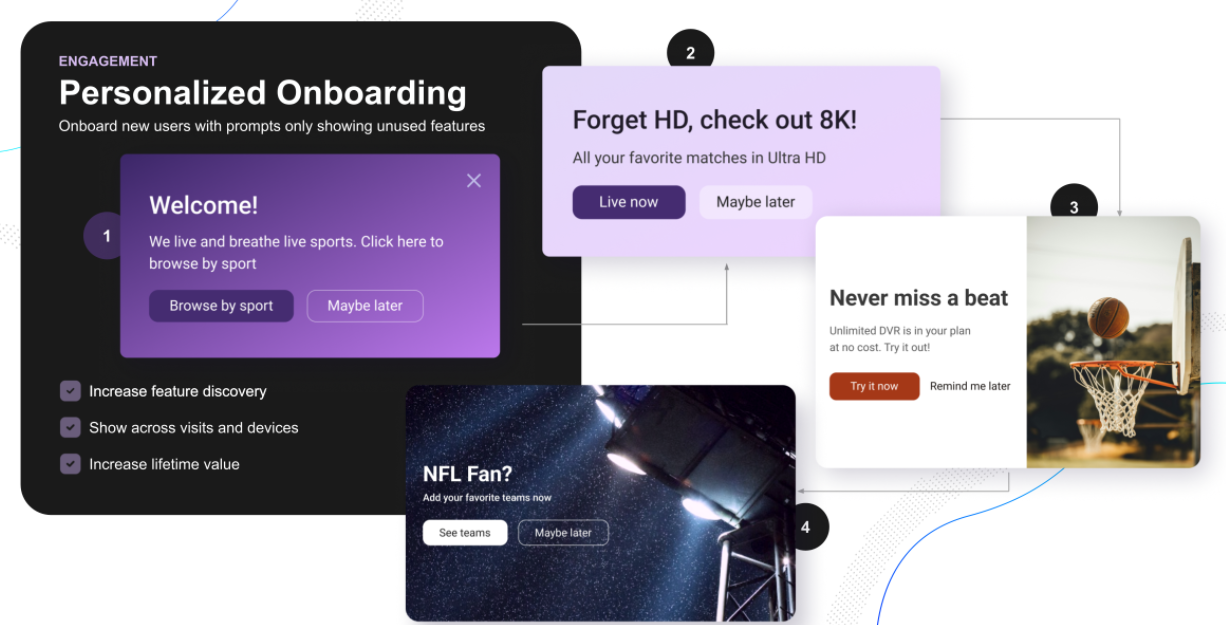
Items within a guide can be connected based on:
- Interactions: Show an item only if another guide item was seen, accepted, declined, or dismissed.
- Next Visit: Trigger the next item on the user's next session.
- Days: Delay the next item by a set number of days across sessions.
- Minutes: Delay the next item by minutes within the same session.
Triggered
Supported on all devices.
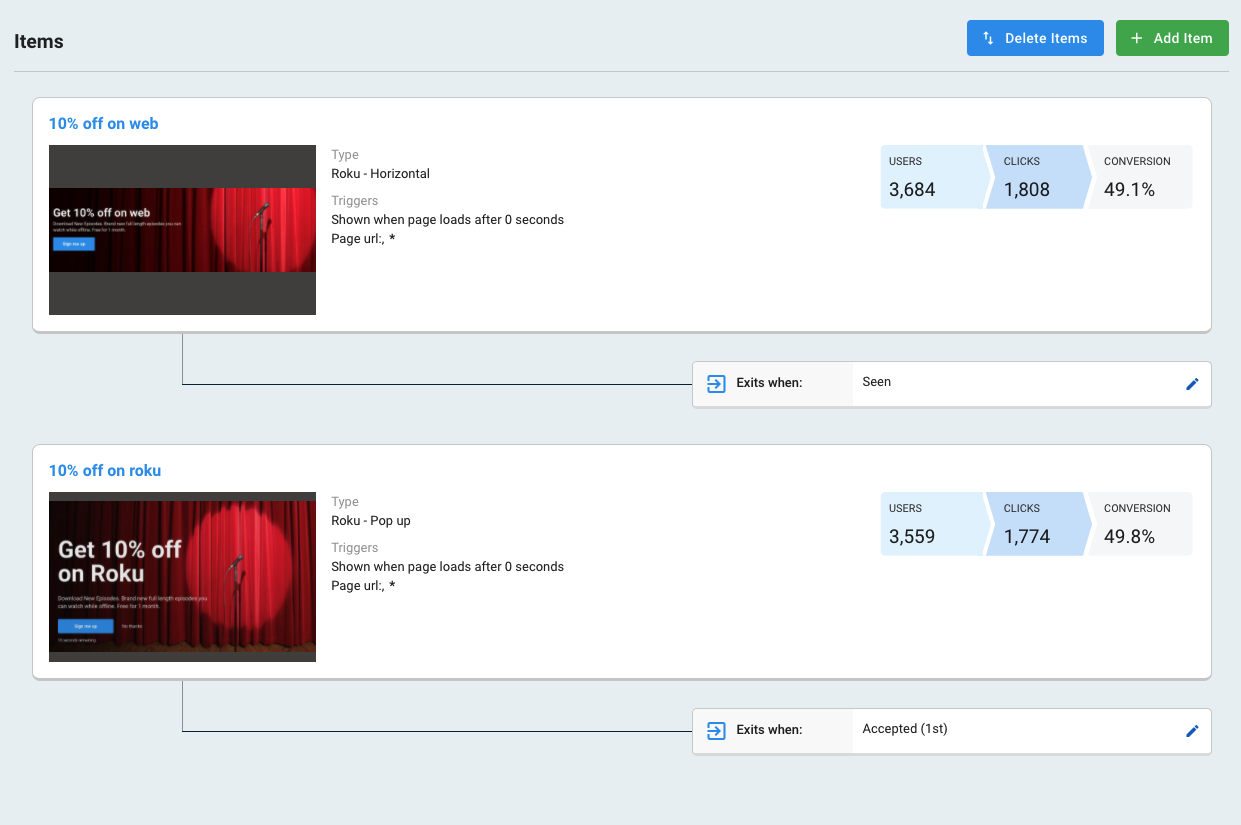
Triggered guides reinforce messages by delivering one of several prompts based on user eligibility and predefined conditions. You can prevent users from receiving multiple similar items by setting exclusion rules across guide items.
Tours
Supported on Web only.
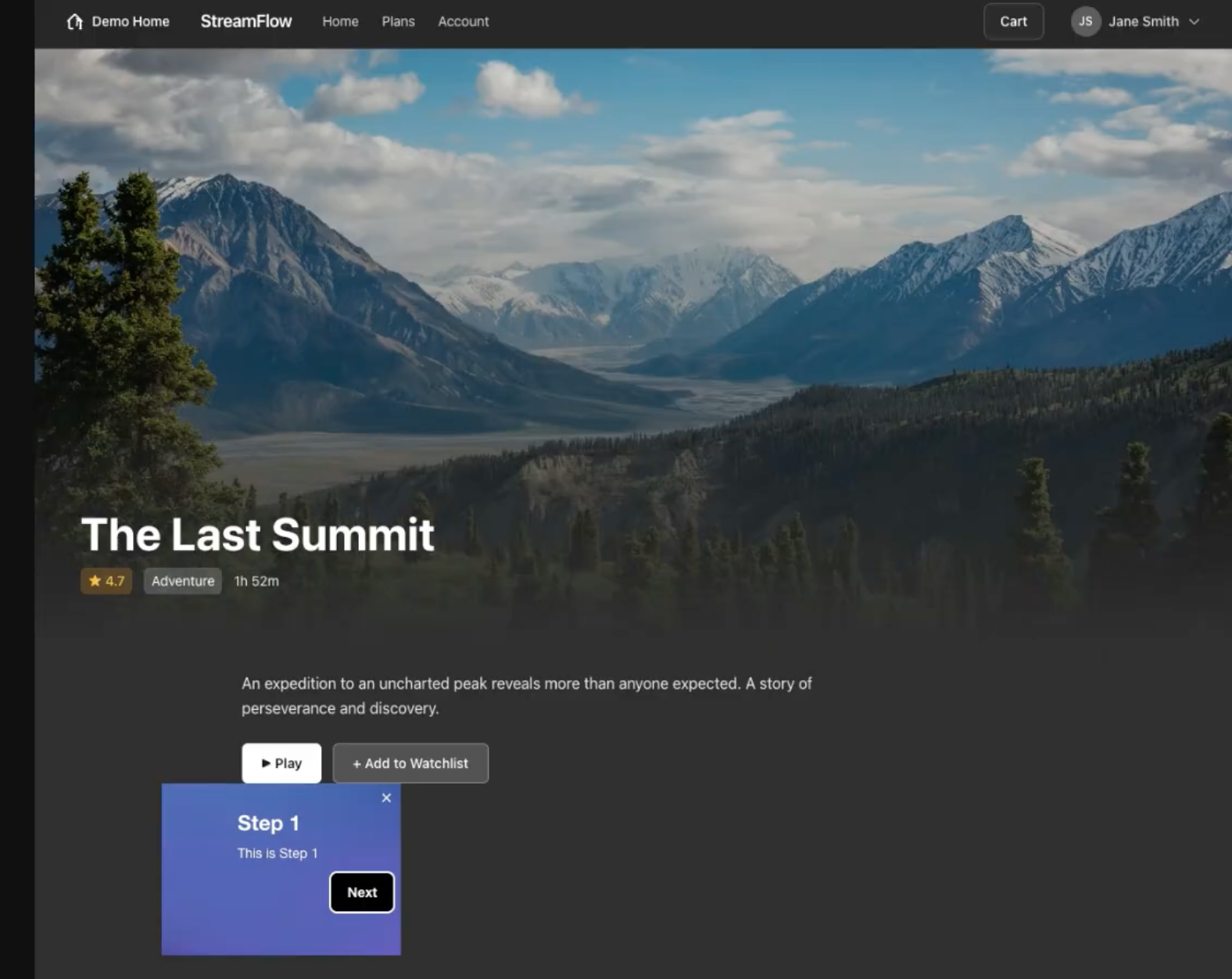
Tour guides walk subscribers through your site with a sequence of floating tooltips, each anchored to a specific element on the page. Use them for onboarding, feature discovery, and guided navigation — configured natively in Pulse, with steps that can span multiple pages. Learn how to build a Tour.
Updated 24 days ago