
Iterable
Configuration guide for the Iterable connector in Recurly Engage—setup and supported messaging and lifecycle actions for cross-channel marketing.
Iterable is a customer engagement platform that helps you segment audiences and automate personalized messaging. By integrating it with Recurly Engage, you can trigger real-time lifecycle events, manage list memberships, and send targeted email campaigns directly from your recovery and engagement prompts.
Available on all Recurly plans
Definition
The Iterable connector integrates Recurly Engage with the Iterable API to track custom user behavior, manage audience segmentation through lists, and trigger immediate email communications during the customer journey.
Key benefits
Behavioral automation
Post events to Iterable to trigger complex journeys or "Workflows" based on subscription status changes.
Dynamic segmentation
Automatically add users to specific "Win-back" or "Retention" lists when they interact with a prompt.
Instant communication
Send targeted campaign emails immediately to users (or specified alternative emails) to improve recovery rates.
Key details
Connect Iterable
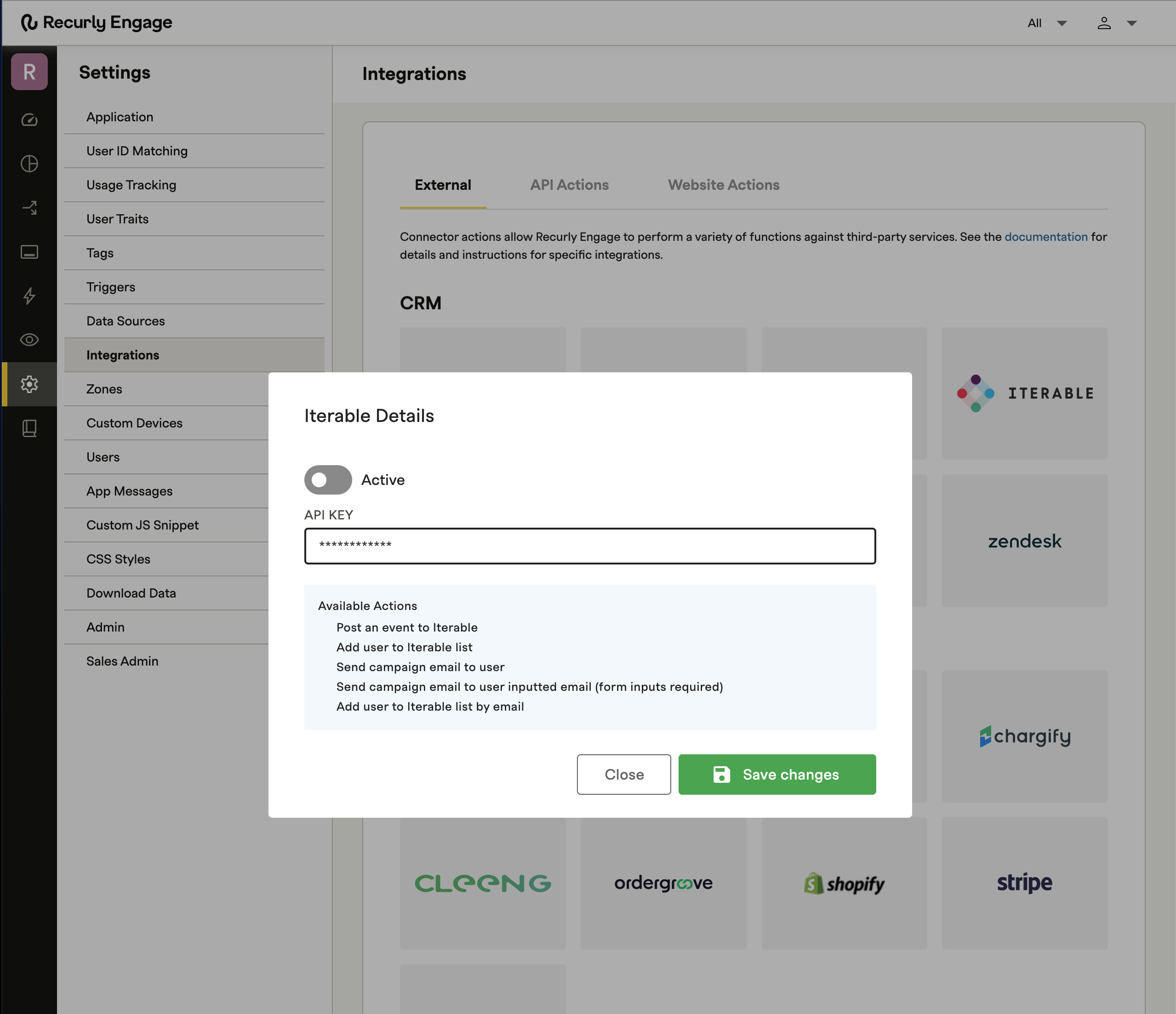
Supported actions
Use these actions within prompt configurations (such as Accept and Secondary Accept) to drive Iterable workflows:
| Action | Description | API method |
| Post an event to Iterable | Record a custom action (for example, "Prompt Viewed") to a user's profile. | POST /api/events/track |
| Add user to Iterable list | Subscribe the current user to a specific static list ID. | POST /api/lists/subscribe |
| Send campaign email to user | Trigger a specific email campaign to the user's primary email. | POST /api/email/target |
| Send email to inputted email | Send a campaign to an email address provided via a form input. | POST /api/email/target |
| Add user to list by email | Add a user to a list using a manually mapped email address. | POST /api/lists/subscribe |
Updated 22 days ago
Did this page help you?