
Recurly Engage setup
Guidance on configuring your application in Recurly Engage: name, domain, and alias setup for a branded, secure integration.
This page walks you through setting up your application in the Recurly Engage console. You'll give your app a clear name, register the domain where it's hosted, and — if you need it — manage multiple domain aliases under one unified configuration.
Available on all Recurly plans
Prerequisites
- You need Administrator access to configure your Recurly Engage account.
Definition
An application in Recurly Engage is the container for your integration. It holds your app's name, its primary domain, and any additional domains you want to manage under one console.
Key benefits
Centralized management
Define and update your app's settings from a single, intuitive console.
Flexible branding
Use domain aliases to serve multiple brands or environments without repeating setup steps.
Consistent user experience
Guarantee that every domain you control delivers the same secure, branded checkout flow.
Key details
Application name
Enter a friendly name for your app or website — for example, Demo.
Primary domain
Provide the domain where your app lives — for example, demo.recurlyengage.com. You don't need to include subdomains like www unless you plan to host multiple applications under the same root domain.
Domain aliases
Aliases let you run multiple domains through one Recurly Engage configuration — perfect for when you have several brands or testing environments pointing to the same backend.
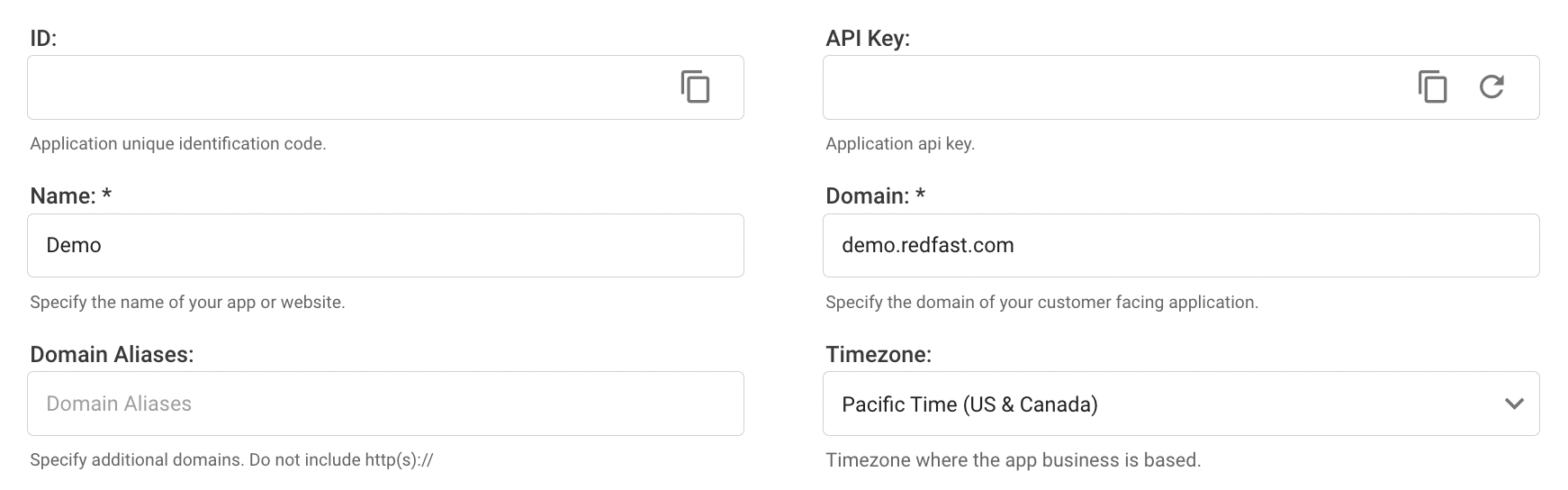
Learn more about application settings.
Updated about 1 month ago
Did this page help you?