
Dowloading prompt activity data
Configuration guide for downloading prompt metrics and activity data from Recurly Engage.
Export prompt data from Recurly Engage as comma-separated values (CSV) files. Download summary metrics for one or more prompts, or a full event-level export of detailed activity data.
Available on all Recurly plans
How can I download prompt activity data?
You can download summary metrics or detailed, event-level activity data as CSV files.
Metrics data
You can download summary metrics for one or more prompts in either of two ways.
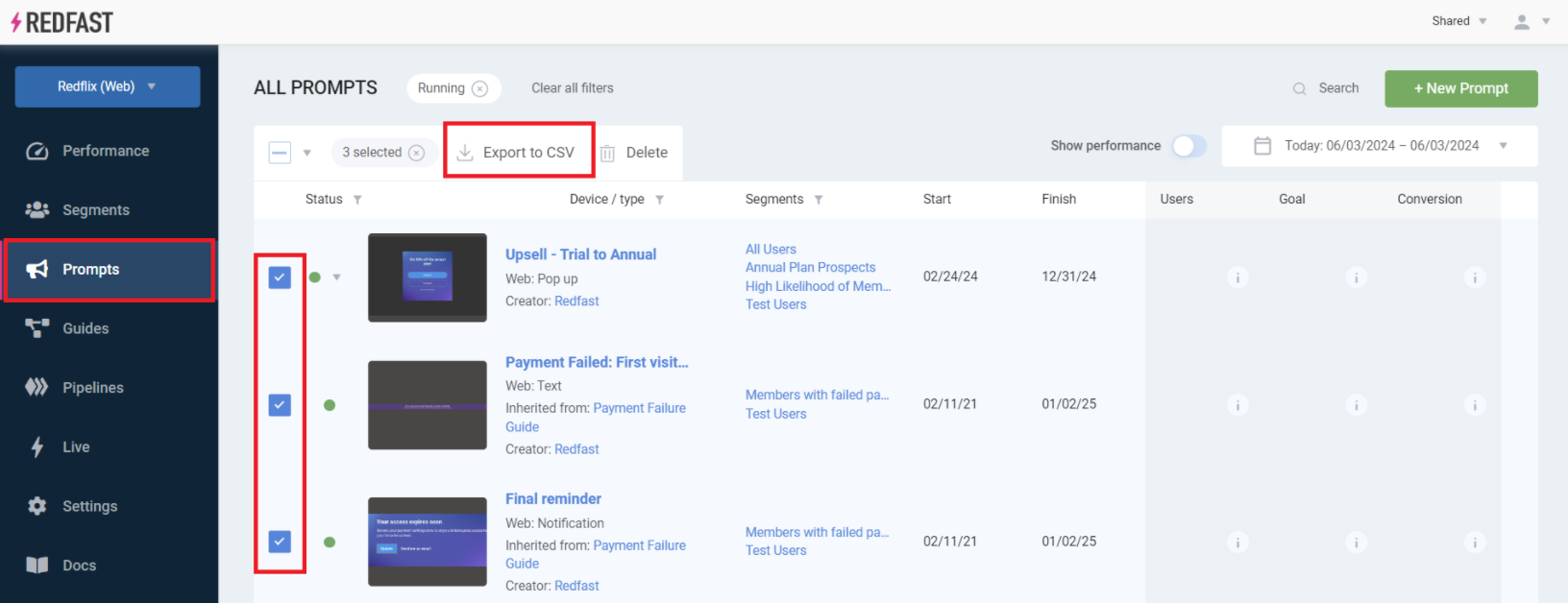
From the Prompts screen
On the Prompts screen, select your date range, check the prompts you want, click Export to CSV, and then choose Summary.
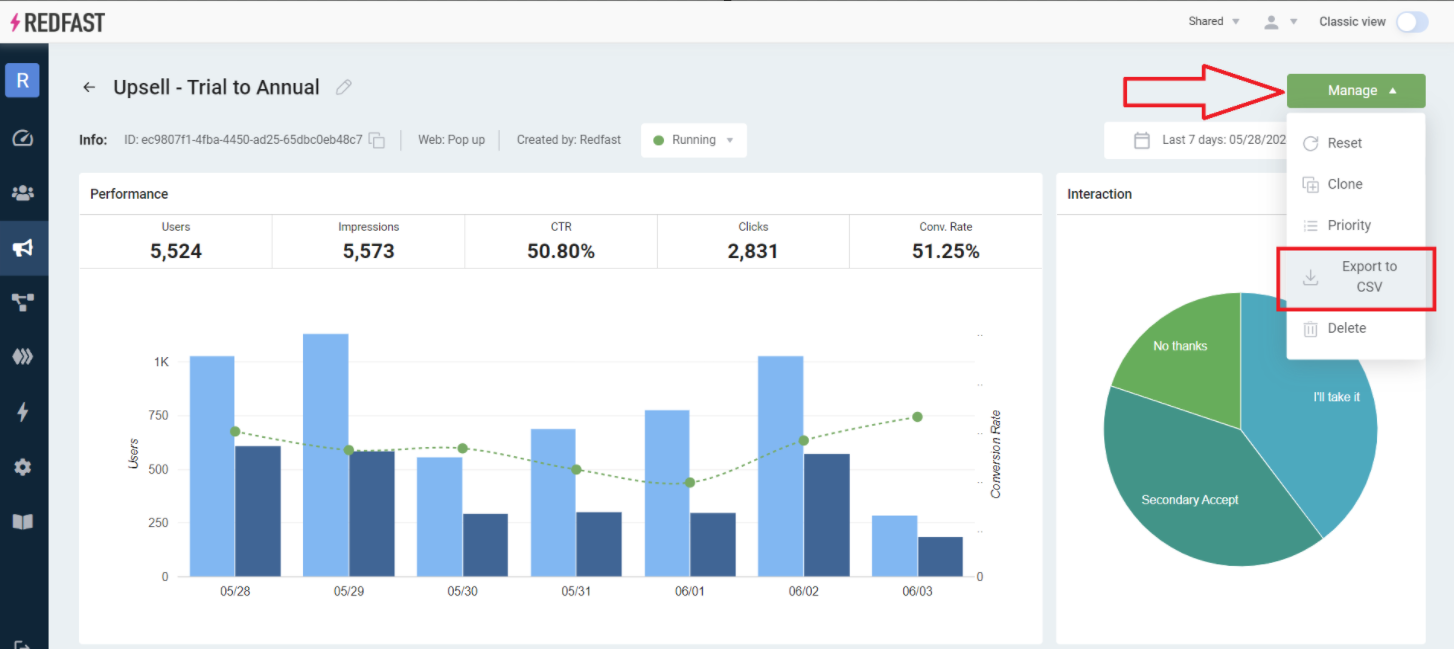
From a prompt’s detail screen
From a prompt’s Manage menu on its detail screen, choose Export to CSV.
Detailed activity data
For a full event-level export:
1
For field definitions and the data schema, see the prompt activity data specifications.
Updated about 1 month ago
Did this page help you?