
Invite users
Steps to invite team members and manage their access within your Recurly Engage application.
Learn how to invite users to your Recurly Engage app, assign permission levels, and make sure your team has exactly the access it needs.
Available to all customers on any Recurly Engage subscription plan
Prerequisites
- You must have Company, App Administrator, or App Member permissions in Recurly Engage.
Definition
Inviting users lets administrators grant team members access to specific applications in Recurly Engage and control what actions they can perform, based on their permission level.
Key benefits
Granular access control
Assign precise permissions per user and per app to maintain security and accountability.
Streamlined onboarding
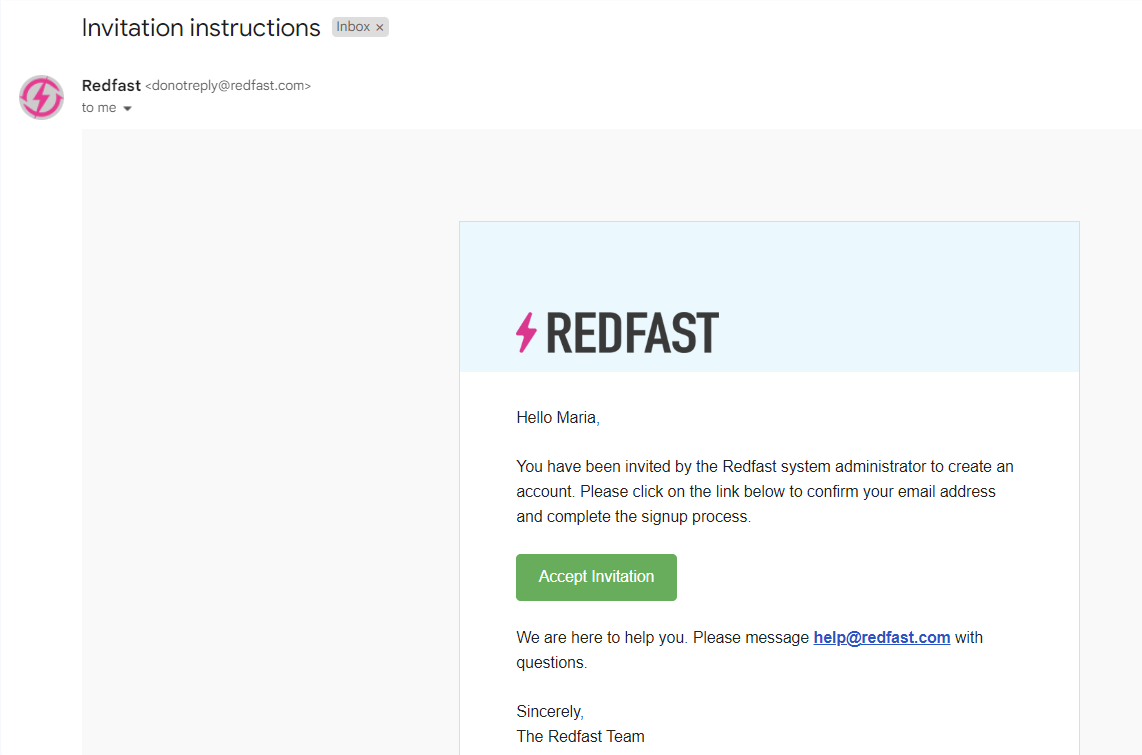
Send invitations directly from the console for fast user setup.
Flexible team management
Grant or revoke access across multiple apps without creating additional accounts.
Key details
Administrators can invite users to individual apps in Recurly Engage. To grant a user access to multiple apps, send a separate invitation for each one. Only company or app administrators can modify settings and invite users.
Add a user
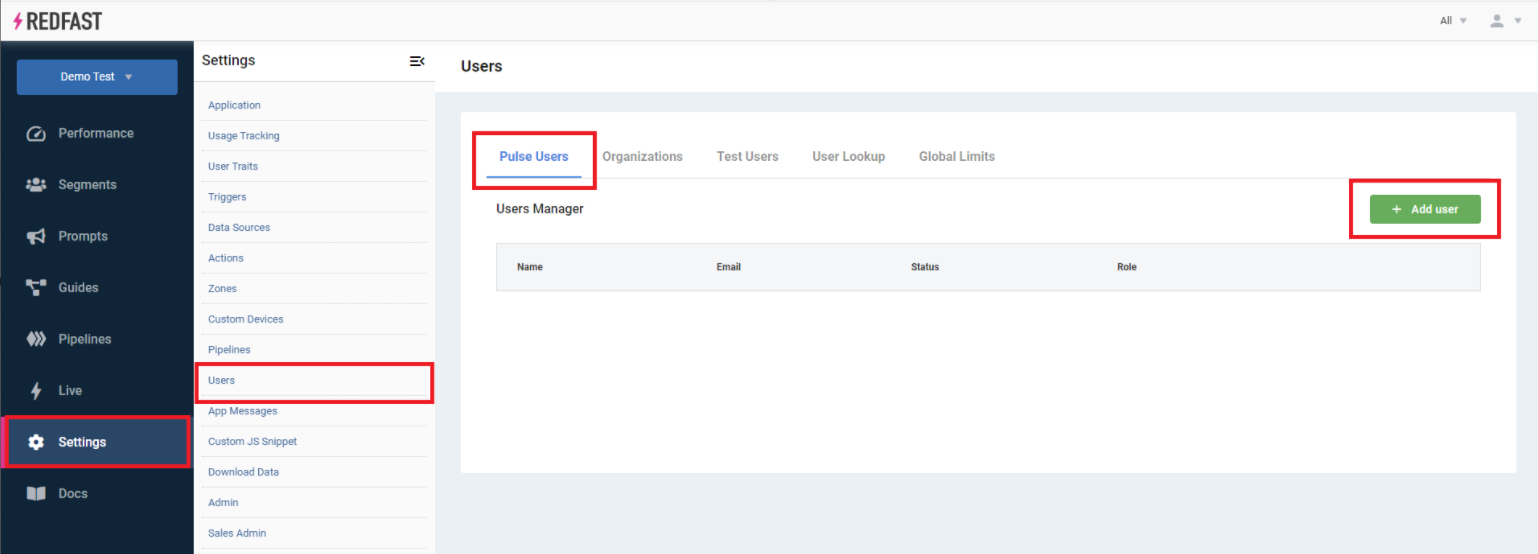
2
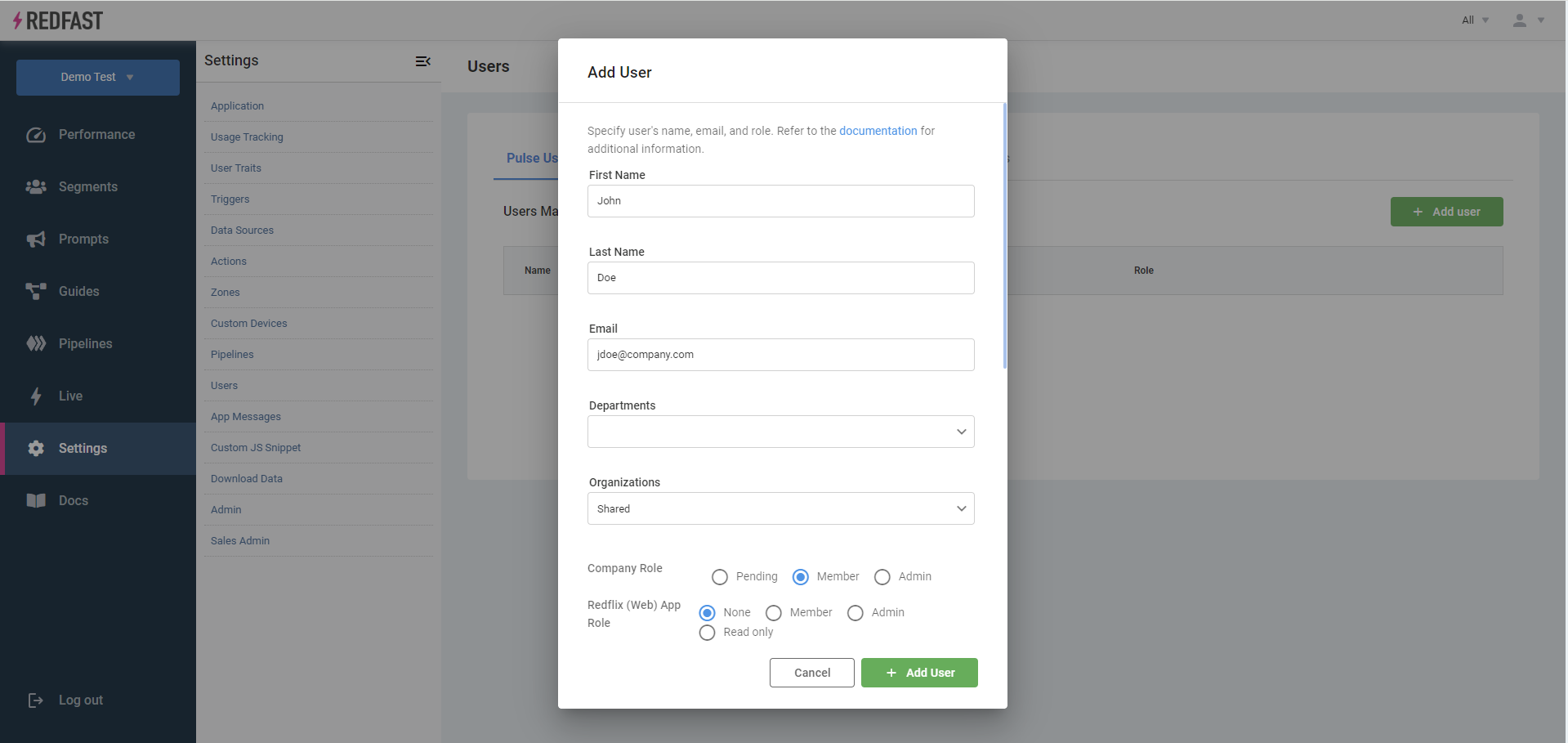
Enter the user's details
Enter the user's name and email, then select a permission level. See User permissions for details on each level.
Updated about 2 months ago
Did this page help you?