
Application
Configure your application settings—ID, API Key, domain, aliases, and timezone—to ensure Recurly Engage functions correctly on your site or app.
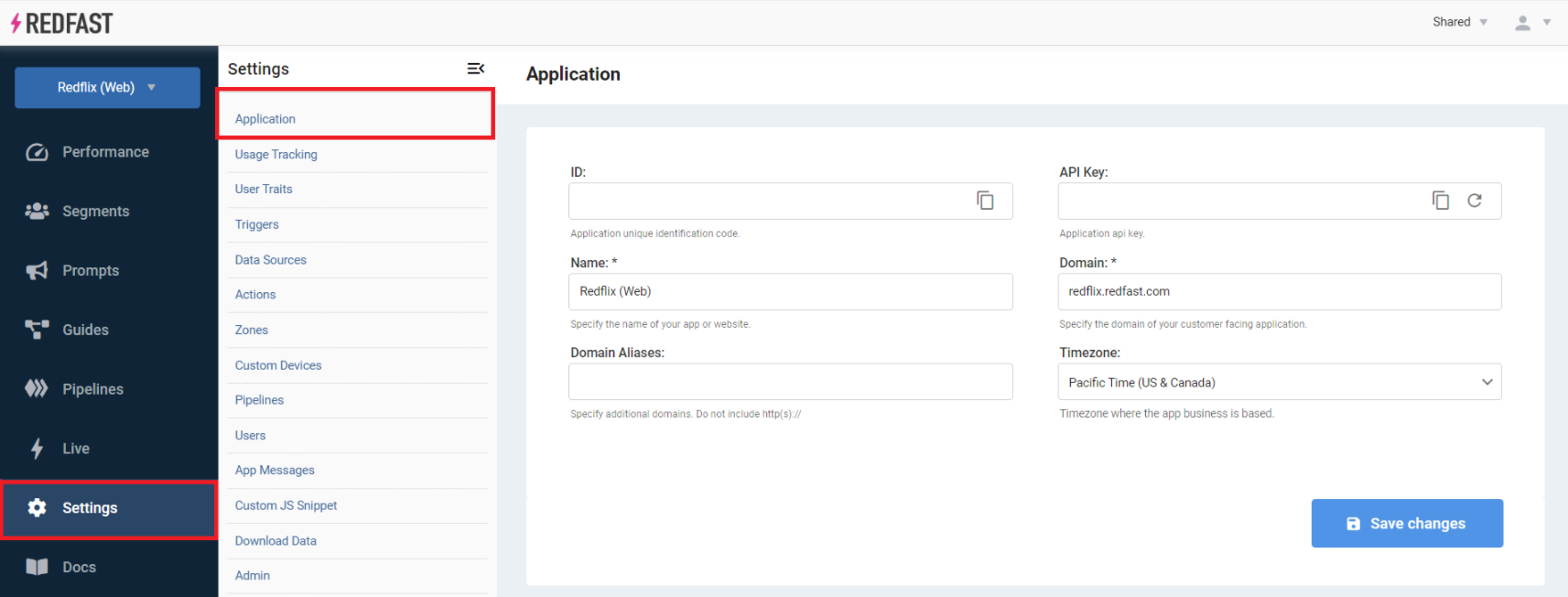
The Application settings are where you set up and update your application configuration in Recurly Engage. Come here to grab your credentials, manage your domains, and set the timezone Engage uses for scheduling and reporting.
Available on all Recurly Engage plans
Prerequisites
- You must have Company or App Administrator permissions in Engage.
Definition
The Application settings define the core identity and access credentials for your Engage instance, including tag installation and API usage.
Key benefits
Secure access
Manage your API Key and regenerate it whenever you need to.
Multi-domain support
Use domain aliases to serve prompts across multiple brands or subdomains.
Accurate scheduling
Set your application timezone for prompt scheduling and performance reporting.
Key details
| Setting | Description |
| ID | Your application’s unique identifier. Use this to add the Engage tag on your site via Google Tag Manager. |
| API Key | Your application’s API key. The ID and API Key fields are pre-filled. Click the rotate icon to regenerate the key, which invalidates the previous one. |
| Name (required) | The friendly name of your site or application. You can change this at any time. |
| Domain (required) | The primary domain where your application is accessed. You don’t need to include subdomains like www unless you manage multiple apps under one domain. |
| Domain Aliases | Additional domains that can use the same Engage configuration. Useful for multi-brand or regional deployments. |
| Timezone | The application’s timezone. Engage uses it for prompt scheduling (unless user timezone is selected) and for displaying performance metrics. |
Updated about 1 month ago
Did this page help you?