
Integrations
How to activate and configure third-party connectors for billing, support, marketing, and analytics within Recurly Engage.
Recurly Engage comes with dozens of prebuilt integrations — connectors that let you trigger actions in your existing business systems or stream events to them.
Available on all Recurly Engage plans
Prerequisites
- You must have Company or App Administrator permissions in Engage.
- Connector-specific credentials, such as API keys and client IDs or secrets.
- Appropriate permissions in both Engage and the target system.
Definition
An integration (or connector) links Engage prompts and user interactions with external platforms, enabling one-click actions, event streaming, and data sync.
Key benefits
Streamline workflows
Automate subscription changes, support tickets, emails, and more directly from in-app prompts.
Unified user experience
Keep your user's context in sync across billing, customer relationship management (CRM), support, and analytics systems.
Rapid time to value
Prebuilt connectors mean you can be live in minutes, not weeks.
Key details
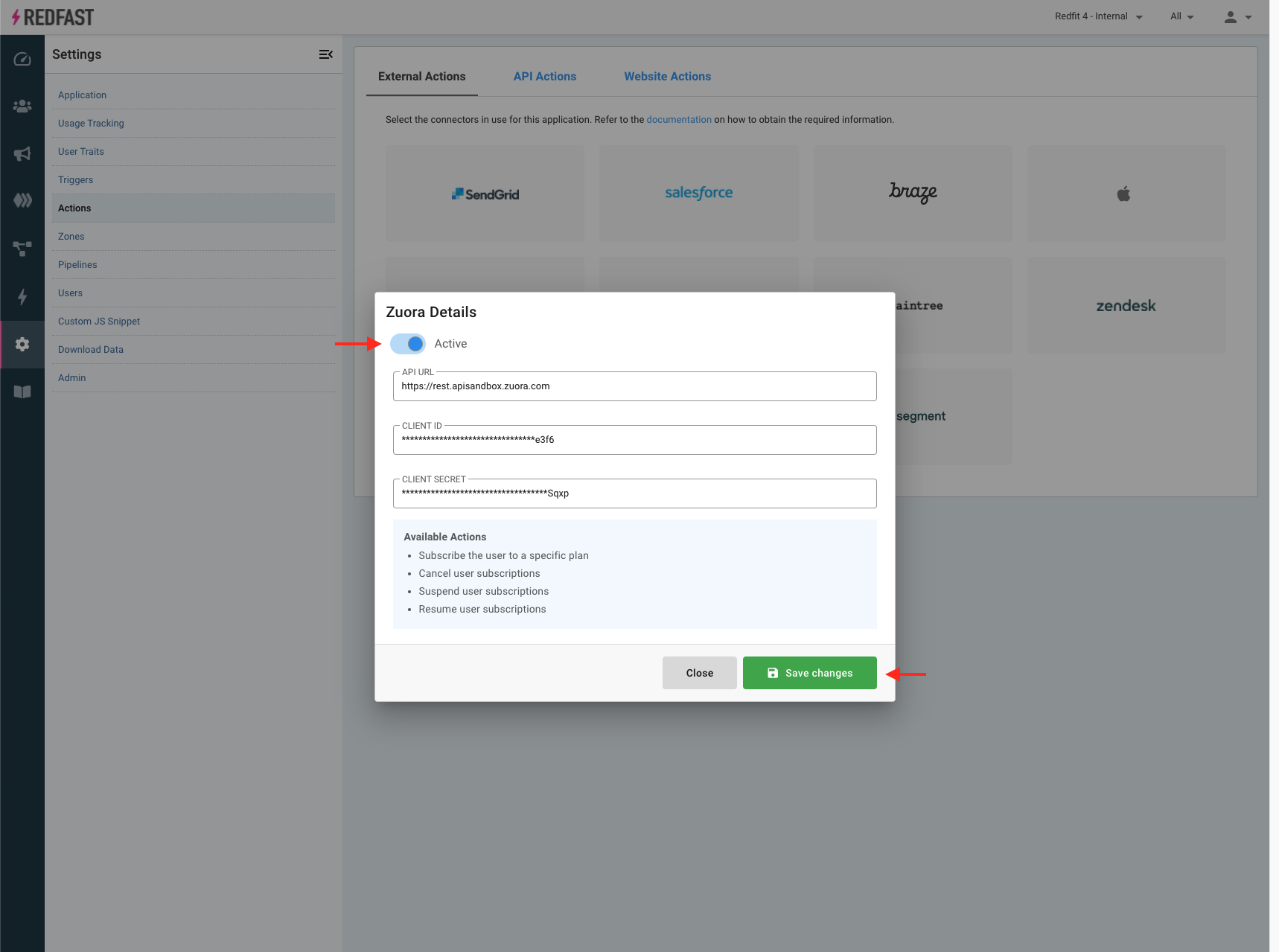
Configure external integrations


Connector capabilities
SendGrid
- Send dynamic template email to user’s email address
- Add user to contact list
- Send dynamic template email to a user-submitted address
Salesforce.com
- Create a Case (Support Cloud)
- Post offer acceptance to feed on all existing Cases
Zendesk
- Create support ticket with offer details
- Set priority on all tickets by that user
- Assign all existing tickets to a specific agent
- Suspend or restore a user
- Assign tickets to a group
- Delete or spam all existing tickets
- Update ticket status or source
Stripe
- Subscribe the user to a specific plan
- Unsubscribe the user from a plan
- Add a coupon code at checkout
- Extend a user’s trial period
- Switch subscriptions immediately or at period end
Zuora
- Subscribe user to a rate plan
- Cancel, suspend, or resume a subscription
- Change auto-renew settings
Freshdesk
- Create support ticket upon offer acceptance
- Bulk-update ticket priority, status, group, responder, or source
- Soft-delete or restore contacts
- Delete all tickets for a contact
Recurly
- Apply coupon codes
- Change, pause, resume, or create subscriptions
- Convert trials to paid
- Record usage
Iterable
- Track custom events in Iterable
- Add users to lists or automations
- Send campaign emails to stored or inputted addresses
Cleeng
- Switch subscription offers
- Apply coupon codes
- Reactivate subscriptions
Braze
- Create or update a user record by email
Apple (APNs)
- Trigger in-app purchase flows (Upgrade/Downgrade)
- Send push notifications via APNs
Need another connector?Contact your Engage Customer Success team to request a custom integration or new connector.
Updated about 1 month ago
Did this page help you?