
Prepayment credit
Learn how prepayment credits work in Recurly RevRec — how advance payments are tracked as a single SO line with two invoices, and how to identify prepayment credit activity by plan code.
Prerequisites
- A cancellation and refund policy that supports prepayment crediting.
Limitations
- Prepayment credits can only be used for purchases and can't be refunded.
- Specific configurations may restrict the use of prepayment credits for certain plans or products.
Definition
Key benefits
Key details
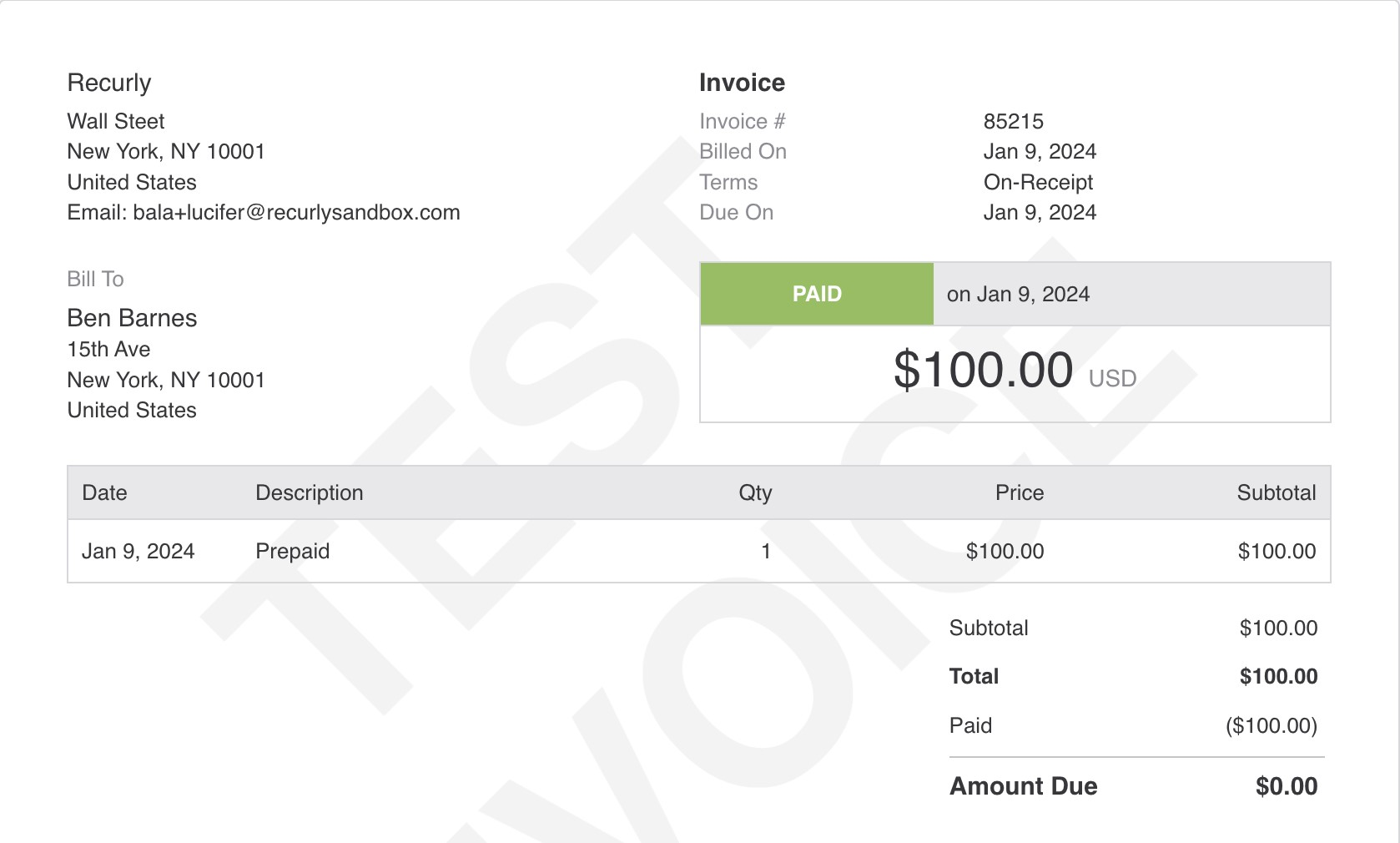
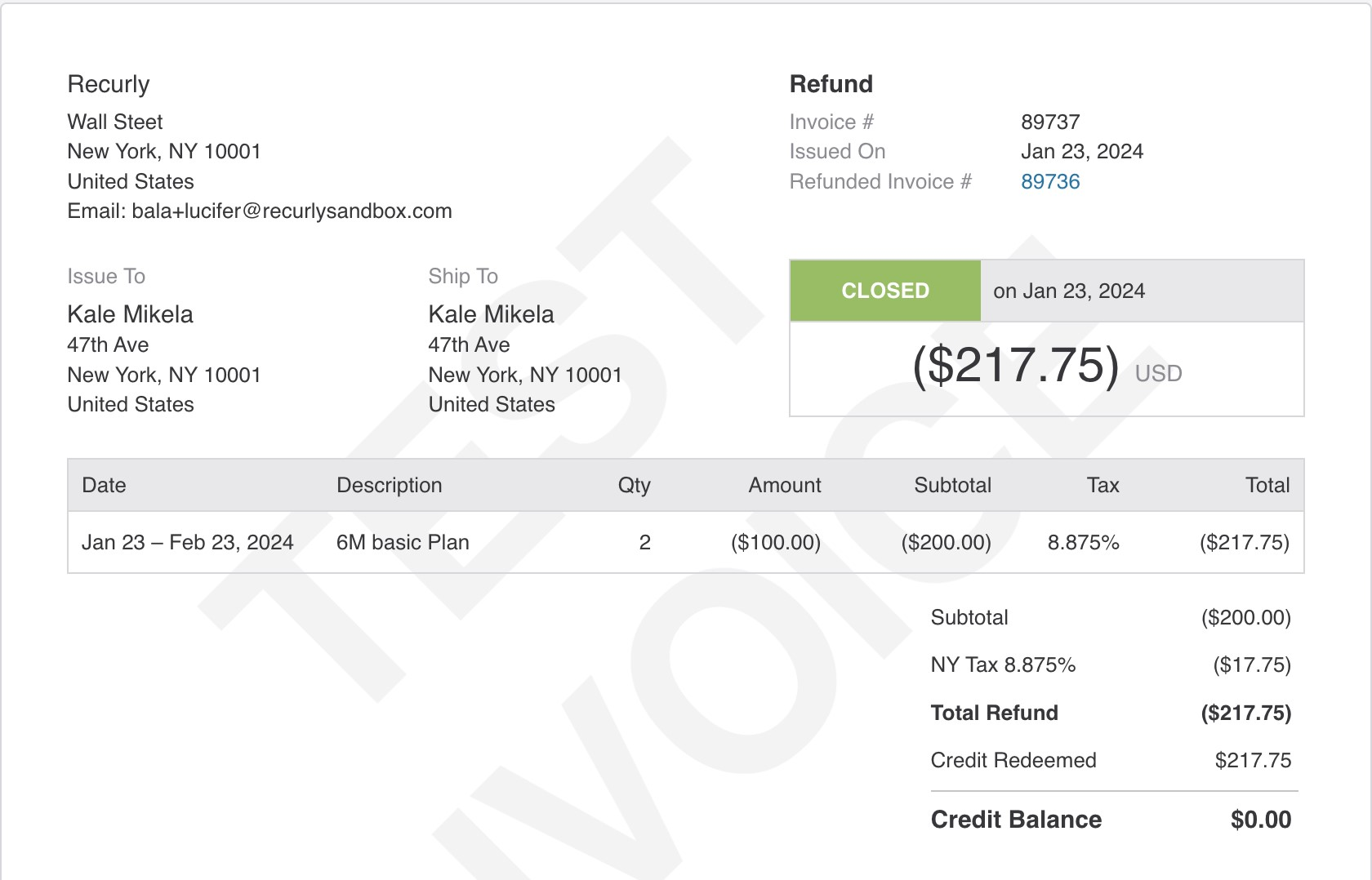
When a customer makes a prepayment, Recurly issues two invoices: one acknowledging the payment and one representing the credit balance.
Payment invoice
Credit invoice
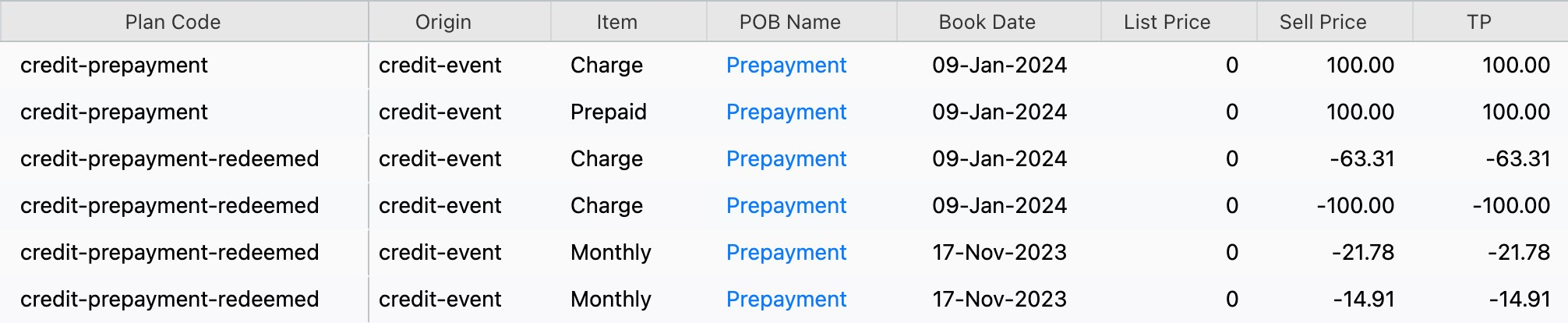
Prepayment credits appear in RevRec as a single Sales Order (SO) line with two invoices. Adjustments to the credit are recorded as new lines, identifiable by their origin and plan code.
| Origin | Activity | Plan code |
| credit-event | Prepayment credit issued | credit-prepayment |
| credit-event | Prepayment credit redeemed | credit-prepayment-redeemed |
| credit-event | Prepayment credit voided | credit-prepayment-voided |
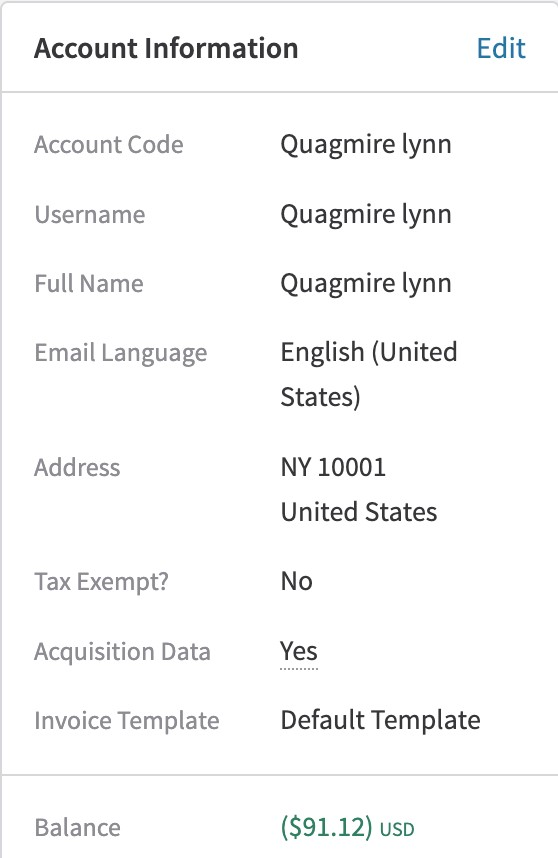
Customers can view their total credit balance in Recurly — equal to the total sell price of the credit lines — in the customer information section.
FAQ
What makes a prepayment credit different from the other two credit types?
A prepayment credit is funded by the customer. They pay in advance, and that amount is held as a credit balance to use on future subscriptions or purchases.
Why do I see two credit-event invoices in Recurly when a prepayment credit is issued?
Two invoices are created to make the accounting clear:
- Payment invoice: Acknowledges receipt of the customer's advance payment.
- Credit invoice: Converts that payment into a usable credit balance on the customer's account.
How are prepayment credits and their adjustments tracked in RevRec?
Filter for origin = credit-event and use these plan codes:
- Credit issued:
credit-prepayment - Credit used/redeemed:
credit-prepayment-redeemed - Credit canceled/voided:
credit-prepayment-voided
Updated 4 months ago