
Attribute labels
Configure attribute labels in Recurly RevRec to map Recurly attribute names to their RevRec counterparts and control display order across contracts, documents, cost, and outbound attributes.
Attribute labels bridge the gap between Recurly attribute names and their counterparts in Recurly RevRec. They also control how those attributes display across the platform — what they're called and the order they appear in.
Available as part of Recurly RevRec
Key details
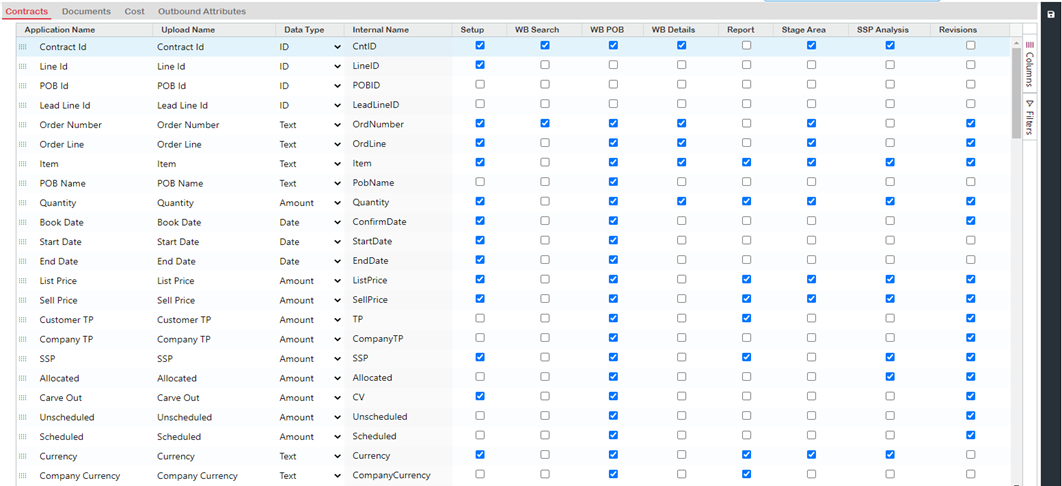
Attribute labels are organized under four main tabs:
Contracts
Pertains to contracts and sales orders.
Documents
Relates to documents and invoices.
Cost
Concerns cost, expenses, and commissions.
Outbound attributes
Defines how data is relayed to your ERP system.
NoteAttributes must be defined here for Recurly RevRec to gather data.
Configuring labels for Contracts, Documents, and Cost
Setting up attribute labels
Updated 3 months ago
Did this page help you?