
Derive exchange rate for external data
Recurly RevRec automatically derives the correct currency exchange rate for contracts, invoices, and costs created outside Recurly, based on their creation date.
Definition
Key benefits
How derivation is controlled
RevRec derives exchange rates for subscriptions and invoices created outside of Recurly, and for uploaded cost lines — so you never have to upload exchange-rate files manually. The feature is controlled through two attribute labels:
- Contracts:
Derive ExRates(under contract attributes) - Costs:
Cost Derive ExRates(under cost attributes)
Derive exchange rates for subscriptions
For subscriptions and order lines, enable derivation from Setup → Attribute Labels.

You can enable this feature in either of the following ways.
Method 1: Set Derive ExRate in your upload file
Use this method when you want to control derivation line by line in the file you upload.
Method 2: Configure a data rule
Use this method when you want RevRec to derive exchange rates for all uploaded order lines by default.
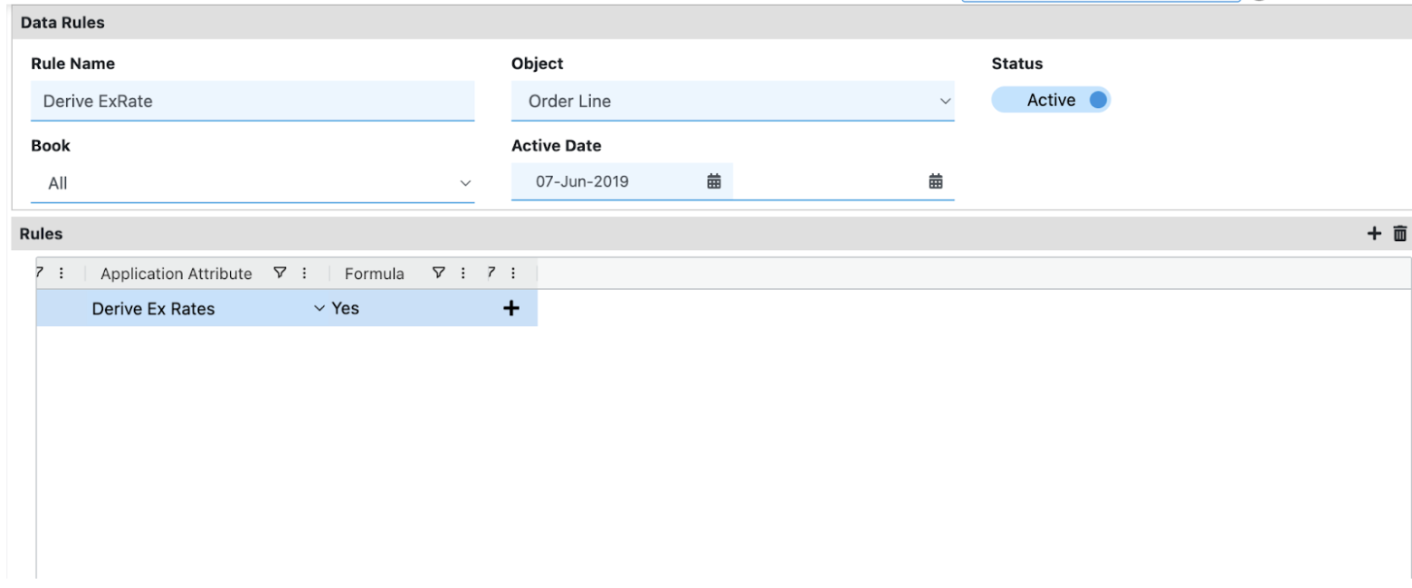
Behavior and defaults
- If
Derive ExRateis set toYesorY, you don't need to upload exchange rates for that line — RevRec derives them automatically. - After collection, the sales order line shows
Derive ExRate = Ywhen derivation is enabled. - If the field isn't set, it defaults to
N(orNo).
Derive exchange rates for costs
For cost lines, enable derivation from Setup → Attribute Labels → Cost.
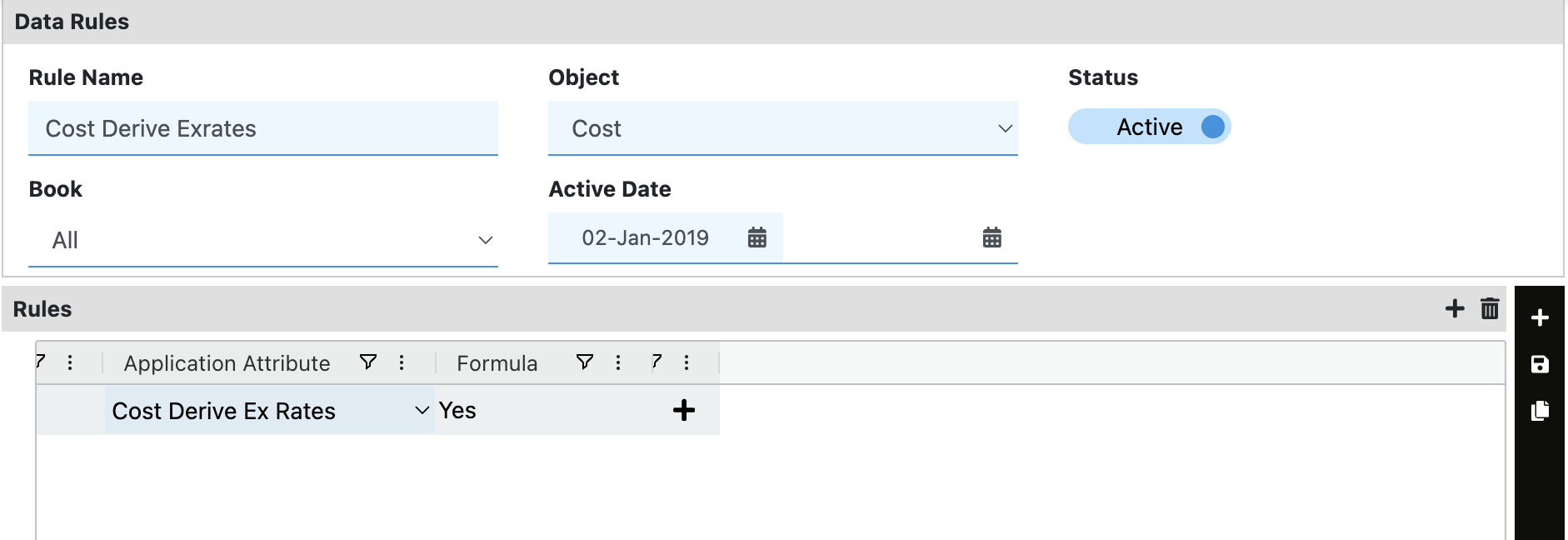
You can enable this feature in either of the following ways.
Method 1: Set Cost Derive Ex Rates in your cost upload file
Use this method when you want to control derivation line by line for costs.
Method 2: Configure a data rule
Use this method when you want RevRec to derive exchange rates for all uploaded cost lines by default.
Behavior and defaults
- If
Cost Derive Ex Ratesis set toYesorY, you don't need to upload exchange rates for that cost line — RevRec derives them automatically. - After collection, cost lines display the derive flag as
Ywhen enabled. - If the field isn't set, it defaults to
N(orNo).
Updated 4 months ago