
Shopify customer portal configurations
Add three Recurly Commerce blocks to the Shopify Order Status page and customer profile to show Subscription details to customers.
Definition
Key benefits
Key details
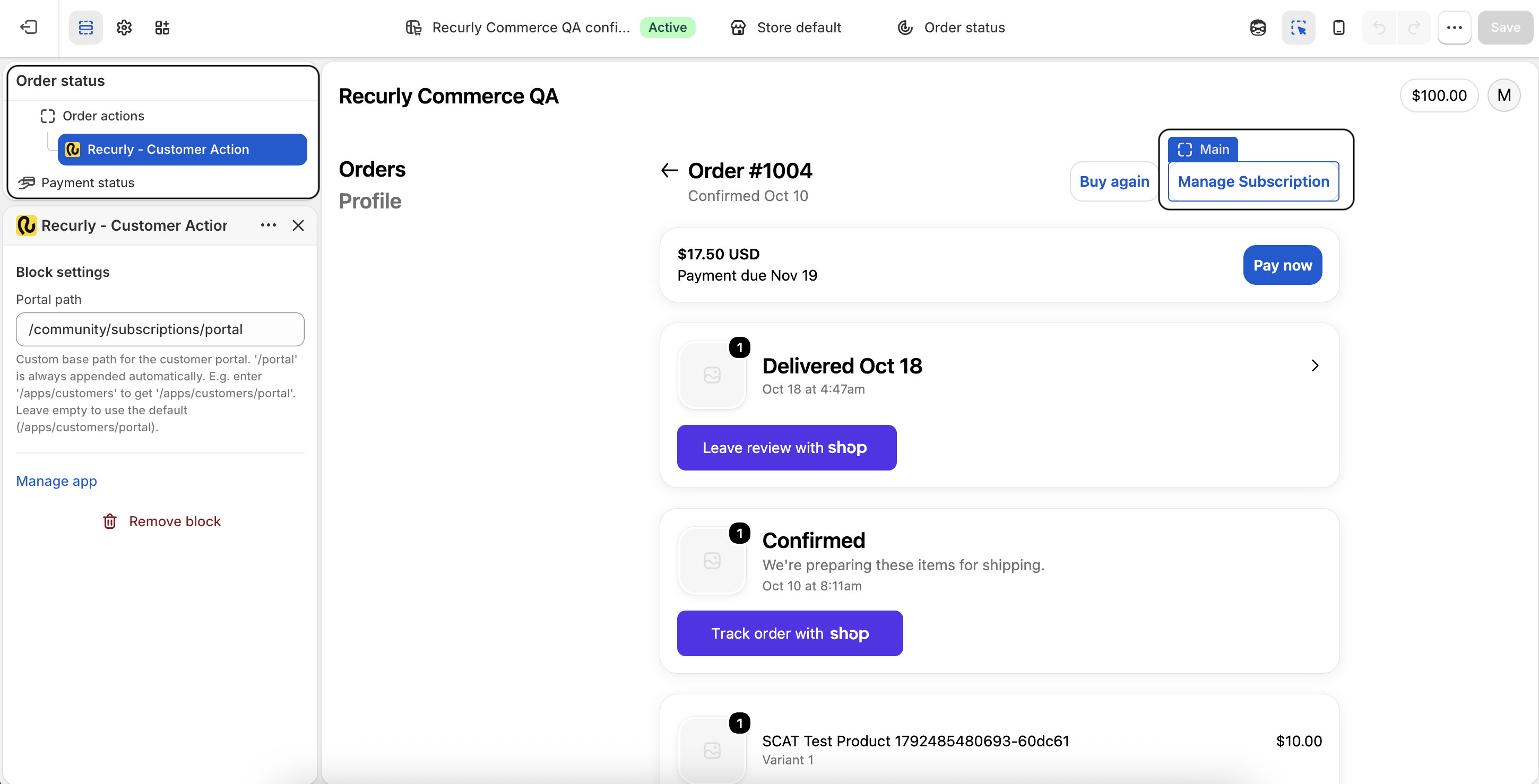
Add the Customer Actions block
Block 1 adds a Manage Subscription button to the top of the Order Status page.
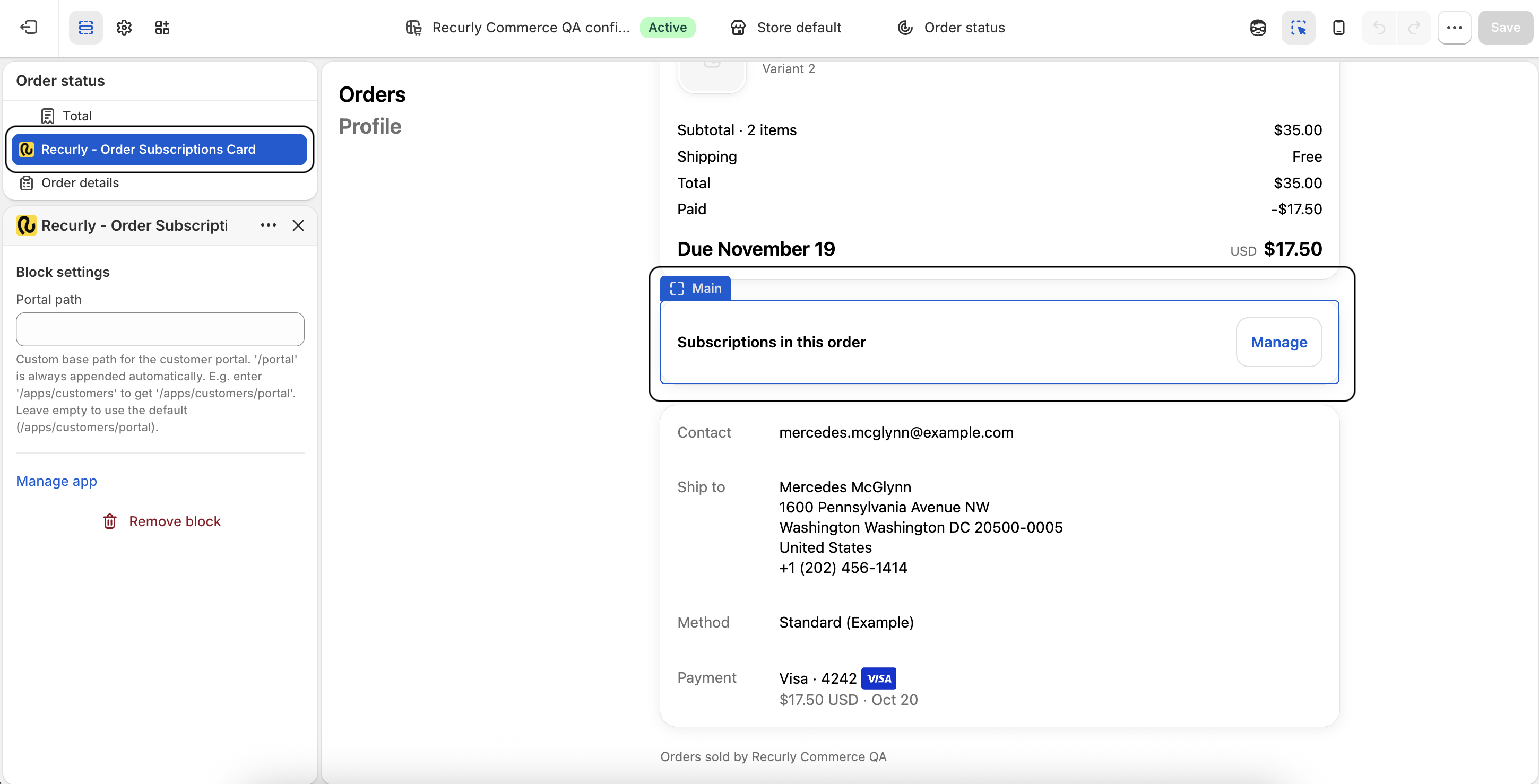
Add the Order Subscriptions card
Block 2 adds a card that lists each Subscription in an order, along with its status: active, paused, or cancelled. Gift Subscriptions can also show an expired status.
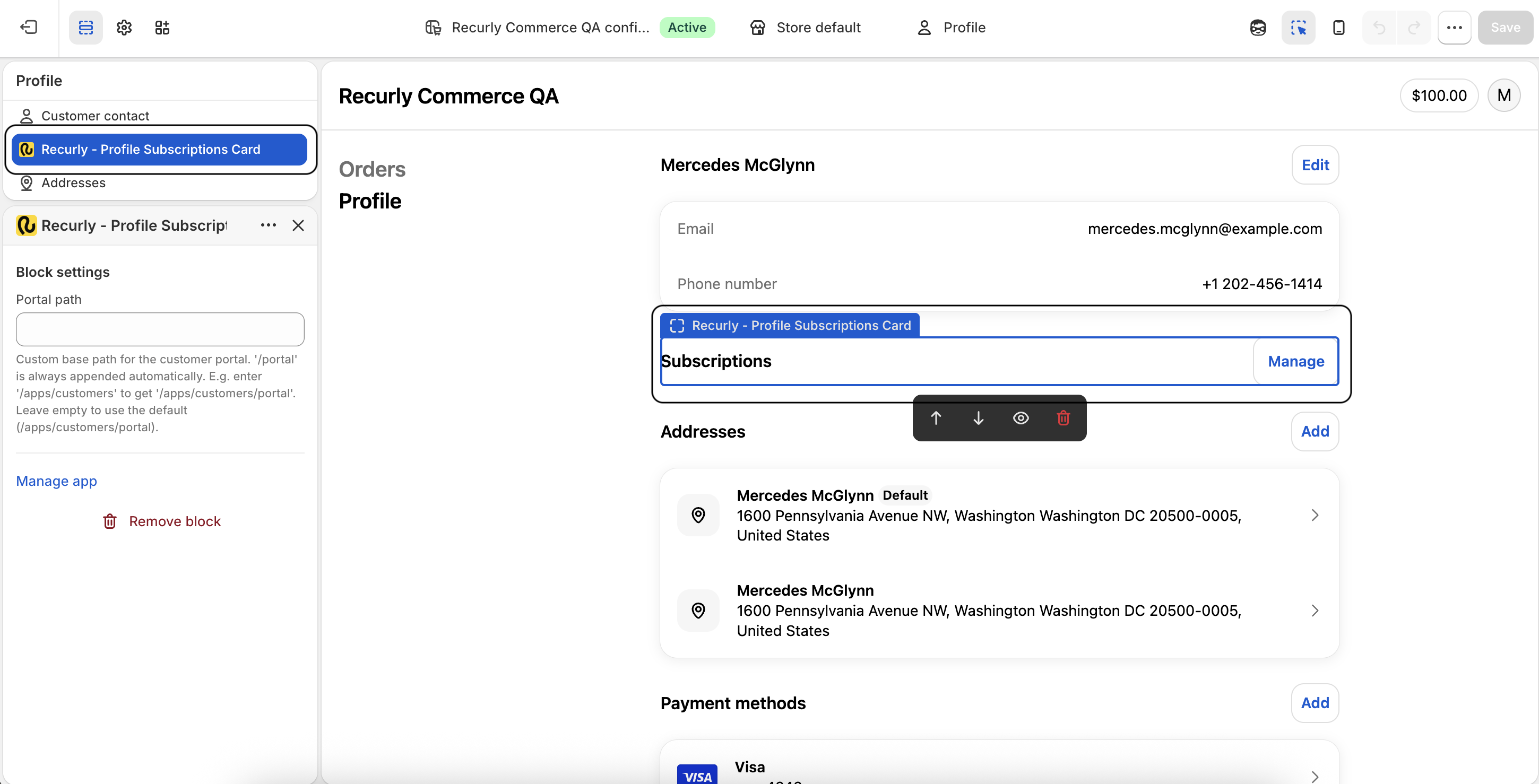
Add the Profile Subscriptions card
Block 3 adds a card to the customer profile. It includes everything in the Order Subscriptions card, plus the order frequency, the date of the next order, the next charge amount excluding tax, and the payment method on file for the Subscription.
FAQs
Will the Recurly blocks show if a customer has no Subscription?
Yes. The blocks still appear on their pages when a customer has no Subscriptions. On the Order Status page, the Customer Actions block shows the Manage Subscription button, and the Order Subscriptions card displays "No subscriptions in this order." On the profile page, the Profile Subscriptions card displays "No subscriptions" along with a Manage button.
Will the blocks be hidden for one-time purchase customers?
No. The blocks don't hide for customers who made one-time purchases. Each block shows a no-subscriptions message instead.
Updated about 1 hour ago