
Manage shipping profiles
Learn how Recurly Commerce uses your Shopify shipping profiles to configure free shipping for subscriptions without duplicating rules.
Overview
Prerequisites & limitations
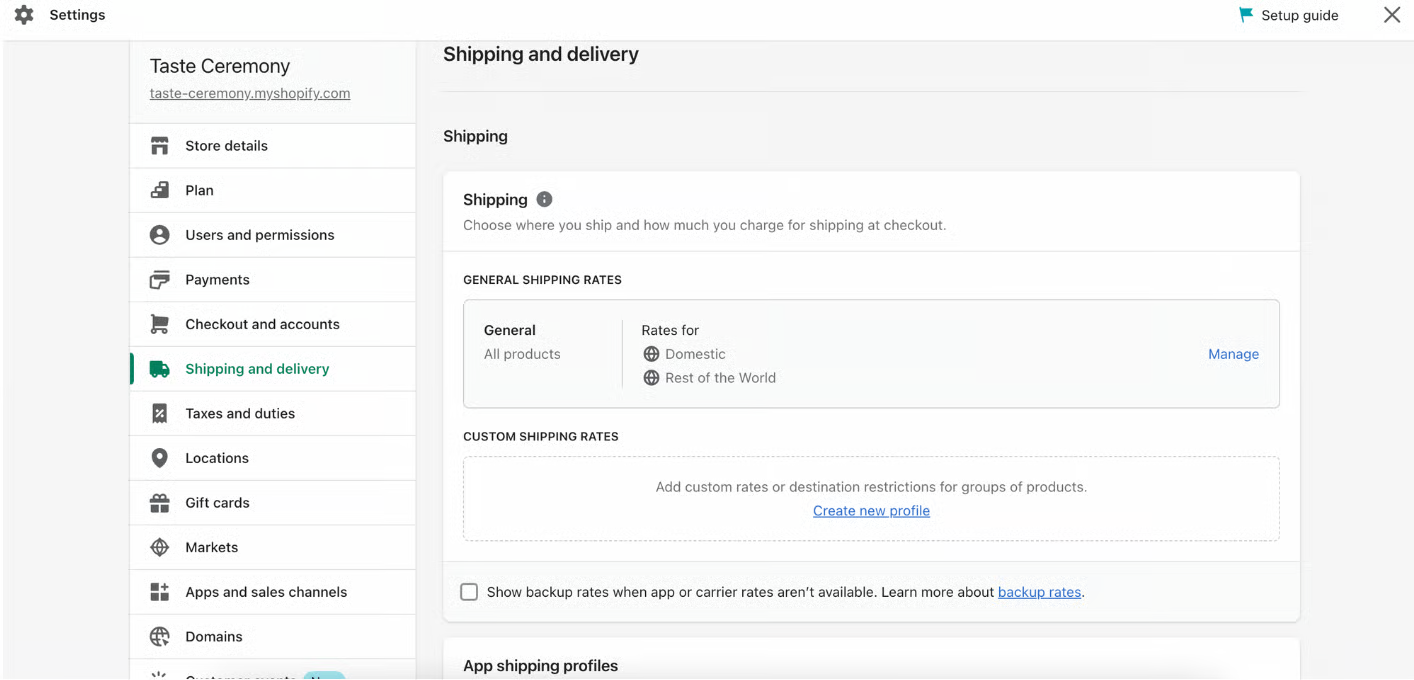
Requires Shopify shipping profiles to be properly configured under Settings → Shipping and delivery.
If your Shopify profile already covers subscriptions, do not enable free shipping in Recurly Commerce to avoid rule conflicts.
Definition
Managing shipping profiles means using Shopify’s built-in shipping settings to determine which countries, order values, or quantities qualify for free shipping on subscription orders.
Key benefits
- Zero duplication of work: Use the same shipping profiles you’ve already set up in Shopify—no separate configuration in Recurly Commerce.
- Granular control: Specify countries, minimum purchase amounts, or quantity thresholds for free shipping on subscription renewals.
- Flexible application: Choose whether free shipping applies to every renewal or only the first N orders.
Key details
Viewing your Shopify shipping profiles
Recurly Commerce does not host shipping rules itself—it reads from Shopify. To view or edit your profiles:
- In Shopify admin, go to Settings → Shipping and delivery.
- Locate the profile you want to use for subscriptions.
Note: If a Shopify profile already applies to subscription orders, skip the free-shipping setup in Recurly Commerce to prevent overlapping rules.
Configuring free shipping in Recurly Commerce
-
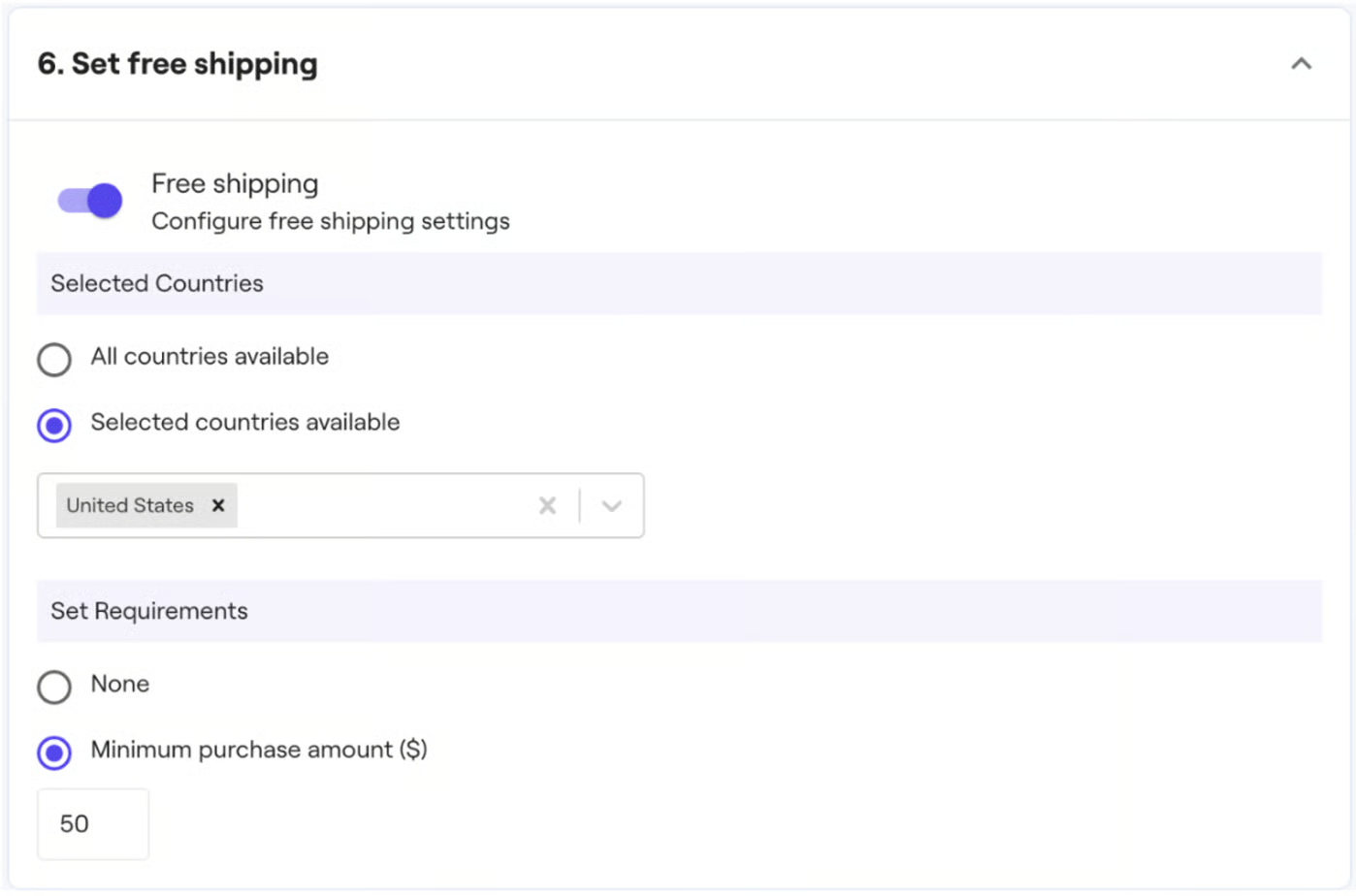
In the Recurly Commerce app, navigate to Subscription Plans, then select Edit on your plan and scroll to Free Shipping.
-
Toggle Free Shipping on.
-
Set your parameters:
- Countries: Which regions qualify.
- Minimum order amount or quantity: The spend or item count threshold.
- Applies to: Choose All renewals or First N orders only.
Note: Only enable if you need different shipping rules for subscriptions than your standard Shopify profile.
Updated over 1 year ago