
Payment Retries
Intelligently recover failed payments with AI-driven retry logic tailored for Shopify merchants.
Prerequisites
- You must have an active Recurly Commerce account
- Payment retry settings are configured under Settings > Payment Retries
Limitations
- Intelligent Retries and Custom are mutually exclusive — you configure one retry strategy per account
- Custom retry schedules are static; Intelligent Retries dynamically adapts timing based on failure type and customer context
Definition
Key benefits
Key details
Configure Payment Retries
In Commerce, navigate to Settings > Payment Retries. Select either Intelligent Retries or Custom, then click Save.
Intelligent Retries is selected by default and is the recommended option for most merchants.
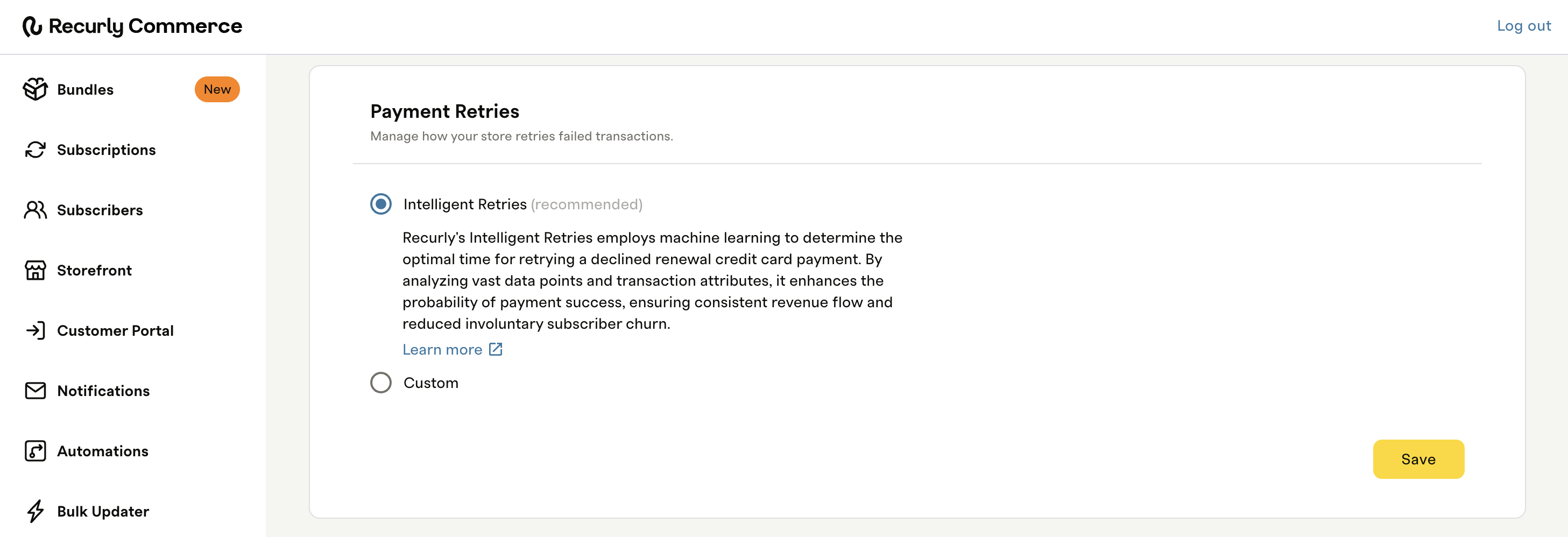
Intelligent Retries (recommended)
Intelligent Retries is Recurly's machine learning–powered retry engine. It combines payment gateway decline codes and payment metadata with patterns learned from 2,000+ merchants to determine the optimal retry window for each individual failed charge — whether that's hours, days, or weeks later.
Unlike a fixed schedule that retries every payment the same way, Intelligent Retries adapts to the specific failure reason and customer context. The result is more successful retries and less involuntary churn.
- Retries begin immediately after a payment failure
- Timing is determined dynamically per failure — no fixed interval
- Every attempt is logged in the subscription activity log
Custom
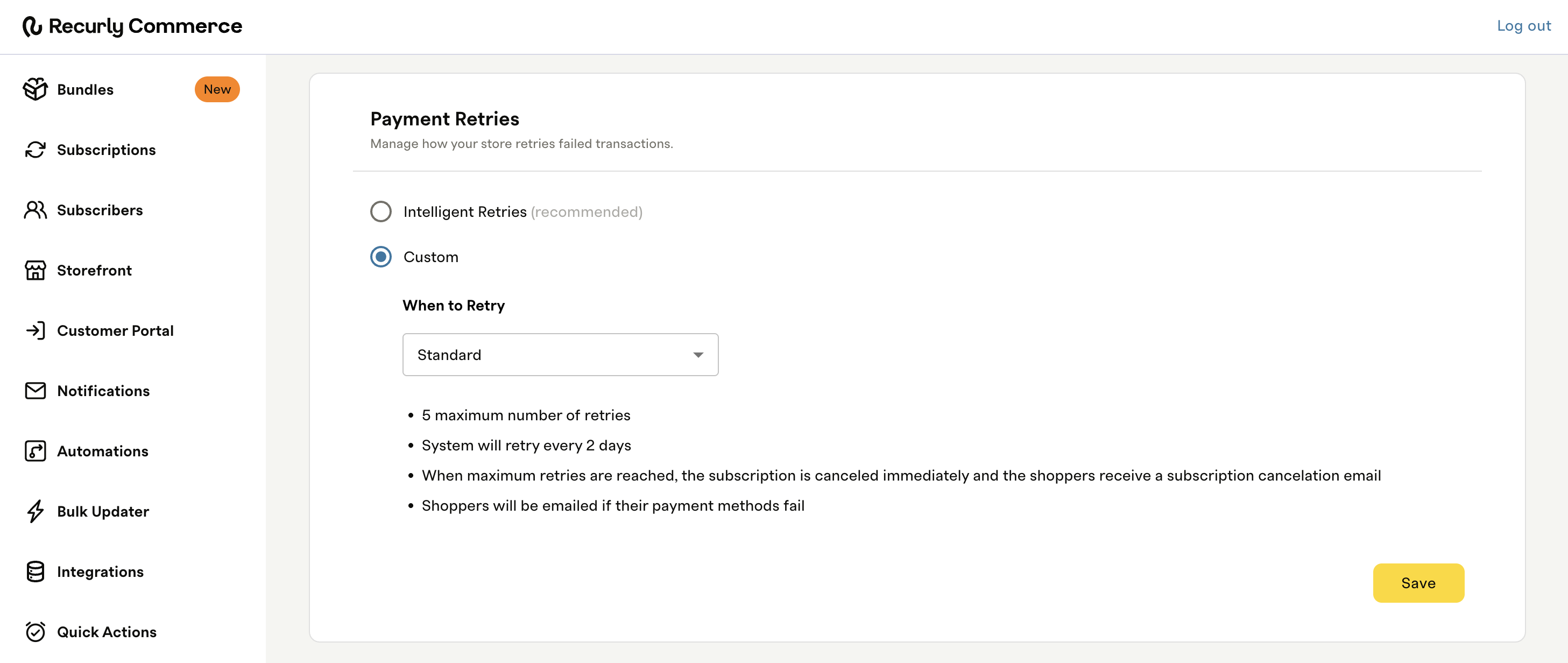
Custom lets you define a fixed retry schedule. Select Custom and use the When to Retry dropdown to choose one of three options.
Standard
A preset configuration requiring no additional setup.
- Maximum retries: five
- Retry frequency: every two days
- When retries are exhausted: the subscription is cancelled immediately and the subscriber receives a cancellation email
- Subscribers are emailed when their payment method fails
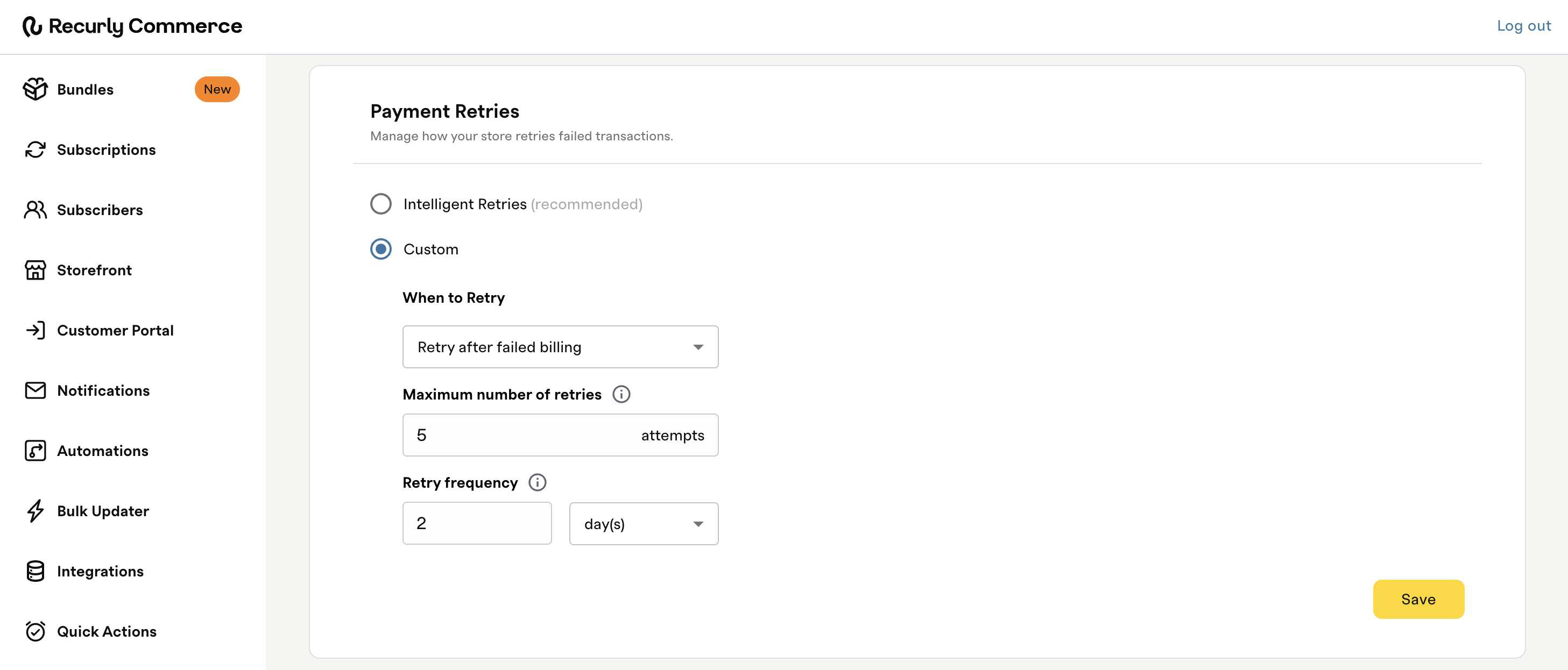
Retry after failed billing
Retries are scheduled after the renewal date. Configure:
- Maximum number of retries: the total number of retry attempts
- Retry frequency: how many days between each retry attempt
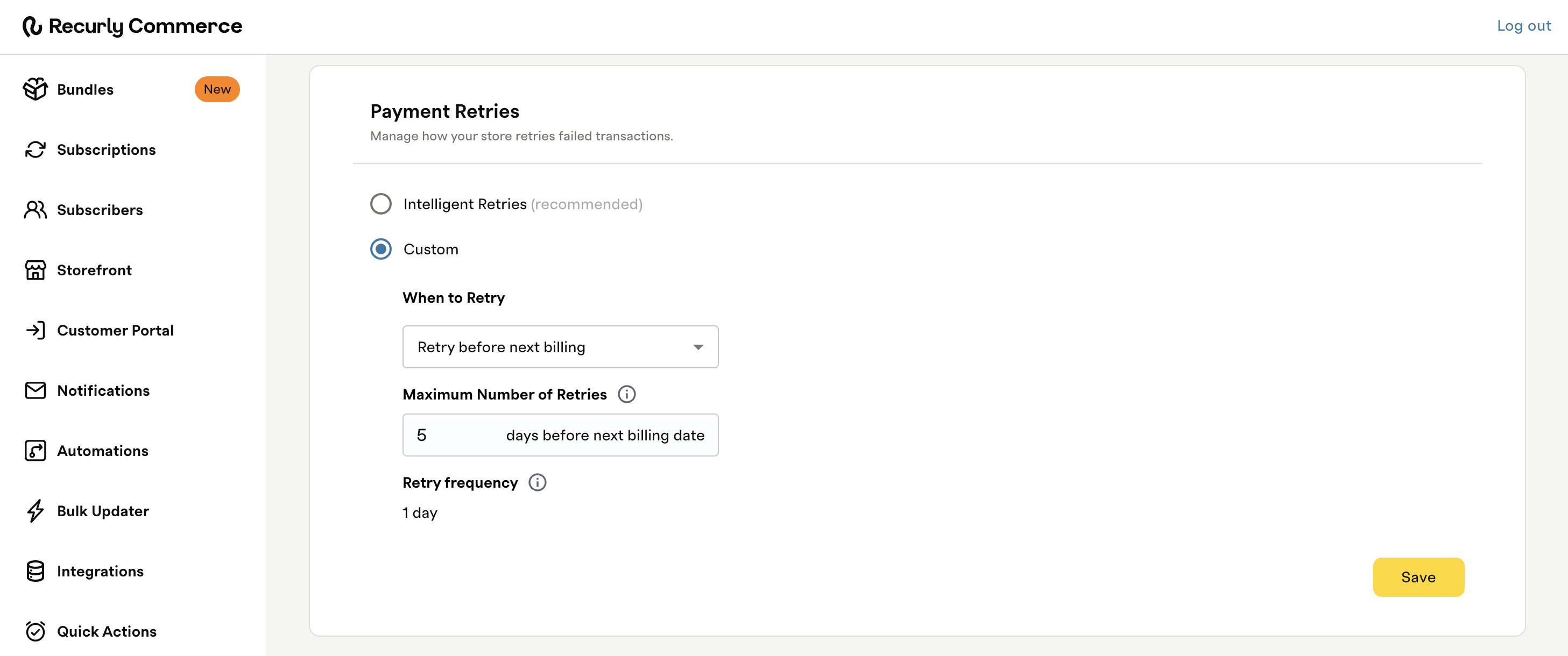
Retry before next billing
Retries are scheduled in the days leading up to the next renewal date. Configure:
- Maximum number of retries: the number of days before the next billing date to begin retrying
- Retry frequency: fixed at one day — retries run daily and is not configurable
How retry scheduling works
Commerce evaluates active subscriptions daily for retry eligibility. A retry fires when all three of the following are true:
- The retry count is below the configured maximum
- The dunning campaign is not yet complete
- Enough time has elapsed since the last retry, based on your configured cadence
- For Intelligent Retries, the system determines the optimal next retry window for each individual failure and schedules accordingly. Intelligent Retries influences when the next retry fires — it does not independently trigger retries outside of this evaluation cycle.
- For Custom, retries fire on the fixed cadence you've defined.
How retries relate to Dunning Campaigns
Payment Retries handle the charge recovery side of a failed payment. The Dunning Campaign handles subscriber communication — sending emails at day offsets you define to keep subscribers informed and prompt them to update their payment method.
Both tools are independent. Retries begin on failure; dunning emails fire based on your campaign configuration. If the charge succeeds at any point, both stop automatically.
Process a failed payment manually
After a subscriber updates their payment method, you can trigger a retry immediately without waiting for the next scheduled attempt.
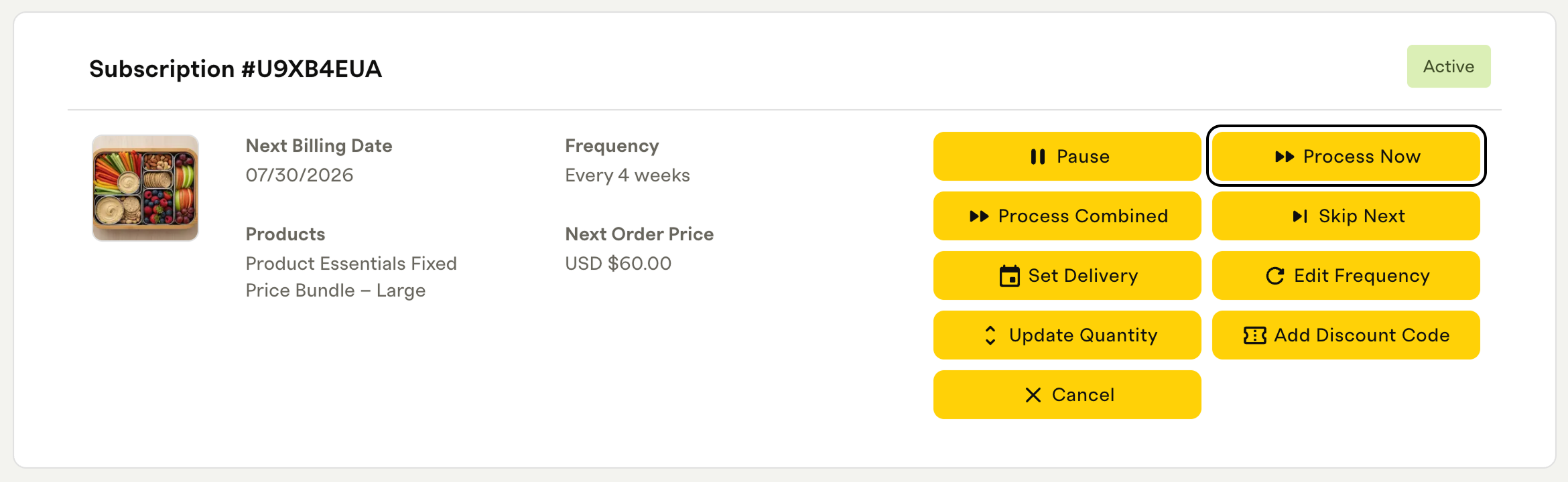
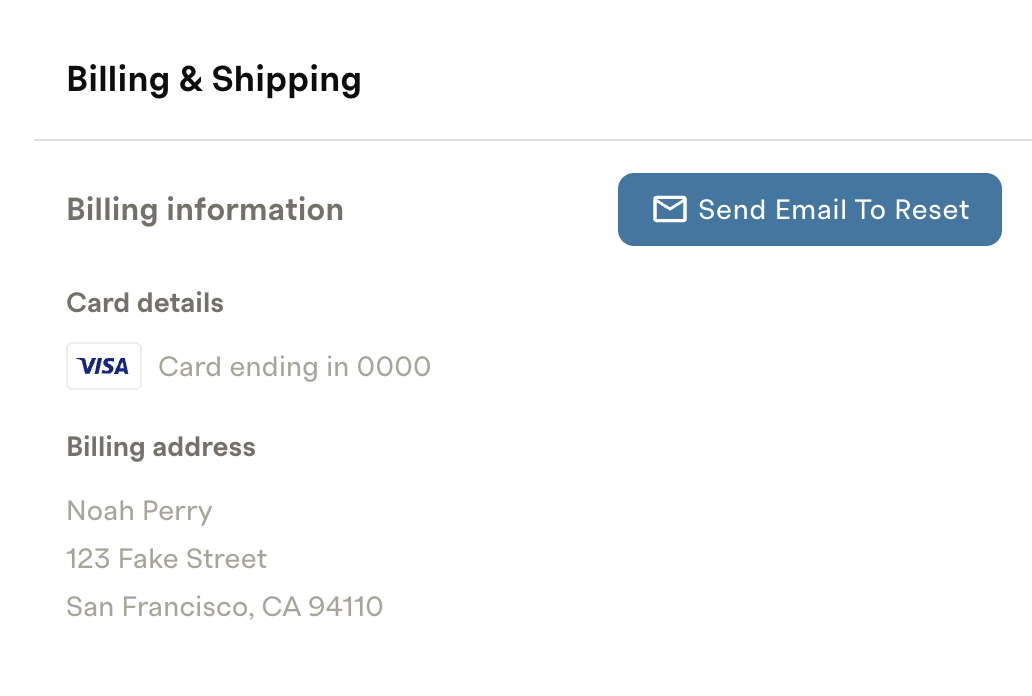
Reset billing information
Merchants can't edit a subscriber's payment details directly. To prompt a subscriber to update their payment method:
FAQs
How many times will Intelligent Retries attempt a charge?
The engine determines the optimal number of retries per failure type, typically between three and 15, based on historical success rates.
Where can I see retry history?
Every retry is recorded in the subscription's activity log. You can also export the Subscription Contract Activity report to review timestamps and outcomes.
Will retries affect my renewal schedule?
No. Successful retries simply process the payment and renew the subscription as originally scheduled.
Can I disable Intelligent Retries for certain plans or customers?
No. Intelligent Retries is enabled at the account level. If you'd like to discuss exceptions, contact your Recurly account manager.
Still need help? Contact [email protected].
Updated 3 months ago