
Recovered revenue
See total revenue and invoice counts recovered through intelligent retries over time in the Recovered Revenue dashboard.
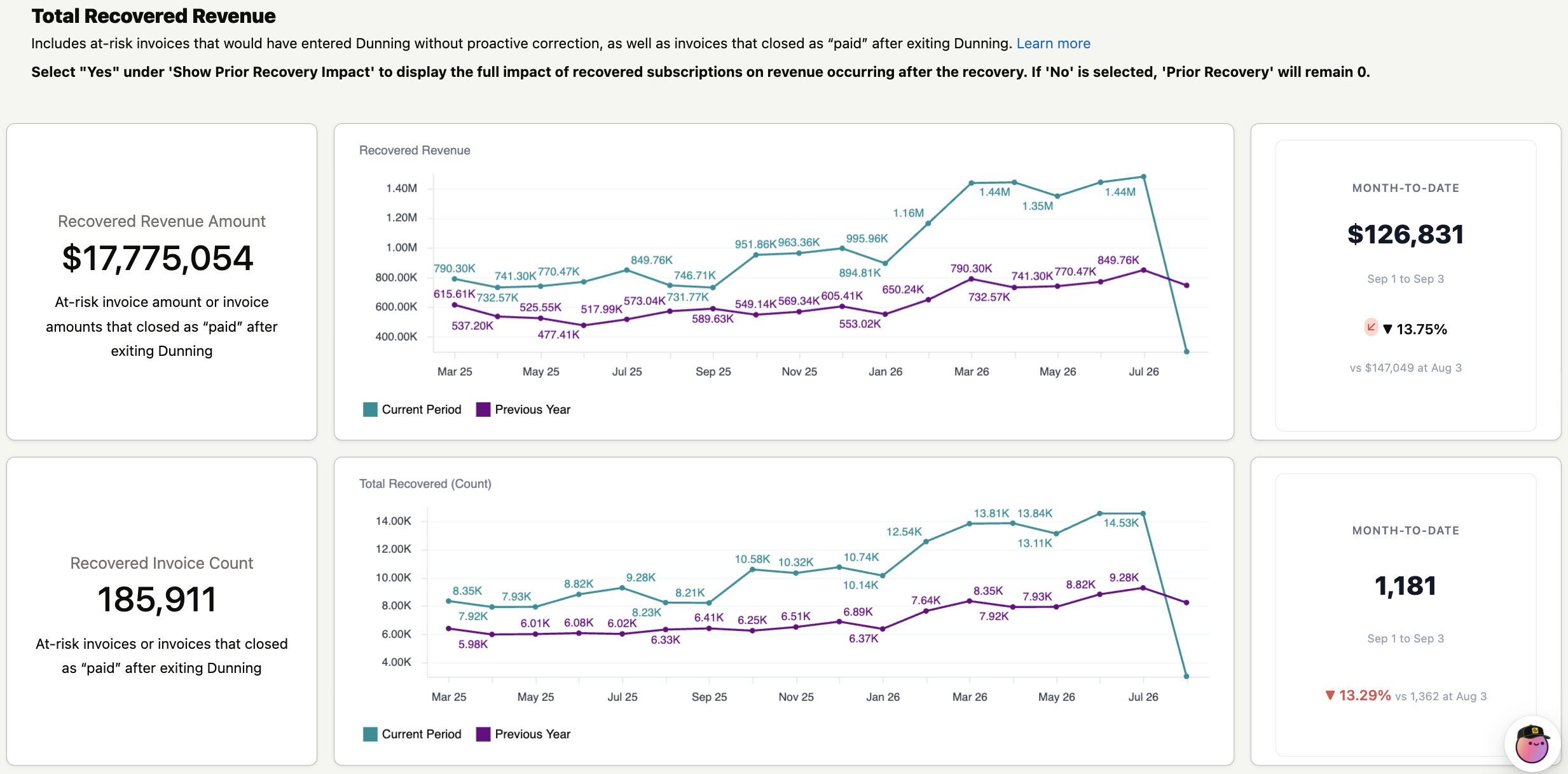
Recovered Revenue shows the total dollars saved through intelligent retries, broken down over time so you can track your cumulative recovery impact.
Filters
| Filter | Description |
| Include Invoices Based On | Chooses which date places an invoice in the reporting period, such as closed date. Defaults to Closed Date. |
| Date Range | The reporting period. Defaults to the past 18 months. |
| Timeframe | The interval used to group trends, such as month. Defaults to Month. |
| Invoice Type | Filters by invoice type. Defaults to All. |
| Show Prior Recovery | Chooses whether to include the revenue impact of previously recovered subscriptions in the totals. Defaults to No. |
Key metrics
| Metric | Description |
| Recovered Revenue Amount | The total value of at-risk invoices — invoice amounts that closed as paid after exiting a retry window — during the selected period. |
| Recovered Invoice Count | The number of at-risk invoices that closed as paid after exiting a retry window during the selected period. |
| Month-to-Date Recovered Revenue | The revenue recovered so far in the current month, compared to the same point in the previous period. |
| Month-to-Date Recovered Count | The number of invoices recovered so far in the current month, compared to the same point in the previous period. |
Charts
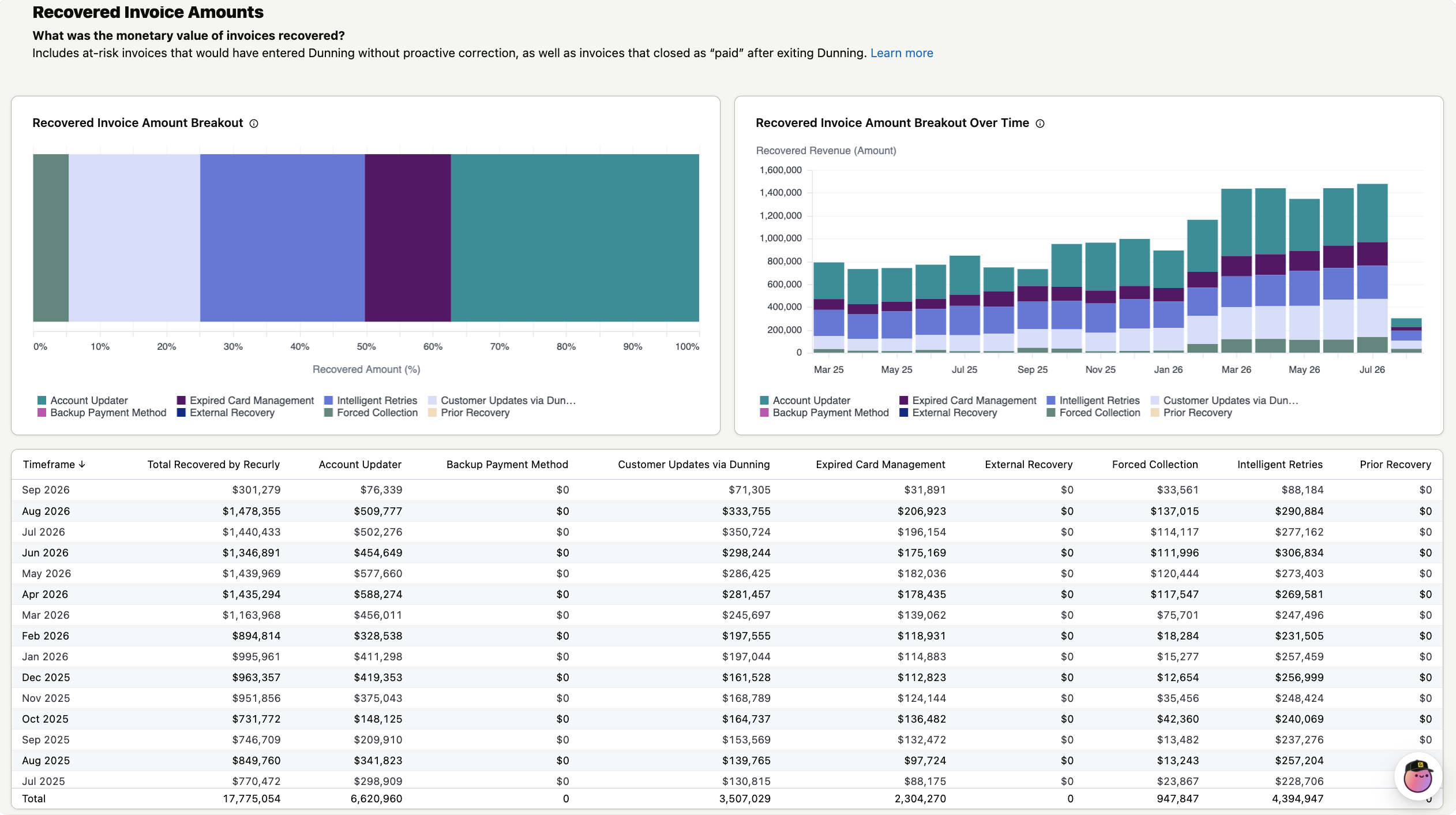
Recovered invoice amounts
This chart shows recovered revenue for each period alongside the previous year, so you can track recovery trends and seasonality over time.
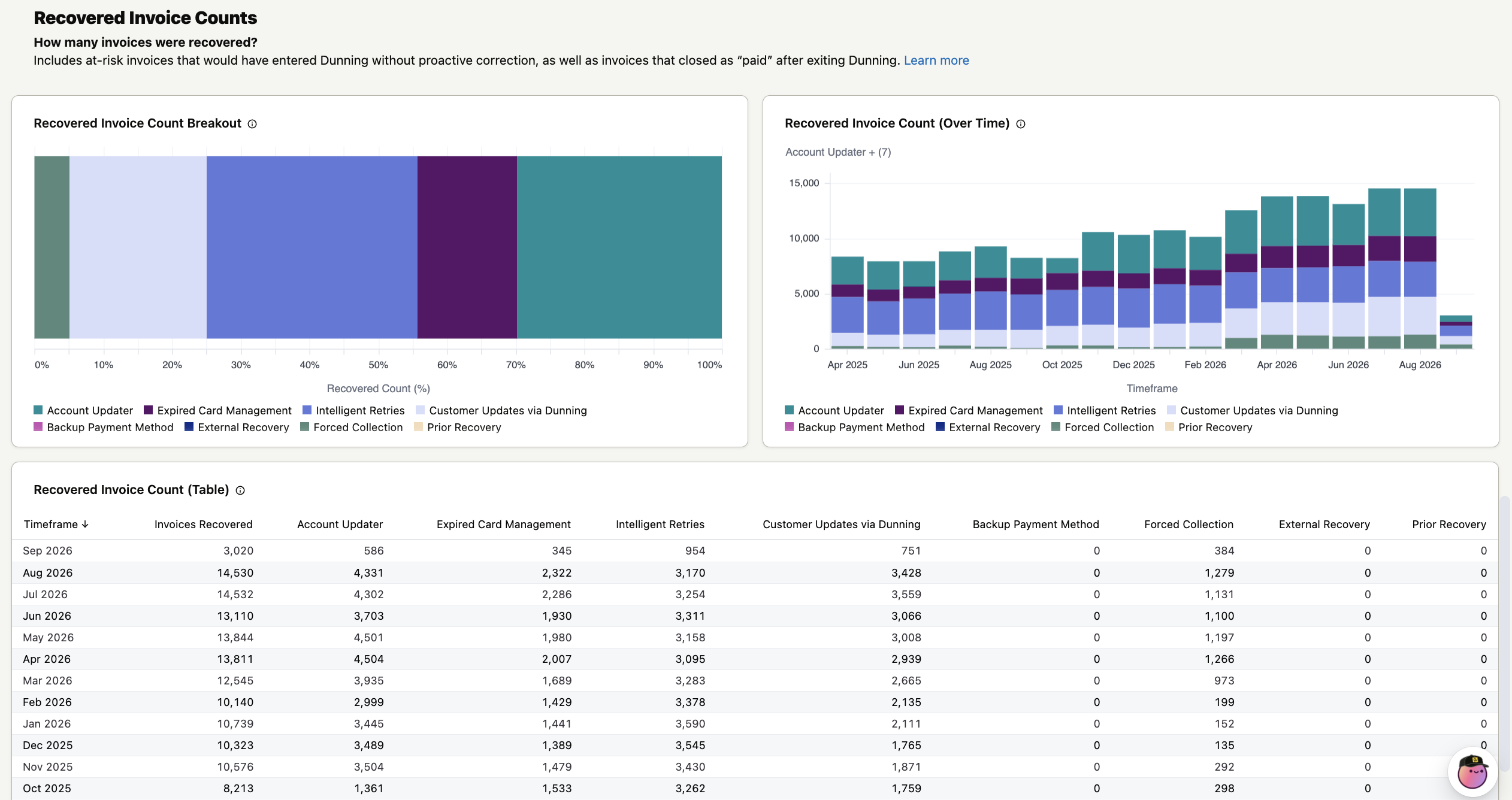
Recovered invoice counts
This chart shows the number of recovered invoices for each period alongside the previous year, so you can see how recovery volume changes over time.
Updated about 2 months ago
Did this page help you?