
Campaign performance
Compare recovery performance across retry windows to see which strategies recover the most revenue in the Campaign Performance dashboard.
Compare recovery performance across multiple retry windows so you can see which strategies work best. This dashboard is built for Recover customers who A/B test retry approaches across different customer segments or invoice types.
Filters
| Filter | Description |
| Date Range | The reporting period. Defaults to the past 18 months. |
| Retry Window | Filters to one or more retry windows. |
| Invoice Collection Method | Filters by how the invoice is collected, such as automatic or manual. Defaults to Automatic. |
Charts
Recovery by retry window
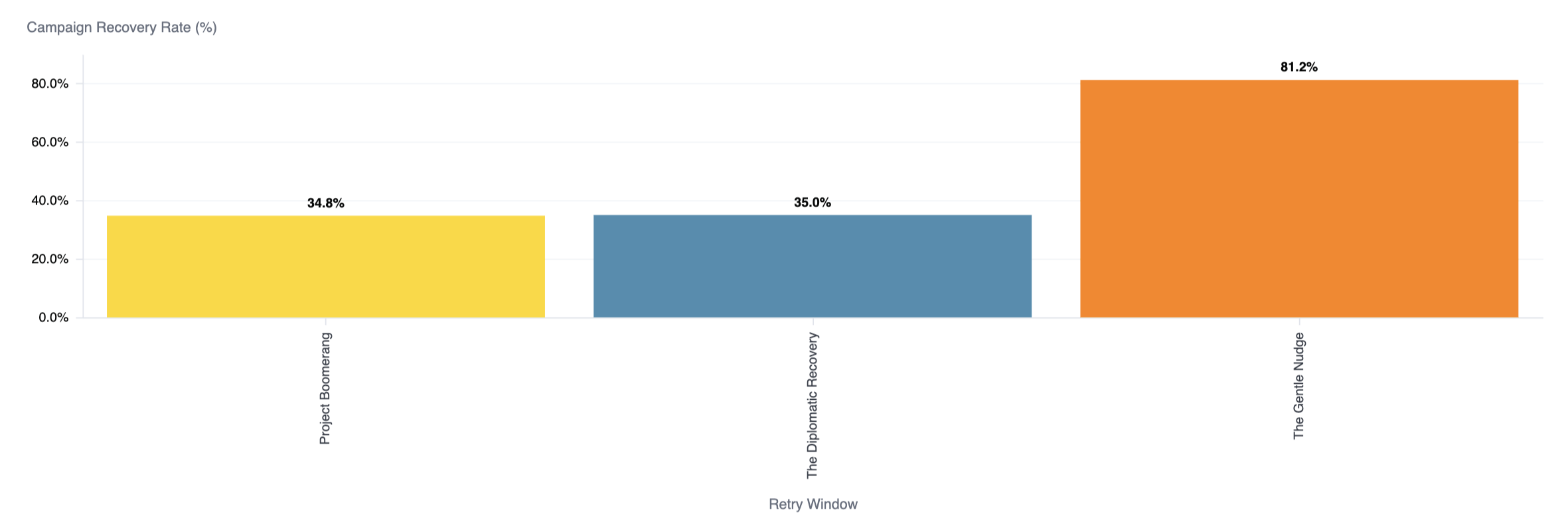
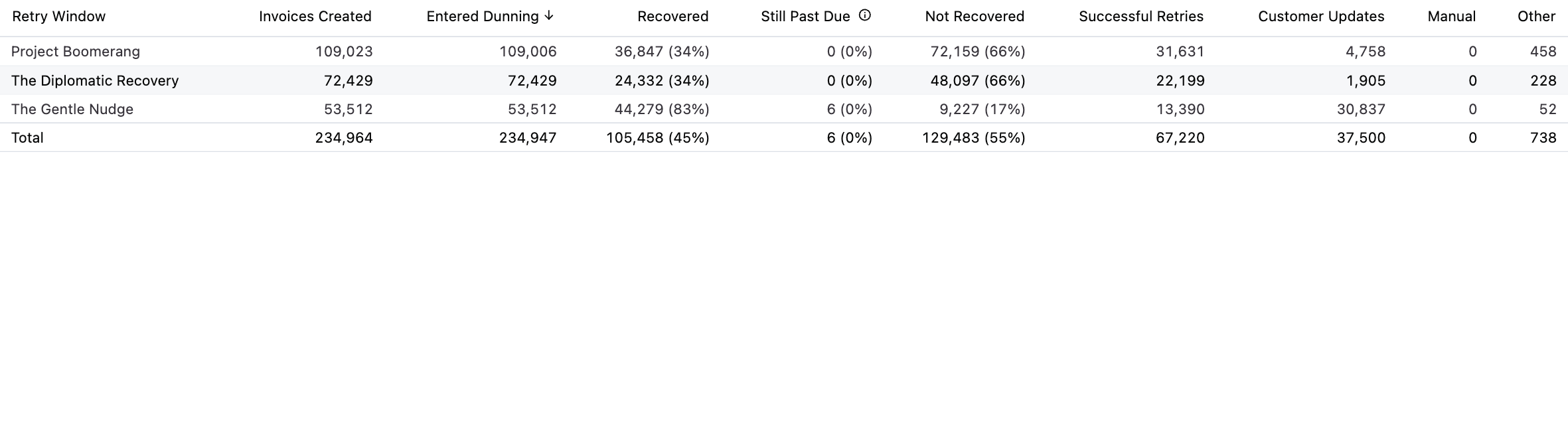
This chart shows the recovery rate for each retry window, so you can compare how your campaigns perform against one another. The accompanying table breaks each retry window down further with these columns:
| Column | Description |
| Invoices Created | The number of invoices generated during the period. |
| Entered Dunning | The number of invoices that went past due and entered a retry window. |
| Recovered | The number and percentage of past-due invoices that were successfully collected. |
| Still Past Due | The number and percentage of invoices that remain unpaid and are still in an active retry window. |
| Not Recovered | The number and percentage of invoices that were not collected. |
| Successful Retries | Invoices recovered through Recurly Recover's intelligent retries. |
Recovery by day
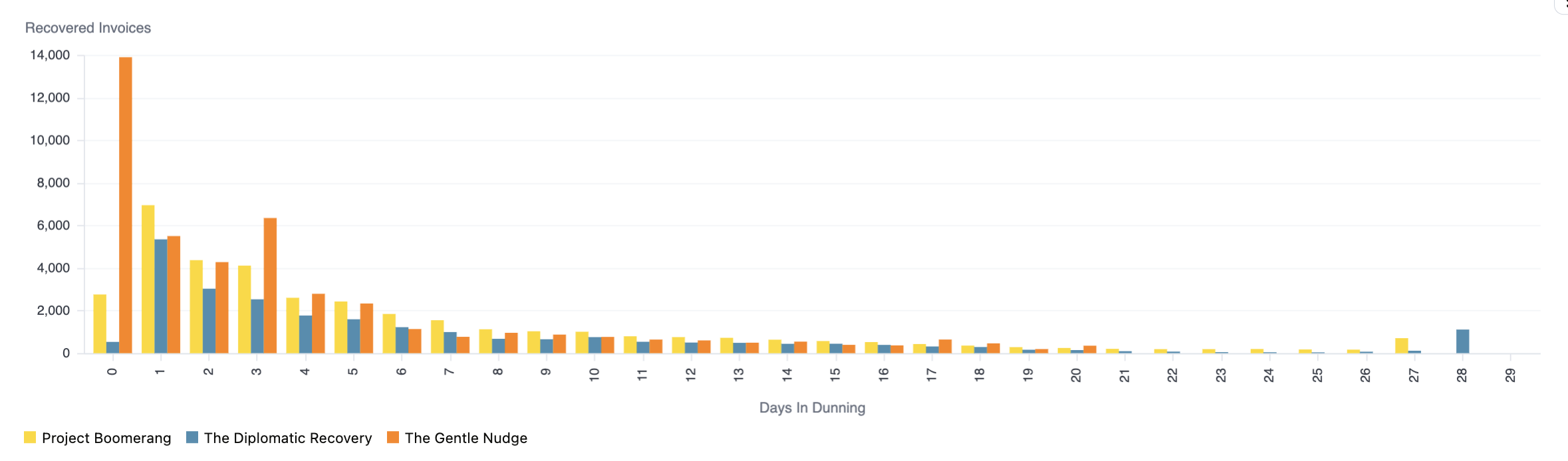
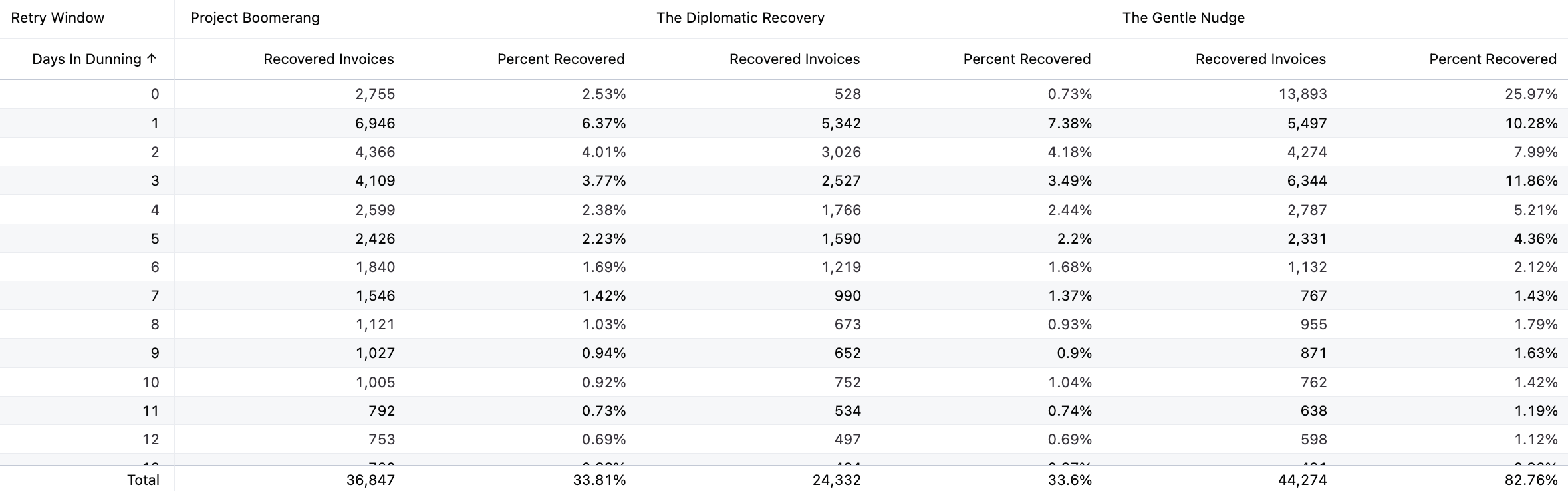
This chart shows how many invoices were recovered on each day in the retry window, broken out by retry window, so you can see how quickly each campaign recovers revenue. The accompanying table lists, for each day in the retry window, the recovered invoice count and percent recovered per retry window.
Updated about 2 months ago
Did this page help you?